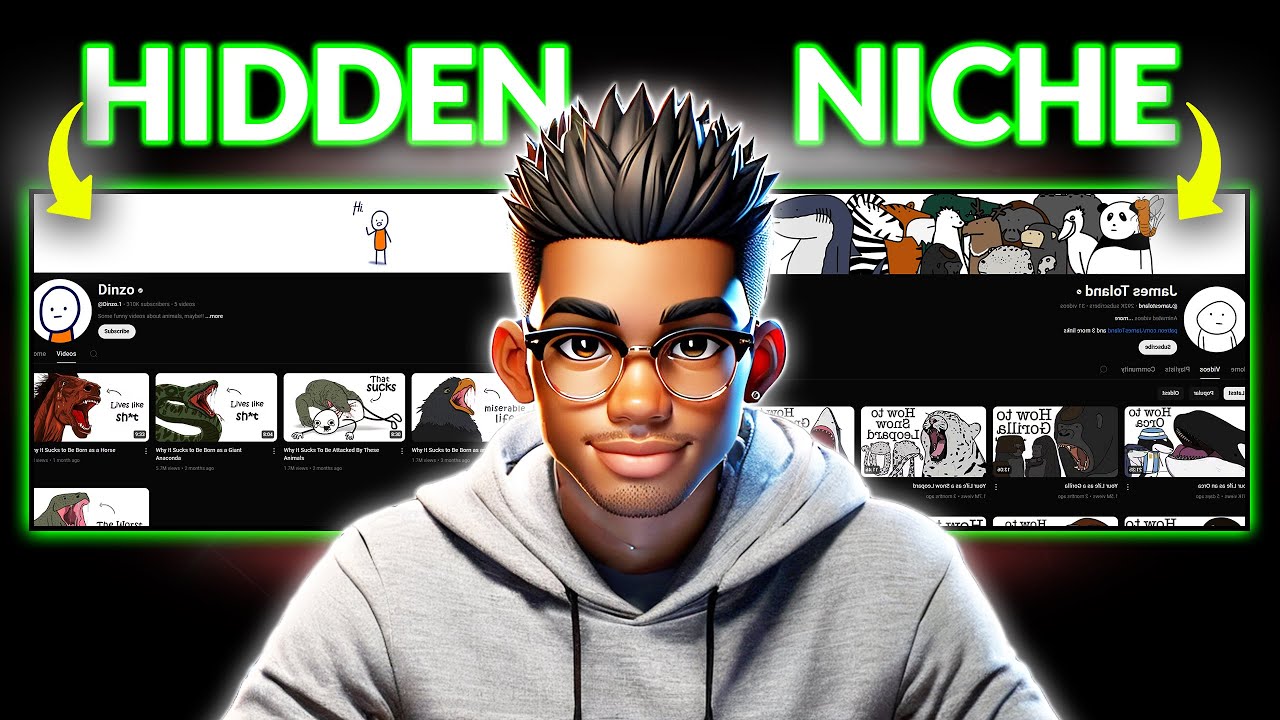
these animal Story videos are absolutely blowing up all over social media and if you don't know what I'm talking about take a look at these channels that are winning the YouTube game with some incredible numbers this first one has only posted 23 videos but has somehow raked in close to a million subscribers with over 200 million views but if you think these numbers are crazy you won't believe this second Channel that's also posted 26 videos but already gained 2 and2 million subscribers with a jaw-dropping 460 billion views what's crazy is that they're not the the
only ones absolutely killing it in this Niche there's another Channel that's just a little over a month old and it already has 36,000 subscribers from only 10 videos but these are just a few of the channels blowing up right now others like this one are telling such captivating stories that viewers just can't get enough of their videos the best part is that these videos are surprisingly easy to make with just a few AI tools you don't need to show your face or even out a voiceover all you need is your computer a few AI tools
the willingness to start your YouTube journey and the patience to follow the entire process I'm going to be outlining in this video yes it's that simple but if you're worried about this style of content not being monetizable simply head over to the Chrome Web Store and search for NEX Lev extension make sure it's installed and head back to the channel page if you want further proof of monetization you can add this other extension as you can see each of these channels including the one that's less than 2 months old is fully monetized so you can
scratch that excuse off your list of reasons not to start your YouTu YouTube channel right now and for anyone who still thinks shorts don't pay much it's time to rethink that even if we go with the lowest estimates from social Blade the first channel is making this much per month the second one could be pulling in upwards of $199,000 and the third Channel could be making more than $1200 that's from a channel that was launched just this January but if you're thinking of copying the exact same thing these guys are doing then this Niche might
not be for you at best You're simply going to end up a worse version of their Channel no need to worry though because I'm going to carry you through the entire process of creating your own unique videos that will absolutely make you stand out from the competition we'll cover everything from finding the right character that you can use to Brand your channel to generating compelling ideas for your videos then I'll take you through creating some badass images for your story and animating those images finally we'll go ahead and put everything together using cap cut just
a heads up I've put every single prompt I use in this video inside a Google doc which you can find in the prompts channel of my Discord server the link is in the description and on my channel page oh and if you find this helpful don't forget to hit like subscribe and maybe drop a nice comment and just so you know this isn't some BS check out this video I made using the exact same process I'm about to show you [Music] h [Music] [Music] all right let's get started the first thing you need to do
in this Niche is find the right character for your channel but you might be wondering why you need to go through all that trouble after all you could just use the same rabbit or duck characters these other channels are using the truth is that there's nothing stopping you from doing so but if you really want to stand out from the competition then you need to create your own unique character that doesn't mean just picking some random design and calling it a day you need to put some thought into this because this character is going to
become the face of your channel the thing people recognize and remember you by so make sure you pick something cute no need to overthink this though as I've created the perfect prompt for this step simply head over to the the Google Doc file I mentioned earlier and look for this animal prompt once you find it copy the entire thing and paste it into your preferred text generator now normally we'd use chat GPT for this but we're going to use something different for this video I'm sure you've heard of this AI tool called Deep seek if
you don't know what it is it's just like chat GPT except unlike chat GPT deep seek is completely free Well for now at least and the best part is that it produces content that's on par with the paid version of chat GPT so if you're on a budget and you want something free without compromising on quality deep seek is a great option simply head over to their page and paste the prompt you copied inside this text area it's simply asking the AI to provide at least 10 baby animal suggestions for the channel the animals should
be cute maybe with big eyes soft fur and most importantly easily recognizable to most people feel free to tweak it as much as you want but once you're done go ahead and hit enter as you can see deep seek has generated some pretty cool ideas for the animals we have a baby seal koala Fox penguin red panda and even a hedgehog if you don't like these results you can go ahead and regenerate them but I'll be choosing the baby red panda mostly because pandas are cute and other channels are more likely to choose the traditional
black and white panda but once you've decided on the animal you want to use the next step is to create your SEO optimized Channel if you already know how to do this you can use the timestamp to move on to the next section but to make sure anyone who's new to channel creation and branding has everything they need to succeed in this Niche I'll be going through the full process again the first thing you need to do is go to YouTube and click on your profile picture now go over here and select Switch Account next
you need to click view all channels and you'll be presented with this interface where you'll see every channel that's associated with that email you want to create a new channel so select this option and you'll be taken to another page where you can put in your channel name and handle coming up with a channel name for this Niche shouldn't be too difficult so feel free to brainstorm something creative but if you want more options to choose from head over to the same Google doc we used earlier and look for this channel name prompt copy The
Prompt and head back to deep seek go ahead and paste The Prompt into the text area then make a few quick changes first replace this with the number of channel name suggestions you want for this demo I'll go with 10 but you can always regenerate for more options next swap out this with the name of your chosen animal in this case we're using a red panda and finally pick the name you want included in your channel I don't want the full red panda in the name so let's just go with panda you can make any
additional changes to the prompt but once you're all right with it go ahead and hit enter as you can see deep seek has generated some pretty interesting names for the channel if you don't like any of these suggestions simply hit regenerate for a new batch once you've decided on the name you want for your channel head over to YouTube and paste the channel name next you need to add a description for the channel so go back to the Google Doc and look for this channel description prompt select the full prompt and copy it go back
to deep seek and paste it inside the text area you need to make two small changes here as well first you need to replace this with your chosen channel name and finally replace this text with the name of your character in this case the red panda hit enter and deep seek will create a short Channel description for you this doesn't look bad so you can copy and paste it as the channel description for your new channel now that the channel description is done you need to include tags to improve the channel SEO if you don't
know what that is it stands for search engine optimization this step is very important especially for a new channel as it'll help YouTube to identify your audience quicker so pick keywords like the name of your Channel animal Quest animal adventures and any other keywords that are relevant to this Niche don't forget to also include the category that your channel falls under depending on the style of content you want to create you could choose something like entertainment film and animation or even pets and animals now that the channel SEO is complete the next step is to
Brand your Channel at this point you already know the character you'll be using so this process is going to be quite simple head over to the Google Doc and copy this logo prompt now paste it inside deep SE and choose the number of prompts you want to generate in this case 10 you also need to add the name of the character you're using for the channel once everything looks all right go ahead and hit enter to generate your prompts as you can see deep seek has generated 10 unique image prompts that you can test so
choose one and head over to your preferred image generator I personally prefer ideogram for Logos so I'll head over there and paste The Prompt choose this Square aspect ratio and click generate it may take a couple of minutes but check this one out I think this is perfect for our channels so let's move on to the banner you don't need anything complicated for the banner as you can see from these two channels so copy this prompt from the Google Doc and paste it inside deep seek specify the number of prompts you want to create and
add the name of the channel as well now hit enter and deep seek will give you 10 unique Banner prompts head back to idiogram and paste the first prompt this time around you need to choose 16x9 aspect ratio before you generate your banner these images look great but you can still regenerate it a few more times till you arrive on something that fits your style next open your preferred image editor something like canva or photoshop if you don't have those photop works just as well upload your downloaded banner and use the Clone tool to remove
the text at the bottom of the image all you have to do is to hold alt for Windows or option on Mac while you click this part of the image where the text isn't showing now release the key and click over the texts to cover them all the last step is to select the text tool and use it to draw a text box right here then type in your channel name and pick a font that matches your style if you want to make the text Pop you can add a stroke effect and adjust the positioning
until it looks just right once everything is set export the banner as a PNG or jpeg image and just like that your channel branding is done now it's time to move on to the fun part generating content coming up with topics for this Niche is quite easy so feel free to be creative with it you can even take a look at other videos in the niche for ideas you don't have to copy them exactly but they're a great way to spark new ideas but if you need a bit of help AI can step in first
you need to head over to the Google Doc and look for this topic prompt then copy the entire prompt and head back to deep seek paste it inside this text area and scroll up to the start as you can see this prompt has been structured to fit the typical pattern most of these stories follow feel free to make any changes you want to the overall structure but the most important step here is to change this to the number of topics you want the AI to generate then replace this part with the name of your chosen
animal in this case the red panda lastly go to this rescue section and change this to your chosen animal again once everything looks good go ahead and hit enter to generate your topics as you can see deep seek has generated 10 unique story ideas and also structured them appropriately so go through them and choose the topic you want to focus on for your video now that you have your topic you need to expand on the script a bit more so copy this prompt from the Google Doc and paste it inside deep seek then go back
to the topics that deep seek generated earlier and copy the one you want to use for your story now return to the prompt and replace this part with the topic you selected hit enter and deep seek will break the story down into individual scenes for you you can go through the scenes and see if there's something you want to change in the story but once everything looks all right you need to generate some badass image prompts for the story so copy this prompt from the Google Doc and paste it inside deep seek you don't need
to make any changes to this prompt simply hit enter and deep seek will generate three image prompts for each scene in your story The prompts are pretty solid so the next step is to generate the images for your story you can use your preferred image generator for this process but if you're on a budget and want something free pck Lumen and Leonardo AI are two great options I'll quickly demonstrate how you can use both of these tools to create images for your story but first you need to copy this prompt from your story then head
over to Leonardo Ai and hit this button go to the preset section and choose this Phoenix model close the popup and make sure the image style is set to Dynamic you can test out any of the other op options but this works perfectly based on the extensive test I did for these images you also need to choose the image Dimension so hit more and choose this 9x6 Tik Tok aspect ratio close the popup and paste your copied prompt inside this text area now hit generate and wait for your image to be ready in case you
receive a warning like this one simply remove or change words like these and try again it doesn't take too long for your images to be ready but check out the results these images look perfect for the story but if you want other options you can try regenerating them keep in mind that you only get 150 free daily credits and each of these Generations costs 24 credits so make sure you only regenerate any images if it's absolutely necessary you don't need to worry much about consistent characters as the animals and scenes look pretty similar even when
using another account now let's try creating the same image with pen unlike Leonardo AI which isn't completely free you can use pen free of charge so paste the prompt and select your preferred model feel free to test out any of of these models but this one works perfectly for this style of image next you need to choose 9x 16 aspect ratio for short form content and also select the number of images you want to generate as you can see free users can only generate two images maximum at a time so I'll select that and proceed
with the generation it can take about a minute sometimes if you're on the free plan but it's worth the wait considering you're getting everything for free take a look at the result these images look pretty cool so feel free to generate a few more and see how they look I'll quickly modify this to bring in the freight liner heading towards the turtle you don't need to change the setting so long as it's still the same scene simply make changes to the characters in that scene actions and maybe their emotions hit generate once you're done and
check out the results these images aren't bad but the vehicle seems to be heading away from the turtle in most of the images I'll make some slight changes to the characters and regenerate again now these look considerably better for the story let's try this same prompt with pck Len and see how it's going to look as you can see the result looks equally imp impressive so feel free to use whichever one of these tools that you like for this Niche to save time I'm going to skip the rest of the image generations and simply show
you the results take a look at some of these images you can always go back and make changes to the prompts if you don't like any of the results but these look great so I'll be using them for this story now that the images are ready the next step is to convert them to video you can use your preferred image generator for this step but I think many Max is great for this style of video free users receive 100 credits daily which translates to around three videos I know that's not much so I recommend grabbing
one of their moderately priced paid packages to create your videos simply hit this button and you'll be taken to this page where you can choose the style of video you want to create you can choose between text to video and image to video go ahead and choose image to video and upload your image it doesn't take long to upload so once it's done type in a simple prompt to describe the image or simply paste in the same prompt that you use to generate the image in the first place you don't need to change the model
but you can increase the Quant of videos per generation keep in mind that increasing the quantity also increases the cost per generation so maybe leave it at 1 and proceed with the generation you can run three processes at a time so upload the next two images and repeat this same process for each of them it may take a while for your videos to be ready but the results are worth the wait as you can see from this video see how detailed the truck scene is this one of the injured Turtle also looks very convincing so
once you're done with the video generation the final step is to put everything together using cap cut the first thing you need to do is grab all your videos and drop them inside cap cut now you need to arrange your video clips on the timeline in the right order feel free to shorten some of the clips if they're longer than that scene should be but once everything is in place you need to head over to Transitions and grab something simple no need to choose something excessive for this Niche any one of these three transitions would
be perfect but the channels we're modeling use the black fade transition for most of their stories so grab that one and drop it between the first two clips you can add any of the other two transitions to the remainder of the clip but just one type works perfectly so select the transition you just added and apply it to the remainder of your video I want the black fade transition to last a bit longer at this point where the accident occurs so I'll stretch it to increase the duration the next step is to add a filter
so look through the available ones and select something that will fit the vibe of the video feel free to test the available ones till you find the one that works for you the clear filter works perfectly so I'll drop that one inside the timeline and drag it to cover the rest of the video next you need to add some sound effects to really bring the video to life getting this step wrong can ruin your video since these videos have no voiceover narration you need to ensure viewers stay engaged through sound effects the good news is
that they're easy to get you simply need to go to audio and sound effects search for the effect you want to add to any particular section and hit enter cap cut will present you with a bunch of these but if you don't find the one you want check out pixabay all you have to do is Select this option and search for the sound you need in this case let's look for the sound of a moving freight liner or truck do the same for any other effects you want and import them into cap cut now add
a fitting soundtrack for each section of the video If a sound effect needs to be repeated like in the case of this truck horn you can simply duplicate the track I'll add something dramatic for the accident scene then bring in some animal noises for this clip to make it feel more immersive to sync the red panda's footsteps with the sound effect you'll need to split the audio file based on the bars here each bar represents a footstep so just cut them and position each one right when the foot is about to touch the ground it's
a small detail but it makes a big difference in keeping the video immersive repeat this process for all your sound effects and once you're done consider adding a fade in and out to some of them it's not a must but I personally think it helps smooth out transitions between scenes the last step before the video is ready for export is to add the background music you can find something from YouTube's audio library or simply grab one from pixabay no need for some fancy music any Loi Style music should work perfectly for your video so search
for something like a soft piano track and download whichever one you prefer then head back to cap cut and add it to the timeline you can place it at the beginning of your clip but I think it Blends in better with the story when placed after the first two clips it may not be the same for every other story so keep that in mind you don't need to decrease the volume of the background music as there's no voice over so simply trim the excess part and head over to export feel free to choose your preferred
resolution but 1080P or 2K resolution works perfectly for short form content hit export and your video is done now this Niche is pretty cool and trending right now but maybe you want to check out other trending niches before you choose one for your channel then these two niches may be perfect for you
![CreateStudio 4.0 - Getting Started Guide [UPDATED]](https://img.youtube.com/vi/1fB0iSjriDg/maxresdefault.jpg)