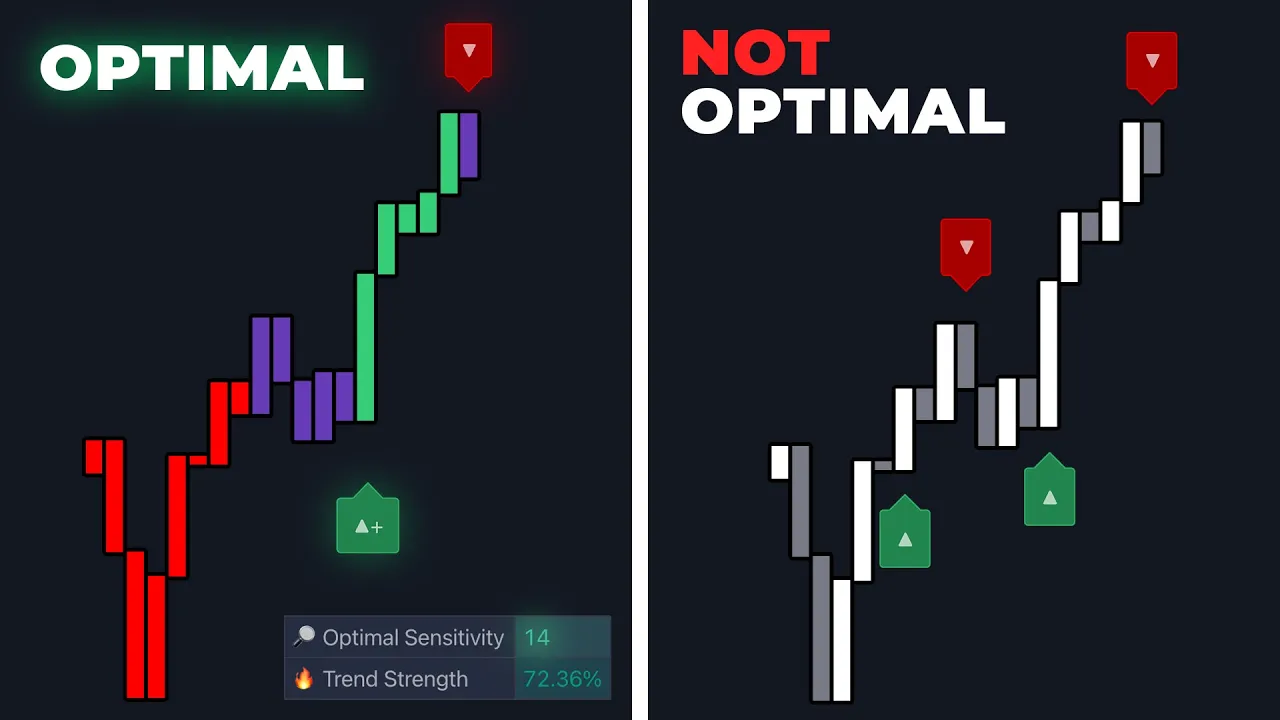
you now have the best signals in overlays indicator but you spend days optimizing back testing and forward testing searching for the Holy Grail of signal settings never arriving at an answer this is precisely why we created optimal sensitivity an advanced setting within the signals and overlays toolkit that in theory should provide the absolute best input for signals bringing your search to an end but is it the Holy Grail in this video we'll go over exactly how optimal sensitivity Works figure out if it truly provides the the best signals and by the end show you exactly
how you're supposed to use this feature to Lea frog above everyone else in trading every good indicator allows users to customize its inputs this enables traders to better align the indicator with their trading style and more importantly allows the indicator to adapt to the changing conditions of the market knowing this we've expanded control over many features within the toolkit including the smart Trail neocloud reversal zones and much more however we made sure to give special attention to the primary tool used to confirm trade setups the confirmation and contrarian signal modes if you go into the
indicator settings and have a signal mode enabled you can input custom values into the sensitivity window this will change the points where detected Trends are confirmed but what is the best value to input here if you look at the dashboard you'll see a value being returned for optimal sensitivity this is the input being suggested by the indicator based on current market conditions the perfect feature for Traders who are interested in what statistically is the best input but you'll notice this value changes over time let's first understand how it works and later in this video we'll
discuss exactly how to use it when trading the optimal sensitivity feature examines the past 250 bars on any market and using our proprietary algorithm Cycles through sensitivity values from 10 to 20 it then employs a grid search algorithm to determine the best input for the current market conditions since the algorithm is constantly checking these conditions the optimal sensitivity value may change as new bars are plotted the value returned can be manually inputed within the sensitivity window this returned value should provide Traders with the most opportunities based on those market conditions so is the value returned
the best possible setting for the indicator well past performance does not guarantee future results while the value is the best for that period as market conditions change so does the optimal value here is one example of how to use the feature if a Trader is performing a top-down analysis and identifies a structure they want to trade on The Daily time frame and by using the optimal sensitivity value they see that the trend is confirmed on that higher time frame the user may then choose to go to a lower time frame to execute the trade on
this lower time frame the prior sensitivity value may not be optimal since there may be more noise the indicator can detect this and will recommend a completely new sensitivity value for the lower time frame providing a dynamic and flexible approach to to any Market regardless of the conditions so is there a Best setting for an indicator regardless of the market the definitive answer is no markets are constantly changing and it is your job as a Trader to use the tools at your disposal to adapt to those changes it's worth noting that the optimal sensitivity value
within this toolkit does not account for other features such as stop-loss or overlays if you would like to have more control over this testing and create more custom scenarios then you have to try our back testing system it provides more detailed and advanced back testing features offering control over which sensitivity values are tested which dates you'd like to back test sessions the focus of the optimization algorithm and much more let us know in the comments what features you'd like us to cover next visit our website to learn even more about the toolkits and don't forget
to join our Discord where you can suggest updates to the tools or suggest new features we hope you enjoyed this video and we'll see you next time




![BEST TradingView Indicator for SCALPING gets 96.8% WIN RATE [SCALPING TRADING STRATEGY]](https://img.youtube.com/vi/2U5VTWBBK8U/maxresdefault.jpg)