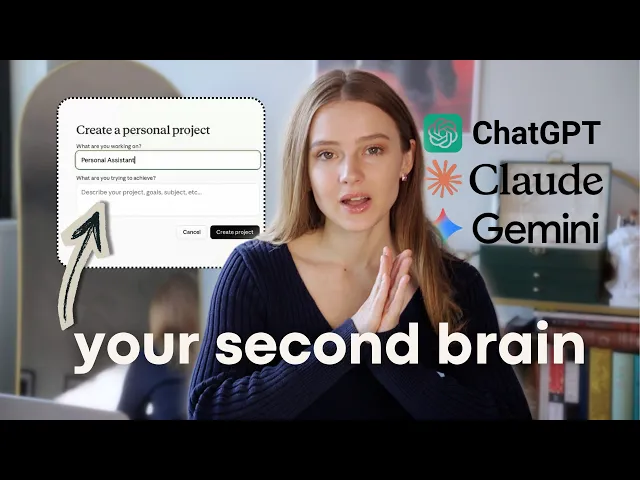
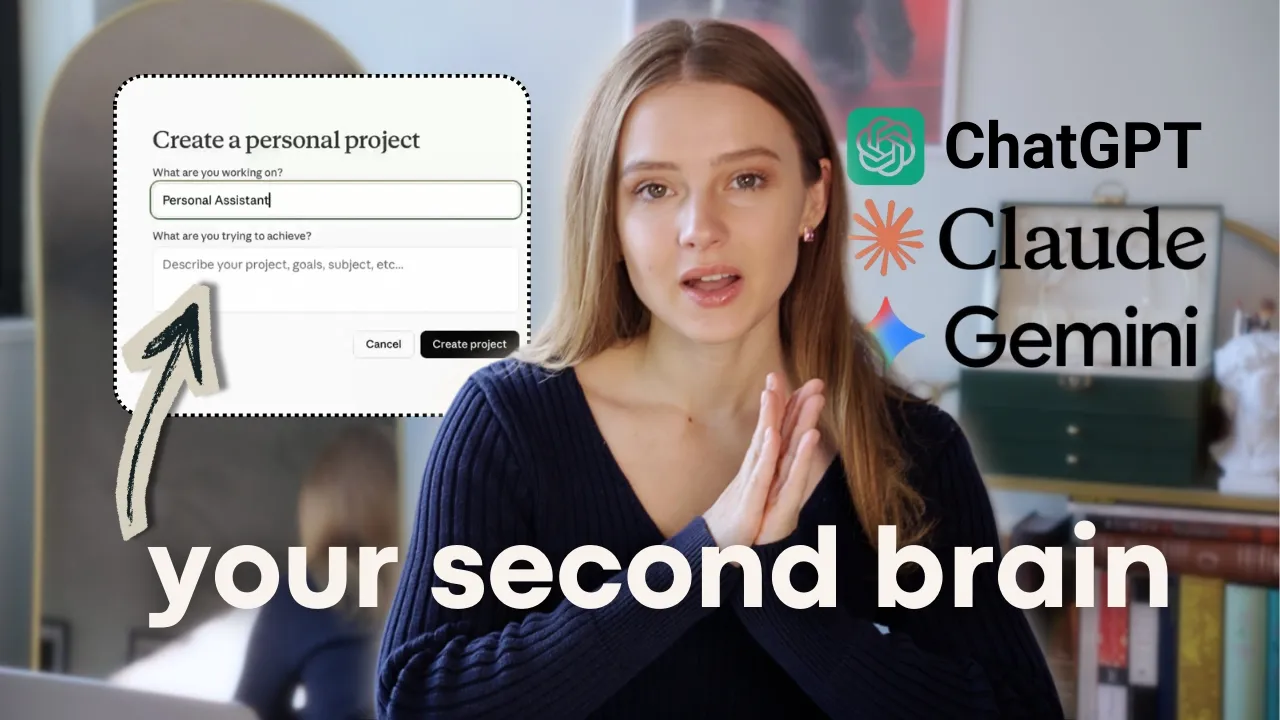
What if you had a personal assistant who never forgets anything you tell them, never gets tired, and works for you 24/7? So, I already have one because I've been using AI as my personal assistant for the last six months, and it helps me organize my life as a full-time student. It helps me manage my work projects and even ideate on YouTube videos.
So, today I will show you exactly how you can set it up for yourself. So, first of all, let's open the chatbot. And here you can use any sort of LLM you prefer.
You can use Chad GPT, you can use Gemini, Perplexity, but I personally prefer Clawude because from my experience it does not give me overly flattering answers because like Chip would always tell me that I'm a genius and I would prefer my personal assistant to be a little bit more rational than that. Do you use AI? Absolutely.
You use Chip. Do you know Chip? I love Chip.
Your questions are clever. You you're brilliant. You're excellent.
You have such insight. I I love it. Just as Boris Johnson, I love validation, but I need to choose something more realistic this time.
So, first of all, let's go to projects and let's create a new project and call it personal assistant. And when you create a new project, it's not going to have the memories of the other chats that you have in your chatbot. So you basically are starting kind of from a new fresh start which um I prefer.
And first step to make the most rational and the most useful personal assistant is to on board it. And I'm going to provide you with an onboarding prompt that essentially gives AI the whole context of how it should behave. And I'm also going to provide all of the prompts that I'm using in the description.
So don't screenshot anything because I'm going to provide everything there. So here is the on boarding prompt. And here I haven't filled it up yet, but I provide information about who I am, what are my goals, what are my objectives, what are my weaknesses, and what the chatbot is supposed to do to help me uh as a personal assistant.
So, I provided that I wanted to be my personal assistant, my motivational coach, and accountability partner. Of course, you can tweak it differently, um, but that's personally what I prefer. So here I filled out the form completely.
I provided Claude with who I am, what are my goals, objectives, what are my weaknesses, what are my problems, and how it can help me. So now it's providing me with what are my immediate priorities. Um, looking ahead, you want to graduate with all A's, you want to move out of Philadelphia, you can, you want to sustain two videos per month on your YouTube channel and learn handstand.
Like, this is all I provided to Claude. And it's asking me, what classes are you in this semester and which demand the most from you? I'm going to respond, and what does exercising five times a week look like for you?
gym, running, handstand practice, or something else. Right now, I'm going to provide Claude with my actual exercise schedule so that it knows what I do day from day. So, now I provided Claude with the full foundation.
I provided it with what my schedule looks like, what my goals look like, what are my problems. Now, it knows everything I'm supposed to be doing dayto-day. And now comes my absolute favorite part, which is the brain dump.
And there's this idea from the book Getting Things Done, which basically says that your brain is for having ideas, not holding them. And of course, if you're going to be keeping everything in your head, all of the deadlines, all the tasks you have to do, your goals, all of the birthdays and other things you have to take care of, it's going to keep draining your mental space. And you have to put it all down on paper.
And if you do a brain dump, you would like take a notebook, a piece of paper, and you would write everything that is in your head, everything that you have to take care of. But we're going to take it a step further and we're going to use AI to help us with the brain dump. So now I'm going to write my brain dump and Claude is going to take it and organize it, analyze it, categorize it, and give me the priorities list on what I should be focusing on right now.
And it's also going to remember it for every conversation in the project. I'm also going to say that neuroscience readings usually take a few hours. Creative writing takes two hours.
So, I'm going to provide it with the context of how long I spent on every task. And look what just happened. Claude basically took all the chaos.
It organized it by priority. It grouped related tasks. and it identified what I've been avoiding, which is really, really useful.
And it says, "There's an immediate crisis because apparently I am overcommitted. Something has to give or you'll produce mediocre work across the board and still burn out. " It provided me an entire priority list.
First priority, you have to protect the A because you stated that this is going to be your goal. And it basically tells me exactly what is most important based on the goals that I provided it in the beginning. It also provided me with what I can defer, delegate or delete.
Like for example, getting a new ID can wait. Getting a deep clean for my room, doing a deep clean for my room is also not necessary right now. It gives me gave me a reality of perhaps one of the goals that I provided it is not realistic because I'm not going to have enough time to actually complete it.
It also provided me with a week plan with everything that I'm supposed to be doing. As you can see, it also has, for example, like my push workout on Tuesday because I do it every Tuesday. My Wednesday is a rest day.
My Thursday is a pull day. Friday is a lower body workout. That also remembers that and I don't have to keep it in my head.
Now, let's say I wake up in the morning. I'm feeling very disorganized. I know that I have a lot of tasks to do and I'm not sure where to start.
So I can just ask Claude, today is Sunday morning. What should I focus on today? And of course, you can provide more context to Claude.
You can give it more information on what your energy levels are like on what do you want to focus on today. But let's say you have absolutely no idea. So today's focus, you have a creative writing deadline.
I have work due tonight and tomorrow and that takes priority. Everything else can wait. And of course, it looks at the thing that is most immediate in which I have a deadline on and it tells me this is your main focus.
Of course, you can you know yourself that this is your main focus, but sometimes when you have a lot of things to take care of, you kind of get a little bit disorganized. So, I find it's very useful on days that get very very busy. also provided me with time blocking on what I should be doing in the morning, afternoon.
Um, before you start the task, split phone and do not disturb. Close all of the tabs and tell yourself, I'm doing one thing today and I'm going to do it well. Okay.
Thank you, motivational coach. And as you can see in this message, I did not provide it with any information about what I'm supposed to be doing. It already remembers everything in the context of the conversation, in the context of the project because I've provided it with all of the tasks that I'm supposed to be doing.
And what's interesting that it also knows that today is my rest day in terms of workouts. Today is a deadline for one of my classes. It also remembers that I have other deadlines coming up closer to next week.
And it's also telling me what I should not be focusing on today because I have an immediate deadline that is much more important. And as you can see, it says one deadline, that's the mission. And what I find very very interesting and very useful in using these LLMs is that it not only like works as your personal assistant, it also works as your accountability partner.
So making an excuse saying that I want to watch TV shows today and it instantly tells me here's the reality. If you do this right now, your first option is to do the work and then you're going to watch TV show. Um, that's going to be great because you're going to tackle all your tasks for today.
Your next option is to watch TV now and then you're going to panic or you can do half and half. And it says if you choose option two, you're going to break the commitment to getting all A's in your classes. And if you scroll higher, this is happening because it remembers that one of the goals that I provided in the beginning when I was onboarding my personal assistant is that I want to get all A's in all my classes.
And I love that it just keeps this memory and always goes back to the objectives that I have set up in the beginning. I just want to make something super clear. I'm not saying that you should be listening to everything AI is saying.
Like it is just a tool that you use to organize your task. It's just a tool you use to brainstorm and find information. It still makes a lot of mistakes.
You cannot 100% trust it. It's not 100% reliable. But no tool is 100% reliable.
And I think that if you have an opportunity to organize your tasks nicely and use it as a personal assistant or as a way to brainstorm or ideulate, I think it is an extremely useful tool. But in this end of the day, if it tells you that something is truth, you don't have to believe it 100% and you don't have to do everything that it tells you because you're the master here and this is the tool that is supposed to serve you. And this is just an accountability partner that makes sure you stay on track.
Now, let's move on from the personal assistant to the next use case. Let's talk about how I use Claude for studying. I'm going to go ahead and create a new project studying.
And again, it doesn't have any memory from the other chats. It's going to be a fresh new plate where you can on board it in any way you want. And I'm going to use Claude as an actual tutor for my newer science classes.
And the prompt that I'm going to use for on boarding is this one. I'm also going to provide it all in the description. So, do not screenshot anything.
In my university, I used to go to office hours a lot. And something that I've been struggling with is sometimes I go to office hours, I ask my professor or a TA to explain a concept to me and they would explain it, but I wouldn't understand what they mean. And I wouldn't feel comfortable to ask them for a second time or a third time to explain it to me because I just don't want to seem dumb.
And the good thing is that Claude and any sort of AI, it's not going to think that you're dumb. You can ask it once, twice, you can ask it a hundred times to explain something to you. And this is the reason why I have stopped going to office hours altogether because now I just use Claude to explain everything to me.
Absolutely everything. And obviously like any chatbot will do that. The onboarding prompt, I say, you are the world's best educator and neuroscience professor.
Here's your teaching style, clear and accessible. You use real world analogies and examples. Breaks down information step by step and guardes critical thinking by asking questions.
I am taking this class. Uh my background is cognitive science major and computation. Here's my background.
And I want to understand why things work, not just memorize facts. And whenever I ask about a concept when it's going to reply to me, it should start very simple. And the main thing is to explain to me like I'm five.
If I don't understand something and then you add layers of complexity because if you understand something from a very very basic sort of point of view, it's going to be much easier to go deeper. Um, ask me what specifically I don't understand, it should help me identify the most important concepts, how they connect, give me practice questions, and remember that I'm here to actually understand the material, not just pass the exam. So let's prompt it.
So let's ask it about a specific concept. For example, I just learned about the pituitary. How does the hypothalamus pituitary axis regulate hormone release through portal blood vessels?
I don't understand this. And you see I'm asking it a question about a concept. And first thing it does, it explains to me like I'm five.
It explains the most basic sort of understanding of the concept. And talking about testing your understanding, you can use active recall. And this is something you can do by yourself or with your friend where you basically explain a concept or you answer a question out loud or you write it down.
But we can take it one step further and actually use AI to um help us with active recall. So the prompt that I'm going to be using is um I just studied this concept. Now I want to test my understanding.
ask me three progressively harder questions and also give me feedback on each answer and tell me whether there's any sort of issues in my understanding. And you see, I answered the question using active recall. It told me what I got right and what I missed as well.
And I think this is very useful to be using an LLM to do active recall with you in the studying process because it is going to easily tell you what your blind spots are. It's always going to give you feedback on your answer. Of course, it can make mistakes, but when you see material that is easily available on the internet about like basic anatomical neuroscience knowledge, um, of course, Claude and sort of any other LLM is trained on that material.
So, it is much less likely to make mistakes in something like that. I'll also use Claude to learn from YouTube videos easier. And here's how I do it.
I go on a YouTube video. I go here to transcript. Then I copy the entire transcript of the video.
I paste it into a chatbot and I ask it to analyze what are the main key findings and most interesting concepts that are mentioned in the video. It's kind of like a cheat code because you don't have to watch this entire 2hour podcast to figure out what his main points are. Of course, I would love to watch a podcast fully, but sometimes you don't have time or sometimes you watch it and then you want to like go back and remember what were like the most most interesting parts of it.
And as you can see, I provided it with the entire transcript. I asked it what are the main findings, what are the most important concepts and it provided me with the entire thing, everything that was mentioned. And sometimes you want to go back to the video and see a summary of what it was about.
And I think it's a great way to save time and it's also a great way to like kind of like take notes without taking notes on something. It's basically like having a research assistant that reads everything for you that watches everything for you and then gives you the key points. And the final way in which I use AI chatbots is to ideulate on YouTube videos.
So let's go ahead and open a project. um YouTube videos make a new project and and here I provide this is my channel name this is how many followers I have this is the content focus I want to focus on psychology productivity personal development and entrepreneurship here's my target audience and how often I post I provide all the information about my channel then I provide all the information about my style it's thoughtful introspective I also wanted to make it interesting and to give it actionable insights. I also told it that one of the things that I need help with is staying consistent without burning out.
And if you've been following me for a while, you know that I've been inconsistent for the past few months because I had some things in my life that I had to take care of. But now I think this is the time to go back to consistently posting on YouTube because this is one of my favorite things, honestly. And now I go on my YouTube channel and I just copy all the videos I have on my channel and and I provide it to Claude so that it knows what sort of topics I'd like to discuss, what sort of topics I've already discussed.
Um, so it has this context and now I use Claude for creative brainstorming and sometimes I have like a halfformed idea on what I would like to discuss and I don't know exactly what the thesis is going to be or I don't know exactly what angle I want to choose for that video. So let me show you. So I want to make a video about how people curate their identity online but I'm not sure what the angle is.
and let's see how my assistant is going to help me go through this. So, you see this clot is not actually giving me an exact idea on what I should film. It is asking me questions uh in order to help me clarify what exactly I want to talk about.
It asks me what sparked this idea, what's the feeling you want to capture, who is this really for, what's your actual take? And this is basically a process of creative partnership with AI where it helps you brainstorm the process of building an idea and it's not replacing your creativity. You're doing the creative part, but it is actually just helping you brainstorm and think about all the different angles of the idea um before it's actually formed.
So to recap, I just showed you how to create your own personal assistant with AI. And the way you do it first you open the chat you onboard it you provided all the context into your life like what are your goals what are your objectives struggles who you are what do you want from life and it has this context so that it can actually know how to help you. Step two you do a brain dump where you take everything out of your head you put it into cloud and it prioritizes and categorizes your tasks.
And step number three, very importantly, remember that you are the one who's in control. And AI is just a tool that you use. It is not 100% reliable.
You cannot rely on it on every decision that you make. It is just a tool. And it is not a replacement for your own sound judgment.
And it is also not a replacement for your creativity. It's just an accountability partner, a creative partner that helps you brainstorm and come up with new What if you had a personal assistant who never forgets anything you tell them, never gets tired, and works for you 24/7? So, I already have one because I've been using AI as my personal assistant for the last six months, and it helps me organize my life as a full-time student.
It helps me manage my work projects and even ideate on YouTube videos. So, today I will show you exactly how you can set it up for yourself. So, first of all, let's open the chatbot.
And here you can use any sort of LLM you prefer. You can use Chad GPT, you can use Gemini, Perplexity, but I personally prefer Clawude because from my experience it does not give me overly flattering answers because like Chip would always tell me that I'm a genius and I would prefer my personal assistant to be a little bit more rational than that. Do you use AI?
Absolutely. You use Chip. Do you know Chip?
I love Chip. Your questions are clever. You you're brilliant.
You're excellent. You have such insight. I I love it.
Just as Boris Johnson, I love validation, but I need to choose something more realistic this time. So, first of all, let's go to projects and let's create a new project and call it personal assistant. And when you create a new project, it's not going to have the memories of the other chats that you have in your chatbot.
So you basically are starting kind of from a new fresh start which um I prefer. And first step to make the most rational and the most useful personal assistant is to on board it. And I'm going to provide you with an onboarding prompt that essentially gives AI the whole context of how it should behave.
And I'm also going to provide all of the prompts that I'm using in the description. So don't screenshot anything because I'm going to provide everything there. So here is the on boarding prompt.
And here I haven't filled it up yet, but I provide information about who I am, what are my goals, what are my objectives, what are my weaknesses, and what the chatbot is supposed to do to help me uh as a personal assistant. So, I provided that I wanted to be my personal assistant, my motivational coach, and accountability partner. Of course, you can tweak it differently, um, but that's personally what I prefer.
So here I filled out the form completely. I provided Claude with who I am, what are my goals, objectives, what are my weaknesses, what are my problems, and how it can help me. So now it's providing me with what are my immediate priorities.
Um, looking ahead, you want to graduate with all A's, you want to move out of Philadelphia, you can, you want to sustain two videos per month on your YouTube channel and learn handstand. Like, this is all I provided to Claude. And it's asking me, what classes are you in this semester and which demand the most from you?
I'm going to respond, and what does exercising five times a week look like for you? gym, running, handstand practice, or something else. Right now, I'm going to provide Claude with my actual exercise schedule so that it knows what I do day from day.
So, now I provided Claude with the full foundation. I provided it with what my schedule looks like, what my goals look like, what are my problems. Now, it knows everything I'm supposed to be doing dayto-day.
And now comes my absolute favorite part, which is the brain dump. And there's this idea from the book Getting Things Done, which basically says that your brain is for having ideas, not holding them. And of course, if you're going to be keeping everything in your head, all of the deadlines, all the tasks you have to do, your goals, all of the birthdays and other things you have to take care of, it's going to keep draining your mental space.
And you have to put it all down on paper. And if you do a brain dump, you would like take a notebook, a piece of paper, and you would write everything that is in your head, everything that you have to take care of. But we're going to take it a step further and we're going to use AI to help us with the brain dump.
So now I'm going to write my brain dump and Claude is going to take it and organize it, analyze it, categorize it, and give me the priorities list on what I should be focusing on right now. And it's also going to remember it for every conversation in the project. I'm also going to say that neuroscience readings usually take a few hours.
Creative writing takes two hours. So, I'm going to provide it with the context of how long I spent on every task. And look what just happened.
Claude basically took all the chaos. It organized it by priority. It grouped related tasks.
and it identified what I've been avoiding, which is really, really useful. And it says, "There's an immediate crisis because apparently I am overcommitted. Something has to give or you'll produce mediocre work across the board and still burn out.
" It provided me an entire priority list. First priority, you have to protect the A because you stated that this is going to be your goal. And it basically tells me exactly what is most important based on the goals that I provided it in the beginning.
It also provided me with what I can defer, delegate or delete. Like for example, getting a new ID can wait. Getting a deep clean for my room, doing a deep clean for my room is also not necessary right now.
It gives me gave me a reality of perhaps one of the goals that I provided it is not realistic because I'm not going to have enough time to actually complete it. It also provided me with a week plan with everything that I'm supposed to be doing. As you can see, it also has, for example, like my push workout on Tuesday because I do it every Tuesday.
My Wednesday is a rest day. My Thursday is a pull day. Friday is a lower body workout.
That also remembers that and I don't have to keep it in my head. Now, let's say I wake up in the morning. I'm feeling very disorganized.
I know that I have a lot of tasks to do and I'm not sure where to start. So I can just ask Claude, today is Sunday morning. What should I focus on today?
And of course, you can provide more context to Claude. You can give it more information on what your energy levels are like on what do you want to focus on today. But let's say you have absolutely no idea.
So today's focus, you have a creative writing deadline. I have work due tonight and tomorrow and that takes priority. Everything else can wait.
And of course, it looks at the thing that is most immediate in which I have a deadline on and it tells me this is your main focus. Of course, you can you know yourself that this is your main focus, but sometimes when you have a lot of things to take care of, you kind of get a little bit disorganized. So, I find it's very useful on days that get very very busy.
also provided me with time blocking on what I should be doing in the morning, afternoon. Um, before you start the task, split phone and do not disturb. Close all of the tabs and tell yourself, I'm doing one thing today and I'm going to do it well.
Okay. Thank you, motivational coach. And as you can see in this message, I did not provide it with any information about what I'm supposed to be doing.
It already remembers everything in the context of the conversation, in the context of the project because I've provided it with all of the tasks that I'm supposed to be doing. And what's interesting that it also knows that today is my rest day in terms of workouts. Today is a deadline for one of my classes.
It also remembers that I have other deadlines coming up closer to next week. And it's also telling me what I should not be focusing on today because I have an immediate deadline that is much more important. And as you can see, it says one deadline, that's the mission.
And what I find very very interesting and very useful in using these LLMs is that it not only like works as your personal assistant, it also works as your accountability partner. So making an excuse saying that I want to watch TV shows today and it instantly tells me here's the reality. If you do this right now, your first option is to do the work and then you're going to watch TV show.
Um, that's going to be great because you're going to tackle all your tasks for today. Your next option is to watch TV now and then you're going to panic or you can do half and half. And it says if you choose option two, you're going to break the commitment to getting all A's in your classes.
And if you scroll higher, this is happening because it remembers that one of the goals that I provided in the beginning when I was onboarding my personal assistant is that I want to get all A's in all my classes. And I love that it just keeps this memory and always goes back to the objectives that I have set up in the beginning. I just want to make something super clear.
I'm not saying that you should be listening to everything AI is saying. Like it is just a tool that you use to organize your task. It's just a tool you use to brainstorm and find information.
It still makes a lot of mistakes. You cannot 100% trust it. It's not 100% reliable.
But no tool is 100% reliable. And I think that if you have an opportunity to organize your tasks nicely and use it as a personal assistant or as a way to brainstorm or ideulate, I think it is an extremely useful tool. But in this end of the day, if it tells you that something is truth, you don't have to believe it 100% and you don't have to do everything that it tells you because you're the master here and this is the tool that is supposed to serve you.
And this is just an accountability partner that makes sure you stay on track. Now, let's move on from the personal assistant to the next use case. Let's talk about how I use Claude for studying.
I'm going to go ahead and create a new project studying. And again, it doesn't have any memory from the other chats. It's going to be a fresh new plate where you can on board it in any way you want.
And I'm going to use Claude as an actual tutor for my newer science classes. And the prompt that I'm going to use for on boarding is this one. I'm also going to provide it all in the description.
So, do not screenshot anything. In my university, I used to go to office hours a lot. And something that I've been struggling with is sometimes I go to office hours, I ask my professor or a TA to explain a concept to me and they would explain it, but I wouldn't understand what they mean.
And I wouldn't feel comfortable to ask them for a second time or a third time to explain it to me because I just don't want to seem dumb. And the good thing is that Claude and any sort of AI, it's not going to think that you're dumb. You can ask it once, twice, you can ask it a hundred times to explain something to you.
And this is the reason why I have stopped going to office hours altogether because now I just use Claude to explain everything to me. Absolutely everything. And obviously like any chatbot will do that.
The onboarding prompt, I say, you are the world's best educator and neuroscience professor. Here's your teaching style, clear and accessible. You use real world analogies and examples.
Breaks down information step by step and guardes critical thinking by asking questions. I am taking this class. Uh my background is cognitive science major and computation.
Here's my background. And I want to understand why things work, not just memorize facts. And whenever I ask about a concept when it's going to reply to me, it should start very simple.
And the main thing is to explain to me like I'm five. If I don't understand something and then you add layers of complexity because if you understand something from a very very basic sort of point of view, it's going to be much easier to go deeper. Um, ask me what specifically I don't understand, it should help me identify the most important concepts, how they connect, give me practice questions, and remember that I'm here to actually understand the material, not just pass the exam.
So let's prompt it. So let's ask it about a specific concept. For example, I just learned about the pituitary.
How does the hypothalamus pituitary axis regulate hormone release through portal blood vessels? I don't understand this. And you see I'm asking it a question about a concept.
And first thing it does, it explains to me like I'm five. It explains the most basic sort of understanding of the concept. And talking about testing your understanding, you can use active recall.
And this is something you can do by yourself or with your friend where you basically explain a concept or you answer a question out loud or you write it down. But we can take it one step further and actually use AI to um help us with active recall. So the prompt that I'm going to be using is um I just studied this concept.
Now I want to test my understanding. ask me three progressively harder questions and also give me feedback on each answer and tell me whether there's any sort of issues in my understanding. And you see, I answered the question using active recall.
It told me what I got right and what I missed as well. And I think this is very useful to be using an LLM to do active recall with you in the studying process because it is going to easily tell you what your blind spots are. It's always going to give you feedback on your answer.
Of course, it can make mistakes, but when you see material that is easily available on the internet about like basic anatomical neuroscience knowledge, um, of course, Claude and sort of any other LLM is trained on that material. So, it is much less likely to make mistakes in something like that. I'll also use Claude to learn from YouTube videos easier.
And here's how I do it. I go on a YouTube video. I go here to transcript.
Then I copy the entire transcript of the video. I paste it into a chatbot and I ask it to analyze what are the main key findings and most interesting concepts that are mentioned in the video. It's kind of like a cheat code because you don't have to watch this entire 2hour podcast to figure out what his main points are.
Of course, I would love to watch a podcast fully, but sometimes you don't have time or sometimes you watch it and then you want to like go back and remember what were like the most most interesting parts of it. And as you can see, I provided it with the entire transcript. I asked it what are the main findings, what are the most important concepts and it provided me with the entire thing, everything that was mentioned.
And sometimes you want to go back to the video and see a summary of what it was about. And I think it's a great way to save time and it's also a great way to like kind of like take notes without taking notes on something. It's basically like having a research assistant that reads everything for you that watches everything for you and then gives you the key points.
And the final way in which I use AI chatbots is to ideulate on YouTube videos. So let's go ahead and open a project. um YouTube videos make a new project and and here I provide this is my channel name this is how many followers I have this is the content focus I want to focus on psychology productivity personal development and entrepreneurship here's my target audience and how often I post I provide all the information about my channel then I provide all the information about my style it's thoughtful introspective I also wanted to make it interesting and to give it actionable insights.
I also told it that one of the things that I need help with is staying consistent without burning out. And if you've been following me for a while, you know that I've been inconsistent for the past few months because I had some things in my life that I had to take care of. But now I think this is the time to go back to consistently posting on YouTube because this is one of my favorite things, honestly.
And now I go on my YouTube channel and I just copy all the videos I have on my channel and and I provide it to Claude so that it knows what sort of topics I'd like to discuss, what sort of topics I've already discussed. Um, so it has this context and now I use Claude for creative brainstorming and sometimes I have like a halfformed idea on what I would like to discuss and I don't know exactly what the thesis is going to be or I don't know exactly what angle I want to choose for that video. So let me show you.
So I want to make a video about how people curate their identity online but I'm not sure what the angle is. and let's see how my assistant is going to help me go through this. So, you see this clot is not actually giving me an exact idea on what I should film.
It is asking me questions uh in order to help me clarify what exactly I want to talk about. It asks me what sparked this idea, what's the feeling you want to capture, who is this really for, what's your actual take? And this is basically a process of creative partnership with AI where it helps you brainstorm the process of building an idea and it's not replacing your creativity.
You're doing the creative part, but it is actually just helping you brainstorm and think about all the different angles of the idea um before it's actually formed. So to recap, I just showed you how to create your own personal assistant with AI. And the way you do it first you open the chat you onboard it you provided all the context into your life like what are your goals what are your objectives struggles who you are what do you want from life and it has this context so that it can actually know how to help you.
Step two you do a brain dump where you take everything out of your head you put it into cloud and it prioritizes and categorizes your tasks. And step number three, very importantly, remember that you are the one who's in control. And AI is just a tool that you use.
It is not 100% reliable. You cannot rely on it on every decision that you make. It is just a tool.
And it is not a replacement for your own sound judgment. And it is also not a replacement for your creativity.