Hello friends, welcome to Gate Smashers the topic is file system Vs DBMS, So in the first video we discussed the basic introduction & the definition of the DBMS, but now the first thing that comes to our mind is that which system was used before DBMS, or what was the problem in that system did, which was removed by DBMS or we can also say in this way that what are the advantages in DBMS that it removed the old system or the traditional system. So here we are talking about file system, which means file system was used before DBMS, now file system it doesn't mean that is not used in today's time, I am explaining it with a very small and real life example that the in 1970's scenario, how to access the data there, as if I am a user, the data is in my system and i am accessing that data, means as a user i am saving the data and i am only using the data. Now in this case, we can use file system because user always how to manage data, in the form of files, so it is very easy for me, to make my own drives.
As we see even today, what comes in our laptop, file system. It is inbuilt in the operating system, such as CIFS, NFS file system is used. So what happens in them, whatever data is yours, you put that data in the form of files that we create drives, create folders and sub folders in the drive, store data in hierarchical form that is what, the use of the file system.
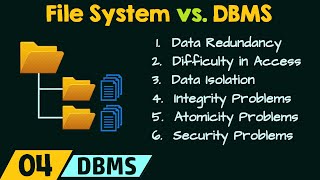
But then why are we using DBMS, when the file system is running properly, why are we using the DBMS, because we are now using the client server architecture. Client server architecture means My data is not only with me, I am not only accessing my data, my data is at a centralized location & all over the world users are using that data Means if I show it with simple diagram, it is my server, my data is with this server & many users are attached with this server who are present all over the world and they are trying to access that data. Now in this case where my users are presents all over the world, now when they are using the data, then at that time we cannot use the file system, we have to use DBMS, the reason being is, the first point that I am going to discuss here, File System vs DBMS.
The first point is that when we search the data like if we talk about IRCTC. if we are searching a train in IRCTC, lets say I am searching data of 1 kb, data of 1 kB, that means I have to find the details of a particular train. Now I have to find the details of that train, if the file system is used there, then actually what will happen, I will get the complete file, whose?
files of entire train data. Means I just want to search 1 kB of data but how much data is coming to me, approximate 25 GB, just for example I am saying. 25 GB of data is traveling and it will take time, 25 GB is coming in my system, unnecessarily memory is being used and out of that data, I have to search only 1 KB data which is very complex things.
That's why now comes the concept of DBMS, what does the DBMS says, your 25 GB data is with the server means the entire data is with the server of Indian Railways. Now what the user will do, he will write a simple query by using the SQL, and on the basis of that query, how much data will come to him only 1 KB, that is a first point. So Here my searching is going fast & the utilization of memory is also efficient.
The second point is, whenever we search the data by using the file system, we required attributes, means I need that file name, file location, file permission, like that I am accessing data, I need meta data of that data first. When I will get that meta data, what is meta data? data about data, means the data about the particular file, first i need that data.
Like we normally access in our system file, then location comes C:/folder 1, :/ folder 2 That is what a location. I can access that data only when i have it. but in DBMS, there is no location, it is totally independent, independent means the user does not know where the data is actually stored, the user will write just one query from from his laptop or system by using any platform, what can that platform be, can be any web application.
Like we do in IRCTC, we open IRCTC web application or mobile application and on that application or web application, we will get a send request and that request goes to the server and the server responds and I don't need any attribute to respond. I just want to access the data and there is no requirement of attributes to access that data. So my searching here is easiness means DBMS is providing easness here.
Third point is concurrency, what is the meaning of concurrency? In today's time, the most used concept is concurrency means concurrent Access, means multiple people at the same time, multiple people are accessing the data, this is the most important thing in today's time. If we talk about IRCTC, I am discussing example of Indian railways because the DBMS is actually a little theoretical concept in the starting, but if we give a real life example with every concept and understand this real life example, then you will never forget this concept.
Now we are talking about concurrency, so our system of Indian Railways, if we are accessing Indian Railways, I am booking a train, then what do you think, you alone are using indian railways system at that time. No, I had read in a survey, according to that survey, there are 2 to 3 lakhs transactions every day on IRCTC's server. Now, so many transactions are happening, means 1k-2k transactions are going on at a time.
At this time if so many users who are accessing the data is called the concurrency. And this is not a protocol for concurrency in the file system, means if thousands of people access the file at the same time then there may be inconsistency in the data but the DBMS provides the proper protocol, it has protocol for concurrency, like if two people are doing read-read then there is no problem, doing read-write at the same time, there is problem, there is problem on write-read, there is problem in write-write. This all we do in detail when topic or unit of transaction control and concurrency will come.
Right now you only have this important point that for concurrency, protocols exist in DBMS but no protocols exist in file system due to which problem is created. 4th point is security, yes, security that is again a very important issue now a days. What is the meaning of security that if I am accessing a data here, then anyone can access the same data or there should be some role based work here, role based means like we talk about university, if I am teaching in the university as an assistant professor, students are also there, assistant professors are also there, admin's people are also there dean is also there.
So the data am I accessing, are students also accessing the same data, is the dean also accessing the same data? or is there any hierarchical security, hierarchical means we call it role based security. What is the meaning of role based that if I have some data, then to access that data, I will create different roles.
Means a student is a kind of User, you can call it user, role created or user created, a student, a faculty and let's say a Dean, then everyone has their own role base. we call it role based access control. Role based access control and it is very important in today's time.
If you are on any site, means if you are on any website, let say if you are filling any form on the website of Indian Army for SSB, then what do you think, you can check any information there? No, there is a separate role for the authenticated people or users and there is a separate role for you, so that data they want to show you, only that much data will be visible to you, the rest of the data for you is invisible. So that is reason that I am getting security here.
But there is no such scene in the file system because who handles the file system, operating system. & in the operating system, there no hierarchical based, hierarchical means level by level, there no such security. How does the operating system provide security when you turn On the flap, a password comes, as you entered the password, system turned On.
when the system turned on, go to any drive, go to C, go to D, means this is from the users point of view. When thousands of people will access that data, then there is no security protocol in the file. But DBMS provides role based security, you can create different users, you can create different roles, so that only that much data will be visible to the particular user, Rest of the data, he will feel that it is not there.
But yes, rest of the data will be available, It will be available in some other role. So that's why security is very important concepts and this aspect DBMS provides, file system does not provide. Fifth one is data redundancy, redundancy means duplicacy.
Data duplicacy means i am saving any data in a file. I stored the same data 4 times. Let's say I am making an excel file, there is a student Ram And his roll number is 1, I have 1 ram 1 ram 1 ram, when student is only one then why are you storing his data four times.
But no such scene in file system. Yes, the operating system will check that if you are not storing the same file twice with the same name, but if you change the name, then you can store that too, that means multiple files with different name you can store. But the content will be the same.
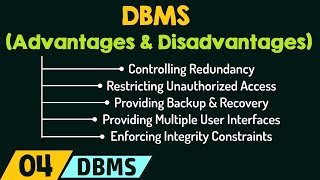
But in DBMS, there are lot of constraints, there are constraints of primary key, there are constraints of foreign keys, which helps in data integrity. So these different constraints ensure that the data is not redundant, that I can store only unique data. So this is how DBMS is superior than the file system, And this is the reason that in today's time, all the client server architectures and the web applications, what do we use at the bankend, DBMS.
What is on the frontend, we are there, the users. We use any application, use flipkart, amazon, google, who are we, front user, using data but what is on bankend, DBMS which handle that the data, the request and respond to that request. So that is the major point, these are the major points which can be called Disadvantage of File System or Advantages of DBMS.
So this is all about difference between the File System and DBMS, Thank you.