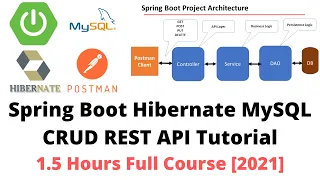
hello guys welcome to my channel so i have been getting a lot of questions on crud application specifically so i have created a lot of videos on spring boot spring jsp time leaf and i have created few courses on udemy also related to that part only but as there are lot of questions i have thought of another way to create a crud application but with minimalistic approach so here we are not going to use any big software or tool here we are going to use simply spring boot in memory database and restful web services so
here i will try to explain each and every part of the code as simple as possible so here we are not going to talk about big things but here we will talk about new things which maybe are not popular right now but are unique so let's learn about them so before moving on to the code part if you are new to my channel if you haven't subscribed to my channel yet please do now let's quickly move on to the code so first thing first we have to start with spring initializer so here we are going
to keep everything as default we are not going to change anything here so here i am going to change the artifact name so i'll just do application grid application right now talking about the version we are going to use 17 and we are going to use dependencies like spring web because we are going to create a restful application so we need spring mvc or spring web then we are going to use the in-memory database which we are going to use h2 now for the database connectivity we are going to use jpa here and lastly we
are going to use lombok so lombok is a java annotation library which will help us to reduce the unnecessary part of code which we have to write so here we are not going to create a lot of unnecessary or boilerplate code but it is going to be a start for a bigger approach so i have already created a video on lombok so i will put the link of that video in the description so do check it out if you want to learn more about lombok so here we have four dependencies spring web s2 database jpa
and lombok and nothing else so let's generate this code now i'm going to use my favorite ide which would be intellij you can choose eclipse here you just have to import this folder you have to first extract this zip file and then you have to import it so let's do that quickly all right so now the project is opened so let's start with the coding part but first let's make some property changes so first thing first is that i'm not going to use 8080 as the default port i'm going to use 9090 here and talking
about database we have to do four things first is that we need the url then we need the class driver class then the username and the password that is the usual thing that we always do for our database property changes so here we are going to do those first so let me brief about this so here we are using jdbc for the database connectivity we are going to use h2 database which is going to be in memory database and the database name is going to be test database so as we are using h2 database here
we don't need another set of installation so here we are not going to install any software this is just embedded as in in memory so while this application is running then only this database is going to exist but when we stop the application then it will die so it is as simple as that there are two options here we can either use in memory or as a file so if we are talking about file then we have to provide the location for that and then it will save there right so i thought let's start with
in memory then the database driver name has to be for your s2 database so which is this one the default username for this is sa and the password is empty so that is but that is what we are going to use here we are not going to change anything because we like to keep it simple now let's talk about queries now so i want to show the query so that i will be able to know what queries are running in case there is any problem with the code right so for that i'm going to use
spring dot jpa dot show sql property and let me tell you if you are not aware about this this is not related to h2 this is related to your sql queries which are going to get generated even if you are using hibernate or any other tool right now we are using jpa here and jpa by default uses hibernate internally so we are going to again keep it simple so here the dialect is going to be of h2 so that is why this property and now the most important thing is going to be how do we
want a database creation to be should it be create or update so here we are going to go with update right and then we have another option with h2 which is that do you want a console or not so with this console we can execute the queries to see what data do we have in our specific tables right so this is like your workbench where you can execute queries see the data delete some data things like that so it is a console for it now as we have enabled this console we can also provide at
which path do we want this console to be so by default we have h2 hyphen console but we are going to change it because we like to keep it simple so in our case it is going to be just h2 now we are done with our properties now let's start with our models so let's first create the package now let's create the class so i'm going to use book here because what i'm going to do is i'm just going to create a book update a book delete a book or view the books so it's like
your library where you can add a new book update let's say the price of it or the title of it and view all the books that you have in your library or delete one right so as this is going to be your table also so we are going to need it to be an entity and as we are going to change the name of this table we are not going to use book here so let's change the name to books that's it now like i said before we are going to use lombok here so long
lombok reduces your boilerplate code and according to me the boilerplate code is going to be your constructors which are no argument constructor parameterized constructor and then you have your getters and setters then you have your tostring method so i don't want to create anything here so i will use annotations here because lombok is a is an annotation based library so it provides us that so first i need to create a no argument constructor so for this this annotation then i need all argument constructor so here it whatever arguments or variables i'm going to create in
this class they all will get used up to create this constructor now we need setter getter and the tostring method right now what do we need here so first we need an id which has to be long then we are going to need the title and the author so we are here keeping it simple we don't want to add more and more information you can elaborate this but right now we are going to keep it simple so we are going to have only these three properties where we can update these two right now we are
done with our model now let's create a repository so again we have to create a package for this and then we will create an interface so let's say book repo and i created a class instead of interface and this is going to implement jpl repository because jpl repository provides us a lot of by default functionality which we don't have to create often so here we are going to add nothing just the object on which it is actually going to have your cred operation and the unique id or the primary id you can say so our
unique id is of type long so that's that and we don't need any method here i forgot this and that is it now we have to annot this as repository because this is a repository now we are again done with our repository now we have to create the controller so let's first create the package controller now let's create the class book controller so this is going to be a controller and we are not going to just use a controller but a rest controller so yep now let's move to the hard part so first we need
a repository object so we'll do book repo here and let's auto wire this now we have to create four things here so first is going to be our method which is going to be get all books then get book by id then ad book then update book by id then delete book by id all right now this get method or methods are going to be your get mapping annotated annotated same goes for this one but this one is going to be your post mapping because this is a post request same goes for this one this
one has to be your delete mapping and you can work it out with post mapping also but yeah let's use the obvious one leaf mapping now these are not actually going to return nothing the as we are creating the restful web services so they have to return something as a response so we are going to use here response entity so the this is going to return all the books as in a list of books so here we will do list and here we will do book all right so now let's start with this method so
first is we will see if there are any exception so in case anything is happening out of context then we will do return new response entity and here we will just do http status as internal service server editor right now we have to get all the books and for that we need a collection as a list so here we will do list of book this will be your book list and here i'm going to use java 8 features so first i will call book repo and i will call out the method from your gpa repository
which is find all through that i will iterate over each book object and use my collection and add everything to it right now we have this list but we are again not sure whether it will have the data or not what will happen if we haven't add anything to our library and trying to get all the books right so in that case this repository this collection book list is going to be empty so let's add a check for this if book list is empty so if it is empty then i will use http status no
content right so let's do that no content right but if everything is going to work out just fine then i'm just going to do response entity which is going to be your okay right so this is it what we have to do for our get all books but for our get book by id we need a path variable here right which is going to be of type long and id and i forgot the url so here it will be get book by id and then id this one is going to be get all books all
right so let's quickly proceed ahead so again this is not going to be void this is going to be response entity and as we are here going to return a single object of type book so this is going to be book now here what we have to do is we will use our repository to call the method find by id and here we will provide id but good thing to remember is that this is going to return an optional object right if you remember about java 8 features this was a newly addition to java 8
features so here it could be null it could be present right so if it is present in that case i will say yeah everything is fine so let's copy this line right but i forgot one thing i'm just returning the status but not the data and we have to return the data also right so here we will return book list also and here we will just do book data right now if it is empty oh if it is null in that case what we have to do we we will just do return new response entity
and here the http status is going to be not found as in there was as in there wasn't any data for this particular id that we are trying to search over so here i forgot that we need get method to actually get the data now we are done with uh get booked by id again you can add trend catch here for more elaboration now coming down to add book the uri is going to be just add book and here we will have a request body of type book right now you can add try catch here
but i'll just ignore it so let me start slow so again i will call book repo and we will have a method save here we just have to provide the objective that we want to save to the database but remember that this is also going to return something back which is going to be the object that is going to get created at the database end so here we are not going to have an id variable we are just going to have the title and the author information but as here we are going to add the
strategy as auto it is going to create the id value for us so which means that when we are saving the object the code is going to help us and note an id value to this book object and return the entire object back so here we are only going to have title and author information but here we will get id title and author all three of them all right now once the object is created we will just return the response first we will return the object that we have created and the http status as okay
everything went good and then we have to change this to this all right good to go now talking about update so this one is going to be update book by id and here we will need a path variable id right now again we have to first find this whether this is there or not so it isn't going to be like we are providing the id and what will happen if the id is not there right so that can be a human mistake we have to take care of that scenario also so this is again going
to return us an optional object like before now first we will check if the data is present or not so if it is present then we have to update the data and that data is going to be here as request body book and let's say new book data right so first we will get the old book data so let's change this to old book data and let's get the data out right now we are going to save this as in we will update this data so let's do updated book data now how will we update
this we will just call our setter method so in case we have changed the title then we will just do new book data dot get title and if we have updated the author then we will just set author from our new book data and book we could have done both also right so that is a possibility now we have a new updated data object but we haven't saved this to the database so again we will take help from our repository and call the method save so there isn't any update method we are just going to
use same method here and just provide the updated object and then again it is going to return us the updated object so we will just return this back as a response and the http status as okay but what will happen if it is not present if the old data is not present in that case we will just say not found right so let's copy this and let's change the return type all right good to go now again for this we will have similar to what we have done before so delete book by id and then
the path variable so path variable is going to be long id here we are going to call a different method which is going to be delete by id and here we will just provide id and then we will just return a response entity here we don't have to return any object here we will just return that whether the operation was successful or not right so here we will just say okay and then let's change so here we will just do response entity and here we will just do http status and that is it that is
what we have to do now let's quickly run the application and first we will see the h2 console and we will try to execute the queries there also and then we will see the restful operations one by one right all right so the application is up now let's quickly check the locks so here you can see that the application got started at our port and the s2 console is now available at this part and here we can see that the table book has been created and the sequence is going to start with one and increment
by one so yeah that's good now let's quickly log into our s2 database so here we will just do 9090 and h2 so this is going to be the default implementation and here i don't have to change anything this one is good enough good enough good enough you can try to test it also if it is green then yeah you are good to go to connect once you connect you will see something like this so here you can see that the table books has been created so if you have multiple tables uh you will see
all that information here now if i try to hit the query select start from books and just press run it will execute and it will say there is no row yeah so we are good right so now let's quickly use postman to execute the operations so first is going to be our post operation because we first have to create the data so we will use add book and inside the body it is going to be raw but of type json so we just need title so let's say book one i'm not going to be creative
here author one so that is it now let's send this so as you can see we got the data back with the id now let's try to create another one so now we got the other one also now let's see what we have so this is going to be our get request so get all books now let's see what we have so it sent us back 200 okay but we didn't get any data now let's see what we have done wrong okay so what we have done is if it is empty we are returning the
book list which is not really required but here we do so that was my bad so we now have to recreate the data because once we stop this application we have to create the data again so that's a huge pain but yeah we are learning something new so why not all right so now let's quickly add the data now let's get the data so now we have got the information right as expected now let's try one more and get book by id so here i will do two so i got book 2 or 32 which
is good right now let's try to update the data so update is again going to be our post and i'm going to update the book 2 right so here i will just go to body keep it raw let's type json and here i will do title i will keep title yeah let's change the title so let's change the title to book 21 again not being creative here and let's do author 2. so here i'm just keeping it so let's change this one also to 21 okay now let's send this and i got this weirder okay
all right i don't know what happened there but we got the updated data right so this is this now we are good with update also now let's try to delete one so to delete we just have to do like this and as i love the id 2 so much i'm going to delete this one so here i don't have to do anything just send this one and it sent me back 200 okay which is good now if i want to see if i got anything so here if i execute this you can see 404 not
found and if i do get all books in that case i just got one so these are all the crud operation and this is what i thought of as the most simple way that i could have used to explain to create a crud application so if you like this don't forget to like this and please subscribe to my channel and if you want to share this yeah please do and if you have any kind of feedback for me or if you have any kind of request on which you want me to make a video on
yeah please hit that on the comment section and i really hope that we will meet in some another video till then have a good day stay safe and bye