Hi everyone Welcome to our new course introduction to notbook Alm notbook Alm is a research assistant powered by Gemini 1.5 Pro on launch by Google notbook Alm has sticken the Internet by storm and is now being used for all sorts of use cases such as generating audio podcast which is a very interesting and viral feature today in this course we are going to dive into what are the best practices for how to Use this powerful research assistant called notbook Alm we will touch on a variety of use cases and compelling ways on how to use
notbook Alm in the workplace and for a lot of interesting personal projects do stay tuned for all our demos and exercises I am the instructor for this course my name is Elvis and I'm the CEO of a little bit of information about myself my name is Elvis aravia I'm the co-founder of Thea TI where we mostly focus on Professional Services and helping AI startups with developing with large language models and generative VI I have been an LP researcher for the last 10 years and my main focus has been on information retrieval systems and language models
I'm also an independent AI researcher I've worked with teams such as elastic meta AI paperc code fear pyge and many other AI startups as I mentioned earlier I do a lot of technical AI Consulting mostly with AI startups I am very Passionate about delivering professional technical trainings such as this one you can find me on X at om the objectives of this course course you will learn how to effectively use notebook Alm as a research assistant we will cover best practices and provide all sorts of tips and tricks on how to make the most out
of notbook Alm for your personal and professional use cases you'll also learn how to unlock unique and advanced use cases with notebook Alm we cover a wide Range of projects in this course from generating podcast for newsletters to generating quizzes exercises and additional notes for students using Google Slides presentations here's the structure for this course we're going to get started with notbook Alm slowly get you familiarized with the tool and the different features available then we are going to present different use cases and examples so for instance how do you analyze PDFs and what you
can do with That then we're going to touch on probably one of the most popular ways on how notebook LM is being used today which is audio overviews how you can generate all the overviews and what you can do with that then we will cover an interesting use case for how to analyze YouTube videos and chat with those YouTube videos similarly to how you can chat with PDFs that's a feature that's Al supported in Notebook Alm and finally we're going to provide you an example of How to work with slides so how to add Google
Slides as a source and demonstrate some of the capabilities such as image understanding understanding of tables and different things that you can do with those slides in the end we really want to give you a comprehensive set of use cases and ideas for how you might use notebook Alm on a day-to-day SE we're going to start slowly so we will show you first how to create your first notebook and then go Through some of the features that are offered in notbook Alm later down the road we are going to do deeper dives into the functionalities
and some use cases that you can start to experiment with our hope is that it inspires you to be able to use it in your personal life and also your professional work so to get started you need to go to notbook alm. google.com I'll provide a link down below so you can access that create an account use a Google account there are Some restrictions for what's allowed to access aalm you have to follow the instructions in the link that I'm providing once you have set up an account then you are presented with the following screen
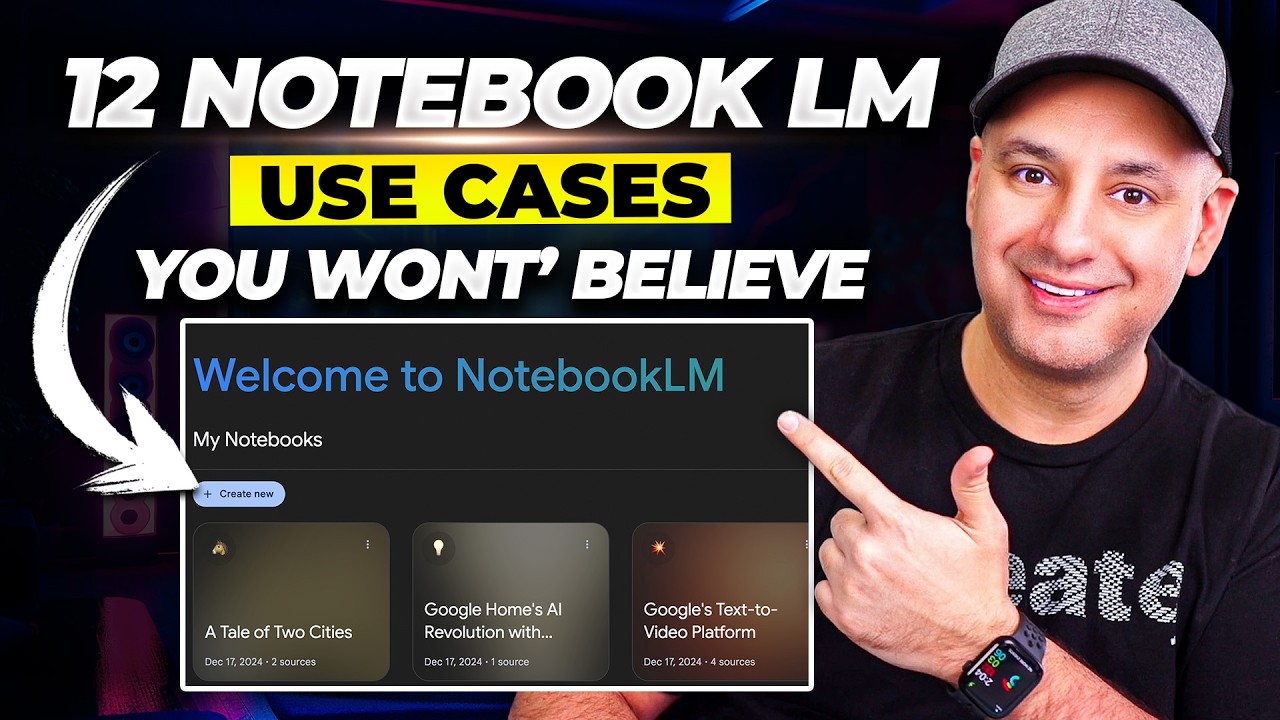
so once you're getting started the first thing you see is create your first notebook so I don't have any notebooks here that I've created so far but I do see some example notebooks now I will highly recommend you to go and look at the introduction To notbook Alm before you get started and the reason is because there's a lot of great documentation here that they have posted in this notbook Alm so the Google team has done a really good job to document how you may use notbook Alm what are the limitations and so forth in
the course we will provide you ideas as I mentioned how to use notebook LM for different use cases and different kinds of documents that you may have around and we will also go through some best Practices and we'll also follow some of the recommendations from the Google team we'll go back to notbook LM and start from the front page and then we're going to create our first notebook so we can go here create and we're presented with this screen everything about notbook Alm is centered around sources the idea is that it will provide it sources
and then you can use the Gemini model to interact with those sources that's kind of the idea at a high level Gemini 1.5 Pro this Is one of their best models available and so it's a very powerful model that we can take advantage of to do all sorts of creative task around some of the sources that we have lying around sources can be audio files can be markdown documents can be PDF Google Docs Google Slides websites YouTube and even notes that you can paste as text so those are the types of sources that are supported
by notm so what you need to do is you can trag a file here if you have One or you can use one of the options below we're going to go through all these different options throughout the course so don't worry about that right now for this very simple getting started section we're going to add two sources so recently Google Deep Mind released this very interesting War called Alpha chip and as a researcher or an AI researcher I'm very interested in this work and most of the times I really don't have time to go through
some of These announcements so my plan is to use notbook Alm to give me a quick overview about what this launch was about what is Alpha chip about why are people so excited about this particular announcement so I'm going to give it some sources I have two web pages that I'm going to add as source to notbook Alm the first one is this article by Google Deep Mind on Alpha chip and how it transform computer chip designing right so this one was released 26th of September 2024 right so this whole thing here instead of copying
and pasting it to notbook I can just provide it the link and that's what I'm about to do so copy the link to the web page and then paste it over to notbook Alm now I am in notbook LM and I have that link copied and now I'm going to paste it here so the option here to paste links are two options Youtube and website we're going to touch on YouTube later on in the course so I'm going to go and copy over My next URL again I'm providing the URLs below this video I'm going
to add another source so I can go here to this plus sign and then I can choose website and then I can paste my second source so this one is an addendum that was provided as part of this announcement this addendum was published in nature so it provides more information about what are the updates on this particular announcement because this is something that was previously released and there Are a lot of new things here and that's what I want to find out what are the new things what is exciting about this particular announcement and note
that you have some notes Here only the visible text on the website will be imported at this moment paid articles are not supported so do pay attention to that we're going to inser this and now you'll see it's being added here all right so we have two sources and actually we can add up to 50 sources per A notebook and notice I mentioned notebook so this is a notebook that I've created and the notebook has a name as well so here is a name so far it's on title but I'm going to rename this to
Alpha chip research so that's going to be the name of my notebook okay and now it's going to be saved as that just to show you that it actually saved it I'm going to go back to the homepage I can just click here on the logo and it takes me To the front page this is my dashboard I have the example notebooks and I also have this Alpha chip research notebook that I've just created and I can continue to create new notebooks I'm going to click on it again and you will see that it has
the two sources so those were saved automatically and from here we have a bunch of options and this is where the fun actually starts so after we add our sources we can do a few things we can add a note so the first Thing I want to show you here is how to add a note so there is this option right here as of the time of this recording which is October the 1st we can add up to a thousand notes these notes could be written by you or it could be as well notes that
correspond to responses that you get from the model I'll show you that step later when we are using the chat option available in notbook Alm just to show you how this works I'm going to type something here and save a Note I'm going to say researching could be anything researching about the new release of the alpha chip model by Google deine okay very simple note nothing too fancy here and I can give it a title I'll just say research purpose that's it I just wanted to show you how to add a note and this this
is referred to as a written note here and you can add styling if you want that's your choice but I'll leave it as Is for now so that's save automatically and I could do a few things with these notes and I'll show you some interesting things that you can do but because this is a very simple note I'm going to skip that step and then show you later on in the course the things that you can do with notes and how you can engage with them and interact with them and do all sorts of conversions
and Analysis on these written notes so the fun part of notebook LM is this notebook guide so I'm going to click on this notebook guide here at the bottom and what you see here is a bunch of options so when I uploaded these sources it's giving me the option to create FAQ study guide Tel of contents timeline briefing dock those are referred to as pre-formatted guides those are a good starting point it also gives you a summary of what these sources are talking about and then it has this feature which everyone is talking about which
is his audio Overview which is basically a deep dive conversation involving Two Hosts and it's English only about the sources that you have passed and what I like about audio review is super engaging as you will see we'll go through many examples of how to use it later in the course so stay tuned for that but just to show you that you can generate audio overview here I will just click on this button and you will see here that it's saying generating conversation this might take A few minutes no need to stick around so you
can do other things while you wait for your audio overview we will have a specific section on audio overview and we will do a deeper dive on this and some tips on how to use this feature and you will see that we have the audio overview generated now and you can play it so I'll play a few seconds just to demonstrate what was the audio overview of the alpha chip announcement all right buckle up because We're diving into some seriously Cool Tech today AI that designs the brains of computers we're talking about Alpha chip a
system from Google deep mind that's changing the game for chip design you've sent us a couple of articles on this and let me tell you it's a wild ride it really is fascinating stuff to understand why this is such a big deal we need to start with what a chip layout actually is imagine a city plan but instead of Buildings and streets it's transistors and circuits Millions even billions of them all packed onto a tiny chip okay so like a microm metropolis with its own crazy traffic flow and designing these layouts that's where it gets
really complicated right exactly it's a painstaking process that hasn't fundamentally changed in decades skilled Engineers spend weeks sometimes months meticulously placing each component to optimize performance and this Reliance On human brain power it's actually created a bottleneck in chip development so in Alpha chip the AI that designs AI chips it's like AI making itself smarter right it does have a certain Elegance to it essentially they've trained Alpha chip to approach chip design as a game imagine a blank grid representing the chip Alpha chip gets to place the components one by one like pieces on a
game board and it receives rewards based on how efficient the final layout is so It's learning by playing figuring out the best moves based on the feedback it gets precisely but here's where it gets really interesting so I played a minute and a half there just to demonstrate what the feature is but later we're going to go through a deeper dive on this feature and other things that you can do with notbook Alm so there is also these suggested questions and these questions are based on the sources as well so everything for the notebook is
Centered around sources so you can ask a simple question you can select one and once you select one for instance I can choose this one what are the key ways Alpha chip has revolutionized computer design I'll click on that and notice that now it takes me into this chat mode and now it's generating a response okay after a few seconds there it generated this response here and I can continue to have a conversation with it with some of the suggested followup questions down Below and there is a lot more here that we can explore but
I want to keep it at that for now but hopefully you see how exciting this is and how powerful this can be as a research assistant so stay tuned for more as we go through deeper dives into all the features functionalities going through use cases and very compelling ways on how to use notebook Alm for personal and professional engineering work but I also do a lot of AI research work so I'm both an engineer and a researcher so I do read a ton of papers and one of the ways that I've been using notbook Alm
is to act as a research assistant to help me stay up to date with the AI research that I'm interested in and I think this is a very interesting use case because nalm can read sources and also understand PDF documents at the end of the day it's using Chini 1.5 Pro and I already used that model to do a lot of really complex Analysis on research papers I'm interested in using notbook LM to help me stay up to date some of the latest developments around AI research Concepts that I'm interested in so in this section
I'm going to show you how I use notbook LM as an AI research assistant so the first thing I need to do is I need to create a new notebook I'm going to create that here and then I'm going to add my source this will be for every new notebook I Create it's how going to ask me to add sources in fact sources is a requirement for a notebook you cannot really interact with the notebook or use the chat function or generate audio overviews if you don't have sources The Source I'm going to use in
this demo is a PDF most of the papers come in a PDF format so that's the format that I'm going to be using this time so I'm going to choose file and then I'm going to select my research paper as someone that Keeps track of promp engineering techniques I've been reading this paper called meta prompting or I'm interested in reading it and so I would love to use notbook LM to help me get a better understanding of what this is so I'm going to click on it and then I'm going to open it and you
can see that it's uploading and it uploads really quickly I can actually click on it and you'll see that it has already uploaded this for me and what I get here is a source Guide so I get the summary for it and I also get key topics that are discussed in this paper so that's really interesting interesting right because I can click on those and I can drill down into whatever topic I want so let's do that as an example so I'm going to click on let's say something like reasoning task and notice that it
says discuss reasoning task so those are preformatted chats that you can use cuz when you click on it it is submitted here as a Prompt as part of this chat and now I get a drill dong on the reasoning task so just in case you're lacking inspiration and you want to drill into what this work is about this particular research paper you can literally just click on buttons and use those preformatted topics questions and even the guides that are available for you here in the notebook guide section so I'm going to close this one I'm
going to name a notebook that's something that You have to get used to maybe this changes in the future but for now you have to do this manually ideally this should be automatic but let's just add a name for it I'm want to call this meta prompting and paper analysis okay and T prompting and I can do all the regular stuff I can add nodes I can even add more sources here this is something that we are going to be experimenting with in future demonstrations in this course and now I can do a bunch of
things with this Particular research paper that I've uploaded I can do the audio overview but I'm actually going to leave this part for a specific section that I have coming later down the road in the course so I'm going to skip this for now but what I will do is I'm actually going to click on one of the suggested question questions I really like the suggested questions because they are preconfigured for you to start this exploration of whatever this research paper is about I Think this is a really powerful feature so the one I'm going
to select here is let me see what makes more sense all right so it says how does meta prompting differ from future prompting in terms of structure application and Effectiveness in solving complex reason Tas I think that's a very interesting one and as a researcher I want to know the difference maybe this gives me an idea on what mental prompting is all about and why so many people are excited about it and why People are talking about it I'm going to click on that and you can see that now it prompts the model here in
the chat window and see the question here and now the model is generating a response okay so we have a response on the model it's very leny response and obviously what we can do here is we can ask the model to shorten it but we're not going to do that that's something that you can try on your own it provides a title here or like a heading meta prompting versus FIA Prompting structure application and effectiveness quite comprehensive in the response and this is something that you have to kind of get used to with these language
models they tend to be ver verbose they by default want to generate very long responses so it's your job to be able to know how to prompt these models to give you shorter responses more concise if that's what you want then you have to prompt the mold to do that but we haven't really asked the m To do that yet okay so here's the breakdown and it basically tells me this is the structure So Meta prompting is like this it gives me a definition of it and then it has all these citations as well we'll
go through that later then it has the application of it application of it will help me better understand it and notice that for each of these sections it does have a bit about fop prompting and that should help me differentiate between these two concepts or these two Prompting techniques or that's the idea I believe so it says the sources highlight that meta prompting emphasizes on structure and syntax makes it well suited for interacting with symbolic systems and code environments which are crucial for complex reasoning tasks so let's go through one of the citations here I'm
going to pick this last one here since I already read this out and if you hover over it it gives you an explanation but you really cannot tell Where and in which part of the paper this is so to get a better sense of that you can click on the citation itself and then it will take you directly where that is located in the paper so this is how the paper has been extracted from the PDF so you see the actual text where this particular statement was pulled from so that's really nice to be able
to know the source of truth because that's how you verify whether this is a correct statement or if the model is just making It up but one thing about nukm that I've noticed from my own experimentation is that it's usually not hallucinating and usually because it's forced to use citation it almost always gives you correct statements or truthful statements and I really like the citation feature because of that you can always validate that and that's how you would use the citation feature and what I can do here now as I continue doing this research I
can actually save this As a note so I'm going to save to note right here and you can see that now it's save as a note I can actually go here and change the name of it again ideally this should be done by the llm or can be done by the llm can be automated but for now we have to do this manually so I will say meta prompting versus few shot prompting here we go so that's our little note right there which is a save response note notice that is different from our note that
we write manually and One thing you'll note about these safe response notes is that they only show you 10 citations right so you only get 10 but in reality this whole note has up to 11 citations here you will see that this one has 11 citations so the notes shows 10 so that's just something to keep in mind that you don't see all the citations you only see up to 10 so 10 is the limit there from what you see in the not preview but here when you go into the chat you see the full
list of Citations something that you can also do is you can go to the actual document here or the research paper if you are reading through this you can also save those as notes so this is typically how you would save notes if you're like reading a book or something like that so let's say I wanted to actually save the abstract as a note as an example so what I'm going to do is I'm going to select this entire abstract I think it finishes right here and then notice that some Suggestions are mentioned here and
one of those suggestions is to add to note so the selected text will be added as a note that's another way to create a note that's really cool because sometimes maybe you are reading through this and you found something interesting and you want to make a note of it this is a very cool feature for that so instead of like pasting things around and manually creating the note you can just basically hit this button right here so let's do That add to note and you will see that it was quickly added here as part of
my notes so it says code from meta prompting in fact I'm going to change that and I'm just going to say abstract so now it's explicit that this is the abstract and this is how I continue to analyze the paper and try to understand the paper better one thing I also do with any paper that I'm reading is I would like to know what the contributions are and apparently there Are some contributions here but this is a very lengthy contribution so what I'm going to do is I'm going to actually select it and then what
I can do is I can summarize to notes this is actually another very useful feature something that you can also do while you read the paper if there's something that's very difficult to understand you can also use this option here help me understand so I'm just going to summarize the contributions and see what the model Gives me so here it's generating a node automatically so I can open the node and you will see that now it has nicely formatted into bullet points and it says here here are the main takeaways of the passage condens into
bullet points so it introduces meta prompting first then it has a theoretical foundation and then it talks about recursive meta prompting then it has an experiment mental validation and then it has that zero shot performance and you can see the Performance there so it's not explicit here that these are contributions it seems to me this is more like the takeaways from the research paper and you must understand that if you're not really prompting them all explicitly to give you contributions then it will give you or it will take a guess on what you want just
based on the selection so yeah so maybe it did not really do a good job at the contributions so one thing I can do now is I can be more specific to the Mod so I go to the chat part and I can do that explicitly this is where the chat actually comes into play I can go to the chat window here I know this is selected because by default it's going to be selected and then I can ask it what are the contributions of the paper and in fact I'm going to say what are
the main contributions of the paper it could be a lot of contributions but what are the main ones and then I'm just going to ask it and you can see here now It gets into all the details right it generates here the main contri tions of the paper based on information provided in the sources the authors propose meta prompting then it says theoretical framework then it says distinction from fop prompting there is a lot of comparison with fure prompting apparently and then meta prompting for prompting task and recursive meta prompting as well so there is
another version called recursive meta prompting And then there is empirical validation of the meta prompting Effectiveness so that was part of the contribution and then expanding meta prompting to multimod foundational models as well so that's also a part of the contribution and again you can also go back to the citations and you will get the cations for where this particular thing was mentioned so I can go here and here is where it was mentioned and I can go to a deeper reading on why this was Considered a contribution so that's how you typically work on
this and again what I can do here is I can save this to note so this will be main contributions Main contributions okay so that's saved now this one again wasn't that useful so I'm going to do is I'm going to select it and I can also delete notes so I'm just going to delete this one so this is how you experiment with notm maybe adding notes with the suggested prompts wasn't Enough and in that case I used the chat functionality to generate something more precise so you have to experiment to see what works best
for the data that you are making available to notbook LM as a researcher something that's very common practice if you are from a research lab is that you need to present papers that's something that you have to get familiar with so something that you can do here in Notebook LM is you can ask it to summarize something into like a slide Why not let's try that so what I'm going to do is I'm going to select all these notes and then it gives me a bunch of suggestions here but I don't want any of these
suggestions what I want is I want to actually generate a slide from the content that are in these notes so I can use the chat functionality for that notice that it's saying it has selected three notes and it's going to use those three notes specifically to generate the slide that I want so I'm going to say Create one short slide for the concepts mentioned in the notes let's see if it follows exactly what I want here so it says create one short slide for the concepts mentioned in the noes so this is about those notes
so I just want to create a slideshow and this is going to be my first slide again these models tend to always want to generate something very long so you can see again here that even though I'm saying one short slide it's basically trying to Create a slide yes because I can see it's formatting things really nicely but this would be too heavy for a slide although I really like how it's summarizing things it's distinguishing between the F shot prompting it's talking about applications overall the structure is really nice and it's also talking about how
effective meta prompting is for comp Lex reasoning that's kind of where you want to use this but I think this is too long for a Presentation so what I can do is I can save the to notes then I can name this I'll just call it notes first line and then what I can do is I can deselect all and then just select this one and then ask it to just summarize that maybe generated a very long response because I gave it too many sources that could also be the case but in general I would
say with modelite Gemini they tend to always want to produce very long text that's something you have to know and something You have to kind of work around and be able to prompt the model better or guide the model better and that's what we're trying to do here so I'm going to use this note you can see that one note is selected and then I'm going to prompt it again to create a shorter version of this create a shorter version of the slide maximum three paragraphs if I'm more specific obviously will help them all so
I'm testing again if I can get a shorter version of that so I'm iterating Right and that's kind of a process that you have to get comfortable with when you work with these llms and here you go this is a much shorter version and I can get shorter versions of this I can tell it just give me three sentences or something like that and so that's how you kind of experiment with notebook Alm and the model and the chat window and the note once I'm happy with the results here and happy with my notes I'm
very excited about what I have found and I Could also create my own notes and so on I could also share this with my labmates my labmates might also be interested in this approach so if I'm on a research lab I could also share this with my adviser I could share this with my research labmates and they also get to see what meta prompting is about and learn very quickly what it's about because I've also already done the work together with notbook Alm so there is a feature here called Shear so you can Click on
share and this shares basically the notebook you can select who you want to share with right here so for instance I have multiple accounts I'm sharing it with myself and you can assign different roles so you can assign viewer if you only want people to view the notebook and don't change anything or you can also revoke the access if that's something that you want to do or you can also set them as an editor and if you set them as an editor they will be able To change add notes and things like that to the
notebook so I'm just going to select viewer and I'm going to send I can also just copy the link as well but viewer is the default role I can then hit send here and that will be sent to whoever you added that you wanted to share this notebook with so that's it for this section hopefully you learn a few things and how to take advantage of the notes how to use the chat feature how to upload PDF files and how to Interact with the PDF files taking advantage of the citations to verify the information that
the model is producing as well that's really important when working with llms and I think that's one of the powerful features that I really like about notebook LM because you can always verify answers and the model tends to hallucinate less stay tuned for upcoming sections to see more interesting by now you're seeing how powerful no LM can be as a research Assistant and how useful and fun it is to experiment with notbook Alm using all the different functionalities in this section in particular we are going to be focusing on one of the most exciting features
that has everyone talking about notbook Alm this is the audio overviews some people refer to it as deep Dives I think this is a very exciting feature because it allows you to use your sources to generate audio overviews of those sources for this particular Demonstration I want to continue with this idea of using notbook Colm as a AI research assistant it's part of the important work that I do for the scientific community and also the AI Community more broadly and I love using tools like this to help me accelerate thinking and understanding of these Concepts
and also communicate those to others in the community as we know AI is such transformative technology and continues to reach many different places And industries so it's important to be able to communicate to more people and make all this content more accessible so I've been thinking how do I use some of these notebook Alm features to make content more accessible for folks in other Industries and audio overview is such a great feature for that so I'm going to start a new notebook and for this one I actually have a newsletter that I write so I
was just saying that something that I'm very passionate about Is communicating about all the scientific and developments and all these breakthroughs that happen in the I field that's something that I spend a lot of time on and I write newsletters I have my own Community Discord and I even talk about this stuff in some of the trainings and courses that I develop because I also do a lot of professional training for companies so it's something that I do on a daily basis so now I'm starting to use notebook Alm for this Type of work and
that's why I'm really excited to talk about notebook Alm and why I have chosen to build a dedicated course for this particular tool for some of you that know me I have this very popular newsletter called top ml papers of the week and in this newsletter I summarize all the great research papers that are trending and some of these I also create myself because I think they are interesting for developers and researchers as well however this Particular newsletter is only available in text format so I've been thinking and I've had this idea for some time
to be able to generate audio versions of this particular newsletter that would be really powerful this is something that a lot of my subscribers would love and they continue to ask me for this particular format I haven't been able to do this but now I have this tool notbook LM that looks very promising and can help me solve this problem so I'm going To use audio overviews to generate an audio overview of my newsletter so I'm back here in Notebook Alm I've started a notebook LM and I need to upload my sources so as you
saw I have this newsletter and I have an issue or the latest issue of the newsletter so I'm going to actually paste a website here that's what I'm dealing with that's the type of source I'm going to paste it here and you can see this is corresponding to the last issue that I Posted for my newsletter I'm going to insert it and it's just going to quickly extract information so we can always preview what it extracted so you can see it extracted all of this it has some information about the date that could be important
too you can see here from September 16 to September 22 and then it has all the different papers that I highlighted there's 10 different papers so I can see that all of the papers are here right so it's 10 and together with All the links and the Tweet source for where this paper was mentioned and discussed on the xplatform so what I want to do with this now is directly feed this to notbook Alm and create an audio overview I think that would be powerful and this is something that I can directly use in future
issues of my newsletter and I think a lot of people that are building newsletters will be excited about this particular use case so I'm going to generate the audio for This I'm going to hit generate and now we need to wait all right so the audio overview is finally completed keeping in mind it takes a bit of time to generate the audio overview so just have patient with that and maybe you can try other features as you wait for the audio overview to complete but it's finally completed here so I'm going to play the audio
overview just to give you a little sample of what was generated by nalam okay stack yourselves in for this Deep dive because we're going to be waiting into some pretty mindblowing stuff about large language models and let me tell you yeah the future is looking it's looking pretty wild yeah the rate of progress is it's really something else it's kind of like remember a little while ago when this was all sifi it's true now it's all over the news and like it really makes you think what's next what can't AI do right so okay let's
Let's unpack this a little we're not just talking about you know AI that can like spit out a canned response right we're talking about actual like real Beal conversation here like back and forth you know and that's exactly what this Oshi research that's what they're trying to do they call it a full duplex dialogue system which basically means yeah what does that even mean it mean it's like it's supposed to be like a real conversation right okay so like Natural yeah natural imagine like an AI that can actually you know follow the thread pick up
on your cues and respond in a way that makes sense you know like H and ah and all that's a lot harder than it sounds though think about it like when we're just talking to each other we do so much without even thinking we're reading each other's tone like are you being serious right now are we joking we even finish each other sances yeah yeah exactly and moshi's Goal is to like to replicate all of that which I mean could be huge can you imagine what that would do for virtual Assistance or like customer service
no more arguing with robots on the phone I'm so here for that okay just pause the audio overview as you can see the hosts are having a blast and having so much fun it's super engaging I can listen to the whole audio overview and that's really where we are at with AI like it's engaging and I'm learning at the same Time they are talking about MOSI specifically this particular announcement basically this is a speech text Foundation model you can interact with it and they're talking about it they're talking about how exciting it is right and
they are quite excited about it and they're also explaining what this particular system is doing and what it is and how it might be used in different use cases so it is quite impressive what notebook LM is doing here with this Audio review and it has so much potential so what you can do with the audio review is you can also share it so you can go here and you can share this publicly if you want you can also play it with different speed so you can change the playback speed to 2x if you don't
have too much time so as you maybe are doing some other task you can always play this in the background and change speed if that's something that you like I usually like to listen to audio at Like 1.5x so that's pretty useful feature you can also download it as well it stores as MP3 I believe and then you can also delete it and regenerate the audio overview something that you will notice with the audio overview it actually saves with your notebook so I will go back here and I will show you what I mean so
I'm going to go back to my summarizing newsletter notebook and then I'm going to open notebook guide here and then you will see that it's Generated here after some time this disappears this option is not available to play and so what you need to do then is you'll need to load it so you get an option to load the generated audio and it loads it for you because it I want to do in this section is I'm going to show you what else I can do with this specific newsletter so something I do with the
newsletter every week that's very timec consuming is I actually generate the newsletter for different Places so I crosspost this on LinkedIn I also cross poost the newsletter on GitHub as well we have a GitHub repo for this and there's a lot of researchers that prefer the GitHub repo it's much cleaner and I like the formatting there and so on so I'm going to show you first the GitHub repo and then what I'm going to tell you is what is the problem that we're trying to solve and how we will use notbook Alm for it so
we are in the ml papers of the week GitHub repo this Is under our organization deti and here we highlight again the top ml papers every week and this is a very popular GitHub repo it has 10K stars and there's a lot of people that actually prefer to consume the newsletter in this format so as an additional service we try to update the repon keep updated as much as possible but it's a very timec consuming process I must say and right now we haven't really spent the time to automate this although we probably can Automate
this process of just extracting the information from the original substock newsletter and then just sending a pull request here that's something that we can probably do but I actually wanted to use notebook Alm for this because while I can use an agent for that I prefer to do this as a manual process because that way I'm sure that what I'm putting here is the actual thing that is in the newsletter the actual content that's really important For me especially because of the kind of content that I'm posting here so for every week again we are
listing all the papers so let's say we go to September 23 to September 29th that was the issue that we did last week you can see here that we have all the papers and it's formatted nicely so this is markon format so if I click on the edit button you will see that it's written as a mark on format you can see the formatting here so the task that I'm interested in Using notebook lm4 is to convert that substack newsletter issue into this format and so the question is can notebook LM actually do this for
me if it can then it basically saves me from doing this work manually because currently how I do it is I copy over the explanation of the paper I have to do the little editing here as well the formatting then I have to paste the links it it takes a bit of time it almost takes like 10 to 15 minutes and In fact I think no PM can do this 10 times faster than the time I actually spent to do this these days so that's the T ask here and so I'm going to show you
how I can do that with notbook Alm now so something notebook LM is really good at I'm noticing from all my experimentation recently is that it can be used to convert certain formats into other formats so I have this website and I have my newsletter that's basically like listicles of these top papers but It's formatted in a very specific way and what I want to do now is to convert this format here into the markone format that I showed you in my GitHub repo and the whole mission here is to take this one and convert
it into Mark tone that I can copy and then paste back into my GitHub repo and that process should be like really fast should be less than a minute so what I'm going to do is I'm actually going to use the chat feature for this so I'm going to go here in chat The sources are already selected so this is the only source I'm using and then here I am going to prompt the system to generate something in Mar format so I'm going to say generate the papers in uh in markdown format use the following
format and I have a format that I'm using all this information I'm going to provide below this video just in case you want to reproduce what I'm doing here in fact I would encourage you To pause the video every now and then to reproduce the examples that I'm showing you throughout the course Okay so I pasted the format this is the format that I'll be using here or that I want the system to follow and again I'm converting to different formats that's pretty useful so for this one I haven't been able to do this using
other systems like chat GPT or Cloud which are systems that I use a lot like those are products that I use pretty much every day now and The reason is because they don't have the scraping functionality like they don't have the ability to scrape information like this like notbook LM is doing and because notebook LM has this as context and it has preserve the links and all of that information it should be able to convert that into this format and that's basically the test that I'm giving it so I'm going to go here and then
I'm going to hit enter and so now it's generating something so basically I Just gave it the structure that I want and it should be in markdown format something that I can go and paste directly in my GitHub repo while you may be thinking okay so this is just for a specific GitHub Depo No in fact you can use it for any kind of formatting that you want you may have like a table or any type of format that you may be interested for your domain and use case so here you go it's directly converted
into a table and this is now something That I can go and directly paste into GitHub so I can go and copy this and I can go and directly paste it I can actually save this as a note as well save this as a note and you will see that it's save as a note now I know that the links are working because you can see the links there and now I'm just ready to go and paste this inside of my GitHub repo and it works I've tested it already it works brilliant I really like
the fact that these llms are really good At converting data into different formats that's really powerful as you can see in this case I do use it for my newsletter because I cross post to different places this really reduces the amount of work that I do for my newsletter and I'm excited to keep using it and I've tested it so many times and it works as I mentioned in the previous video I do lot of science communication so when I see like a paper I see a deep dive discussion on a specific AI topic I
Always think about how do I make that very technical content more consumable or more accessible to more people especially developers and other researchers that are trying to get into the space that's something I think about and I work a lot and put a lot of effort into that in fact my whole company is doing a lot of work around that to make things more access ible specifically research and different developments that are happening in the field as an example For instance I really like this promp engineering Deep dive by anthropic and I watched the whole
video so it's like a 1 hour plus video where they go through a lot of promp engineering tips and these are researchers product folks and also customer facing people as well that were discussing this and they had a lot of really interesting insights into how to better prompt these models and the talk was titled promp engineering and so what I was thinking was how do I use language Models to make that kind of content more accessible I must say that the content is pretty Technical and I don't think it's consumable by a lot of people
I think it's mostly going to be folks that already have some insight into how to using llms and maybe researchers or hardcore developers so the idea here is how do I use something like that that discussion and create a more consumable or accessible version of that and what format am I going to use for that as Well how do I use llms for this so what I did was I actually took the discussion the discussion I'm talking about is this YouTube video I'm going to link it below this video it's an excellent talk about promp
engineering and how entropic is using promp engineering techniques for building a variety of powerful use cases with language molds what I want to show you is how do I use notebook LM to create something like this so the way I did This this was a couple of weeks ago before I even knew about notbook LM I actually did this manually I created a little project like this is a web project where I feeded a YouTube link and that application downloads the YouTube video then use this Gemini 1.5 Pro to transcribe the video and from the
transcription now I can convert it into something like this so basically summarizing the prompting techniques but to do this in this format I actually use Cloud because Cloud does tend to perform better for things that are related to creative writing so notice that I'm using a combination of models I'm using Gemini 1.5 Pro for the transcription part I'm using cloud to do the generation of the prompting tips from the transcription and so this is how I came about this particular list and people really liked it you can see here that this tweet had 385,000 views
5.6k bookmarks 2.7k likes and 383 so very viral content and it's one of my most viral contents in the past couple of weeks this was all possible through these LMS fast forward two weeks or 3 weeks from when I posted this tweet we have no PM exploding in popularity and super viral and basically they introduced a new feature recently where you can upload a YouTube link so it reminded me exactly of that whole process that I built an application around and they have basically Replicated that feature essentially and I couldn't not be more excited because
it makes things so much easier for me now I can just use that model and I can use notebook Alm to generate everything that I want to generate in whatever format that I want to generate so that's what I'm going to show in this section so I'm inside notebook LM I'm going to start a new notebook and then down here you see that there is a YouTube feature here so I can provide a YouTube link so I'm going to paste the link of the YouTube video that I showed previously so here is the YouTube link
some notes Here only the text transcript will be imported at this moment so this is just a text transcript there's no access to the actual Clips or video or anything like that only public YouTube videos are supported so it has to be in public recently uploaded videos may not be available to import that's something that I saw a lot of folks struggling With just be aware of that that not every especially the new videos is going to be available here if the upload fails just check out to learn more for learning about the common reasons
why this might fail so I'm going to insert the YouTube video here and now it's uploading okay so now I can click here and what I get is basically the transcription of this YouTube video you can see all the transcription here this was a conversation so I had a lot of Questions about this how do I convert this into something that's more accessible for a broader audience because I felt like it was super technical and they really went deep that's what I love about the discussion I'm going to show you the process on how to
generate that content that I show you for that Viral tweet and it's super simple like you don't have to do all the stuff that I did where I had to create an application to do the transcription And then to do the actual content generation and so on and use different models I can just use one system for that so I'm going to go here and I'm I'm going to show you how I can generate something that's very similar to that tweet I'm going to say generate the top 20 in fact I would say to be
more specific prompt prompt engineering because they might be talking about a bunch of different things in the discussion which they do so I want this To be very specific I'm going to hit enter again I should get a response this time I believe this error was due to my internet connection but it should have no problem generating the response now all right so here we go so we get it and now you can see that it did a great job because it generated 20 items which is the first thing I want and then it actually
used the format that I specified so I specified Hing and explanation format all right so that's Looking good and use two sentences Max so I have to check specifically if it went over two sentences it looks like most of them are okay from what I can see yeah most of them are like one sentence maybe some have two sentences but that looks great I like this format already and what could have been improved here is the formatting of the actual content like maybe this could have been a list and maybe it could have used like
markon to make it easy to read But that's not a problem because this is the first iteration again I could save this as a note and you can see here now it's stored as a note right and then I can go back to my notebook guide I can go back to view chat and I have it here so what I can do here now is I can also look at my citation so let's look at one of is let's see if there is an interesting one so it says don't over rely on R prompting I
thought that was a really important Insight in this Discussion and it says while assigning personal can be helpful it shouldn't replace clear test descriptions and context that's a very important suggestion and recommendation they made in the discussion so what we can do here now we can drill down in the transcript of the YouTube video to learn more about what they were exactly talking about so I'm going to click on that and click to 4 and you will see that this line in particular is talking about that says You're in this product so tell me if
you are writing an assistant that is in a product tell me I am in the product tell me I'm writing on behalf of this company I'm embedded in this product I am the support chat window of that product you're a language model you're not a human that's fine but just being really prescriptive about the exact context about where something is being used I found a lot of that because I guess my concern most often with r prompting is People use it as a shortcut of a similar task they wanted them all to do so just
be more clear and provide better descriptions for the task and provide a better context usually will give you better results as opposed to just relying on this idea of world prompting that was what the recommendation was about and I fully agree with this because this has been the case for the experiments and use cases that we have worked on as well that's really neat and You can go on and continue looking at the different citations and get the different context from the transcript to learn more about what they were discussing this is how you learn
really fast about certain things and you can iterate on this you can follow up with something you can for instance say how does the role of promp engineering change with the evolution of language models and you can really have a lot of fun and learn a lot from just Interacting here in notbook Alm with your sources and YouTube videos as sources is really powerful because there's so much really good educational content on YouTube so I'm going to call this notbook YouTube prom engineering being able to interact with YouTube videos using m is a lot of
fun and you learn a ton it's basically what a research assistant should be doing in my opinion and I'm having a blast because I do learn a lot from YouTube and Obviously I also do a lot of YouTube content and I see the importance of that in this section what I want to do is I want to continue with that YouTube demonstration and I want to show you some ideas on things that you can also try and again I encourage you to pause the video and try to reproduce all the demonstrations that we're showing you
we're going to provide you all the links to all the sources we have been using on all the prompts and all that good stuff What I want to do in this section here is I want to be able to use this content in different ways so I was able to use something like this for that great viral tweet but I also do technical guides as well so I have fun doing tweets and so on but what I tend to do as well with most of the stuff that I learned is I try to also produce
technical guides and tutorials for developers and researchers one popular guide that I've been working on for over a year now is this prompt Engineering guide it's very popular in the community it gives you tips about how to prompt these Ms really well and there's a lot of different techniques and so on I do update this guide very frequently and it has a lot of really technical content but it also has a lot of like introduction content as well so I want to make it as accessible as possible to everyone so what I want to do
with The Prompt engineering tips that were generated by notebook LM on that Prompt engineering discussion or YouTube discussion is I want to be able to integrate it into my guide so in this page specifically I had General tips for Designing prompts now this one has like start simple with your prompt focus a lot on the instruction and even have some examples here and the importance of being very specific we have discussed that as well in this course but that's something that we discuss in our other courses like related to promp Engineering which we also have
in the academy avoid impreciseness to do or not to do and so on so there are like nice little tips there and in fact all of those tips that we saw in that YouTube are more recent tips with the more recent models and that would be nice to kind of integrate here so the question is how do I use notebook Alm to integrate those steps into this website or this particular section of the guide so what I'm going to do is I'm going to First have to integrate this so I want to integrate this into
notebook LM so notebook M has context into what I want it to do what I want it to update and how it should update this page that's what I'm looking for I'm going to copy over the URL for this page into notbook LM so I have the page link I'm going to go here go to website and here's the link to that specific guide that I just showed you so I'm going to insert it so you can see I'm mixing up all of these Sources I'm using the chat I'm using all of these different functionalities
and that's what I encourage you to do to experiment and just be creative with all these features just to recap the goal of this just to recap what I want to do here is I want to be able to use or integrate these prompt engineering tips from this discussion and write a summary of it and integrate it into my promp engineering guide that's the goal here so how do I do this in notbook Alm so I Have my sources here going to go back to notbook guide it has the two sources but when I select
and want to use this note it says one note so I'm assuming that it's only using that note and it's not using the sources what I'm going to do is I'm actually going to take this note here and I'm actually going to copy this and then what I'm going to do is I'm going to add a source copy text and then paste it here so I'm going to insert it now it's added as a source I'm going to Rename this Source into from engineering tips so now I have it here as a source so I
have it as a note but I also have it as a source explicitly and know the Tre sources are being selected and I can now chat with those tree sources and so what I'm going to ask the model here is a bit more complex so let's see how it does it in the first iteration so this is what I'm going to prompt it help me to add integrate The Prompt Engineering tips into my current prompting guide General tips so that the all knows that this is the one I'm talking about that I want to integrate
into I'm just going to prompt like that and then one more thing I want to add here is please use a format that's ideal for my prompting guide I'll will let the model figure it out again these models are very creative so you can sort of try to romp them this way to See how creative they are and if they can actually achieve the task don't be afraid to prompt the model this way this is a format that's ideal for my prompting guide all right I'm going to hit send here and now we wait a
bit all right so this is what it's recommending so you can see here here are the top 20 prompt engine tips from our conversation history so it's using the history format it for inclusion in your prompting guide and then it says clear communication Iterate an experiment anticipate edge cases and so on so here is the I guess the conversation that they were having and then employe the model itself to create diverse and realistic examples for a few F shot prompting scenario so this is for f shot prompting how you might improve that and need use
this particular text I can see that the model is trying to provide this additional context here but that quote might not be needed when I'm actually trying to Include this in my guide so I can further improve this but I like that it tries to format things really nicely here and tries to summarize things for me because I think these ones are already pretty good and I can already use them in my prompting guide I don't really need the code what I probably could use is some examples so maybe I can spend a little bit
more time trying to come up with examples or actually ask the model to produce examples so I'm Going to leave that as an exercise for you to try to figure out I'm going to provide other links below the video so for you to test this this will be your exercise I'm very pleased with this especially because it tried to format things really nicely here this time and now the only thing that's missing is to actually come up with examples as is shown in my guide so in my guide you will see that there are some
prompt examples and some examples of the output So that is what I want them all to do I might actually be able to take an example of this and then add it right here in the prompt itself and something that you can also try is maybe get creative with the notes so you can actually convert this into a note and then just use the notes to be able to generate the format that you want so that's a way to kind of constrain the model even further so that it doesn't look at the sources and gets
confused About what you want to do because I think it can happen that it will get confused about the task itself because it's looking at so much information in context and again with these models they do struggle with longer and longer context so by kind of tuning this and putting it in notes and making more specific about what is the content that you want to apply some transformation on I think you can get better results those are things that you can try anyways that Will be it for this section I think the YouTube feature is
very powerful and you should be definitely experimenting with this I did this webinar on building Advanced applications with llms so some of the slides are a little bit outdated so there are a few things I want to be able to do with these slides so I want to be able to for instance reuse it to prepare a special lesson for some students that have been asking me how do they apply some of the concepts that I Was introducing or I was talking about in this presentation so for instance prompting technique how do you apply them
how do you apply this concept of react agent what are the sort of use cases as well and so on I would love to be able to use notebook Alm to come up with quizzes and to be able to generate different artifacts like notes additional notes that I can provide to students to be able to study all these advanced concepts related to large Language models providing quizzes suggesting quizzes suggesting exercises as well that I can provide students so that's what I'm going to be using notebook Alm for notee that I did this presentation using Google
Slides you can add Google Slides as a source in Notebook Alm so we're going to be using that in this section so I'm going to start a new notebook here select this notebook and then I'm going to select Google Slides then I'm going to go to Shared with me and this is the presentation that I shared between my accounts now make sure you have access to that presentation before you upload it as a source so if I go to it you will see that all the slides are here so what I can do from here
is I could do a couple of things so the first thing I want to do is I want to generate an audio overview of this presentation there might be a few things that I'm forgetting from the presentation because I did this presentation like a couple of months ago so I want to recap and that's an excellent use case for audio overview so I can go and hit generate here so now the audio overview is generating so here is an audio overview now of the lecture so now I can go and play it all right so
you've been digging into Elvis savia's presentation building Advanced applications with llms seems like you're ready to move past just chatting with chat Bots yeah this is different it's More like um using llms to build really complex systems not just asking for a poem definitely next level and from the looks of these slides we're going to cover it all advanced prompting techniques the tools you need even react agents and re systems so whether you're prepping for a big meeting on llms or you want to build your own application or just curious about this stuff this deep
died is for you that's what the presentation is about as you can see in The slides right here so that's a good way to get a recap of content that you may have worked on a long time ago and you just need to review it all right assuming I have reviewed this and I already know what I want to do here what I can do now is I can try to add quizzes so the main goal of this use case is that I want to use the slides and I want to improve the lecture and
I want to add quizzes I want to use notebook Alm to suggest exercises and so forth and be Able to generate other artifacts like notes that I can share with my students so let's get started with that so the first one is I'm going to add a quiz so I can go here this is already selected and I can prompt it can you add uh multiple multiple choice quiz for slide 10 so I'm going to focus on slide 10 along with the correct answers correct answers and what is slide 10 let's look at that so
you can see here that slide 10 is about external tools and retrieval Systems so I want to add a multiple choice just to see if students can better understand it so this is something I'm going to add to the presentation itself we can go and generate that now and we will double check whether things are working correctly here so I'm going to keep this open okay so that was fast and we can see here a multiple choice quiz based on slide 10 along with the correct answers so question one what is the purpose of External
tools and retrieval systems when working with llms a to generate creative text formats like poems codes scripts and so on B to enhance the capabilities and reliability of llms C to provide a visual representation of data for better understanding and D to store and manage large data sets for LM training so the correct answer for this is B to enhance capabilities and reliability of llms this is something I mentioned here so that's a nice quiz That's something that I could add as a followup here just to keep the class engaging when I'm delivering the presentation
or lecture and we have a few more examples here question two question three and we can keep generating this so what I'm going to do is I'm going to save this this is really useful already and then I'm going to give it a name quiz or external tools and llms it's good to be naming things Explicitly because that way you can find it easily and also it gave me a cation just want to check that you can see that it's citing the slide itself so it has a good understanding of the slides and where exactly
those slides are located all right so the next one that I want to do here is I actually want to generate some quick notes for slide 15 so this slide 15 is basically summarizing how you should approach promp engineering when do you use Chain of Thought when do You use a gentic workflow and how does it all make sense in a pipeline like if you're following and you're working in a use case with TMS first you do zero shop prompting and then you go through these different steps and then eventually you want to maybe build
a rack depending on whether you are optimizing context or you want to apply Fain tuning if you want to refine the style and tone of the outputs of the llms so I want to ask the model to generate more detailed notes For this because this might not be enough for the students right they look at it they're like a little bit confused I've added a few things here and there but if I add this in a note version it might be super useful for students so I want to actually generate that artifact so I'm going
to go here as I've been doing and then I'm going to say can you write a detailed explanation to slide 15 I can just tell it whichever slide this is the cool thing about supporting Slides here in OPM right so I'm going to go here and then say sent I'm going to send that to Gemini and Gemini is going to do its magic all right here we go so these are the notes for the explanation to slide 15 starts with the basics ROM engineering so you can see even categorizing and doing headlines here this is
nice and you can see that it's saying zero shot prompt so it has good understanding of this figure this is very impressive because it has an Understanding of the text it has an understanding of what content I'm talking about and it also has an understanding of the figures inside the slides that's a very powerful feature that I think has a lot of potential and you can see how I'm using it already it says zero shot prompt is not enough then use fre shop promp for even better performance you may use manop prompt and so on
you can see it's saying exemplars 5 to 100 and I mentioned that somewhere You can see the citation there and then it says incorporating reasoning and text right that's Chain of Thought and then Advanced Techniques agentic workflows for fine tuning and so on and fine tuning and then retrieval amage generation so these are Nice Notes right they're more comprehensive and more detailed compared to what I have here and I think notbook did a great job at summarizing all of this now I'm going to save this as well so now it's saved as Notes so I'm
going to say optimizing llm performance notes so have the quizzes I have the notes and the last thing I want to do here is I want to create exercises in particular I want to create an exercise for this table here this table is talking about prompting techniques and when to use it so I want to create a nice quiz here because I want students to understand when they should apply each of these techniques so I'm going to prompt it here I want to build bu an Exercise on the prompting techniques mentioned I'm not going to
mention the slide this time and I'm going to say can you please help with some creative creative exercises for the students to work on see here I'm testing not only the capability of notebook Alm to look at the content and be able to read the information in the table which are the prompting techniques but on top of that it should be able to to do creative Tasks for me which in this case is to create exercises for the students to work on and in this case I did not give it the slide number this one
doesn't have a slide number so it should still be able to pick it up because it has it in context all right here we go so it says here are some creative exercises for students to work on based on the prompting techniques mentioned in the sources zero shot prompting exercise ask students to develop zero shot prompts or A variety of tasks such as translation summarizing factual facts I really like that F prompting exercise provides students with examples of f prompts and then ask them to identify the examples used to steer the model that's nice because
then students can reason about the F shot examples which is really important when designing that Chain of Thought as well some exercises there there's one for react as well this one says present students with a task that Requires an them to interact with exal tools ask them to design a react agent that can effectively solve the task by reasoning about the information needed and deciding which actions to take use appropriate tools such as search engines or apis combine the retrieve information with its reasoning to generate the final answer and then there's also one for ra
here so you can see that it gives me some examples maybe it lacks specificity but maybe if I can provide it more Context and examples he can do a better job but this is already great and so I'm going to save this because I have some ideas on how I might want to use this already so this one I'm going to name this exercises to understand prop engineering there we go techniques all right that's done great so that's basically what I want to show you how to integrate slides do bookm has good understanding of of
images figures tables on the entire Slide deck and you can use that to do things like exercises creating notes for students adding quizzes as well this is awesome because now the students can use this to continue building on their knowledge and I can use this to improve my lectures and my courses so this is another excellent way on how you can use you have made it to the end of this course we spoke about notbook cm how amazing it is for unlocking all sorts of use cases where you can leverage AI Powered research assistance we
use it for doing more extensive research on topics that we were interested in such as Alpha chip we use it for analyzing papers we also use it for marketing related tasks such as summarizing the newsletter using audio overviews which is an incredible feature that has so much potential and I think everyone should be experimenting with we also went through a YouTube example where we provided notbook Alm with a YouTube Video and we engag with that video converted it into nice digestible and accessible format which notbook Alm is really good at we also covered this idea
of adding slides as a source and the ability of notebook Alm to understand figures tables and be able to create artifacts for our students to keep learning about the wonderful world of large language models so we generated quizzes notes and exercises as well and we're just getting started so hope Hopefully you are inspired to go and try out nalm for personal use or your professional life and we hope that you find it as useful and fun as we are finding this for our own company and our own use cases notbook Alm I think is in
its early faces it's actually labeled as an experimental product by Google so that means there's going to be a lot of features that are going to be added in the future and I think those features are coming really fast and as you saw During the course there are certain limitations and that's because this product is in its early phase so for instance we wanted the ability to steer the Audio overviews I think that will be a powerful feature and maybe that's something that's coming in the future we also want to be able to do better
with the YouTube citations so for instance if we can be able to better extract information from YouTube videos such as extracting Clips or something like that That'll be amazing so far you can only engage with the transcript of the YouTube video but if you can engage with the clips directly I think that could really be powerful and can unlock amazing use cases with notebook Alm atic workflows could also be powerful here as you saw we were able to scrape information it already has that capability of scraping information but I think what would be even more
interesting is the ability to use External tools like a database for instance or make a connection to a data warehouse or the ability to create an agent that can search the web for information so that whole process is automated while ensuring that the Integrity of the experience is not obviously compromised because I think the ability to verify information the fact that notbook Alm really hallucinates is very powerful and I love it for all the work that I do and there Are other features such as having like prompt templates Rance or maybe the ability to generate
even more complex and more creative reformatted actions those will also be interesting but overall I'm very happy and have been using notebook Alm a lot over the last few days and I'm very excited about where this goes again congrats on completing the course and hopefully we will see you all in one of our other courses