This three-step strategy consistently gets me days like this, like this, and like this. And I'm about to show you step-by-step exactly how I deploy this each day. I've been trading for over eight years.
I've tested out hundreds of different models. I can tell you by far this is one of the best models that I've ever traded. I just used it to have one of my single biggest trading days of my career.
Private trading team members are using it to get some of the best results they've ever had. But in order for this all to come together, it's critical to understand the entire framework and exactly how this works. That's exactly what I'm going to do in this video.
First, I'm going to show you the exact tools and indicators that I use. I'm going to share those with you so you can follow along. Then I'm going to show you the full strategy and how it works start to finish, followed by live examples of me actually trading.
Okay, so it's in sound. It's pretty uh solid proof of the strategies that he is claims that it's going to work for him and made him thousands of ten thousands of dollars. So, let us track, you know, what he is talking here, what he's teaching here, and then we are going to get, you know, the strategy out of this using, you know, AIs to help.
Okay, so first of all, I think we're going to get uh I think we can get the transcript right here. Click to show the transcripts. Mhm.
Yeah, this. Okay, so let's copy all of that. Okay.
So, let's copy all of that. Uh-huh. L13 somethings.
Yep, 1340. So, that's accurate. So, then we go to Gemini's.
Let's uh create a new one. We go to Gemini's. We're going to paste all of that.
Okay, so let's uh delete that. Let's go to the top of the videos and just tell the Gemini's or AIs what you want. So, I wanted to Let's build Let's build a trading indicators alert Let's build a trading indicators for buy or sell alert in Pine Script Okay, you begin to mention the Pine Script.
So, that is now that is going to use for TradingView. in Pine Script base on the transcripts of the videos Yep. below Okay, so I think that's pretty good.
Just enter and let's see what Gemini help us to build. So, I'm going to do the fast version, but it's okay. Now, let's see you know how the versions generate.
Okay, that's pretty fast. So, just copy that. Back to the TradingView.
We go into a Pine Script editor. Let's uh close this. Pine Script editor is going to create a new indicator.
Going to delete that and paste it in. Add it on to our Okay. So, yep.
It seems we got sell here. And it's looking pretty good. Uh sell we can say.
So, we got buy here. That's looking pretty good as well. We got buy more here.
So, it seem uh this will probably going to give us a pretty good, you know, we got some loss there, but that's not a problem. We got to have some loss, but this is very good profit from here there. Okay.
So, I think we we I think we actually get a pretty pretty good uh indicators right here. Not pretty bad. This is on a 1-minute time frames as you can see.
So, I think we can probably test it with the crypto. Mhm. So, yep, we got the buy signals here.
So, right now, we going to automate this with cryptos. You know, in the previous videos, we automated with a binary options, which is you know, uh you know, binary option not pretty much available in every area, but the crypto is going to be available in every where, and we going to show you our latest update on our softwares as well. But, actually, because of this software is still on a development mode, so it's only available for a few people that really wanted to test out.
So, you can leave the comment down below. I'll let you, you know, jump in and test it out. But, as for now, uh it's not fully, you know, it's not fully, you know, uh publish yet.
So, as you can see, you could take a look here. This is the features of our our new uh platform. Let's uh create the bot.
But, this one will allow you to connect with your crypto uh exchange and automate trading uh with a you know, with the trading views. Actually, we have four section here. We have trading views, MetaTraders, copies, and schedule trading signals.
So, let's go with the trading views. And we're going to copy that. So, we're going to copy Yeah, we're going to keep this first.
Let's back to our trading views. As you can see, we have buy signals buy signals sell signals, something like this. That's uh pretty good for us, you know, to to get, you know, a signals.
And uh when you get this, then let's go to the alert section, create an alert. The first thing you need to go you go to the webhook. You go to webhook, and you need to a paste your copies webhook right here.
Yep, you're going to paste that from here, okay? >> [snorts] >> So, and then you need to copy the buy alert JSON. This is the buy message alert.
Going to copy that. Back to your TradingView. Let's uh save this webhook.
Go to messages. And we're going to place this uh for buy. But uh before that, let's have a look at the long breakout alert, okay?
That is a buy. Surely a buy signals. So, just just this, just two lines of JSON.
That's it. And then we're going to call this as it is, you know, foundation momentum strategies. This is an ID strategies.
And I'm going to trade on uh Bitcoin. Oh, this is Ethereum. So, we're going to trade on Ethereum's.
Mhm. Trade on Ethereum. So, let me let me take a look.
Because uh let me check my bot right here. Uh I think we have couple of bots already. So, I think we're probably trading with XRP.
So, I think XRP is probably better. Let's go to XRP's. XRP's, guys.
Yep. Yep. Yep.
We got bullish signals here. That's looking pretty good here. Okay, we're going to trade with XRP's.
Got sales. Uh loss. Bullish.
Probably taking profit back. We don't know else. Yep.
Mhm. Okay, go to uh XRP's and click on the alert. Create alert.
Go to webhook. Yep. Just copy again.
Copy your webhook. Back to your TradingView. Just paste it here.
Applies. Go into message. This is a buy.
The breakout. Then uh go back here. You copy the bias message alert right here and paste this in.
This is going to be IT XRPs. Bias alert. I think this is a bias alert so then we Okay, I just name it short here.
Apply that. So long and then we will send this message out and then send it to the webhook and then we will execute that, okay? That's what we did and then click on create.
Yep. So yep, that's the one we got. We got the bias alert and now we needed to have a sales alert as well.
So let's go to create another one. Same. Just start with a webhook.
Just copy your webhook. I think webhook is correct. Going to the message.
Now let's get your message off the sell JSON right here. Copy. Back to TradingView.
Going to paste it in. Going to name this the same so it's easy for us to find it. XRPs.
And then create. So yep, that's it. We got buys and sells alert based on this and then we going to automate our crypto trading, okay?
Let put back there. Let's click on connect. And then let's connect to the broker.
So the brokers that you can use, you can use with OKX, Bitget, KuCoin, Binance and BitMart. So the one that I use is going to be a BitMart. And you can also using MetaTrader to automate your forex as well, okay?
So let's start with the cryptos, the BitMart that I connected to. So this is going to be a paper trade set that I going to to you. It's a going to be ITs.
X uh P and then it's going to be X R P right there. Perfect. And the leverage that you wanted to use, uh you can just type it in.
What is this? 100? So, I'm going to use 100.
And we're going to trade based on initial margin. Okay, just click on here to change it to initial margin. And I'm going to put here 100 margin.
Multiply by 100 is going to be 10,000. Okay, it's going to be 10 grand here for the trading size. We're using your capital only 100.
Yeah. To open this position, we're going to auto close. Right here, we're going to get it 150% of our eyes, then we're going to close that, and this is going to be 100% our eyes, then we'll close that.
Okay, that's pretty it, and then we're going to click on next. So, we're going to set a target here. So, I'm going to set it a lot right here.
Then we're going to click on next. Then the next signal says we're going to use Martingales or not. I'm going to use Martingales.
So, if you don't want to use Martingale, just uncheck it. Uh next. That's mean you don't use any Martingale, but if you using Martingale, just go into the next signal auto Martingale.
So, my recommendation is 1. 8. Going for eight steps.
I think that's pretty it. Uh and then I'm not I'm not going to use any filter here. Just click on save.
Mm, okay, that's pretty it for me, and then click on activate. And that's it. So, you have your bot ready to trade using your TradingView's and the that you get uh from the YouTuber, you know, from Crack Pescoco.
Yeah, Crack Crack Pescoco. Yep. So, that's the guys.
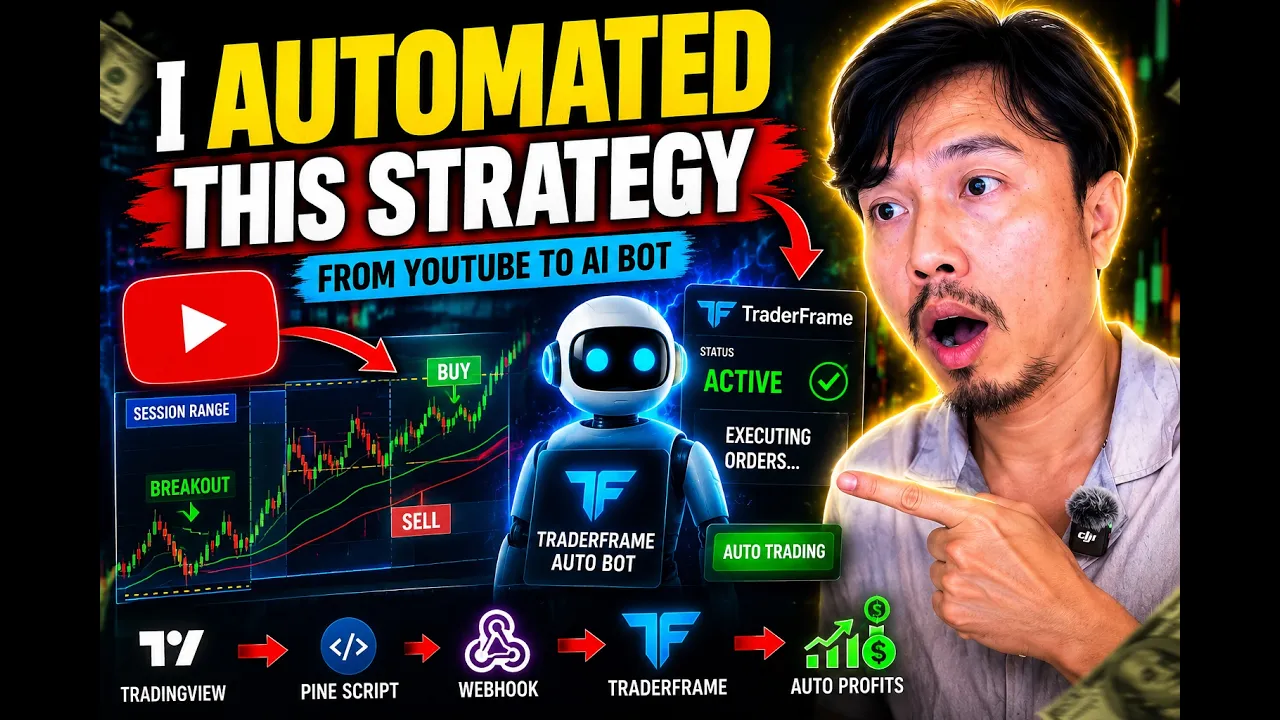
So, we get these strategies from him starting to automate, you know, with these strategies using Trader Frame, which is our new platform that help you to automate cryptos and forex. So, with this new platform, you don't have to install it because it's fully cloud web-based application. So, which mean you can fully close your computers and your trade still running uh perfectly.
Because this is still a development mode, so it's not going to be an official fully launched yet. If you wanted to get quick access to this, you leave the comment down below. I'll send you the link, and then you [snorts] can get access to this and test out for yourself.
And that's it. So, yep. And then you just wait for the trade to execute.
You can click on view bot, you know, to see the signals being executed and also, you know, how many successful trades have been placed and closed. So, I think that's uh pretty convenient, you know, to use this new platform here. You can go to the bot here.
You can take a look into my, you know, previously, you know, executing bot here. This is the you know, I'm I'm using BitMart. You see I have one position, you know, on right here.
Oh, we got make $36 already. This is another bot that I use, you know, the strategy from another YouTuber as well. So, you can also trading with Ignes, which is a forex and a derive binary options.
BitMart is a cryptos. You can trade with uh you know, Binance or uh cool coins, you know, or OKX as well. Not a problem.
And forex, so I think that's a pretty it uh this bot here. As you can take a look at this is the total, you know, earning from this, you know, uh five bots. And now we're going to add this one.
This going to be our sixth bot and we'll wait and see, you know, how many trade we got and how much we going to earn from this. And as for now, uh that's it, guys. Take care.