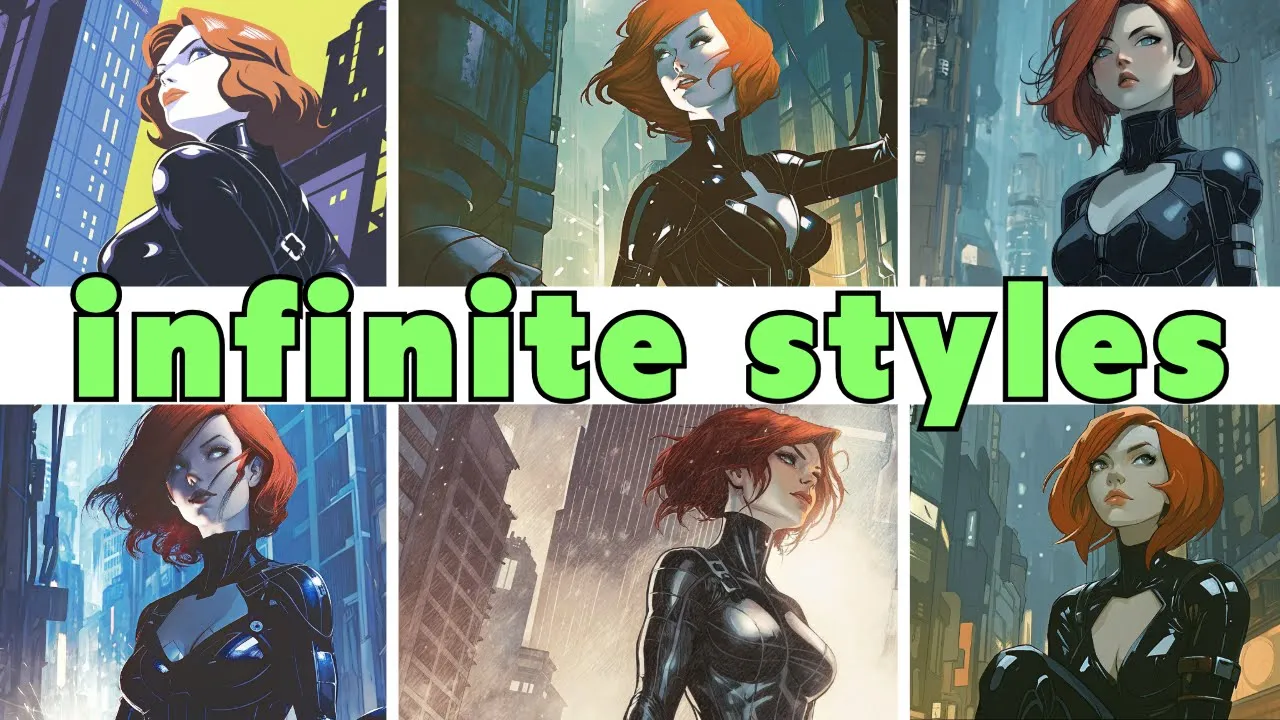
So, as promised a few videos ago, today we are diving into Recraft, who I have covered on the channel a number of times in the past, but you know, if you haven't caught those, no worries, because this video should make a pretty good introduction to them. And, you know, if you are familiar with Recraft, well, we're going to cover all the latest stuff that they've introduced and there is some really cool stuff in here. All right, let's get crafting.
So, Recraft, as you may know, is a image generation platform that's pretty popular amongst like the illustration and design crowd, although it does handle photo realism quite a well. And just as a quick note, yes, I did partner with Recraft for this video. That said, I'm not going to make like a full video on something unless I like it, and I think that you guys will, too.
So, the premier model on the site is the Recraft V3 model or formerly codenamed Red Panda. If you haven't played with the Recraft model, I I do recommend checking it out. Uh it's usually in the, you know, the top five on the text image model leaderboards.
Uh right now it's in third place. Uh top spot right now is OpenAI's GPT40. I do have something interesting about that coming up in just a second.
So, while the Recraft model isn't like at the number one spot, at least today, uh I do have to say that the Red Panda model, Recraft V3, does some like really unique and interesting things. We're going to dive pretty hard into that in just a minute. But, uh circling back, I did want to point out that um we can now use external models on Recraft as well.
If you come up to this all models tab and then come down to external, you will find that you can now generate uh in hydream GPT4 low, medium and high flux dev and pro and Imagen 3. By the way, quick shout out to whoever designed the icons for each of these. Uh as we do have an avocado chair on each of the GPT models.
Uh that's chef's kiss. If you know, you know. So what's great about testing this out on Recraft is that they do have kind of the infinite canvas thing going on.
It's not a murder board. Like, there's no nodes connecting uh things together. So, uh if you hate the AI murder board, you're in luck.
There's no murder board here. It's just a big canvas. So, taking one of our usual test prompts here, the cyberpunk woman with long white hair walking down a snowy cyberpunk street.
Uh here we have ChachiBT low, medium, and high. Flux Dev and Flux Pro. Uh Recraft's V3 model here.
Uh Hydream, uh the dev model here, and then Imagen uh over here. What's interesting to me, especially seeing it laid out in this kind of grid-like fashion, is how each of the models, you know, treat the prompt differently. Obviously, the, you know, the GPT ones are, you know, kind of similar in nature.
I think that on low, uh, we're getting sort of a lower quality, lower fidelity version of it. Um, you know, the the high version is, of course, I don't know, kind of the one that's most appealing to me. Image end gives us some very bold choices in terms of color.
And what I like about the recraft model is that it is the one uh that's kind of composed a lot more dynamically in my opinion uh than all of the others. At least it's giving us something that we're we're not sort of seeing in the in the other ones. Like this was another version of that same prompt that I did a while back.
We've used this as an example on the on the channel a number of times. I really like it again because it it from a composition standpoint, it is different than what we normally see uh image generators spit out. Now, here's where things get pretty interesting with ReCraft is that u we can, you know, change out the style of this very easily.
We're going to get into the infinite styles in just a minute. But at baseline, uh if you come up here and just click the ReCraft V3 RAW thing, we can choose out a different style. Let's go with illustration here.
And we also do have a artistic level like slider here where we can go with simple, uh clean, dynamic, expressive, or rich, or eccentric. Uh I'll you know what? Let's go up to eentric.
Why not turn everything up? Um, from here we just hit recraft. See what we get.
We end up with two versions, both of which look pretty cool. There is a little bit of a kind of a weird like tail whip thing that's going on here. Uh, we can of course just edit that out as well as we do have like an edit area uh button here.
We can just lasso this. Uh, you can also brush if you want to, but um, just use a quick lasso here. And I'm just going to say remove whip.
I'm actually not even sure if that is a whip, but uh, we'll take this down to dynamic because we don't want that to get eccentric, do we? Oh, alternatively, and I didn't even notice this, we can actually just hit the, you know, big black highlighted erase button as well. Uh, both of which work.
Ultimately, if you find yourself with an image that, you know, you're pretty happy with, but you still kind of want to play with it a little bit more, there is the fine-tune tab here. Uh, here we have a slider uh for similarity to original image. Uh, you can crank that all the way down so that it is a little bit similar and then all the way up to almost identical.
Uh in our case, we're going to bring it down to uh let's let's play around with it a little bit. Let's do fairly similar. See what we get.
And yeah, fairly similar got us something well, fairly similar. Uh I do I kind of prefer this one. I think it's just a little more on the dynamic side.
Uh the second version of this was a little closer to the original in terms of uh you know, composition and her pose. Little bit of jank on her eye there. Uh we could probably either go through and uh you know in paint that out or uh there is also a creative upscaler here.
Um let's run that and see what we get. And sure enough, our creative upscaler ends up zapping that right on out. Now here is where things get pretty fun is that we can take our own like previously generated images or even real images uh and drop them in to restylize them as well.
Uh, so for example, taking this character that we generated a few videos ago, um, we can extract the prompt here. So, this will autogenerate a prompt based off of this image, obviously. And then from here, I'm just going to, uh, come over to I'm going to use a custom style that I created.
Uh, we'll go over that in just a second. Uh, we're going to use this like, uh, olive green kind of, uh, noir style. Um, I will crank up the uh original images to uh we'll do extremely similar.
Uh, and then we'll use a centric because I I like cranking things up to 10. Um, and hit modify image and we end up with a variation on that image, but obviously taking a lot of influence from the, you know, style that I ended up generating. Uh what's really cool about this too for those of you who are really good at, you know, vector images and uh working in Illustrator is that we can take this image uh and then vectorize it.
From here, you can do all of your, you know, various vector things that you want. You can download this as an SVG, bring it into Illustrator, play around with it um as much as you want. Uh change the number of colors right on platform here.
Actually, that's kind of cool right there. Or even change out the color palette entirely. Um yeah, a couple different options here.
Let's see what this one does. Oh, that's kind of cool. It kind of gave it definitely sort of more of a uh design indie comic uh kind of look.
Um and then on another variation, we ended up getting this, which is also cool. So, one thing I have not gone over on the recraft side of things is kind of more on the design and, you know, text aspects of it. So, I thought it would be an interesting side quest to not only delve into the infinite styles, but the text aspects by creating some album covers for uh a band that I've actually really enjoyed over the last few years, namely King Gizzard and the Lizard Wizard.
Now, if you're not familiar with that band, A, yes, it is a stupid name. B, yes, they are aware. Beyond that, I can't really explain them other than to say they are a multi- genre Australian band uh who have released 27 albums in less than 10 years.
There's a whole narrative called the Gizverse that runs through a number of the albums that involves uh cyborgs, Lords of Lightning, and uh the murder of the universe. It is all pretty nerdy. But the reason I specifically chose them for this is that they they do a cool thing where they give out the uh the soundboard stems from all of their shows uh and allow anyone to press them onto vinyl, CD, whatever, and sell them.
Uh all they ask in return is that you send a few of them over to them so that they can sell them on their store. Not that I plan to do that, but you know, I always have kind of wanted to make an album cover. Uh so giving it a uh fairly surrealistic uh kind of moious architecture type prompt uh along with calling out uh their name in the title.
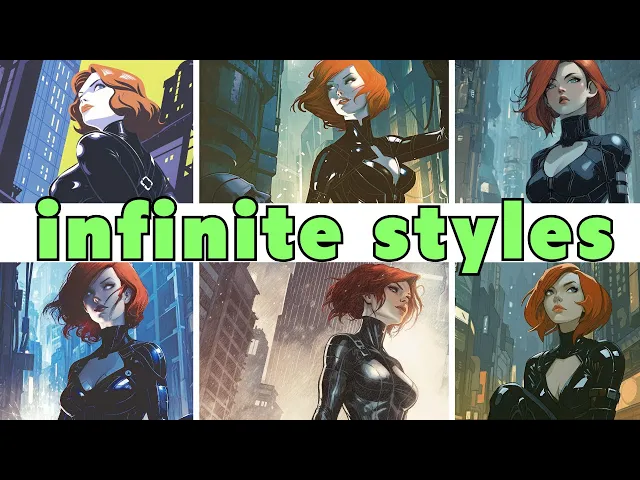
Um if we come over to the styles uh section here, we can move into uh feed and this is where our infinite style canvas comes into play. So um as you can see like there are just a ton of styles here. Now the question of course being is it is it truly infinite?
Uh you know I'm not sure. I've scrolled for quite some time and and I haven't found the bottom. So, I don't know if it's necessarily um you know truly infinite, but even if I got to the hypothetical bottom of this list, it would be infinite.
Uh we'll talk about why in just a minute. So, sort of as you're scrolling through uh and taking a look at this stuff, you can always uh just kind of click on one. You'll see a number of other images in that same style.
And if you like it, well, I kind of do like this one, you can just hit save style. Uh we'll talk about, you know, what to do with those save styles in just a minute. Uh, but for now, let's uh pick out a style here.
Vibrant retro fresco uh looks pretty cool. So, let's give this a shot. See what it looks like.
And yeah, that ends up looking pretty cool. Now, text is while spelled correctly does look a little bland. We're going to look at zazzing that up in just a minute.
Some other quick variations here. This was done in uh geometric pop symmetry. Here's another one in dimensional surrealism.
And then ultimately, the one that I really liked uh done with surreal symphony. This one definitely leaned very much more into the, you know, Mobius side of things. Where things get pretty interesting is when you begin uh actually creating your own style.
So with this, we can take any one of the styles that we've saved thus far. Uh so in this case, I took uh neon zenith, which I thought looked pretty interesting, as well as dimensional surrealism and uh cosmic fantasy aesthetic here. Uh from here, you can run a prompt and test it out.
I already created this. So to use it, all I have to do is uh come over here and move over to my styles. Uh it populates here because the thumbnail hasn't generated yet.
Hit apply. And then uh when we run this, we end up with images like these which are pretty cool. I did run this textless.
Um I'll talk about why in just a second. Uh but yeah, I mean like this is this is pretty neat. Uh and you know this this is one of those things where like this style doesn't really exist in the style library.
uh this is you know like three different styles that are compressed together to create this image. So it is wholly unique. So yeah when they say infinite styles it it really is infinite styles.
Now on the topic of text while you can just add in your own text if you want to uh recraft actually has a pretty cool text uh you know generator essentially. Um, so if we come up into uh our styles once again and come down to uh just past vector art and vector icon. Uh we do have some graphic design stuff here uh and some vector logos as well here.
The stuff that I found at least on my end to be working really well. Uh actually, weirdly enough, I like the typographic logo and the geometric logo with text. Now, yes, it does some weird stuff like put some like I don't know like weird like zombie creatures here.
Uh but those are easy enough to zap out as we saw earlier. That said, I do find that it just kind of gives you a little more zazz uh in terms of the layout and uh font choices uh that it chooses. Uh like this kind of looks like a Jose Sans uh font.
I'm not sure. I'm not great with fonts. Um font people let me know.
Uh obviously we we do have like you know the these two weirdos down here, but again easy enough to zap them out. But oddly you will run across um some kind of cool um like designy gak I guess for lack of a better term. uh that you'll run across that you just might want to end up keeping.
From here, this is a pretty simple matter of just uh right-clicking on it and removing the background. Uh and yeah, you've pretty much got a logo ready to go. In my case, it ended up generating up uh this thing with this KGO logo underneath it.
I don't I don't know what KGO is. Uh that was a bit of a hallucination, but I thought it was kind of cool. Maybe that's the name of the album.
So, uh I ended up just popping that on here. Uh swapping out the color, and yeah, pretty much we got a album cover ready to go. So, bringing it all together, as I mentioned the last time we looked at Recraft, one of the things I just find endlessly so much fun about this is kind of creating like these little like mini comics uh with it as well.
So, in this case, I ended up creating up a a style and then from there just started exploring around uh with different prompts. In this case, we have this character named the operative uh who is obviously getting his assignment and then looking at his dossier here. Um yeah, it's just uh I don't know what's going to happen with the story.
As you can see, uh, you know, I he he's not saying anything here, so I I don't know where we're going after this, but, um, you know, I'll come up with something. Uh, to note, uh, the word balloons and the lettering, uh, you know, probably not the tool for this. I mean, yeah, honestly, it's pretty janky.
I would just consider this being held as placeholder. Uh, comic book lettering, it is an art unto itself. This is something that if you if you want this done correctly, uh, you should definitely bring it into Illustrator.
And in all honesty, in my opinion, uh, hire a letterer. They they just they know what they're doing. But the other interesting thing that I found here is that um, you know, you can take this style.
So, bringing this image as a uh, style reference essentially, and then, you know, whatever else you've collected along the way, like I ended up finding this classic action illustration here and dystopian resilience. Um, and as you can see, it kind of percentages out uh exactly how much weight each one of these is going to have. Um, and then, you know, firing this off, we ended up with this style, which I thought ended up looking pretty compelling.
I didn't put my, you know, my janky uh word balloons in this one. Um, but yeah, this is uh just it's just a lot of fun. So, yeah, high recommend to go give Recraft a shot.
I'm over here making like comic books and album covers. I'm sure you have much more, you know, mature uh use cases for it. There is a free tier.
Um, yeah, $0, you get 50 free credits a day. Uh, plans range obviously from, uh, $10 a month annually to $48, uh, $12 monthly to, uh, $60 monthly. I do also have a coupon code for you.
Uh, that is down below as well, provided to us by the fine folks at Recraft. I do have to say that playing around with Recraft has really inspired me to get better at, uh, you know, just vector graphics and Illustrator in general. So, you know, hey, thanks to them for that.
And as always, thanks to you for watching.