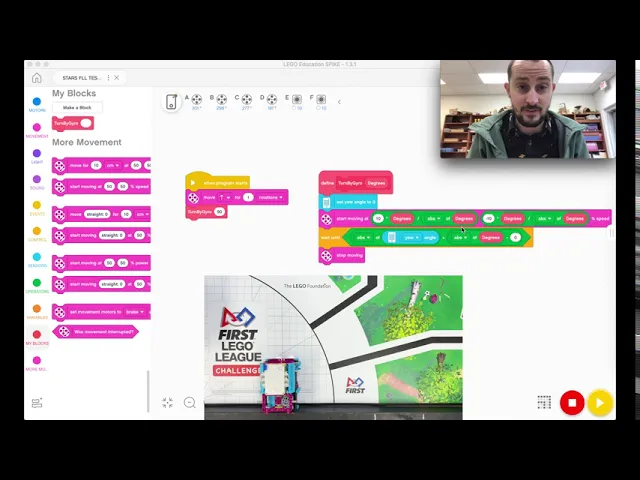
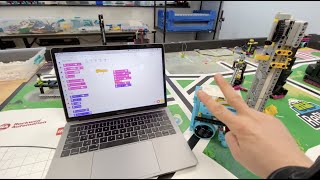
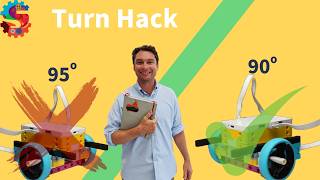
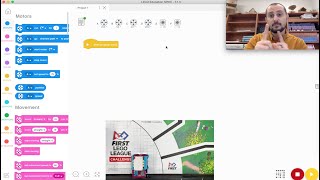
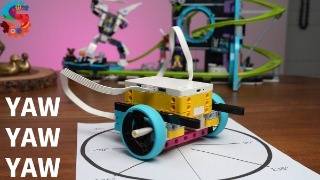
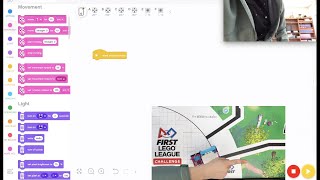
i said i have some major issues with turning or i wouldn't call them major just some major suggestions while turning because lego provides us built into the spike prime something super cool and you have an attachment a little sensor that you can put on your ev3s called a gyroscope that will make your turning life a dream if you do this here we go okay so we're in the program environment and you can see that there's some funky stuff going on in in this code and what this funky stuff does is it makes the robot turn exactly exactly 90 degrees or 45 degrees or 47 degrees within a margin of error these are lego robots they're not precision instruments so we leave a little cushion and i'm going to show you what what that means so if i wanted the robot to turn i could say let's just say go forward move forward for one rotation and then turn i have a my blocks i'm going to turn 90 degrees so i have my turn by gyro 90 degrees and if i play this the roman's going to turn 90 degrees now it's not perfect no lego robot is perfect so let's talk about this right here this is what we call a function and a function makes our code easier if something we want to do something over and over and over and over again but we can just take all these blocks and condense it down to one block with called the the term that i'm calling the turn by gyro now in this robot and uh in uh ev3 there's a connector there's like a something that you can plug into the sensor port called a gyroscope if i open the hub i can see that right here i have some readings now one is a yaw one is pitch and one is roll let's think of an airplane all right yaw turns side to side so if i turn the robot side to side you can see that number change if i turn it to the right it changes the positive if i turn it to the left it changes to negative okay so in an airplane it's the same way all right yaw is left and right then there's pitch which is in the airplane if you pull up on the sticks your pitch tilts you can see the pitch go up when i tilt it up you can see the pitch go down if i tilt it down if you ever do that in first lego league props to you because that's super cool and then there's roll and if i roll the robot from side to side you can see that number change now what we're actually telling the robot to do is to use the yaw so if i if i put this code in and i'm saying okay no matter where you're at y'all go back to zero zero go to zero and then i'm saying i want you motors to start moving at speed 10 all right so this would be this would be the left wheel this would be the right wheel okay speed 10 multiplied by the degrees divided by the absolute value of degrees that's just some fancy math stuff that makes you only have one block turning block and then so the degrees is going to start counting and it's going to start counting it's going to go uh you know one two three four five six seven eight nine ten all the way get till it gets to 90 and this block right here is the magic block right here it says wait until the absolute value of the yaw angle that is this when the absolute value of the yaw angle what's an absolute value an absolute value is just the distance from zero a number is so right now our absolute value of yaw to zero the distance from zero is 59. what if it was can i get negative 59 i just had it there we go what's the absolute value of negative 59 well how far away is it from zero it's 59 things units counts numbers away from zero so the absolute value of any number is just that number positive whether it's a negative number or not so positive 59 technic not technically but it's 59 the absolute value of of negative 59 is 59. so what we're telling this block to do is to say okay angle you're going to start counting robot until your yaw gets to more than the absolute value of the degrees that i plugged in so if i say 90 okay y'all you're gonna go to 91 and then stop so so it's it's almost perfect almost perfect and what this does is no matter what happens with the robot whether the tires dirty whether whatever it something gets in the way it slips it makes it go 90 degrees no matter what it's going to keep turning until the robot says i turned the amount that my programmer told me to turn which is awesome super cool so i could say 45 right here and i could say go like that then turn 45 and it'll turn a 45 and reset the robot now here's the really cool part and that's what this math does right here and i'm not necessarily going to explain it however if i type in negative 45 it's going to turn to the left negative 45 degrees all right so if you type in negatives it's going to turn to the left if you type in positives it's going to turn to the right and it is that's a super cool feature that lego education has provided to us using a function for turning now uh what if it's a little bit off and it happens that's okay that's why this is here so say it just turns a little too far each time you could say minus one so the absolute value of y angle is greater than the absolute value of degrees minus one so it's going to take a little bit off of the turn so if you notice before if i do this and i say i want you to turn 90 degrees it's not perfect 90.
it's a little bit more than 90 and that's okay the brain of the the spike prime or the ev3 is working the best that it can but you have to be smarter than that and say okay well i'm going to say or well minus 1 or 1. 5 or whatever works for your robot and this number shouldn't ever change it should be universal to no matter the degrees that you want all right so that's still a little bit too much for my robot here every robot's different yours will be a little bit different i'm going to do 3. 5 maybe that'll work and your robot it might be zero that was pretty pretty close all right so your robot might be zero i'm not going to keep adjusting the number you can adjust your number but pause this video put this in your code every single time all right make this function you do that by making a block so make a block and give it a name turning save and then i get my turning thing here and i can put this code underneath here and you can put that code underneath yours and uh there you go you have it and put that in every single project that you do so that is how you get a perfect turn while almost perfect because they're lego nothing's perfect within a margin of error turn every single time no matter what so again even if i run this it starts to turn and i hold it i'm holding it i let it go it's gonna keep it's gonna keep turning until the computer the brain in that spike prime reaches whatever you type in this thing it could be 30 degrees it doesn't matter it could be 31 and a half it doesn't matter whatever you type in that thing now it only goes up to 180 so you 179 or 180 and then negative 180 would be a left 180 turn that's turning by gyroscope i i think it's the best way to turn because you know no matter what happens whether your wheels dirty it slips whatever happens it's going to turn the amount that you're asking of it every time within a margin of error i mean like i said they're they're not perfect no lego robot is perfect that that robot's not perfect this robot's not perfect your robot's not perfect so use that little margin of error where i said you can subtract or add whatever you need right there to make sure that your robot's turning 99.