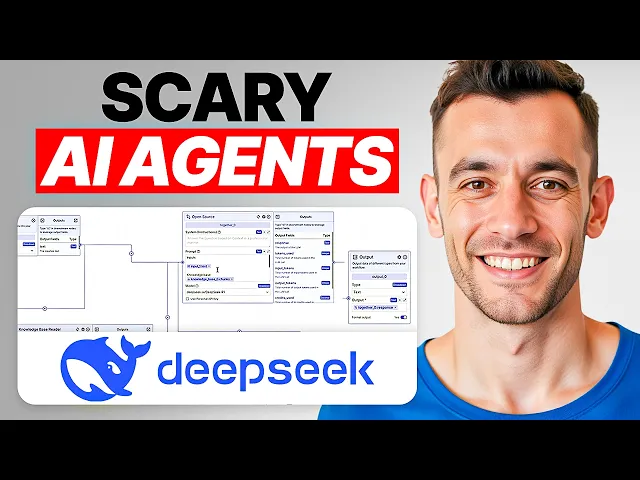
these new oneclick AI agents are absolutely insane and you can build them for free I'm going to show you exactly how to do this step by step so you can see deep seek R1 is plugged in and this did not cost us a penny to build or use we get a free API in this method plus I'll be showing you how to build these pipelines so I'll be explaining each stage of the process it's not as complicated as it looks actually really simple and I'm also going to be breaking down what you can do with
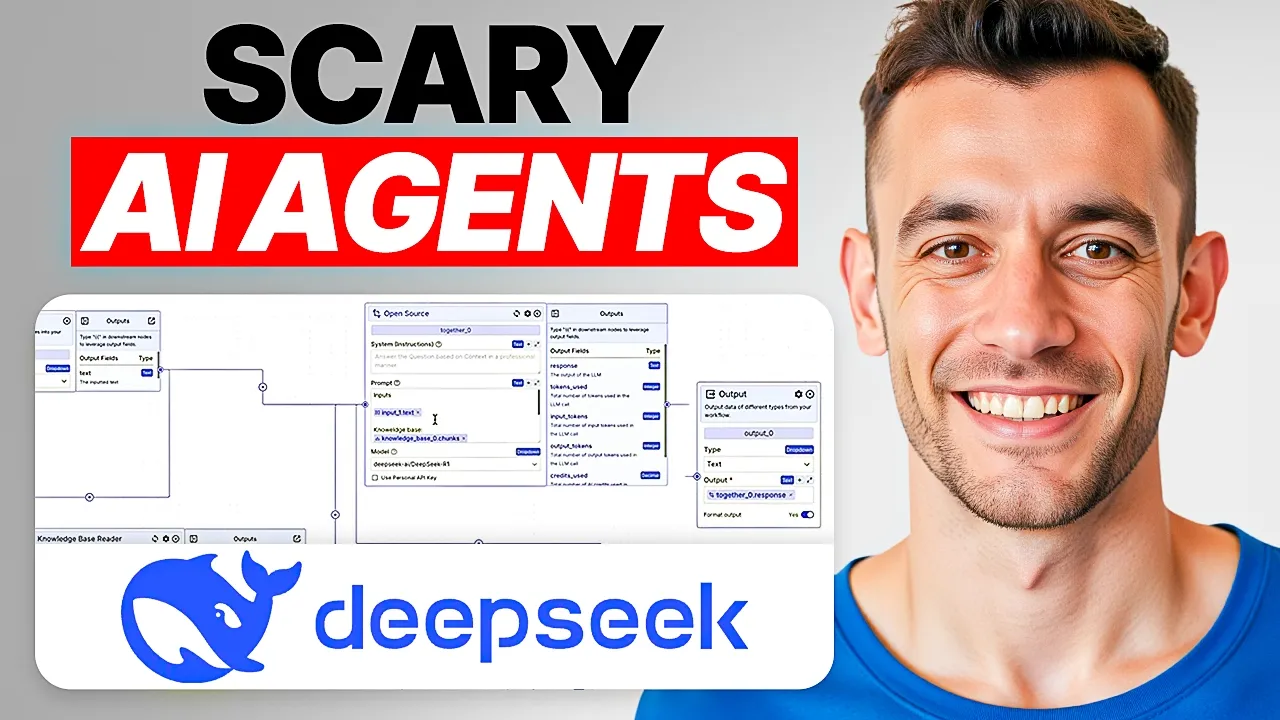
this plus how you can connect each of these different modules so let's crack straight into it what we've got here is basically a chat bar where it takes the inputs like you can see right here then we've got a knowledgebase reader so this is going to read information from our knowledge base it's going to take for example any research you upload you can personalize all of this information right here so that basically the agent has customade knowledge that it can look back on to give you better quality output for example if you're creating like a
video transcript or content creation or a landing page or a website it could use the knowledge from this section over here to then plug that straight into this section over here which is the AI agent itself right so this module right here it's using an open- Source API and we have put that the inputs are coming from over here all right and then you got the knowledge base over here so this is taking the knowledge from this section and then finally we have the chat history so that it can remember what's happened previously so it's
actually got a memory it can understand okay here's what we've done before here's what we're going to do next Additionally you can plug in your own personal API key if you prefer that and then from there it's going to give the output so like you can see now also inside the model you don't have to use deep seek R1 like you can use for example deep seek version 3 depends what you want right so if you want a reasoning model then you're going to go with deep seek R1 Because deep C1 has logic built into
it it things things through it's like a chess grandm right thinks that in many steps whereas for example if you switch to a deep seek version 3 deep seek version 3 is great for creating content and getting fast answers it would be much better for example for customer service something like that so if we take this whole workflow right here and I will show you how to build it in a sec if we click on deploy changes any changes that you make are going to be deployed right here so we'll put deep seek as name
hit deploy that's going to patch you up to the new version and now if you want to run this you can click on run over here and you can actually test this out in many different ways so you can choose for example just a standard input output test you could test this out as a chatbot so we can say hey mate what you doing and you got the old AI sitting in there thinking about life thinking about what it's going to respond with and it's using the inputs and the outputs from this whole process now
inside the chatbot section over here for example when we had deep SE R1 plugged in I put in test and it says it looks like you're sending a test message how can I assist you today if you have any questions or need information feel free to ask you can also do voice voice which I've not tested but you can enable your microphone then you can actually have an input as a voice and run that through your pipeline instead so just as a random example I've switched to llama over here and then I've put for example
are you working and the AI has come back to us we can also copy that response or download it Etc now these are the basics and I'll show you how to set this up in a second once you've done that then you can click on export call the chatbot whatever you want all right create the chatbot and now you get all these options on how you're going to design it right so you can for example have a message limit per conversation whether you want to keep the chat open allow the clear chat you can have
a name of a user the message prompts Etc and you can change the styling over here so you can actually change for example what it looks like so if we switch this over here we can change the colors to red and you'll see the colors change right there if you want to change the background color you can do it pretty simply and you can even add your own image here for example we take this image address and we plug that as the logo it switches to Goldie agency and it's very simple to edit all of
this to be honest with you now once we click on export we actually get an embeddable Chat bar so you can actually embed this AI agent directly into your website or you can open it up so if you click on open chat bot over here we've now got the chat bot ready to go and it's even got a voice input there we can message it let's just test this is working and you can see it works perfectly plus we've got follow-up questions so we can ask along the way so it's really easy to do this
you can click on a new chat in the top left as well and then you can program this however you want now if you want to set set one of these bad boys up what we can do is if we go to new create pipeline now we can start setting up the llm and be in mind like I just want to be very clear here I am on the free plan all right so in the bottom it says upgrade to a pay plan to unlock more features right we're on the free plan here we're not
paying for anything and if you're wondering okay what are the usage limits on the free plan you can see all the details right here so for forms chat bot Etc everything else so if you want to set something like this up here we go here's how you do it so we can have an input this is basically the text you're going to plug into the chat box then from here we're going to go to LMS and click on open source and then you can select which open source model you want so for example R1 and
again this is not costing you any money in terms of the API usage right so you're getting all these open source models completely for free which is pretty amazing if you ask me you can also just click on use personal API key here and then plug that in so you could for example like plugin API key for Gemini or whatever you want if you want to get a free one of those just go to AI Studio o. google.com you can get a free API for that and then I'm going to deselect that now now we're
going to have the system instructions okay so for example what I'm going to do is I'm going to take a prompt that I use for creating content over here and going to say keyword equals and then I will insert the input from the chat input over here right so if we click on that then we're going to hit enter make sure you click enter and to get that to show up all you do is if you're on a Mac you press shift and and bracket and that will come up with the squiggly bracket right and
that's what you want for the input and you got all the details right here all right and then if you want to add a knowledge base just click on the knowledge base section over here click on knowledge here we go and then if you want to an okay how do you create knowledge like how do you add knowledge to this if we click on create new knowledge base and we'll put Julian Goldie information about me hit create and inside the knowledge if you go back to your dashboard at Vector shift you you can actually choose
between like URLs Wikipedia URLs YouTube URLs Etc right and so for example we could take a URL from the web like my own website and use that to train the chatbot to create content so let's paste that in hit add right there it's loading so you can see the status is buffering as such then if we go back to the knowledge base we can select the knowledge base right there and you see it's loaded great success all right and you can see it's synced as well so you can see when it was last synced if
you want it to Rec scrape you can choose between resc scraping the information on the live page hourly daily weekly monthly all right so you can scrape new information from the web as you do this and then if we go back to our pipeline dashboard we're going to go back inside the prompt and we say Okay keyword equals and then again we'll get those Sly lines going plug that in and also inside the system message we're going to say use the source context from our knowledge base all right so we'll select knowledge base hit enter
so to create the content all right then you can select whichever deep seek model you want we can also add that memory so if you want to add a memory just go over to the chat section and then type in chat memory and bear in mind like when you tag these in so when you add in that squealy bracket that's going to link these automatically so it's unlike other tools where na10 you have to figure out where to add the arrows connect things Etc it's quite messy whereas inside here as soon as you tag the
module it links directly to all the other workflows so it's very easy to link like a knowledge base or a chat memory or an input using this process what you can also say here is remember my feedback from and then we'll tag in the chat memory like and that's basically going to remember any feedback that give it inside the chat beautiful now we just need an output so we're going to select inside the general tab here output all right because it needs somewhere to send the information and we're going to select the output as the
information from the a AI agent and again these are just connected automatically so super super easy to build these AI agents and once this is running you can basically create content or one click or whatever you want to build in one click it's very simple and easy so just to recap here we've got the input aka the chat that's going to go to our AI agent which is using our deep seek model from there it's going to read the information from the knowledge base the chat memory and the prompt for the system message by the
way if you just want to steal this agent from me I'll include the template in inside the AI profit boardroom Link in the comments description then we're going to hit deploy changes deploy then we're going to go to export and we can just export that now I actually want to test it first before I actually export it I think that's always a good practice so from here inside the chat Bo we're going to click run and I'm going to type in my keyword for the content SEO training Japan and now that is loading some of
these steep seek apis are a little bit buggy at the minute I'm going to warn you now so one thing to be careful of when you're doing this is just make sure you have the API that's actually going to work so I actually switched to the chatbot section over here to test out I've said keyword equals SEO training Japan now it's processing the request we have the content ready to go like you can see so we've got the output pretty simple and easy again this is all free we didn't pay for this we'll plug that
into a Google doc just to preview it you see it's really nicely formatted and bearing in mind like deep seek R1 is not even a Content creation AI it's more designed for logic but actually the outputs are really good right so it says why isn't my SEO working in Japan if you've asked this you're not alone most SEO strategies fail here because they ignore these three things Yahoo's Japan dominance mobile first users and cultural nuances that make Google analytics cry let's fix that right the content itself is really nice and we just got a perfect
output in literally one click plus because it's leveraging the links and the information personalized to me we're not creating like generic jargon we're not creating like generic fluff or or trashy content here this is all personalized to me and it links to our funnels as well plus this is really nicely form formatted like you can see so even use some Japanese characters like you can see so how to choose SEO train in Japan without wasting and then that actually means 10,000 Yen so we're learning in J Japanese who say we build these deep seek agents
we got the FAQs right there we got the information about us who we are Etc and that was crazy powerful that was way easier than expected we check the word count this article is about 600 words something like that and it's all personalized to us and literally all we had to do was type in our keyword and click that was it as simple as that now if we want to export that what we can do from here is number one just name this so we've got the right one number two make sure we've deployed this
and then number three we'll click on export chatbot you can change this to a form as well by the way so if you want like a AI generated form that runs automatically based on the inputs you can just create a form there but we're going to go to chatbot now export that deep seek oneclick AI agent for Content creation we'll hit create chatbot and if you're on the plan as well just make sure that you are you you do get a limit on the number of chat Bots I think it's two chat Bots at a
time so I'm just going to delete these previous ones and then put the name of it and Export it again that's exported again you can customize all of this as you want it to export it open the chat B type in your keyword as you want to and then you can see that's working beautifully right there we'll come back to it in a sec see what we get as the outputs but one thing I want to show you next is how to actually embed these to web page right so you've got a choice between an
iframe or just a normal script so if we wanted to embed this Chat bar for example we can copy this then I'm just going to go to a random page in my website we'll edit that then inside here we can select code inside WordPress you can do this in Shopify wherever else you want as well plug in the code so hit update click on view post and boom Shack laer the AI agent is deployed onto our website now if we go back to that chat bot we've got the content back as you can see and
it's created this content step by step pretty easy and simple we can the content is better than most humans would write it it's all customized to us it's personalized to us and we didn't even have to go back and forth of it it's even customized for example the content itself to the local area so for example this article was about SEO training Manchester and you can see like it's talking about the mem Manchester Evening News Manchester Chamber of Commerce Etc and it's really easy to read as well as you can see it's even upselling the
SEO strategy session plus linking to it directly right there boom shakalaka that's what we like to see Peeps and then if you ever want to delete the code from your website you can just click on the three dots delete that update that Happy Days my friends and the fact that you can do all of this for free is just absolutely mind-blowing right absolutely mind-blowing the other thing you can do as well is you can protect this with a password for example let's say you were selling a tool like this or a chat bar like this
you can actually protect it with a password and then people can only use it once they have the password therefore they have to pay you for that information and also I would recommend inside the knowledge base here just add lots of information about you who you are what your business is ETC and bear in mind like this is as simple as a guess like you could make this so much more complex if you actually go inside the agent pipeline like you can see and then we go to Integrations you can link this to air table
to Gmail your Google calendar Google Docs Google Sheets Etc there's so many different apps you can actually link this to it's unbelievable it's absolutely unbelievable so thanks so much for watching if you want to get access to all the prompts and everything else that we showed today feel free to get that I've got a full S&P on it directly inside the AI profit boardroom along with all of my best workflows on like how to make $100 with AI 10 agent workflows deep seek and make AI automation a 3-hour course on deep seek if you really
want to go deep there's tons of video tutorials and all my best saps and templates inside here and this just grows every single day cuz we always add in the latest new information to it on top of that it comes with an amazing community of people all trying to scale their business make money and save time with AI this comes with weekly coaching with me so you can just jump on a live call with me if you have any questions not only that but if you can't make the q&as then we actually record them so
that you can watch them back now this is at a beta price right now price is probably going to go up because we've already got 154 members and we only just launched this month so if you want to save money make sure you sign up and you get your lifetime discount right now before prices go up link in the comments description to the AI profit boardroom if you want to get a free one to1 SEO strategy session that shows you how we websites from 0 to 145,000 Vis this a month and generate hundreds of thousands
of dollars in sales and autopilot feel free to get that on this free link building acceleration session you get a free SEO domination plan Custom Tailor to your business you'll discover the secrets SEO link building or answer any questions you have one to one you'll learn the best link building strategy for your website plus how to quickly ranking compared to link building and how to 10o traffic based on what's working for us and our happy clients like you can see right here feel free to get that link in the comments description appreciate you watching bye-bye