hello Facebook as people I'm costados and today I'm going to talk about some automated rules that meta it's actually Auto applying to some of my other accounts and how to remove them because it took me a lot of time to find the solution and now I'm going to show it to everyone so sometimes while I was optimizing I could see a KN closed and then I said why did I do this mistake and it was more mistakes and more mistakes compiling so I started saying okay maybe the owner closed it you know and I went
to check the logs and the logs were showing that it was an automated Rule and then I said oh it had automated rules before I come here no meta is adding automated rules I'm going to show you exactly how this is being done I'm going to show you also how to remove them and um I hope that this video is going to help some of you because uh this has been something that I was looking uh for a solution for for several months uh since the point that I found it the only thing that was
bugging me it was the fact that I couldn't believe that meta would take a decision like this is that you can do nothing about it because I was deleting the rules they were reappearing and all of that but now I found where you can find the settings and how to remove them and all of that so let's go to my PC let me show you of course for the people of the Inner Circle and uh the people that uh they have been listening to the podcast these are things that they know earlier but now there's
also a video for all of you out there that you're not doing that so that uh you can see them hi guys I would like to interrupt this video in order to talk to you about my new mentorship programs and and uh I would love if you go to the website you're going to find the link in the description or you can find it in the menu of my website and over there you're going to be able to see the different mentorship programs that I have you can find the one that is going to fit
better your needs and I will hope to see you there so I will take you to in all of my other accounts I have removed it but I kept this one to to do the video basically in this account I was optimizing and I could see that uh ads have been closed so I was checking here on the on the logs obviously I'm not going to check it I'm not going to open it you can check here from the logs on this uh right side over here see history and you can see the changed buy
over here if you put the right dates and of course you have to uh pick the correct campaign and stuff so if you do that you're going to be able on the last seven days there are not any changes okay I'm not going to open it because it will be a nightmare for uh editing over here you can see by change by it will say automatic through this with a blue thing so that you can check it so I started observing this in order to understand why and who was closing my ads initially I thought
it was the owner so I was getting angrier about it and then I checked and I went to the uh manage rules over here as you can see if we come here we can see that we are having of course I'm not going to show the other account and stuff we can see that we have here some that they're being created by a person which is the owner of that account which again I'm hiding the name and then over here we're having some which have been created uh it says by nobody this is meta on
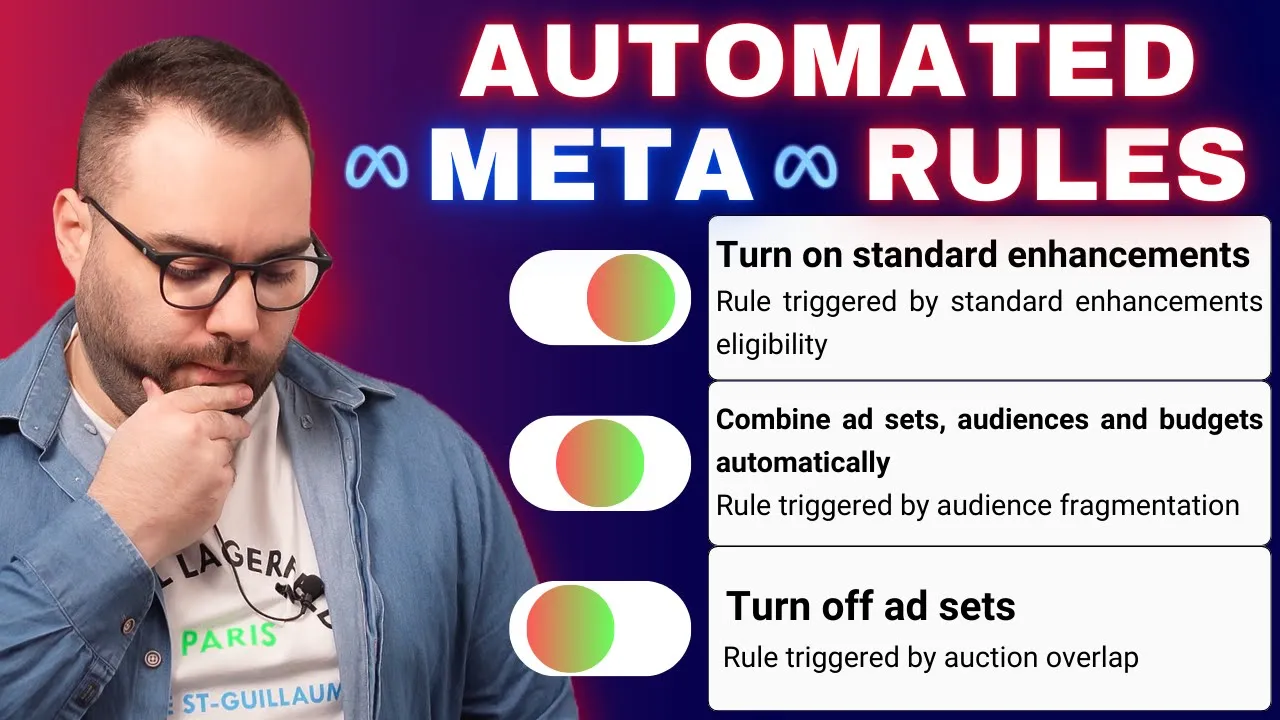
and basically one of them is turn off standard enhancements because the thing that they care most about is that you're going to have your standard enhancements on with AI and stuff music and stuff which I'm not using them by the way because they're really problematic they're just adding stupid music or do things like taking the headline putting it on the top combine adsets audiences and budget automatically turn off adsets um uh for auction overlap and this stupid but over here we have this stupid uh automated rules sometimes you turn them off from here but then
they are being autogenerated again and again and again and I couldn't find how now let me tell you how if you come here to the account overview you're are going to see this and this is not actually this is the place that you're going to find them but you have to follow another process in order for you to able to find them how if you come here and you press this one see automatic adjustments it takes you again to account overview but this time you have a completely different setup over here do you see this
one I'm going to close it it's going to show it like this now what is happening is that most of the times people come with meta reps over here and the meta say says enable this automatic adjustment automatic optimize two eligible ads do this and that and that potentially outcome this one after a meta rep call or maybe the owner did it it doesn't matter we have some automations turned on and the only way to turn them off is by clicking here this one and then apply changes now the changes have been applied now when
we click on this one it's not there anymore and if we come here again on the automated rules okay nothing is going to be created anymore over uh here in some cases the automated rules are also being uh deleted uh not in uh this case so this is the way for you to actually do it you come here you click uh then let's go on the campaign over here let's click again on the manage rules I don't like to work with automatic rules for these reasons they are just closing ads for no reason no it
didn't delete it in some accounts it deletes also the created uh rules here you can do it manually by just pressing here and delete uh but I'm not going to I will just leave them there the problem over here was that it was creating again and again and again uh other uh automated rules and uh I had to check every day or every two days just if I was going to be able to find another rule which is going to ruin my ads and stuff which is not efficient and I don't want to do it
so that's the thing that I want to show you this is is how you're going to manage this uh problem and uh meta creating um automated rules for you and I hope that's going to help some people that they just cannot understand how this is happening and uh I will see you guys for the closing of the video so that's all I had for you uh this is uh the way for you to be able to remove this uh automatic rules and be able to monitor it if you have any other settings that are being
set automatically uh by meta or by mistake that you have done don't forget guys that if you want to learn more you can check my book my course my mentorship programs you can check also below my mentorship programs all of the reviews from the people that they have completed the mentorship programs and until with me again guys be creative and be consistent [Music]