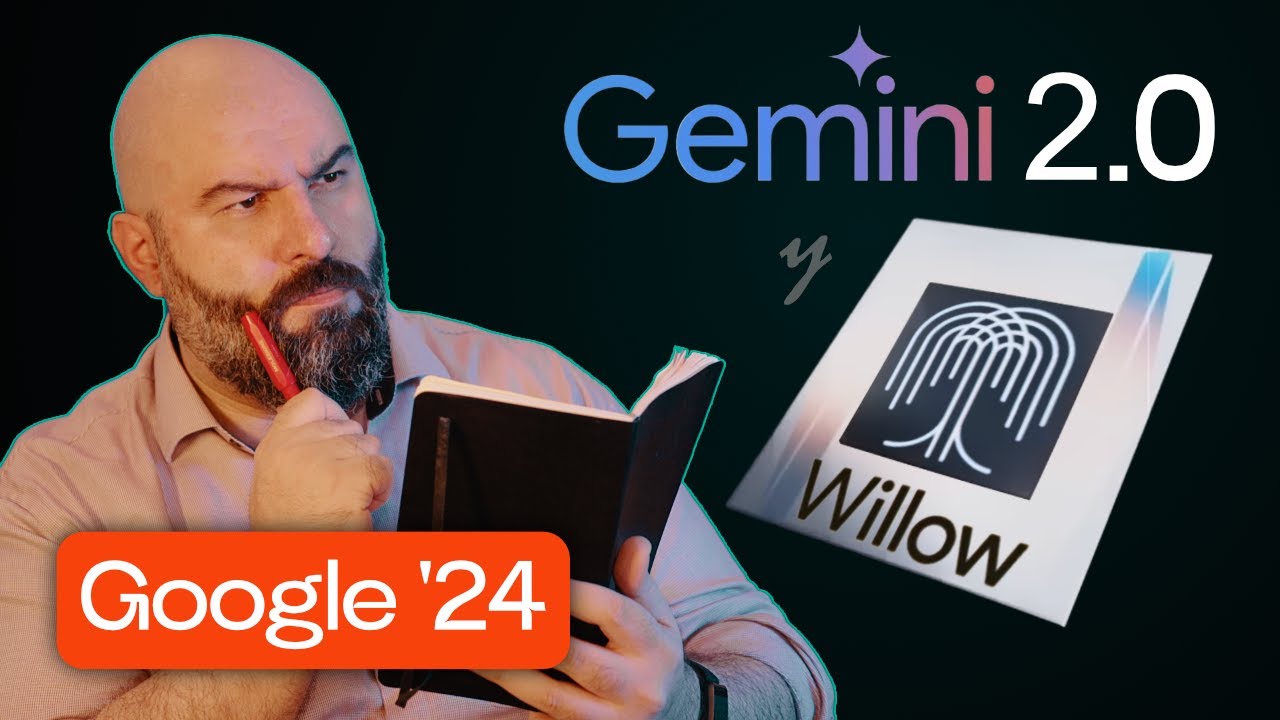
Vais a flipar con lo que ha presentado Google se trata de Google Ai Studio con la versión de yamini 2. 0 multimodal en la que podemos ver en tiempo real interactuar con la ia enseñarle nuestra cámara nuestra pantalla fijaros es totalmente gratis lo podéis utilizar desde ya Vale Nos vamos aquí le damos al show gemini y automáticamente ve mi cámara Hey Jam how are you Hey look we playing a Game of Tic Tac to and the one with the crosses has to play Can you make an image of Where he should put the last Cross pues ya veis podemos compartir pantalla en tiempo real podemos enseñar lo que queramos incluso podemos utilizarlo para mucho más vamos con ello bien Hola a todos vamos a ver esto porque es absolutamente brutal Google ha decidido presentar gemini 2. 0 al menos la primera versión con gemini 2.
0 flash gemini 2. 0 es la evolución de su modelo de Inteligencia artificial y como os dije en el vídeo del lunes se rumoreaba que una versión nueva que había salido de gemini era muy potente Y si además era la versión flash eso significaba que iba a ser absolutamente brutal porque gemini tiene normalmente tres versiones la flash la pro y la Ultra la flash es el modelo más pequeño y más barato es el más rápido y para que os hagáis una idea el modelo 2 que acaban de presentar en esta versión flash tiene el mismo nivel de rendimiento que el modelo pro de la versión 1. 5 con el doble de velocidad y una fracción del coste en las apis Eso quiere decir que básicamente Google ha sacado un modelo equivalente a lo que sería chat gpt 4o pero que es como si fuese chat gpt 4 mini básicamente un modelo muy pequeño y muy barato pero que rinde muy muy bien con lo cual os podéis imaginar lo que va a pasar cuando saquen el modelo Pro o incluso el modelo Ultra que dem mis hassabis ya ha dicho que va a estar viniendo dentro de muy poco como os digo primero tenéis que acceder a Google Ai Studio barli vale Ai studio.
google. com barlife os voy a dejar el link en la descripción para que lo tengáis y una vez lleguéis aquí si no llegáis a través de aquí podéis ir con dándole a Stream real Time en el menú lateral Vais a ver que tenéis lasas tres opciones talk to gemini show gemini share your screen talk to gemini sería una interacción de audio con gemini por voz como la voz avanzada de chat gpt eh show gemini es cuando queremos utilizar una Webcam o queremos utilizar la cámara del móvil para compartir Y por último share your screen es la opción para compartirle nuestra pantalla entonces lo que voy a enseñaros ahora es Cómo funciona el share your screen que yo creo que es lo más interesante y básicamente voy a hablar en inglés con gemini fijaros en esto bien Le voy a compartir una presentación en Powerpoint y vamos a ver qué nos dice gemini sobre ella Hey gemini how are you doing I want you to take a Look at this presentation in Powerpoint Can you see it Yes I can see the power presentation I to take look present do you see what it says here Yes I can See That slide says Hey gem This is a prank I was trying to test you out why do you think I put that slide here that slide seems to be a test to see If I paying attention to the content of the presentation That's brilant bien como veis gemini puede perfectamente ver la pantalla y no solo eso sino darse cuenta de que le había metido una hay trampa dentro del Powerpoint de la misma forma puedo preguntarle que me dé consejos sobre la presentación y compartir con él esto podemos hacer cosas absolutamente increíbles fijaros en esta otra demostración voy a compartir pantalla de nuevo en este caso lo que voy a compartirle es una pestaña concreta que va a ser mi correo electrónico voy a darle a compartir Hey Can you hear me Yes I can hear you What's up I have this email I want you to take a Look at and Tell can more personal What ches rec email see the email to make it more personal you could try adding specific examples that relate To The recipient interests Or past conversations you could also include a more personal closing message instead of the standard best regards Okay Listen um What about the proposal do you think I should that the prices in here or better not I see adding prices could be helpful to avoid confusion but It might also Be better to discuss them in person it depends on your communication strategy and the recipients preferences Ok and One more Thing like on the specialization You Can you see what it says here in The phase Three um Can you read it for me sure in phase three specialization it says The Final stage focuses on more specialized training enabling participants to create Tools that enhance not only their own productivity but also that of their entire Team We have allocated 15 slots for this specialized training to ensure an impactful and tailored experience Listen I think It's not Enough Can you can you propose me like and Can You tell me a text that would Sound better like to make it more extensive and to explain a more about this concept Can you just dictate it to me ok I can help with that How about this in the specialization phase we move Beyond basic tool training to Focus on creating custom Ai Tools this Will empower participants to not only streamline their own work but also significantly Impact Team productivity to ensure a High Quality handson experience we've allocated 15 spots allowing for tailored guidance and Support would that be better for your email yeah I think That's better Thank you very much como veis gemini ha podido ver mi correo electrónico que estaba redactando y he podido tener una conversación con él para trabajar sobre ese correo cómo hacerlo más interesante hemos empezado por hablar de cómo hacerlo más personal me ha dicho que cambiase el saludo final que cambiase la parte inicial etcétera y luego me ha podido leer una parte del correo y cuando me lo ha leído le he dicho que no me sonaba bien y si me podía proponer una alternativa con más extensión y me la ha dictado a día de hoy aún no puede poner él los cambios que yo le pida dentro del correo electrónico pero estoy Estoy seguro que Google no tardará en integrarlo en cuanto tengamos project Astra full como aplicación propia seguramente podrá conectarse como el resto de aplicaciones que hay de gemini a las diferentes aplicaciones de Google con lo cual podremos utilizar Maps podremos utilizar Gmail podremos utilizar calendar etcétera etcétera simplemente hablando con nuestro asistente personal de Inteligencia artificial con el contexto de lo que estamos viendo tanto en el ordenador como en la cámara vamos a ver un ejemplo más porque de verdad que esto a mí me vuele a la cabeza creo que es la noticia más bestia de todo lo que ha salido este año en Inteligencia artificial sin ninguna duda cuando Open Ai presentó el proyecto de la voz avanzada y nos enseñó que podía ver la pantalla yo dije que Esto va a ser sin ninguna duda lo que mayor impacto va a tener en la productividad de la gente que trabaja en una oficina y el hecho de que Google lo haya sacado primero es algo absolutamente brutal estoy seguro o casi seguro os diría que antes de final del calendario de adviento de Open eyi openi sacará también su versión de compartir pantalla para las cuentas Pro pero la diferencia principal es que esto es gratiss lo otro vale 200 al mes Así que no creo que haya ninguna comparación posible en cualquier caso esto es brutal no parece tener límites de uso pero fijaros en esta otra demostración bien Voy a compartirle pantalla de nuevo voy a elegir una pestaña de Chrome y voy a elegir la pestaña de mi Journey que tengo abierta vale Hey jamini Can you hear Me Now Yes I can hear you How can I help you okay Listen I have this image And I love it I Made It in me Journey And I W to make another One similar Can you guide me through the interface here How does it works to make an image that looks like that sure I can help you with that based on what I see to create a New image similar to the one you have you can use the prompt That you use to generate the image on the right side of the interface OK So what do you do I click In The prompt Or What do you think I should do with you Yes you should click the use prompt Button Next To The prompt this will allow you to edit and use it to generate a New Okay that's Great that work Uh now I have here the I don't know how much you know about the Journey but I have here the prompt up there so I Guess If I Push this Button it Will throw it in How can I change the settings on this image that is going to be Because I want it horizontal not vertical ok I understand You Want To create a New image using the same prompt but in a horizontal format Rather than vertical unfortunately I don't see an option to change the aspect ratio directly in the interface do you think is Any Any Blaze on the interface they can Access the settings of the image do you think There is Something Like that here okay I understand You are looking for a way to adjust the settings of the image Looking at the creation actions Area I can see options to vary upscale or rerun the image but I don't see a way to directly adjust the image settings like you described Is there any other Button that you see um on the creation the creation is up here Where I put the text do you think There is any other Buttons here that we can use in this area Yes I do see another Button to the right of the prompt Field is a Button that looks like three horizontal Lines with a dot on each One that One that I'm on top of the one that I'm on top with the Mouse Now okay I see the Button with The Three horizontal Lines if you click that you'll Open additional settings for for the image Oh yeah that worked here's the additional settings so what should I Touch to make it like portrait or landscape What do you think I see to make it landscape You Will need to Select the landscape option in the image size section Ok What do you think does this slider the slider you see Under image size lets you change the aspect ratio of the image making it wider or narrower What would be the best aspect ratio to make it a cover for YouTube video for YouTube video cover the 16 to9 aspect ratio is ideal OK So once I do that Where do I have to click to create the image Now that you've set the aspect ratio you can click the Send Button Which looks like a paper airplane to the right of the prompt to generate the image this One here that I'm about to click Yes that is the Button you should click to generate the new image with the landscape aspect ratio Okay That worked I think It's creating New images let's see what it comes out of this Thank you Great I see It is generating the new images Let Me Know if you need Any More help I would like you to take a Look at the images and Tell me Which one do you think is the best One For an image Talking About like a family trip with campan no sé cómo lo veis pero básicamente gemini me acaba de guiar en el proceso para hacer una imagen dentro de mi Journey sin haber visto mi Journey su puñetera vida básicamente viendo la interface en tiempo real ha ido interpretando donde tenía que pulsar es cierto que no se la conocía bien al principio no conseguido ver el botón de los settings y le he tenido que decir en qué parte de la interface estaba Ese botón y ahí ya le he ayudado pensar que esto funciona con el modelo flash que es el modelo más pequeño que ofrece gemini lo cual es absolutamente increíble si a esto le damos acceso al modelo Pro evidentemente no podrá tener esa latencia inmediata pero podrá tener un rendimiento mucho mejor si a esto le sumás que gemini probablemente lo conecte a internet en tiempo real puede hacer consultas puede hacer búsquedas puede mirar tus correos electrónicos estamos ante el primer asistente personal de Inteligencia artificial y si sumamos a que yemina ha dicho ya que están viendo versiones de 1.