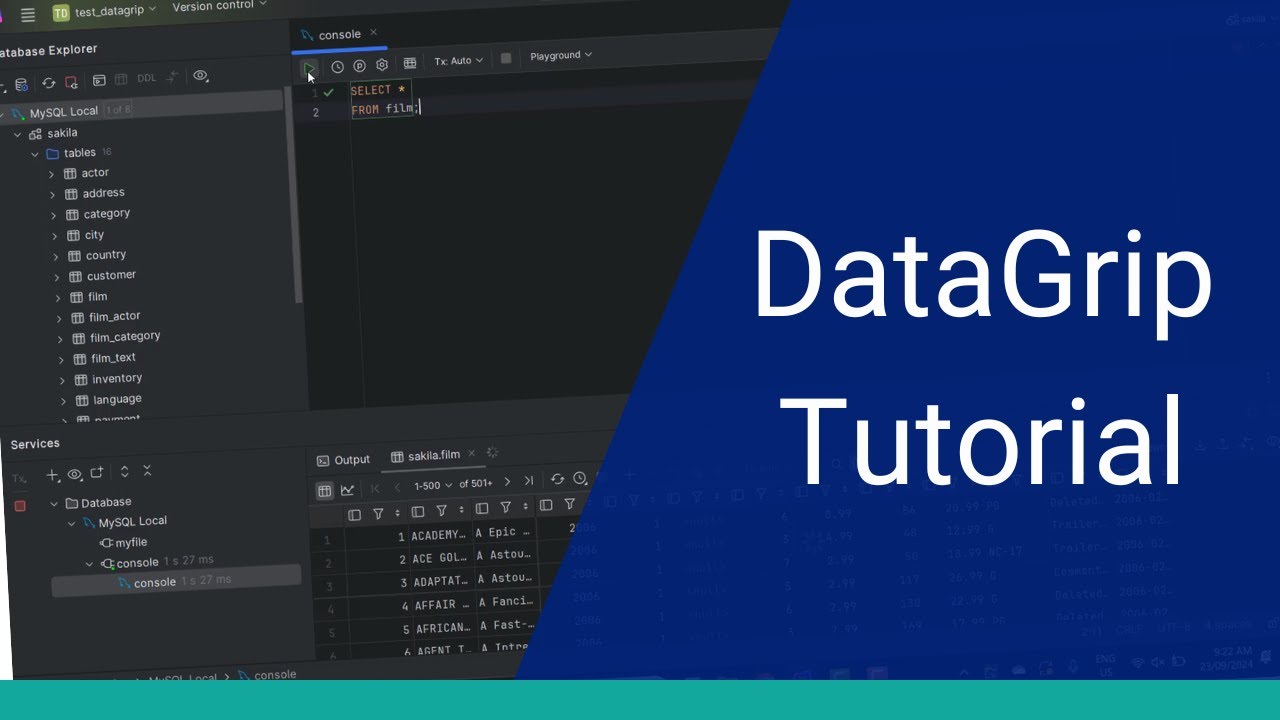
modern database development is a complex task with many supporting systems and workflows data grip is a crossplatform IDE for your database built to top our worldclass ID platform and brings powerful features to help you in your database development let's take a look at data grip in action working with data and tables is a common activity and data grip puts a friendly face on this task browse the list of tables in a database and double click to open a table in a tab want to change the sort order click a column header once to sort ascending
on that column and again for descending narrow your rows with a filter expression using all to complete on SQL and values when typing the filter quickly find rows in the current result set using find which highlights matches across columns if your table has many columns use transpose View to flip the orientation of columns and rows you can navigate to Foreign Keys through the referencing data support which lets you choose which foreign keys to follow then opens the reference table at the referenced row modifying rows is straightforward click on a value to edit including completion support
based on other row values want to discard the change select the cell and click revert and data grip restores the previous value deleting rows is also simple select a row and choose delete which marks the row for deletion and highlights it you can also select multiple discontinuous rows and Mark for deletion rows marked for deletion can also be reverted finally add new row makes it easy to type in new data by default data grip doesn't save your changes until you submit them which then performs the SQL operation data grip is more than just a spreadsheet
we've taken our most powerful language comprehension features and added them to SQL letting you prototype queries with ease and competence first open a new console file with SQL aware editing we can speed up query writing with different kinds of completion live templates can generate select statements insert statements and more each with placeholders data grip provides autocomplete not just on grammar statements but on schema elements doing an insert let data grip generate the column names for you hippie completion lets you match backwards on parts of a word for completion autocomplete joins on foreign Keys even if
there is an alias let data grip expand your wild cards rather than typing all the column names manually it will qualify ambiguous names from joins the data grip IDE helps with writing queries and of course with running them as well executing your query is a click or keystroke away and opens the results in the same table viewer seen previously just just like with the table viewer you can dunk query results in a number of formats data grips preferences allow other options for execution for example with ask what to you can run nested queries now in
a SQL console with nested statements data grip will prompt at execution time perhaps you want data grip to directly execute a statement in case it incorrectly detected an error you can select a substatement and execute it data grip will send the string directly to the database and return the results do you use parameterized queries data grip puts a friendly face on these as well prompting for the required input database developers frequently look at the query planner for bottlenecks data grip makes it easy to get to explain plan and visualize the result using an IDE means
powerful productivity features such as refactoring and data grip applies that to database development in your SQL scripts use refactor to rename an alias and data grip applies the change through each occurrence in your entire statement this also applies to column definitions right click to rename a column and data grip generates the alter table statement for you even offering to look in comments strings and text occurrences you can preview the SQL and its effects before choosing to execute when run data grip updates the table as well as all SQL in your Project's script files even if
they are not open during database development you'll want productive operations on result sets data grip provides more than just an editable grid for example during development you might work on a new version of a table and you might want to compare two queries run the queries and in the result viewer click compare with and choose the other result data grip then gives you a diff style visualization of the new rows deleted rows and changed values during database development working with variations of data can be a chore data grip eases this with powerful features for export
and import dumping your data in formats such as SQL CSV Json or XML is simple for example customize a generated CSV to include a header row using a friendly dialogue then choose the target output file data grips data extractors are powerful script driven exporters in this case use a query result to generate SQL insert statements copy to the clipboard then paste these SQL inserts into a console to insert into another table importing from formats such as CSV is similarly easy browse to your dump file then drag and drop it onto a database to start the
import this import can be customized similarly to the export when finished you will have a new table filled with the selected export rows want an even easier way data grip can copy tables and data using drag and drop even between different database systems for example copy the actor's table from postresql into an empty sqlite file with export customization options along the way result a new table on sqlite populated with data from post this works for tables but also query results click export the database select the Target and provide a new table name data grip generates
the ddl to correct the table then populates the data as you'd expect from a worldclass IDE platform data grip has high-end features for working with text often you want to type in multiple places at once this is called multiple carrots or multiple cursors and data grip supports this in many places hold alt and drag down then start typing to put text on the same column across continuous lines Rich copy and paste support is available for instance use paste from history to see your recent copy selections one versioning without needing a repository data grip has built-in
local history with entries for each editing transaction browse inserts compare changes and apply diff style operations if you're in a big project lots of databases tables script files you want Advanced ways to move around and data grip makes navigating a breeze in a SQL query quickly navigate to a table using the table name need to find a column name fast search by symbol to look across the Project's tables and SQL files data grips IDE platform can do work for you with quick fixes using a column name in a query which doesn't yet exist not only
does data group warn you but it also offers to add the column for you letting you add the required information it then Alters the schema and you have the new column in the result set generate ating database objects databases tables functions Etc can be tedious data grip provides helpers to make this appr use the generate action and select what you want to make such as a table the create new table dialogue then walks you through the work keep adding columns until you are finished then choose how to perform the generation large tables have complex relationships
data grip helps you visualize this with diagrams start by selecting the context you want the diagram then choose show visualization data grip presents a readon view visualizing the tables and foreign key information zoom in pan drag around the tables customize the visualization and export to a uml or image file when finished as an ID for SQL dat grip shares many features that you come to expect in our professional tools for example a comprehensive UI for settings including speed search through deep menus in fact search is pervasive use shift shift to search everywhere across files database
symbols and actions dat grip has a ton of features and knowing all the actions menus and key bindings is hard use search by action to quickly jump to your task including partial search as a professional tool for database development data grip provides many powerful and productive features all built to top an industry-leading IDE platform covering most of the tasks and workflows in modern development thanks for watching this introductory video and if you have any questions feel free to ask in the comments