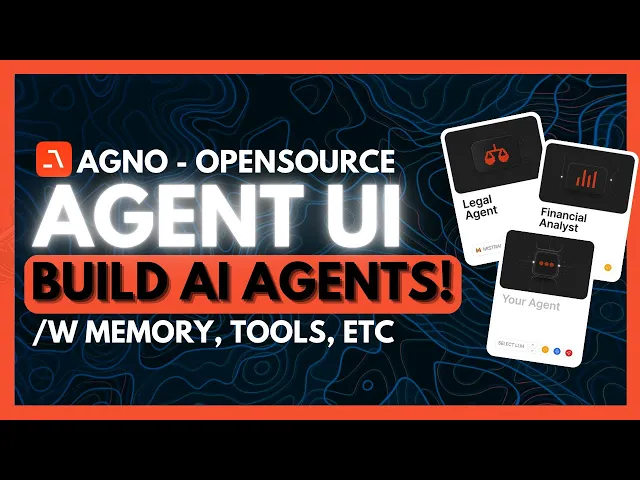
remember that framework called fi data well it has now been rebranded as agno and it has received a massive new upgrade ago is an open-source framework that lets anyone build pure AI agents with high performance memory knowledge as well as tools and to top it off it comes with a built-in agent UI agono is built on Three core principles Simplicity where there's no graphs chains or any sort of convolt patterns it's just pure python secondly you have uncompromising performance where you have blazing fast AI agents with minimal memory footprint and thirdly you have true agnostic
where any model any provider any modality agno is designed to be the foundation for your hi with the new upgrade ago is now optimized for performance driven agenic systems which is significantly outperforming other Frameworks like Lang graph where it is 5,000 times faster with agent instantiation than Lang graph it's 50 times less memory usage which is just insane while inference Remains the main bottleneck though a agno is trying to minimize its execution time where it's trying to reduce memory usage and paralyzes Tool calls making it a massive impact even at a small scale now in
today's video we're we're going to walk through how you can easily get started with agono and how you can set this framework up so that you can easily create any sort of agent you can find all the code that I'll be using throughout today's video in the description below in the agono cookbooks this is something that will contain more examples of building agents with any large Nish model check it out using the links below and give the repository a star if you find it helpful so let's get started we're first going to take a look
at agos agent UI which is where agents have built-in memory tools and storage this is a good preview of what you can do with ago's agent UI in terms of the different agents that could be created so if we head over to playground we can take a look at the different agents a part of this demo agent endpoint there's four actually and you can actually go over to the web search agent which will be able to utilize different sorts of tools you can see the function called following is for searching through Google as well as
using different tools to execute multiple tools simultaneously so we can ask it what are the five most trending trending stocks and then we can send in this prompt and we can see that within a couple seconds it'll provide us the most latest trending stocks the top five trending stocks with a couple of sources this is the capability of the web search agent but if we go over to the research agent we can ask it get what sort of tools you have access and in this case it's going to use access search and a couple of
others to help us formulate the response so we can ask it give us a research uh or give us insights on what world of AI YouTube channel is about and it will structure it in a research format So within a couple seconds it's going to formulate a lengthy response which will give us a good and depth analysis of what the channel is about and this is the type of agent that could be created with the help of ago where you can set up different sorts of agents that can access multimodal capabilities rag memory tool and
storage and this is something that is super simple to set up and we can see right now it is working on providing us insights on the channel key findings which focuses on the content audience educational value implic and such forth remember you have the ability to use any large language model you can also configure different tools domain specific information to your agent and there's built-in memory so you get a gist of almost everything now to get started locally what you'll need to do is just simply have python installed as well as having G installed cuz
we're going to go ahead and clone the GitHub repository and to do so what you all need to do is go over over to this GitHub repo click on the code button which is green and then click the link to copy it to your clipboard and what you can do is you can go over to your command prompt and simply type in get clown and then paste in the link and then you can clone this repository locally what you'll also need is the agno docs and the reason why is because they're going to be using
the cookbook that agono provides for you to easily run examples individually or clone the no cookbook cuz there's already readymade uh code blocks that you can easily use and think of this as like a library for you to enhance your agents you first start off with the basic agent and you can then build off of this with the different libraries for example you can go over and use many of these different examples like there is a simple agent that you can adopt or an advanced workflow or a full stack application agent that will help you
build and run different types of things and say if you want to implement something like rag you can Implement these blocks of code into your basic agent we're first going to start off with the basic agent but there's actually four levels that you can take a look at one with no tools with tools with added knowledge combinations with memory as well as reasoning and then you have teams of agents that collaborate on complex workflows but for now we're going to first start off by setting up a virtual environment we're going to go over for Windows
and we're going to start this up and activate it through our Command Prompt so let me open up WSL and then we're going to go ahead and paste in this command to start up the virtual environment then you want to go ahead and activate it and once that is done you can go and then install the packages for ago we're going to first go ahead and install the open AI agno package and we're going to use the open AI API key for this particular agent and guys since we already have the cookbook cloned since we
uh clone this repository what you can do is head over to the main repository by typing in CD agono and then you can type in CD cookbook after getting into the cookbook folder get into the getting uncore started folder and that's by simply typing in CD getting uncore started and once you have done that make sure your API is set and then you can run the python command to start this up and that's by simply typing in any sort if you're using Python 3 you can go ahead and use that command to start up and
there we go we have our agent start up and this is a basic agent that is going to be asking or talking as if you are Enthusiast enthusiastic news reporter with a flare of Storytelling and you can see that it is asking tell me about the breaking news story from New York and right now it looks like it has has done that so if you want you can actually configure this agent so that it responds in a particular manner as you would like and this is just a gist of what you can do next you
have the ability use agents with tools and this is where you can install Duck Duck Go search so that it uses the tool function calling of search and once that is done you can start this up with the Python 3 command so let's run this command now and there we go we now have the new agent that uses web search capabilities due to its function coling capabilities of using duck. go and now it was able to find the latest information of what's happening in Time Square due to its function calling capabilities and this is just
a gist of what you can do with agono here is another example of an agentic Rag and this is something that you can access within agono it's a cookbook that's going to demonstrate how you can build a powerful rag system that uses different large language models and know bases to search and extract valuable insights from your data this is something that handles different PDFs and it comes with a UI that has been set up with streamlet and all of this was done with the help of ago's cookbook where the agents were deployed and assisting you
with rag capabilities and this is just a brief little example of what you can actually accomplish with agono in terms of creating super intricate agents with memory as well as with different tools and knowledge so that you can easily deploy them locally or even on the web and now that it is easier to use with its cookbook and having it so that it outperforms all leading agent Frameworks this is something that is a great valuable option to use so I definitely recommend that you try it out with all the links in the description below huge
props to the agno team I'll leave all these links in the description below but in summary this is a great uh new open source genc upgrade that will let you use different AI agents in various ways so with that thought guys make sure you follow me on the newsletter patreon the Twitter and then make sure you guys subscribe turn on notification Bell like this video and please take a look at our previous videos cuz there's a lot of content that you will truly benefit from but with that that guys thank you guys so much for
watching have an amazing day R positivity and I'll see you guys fairly shortly peace out fell