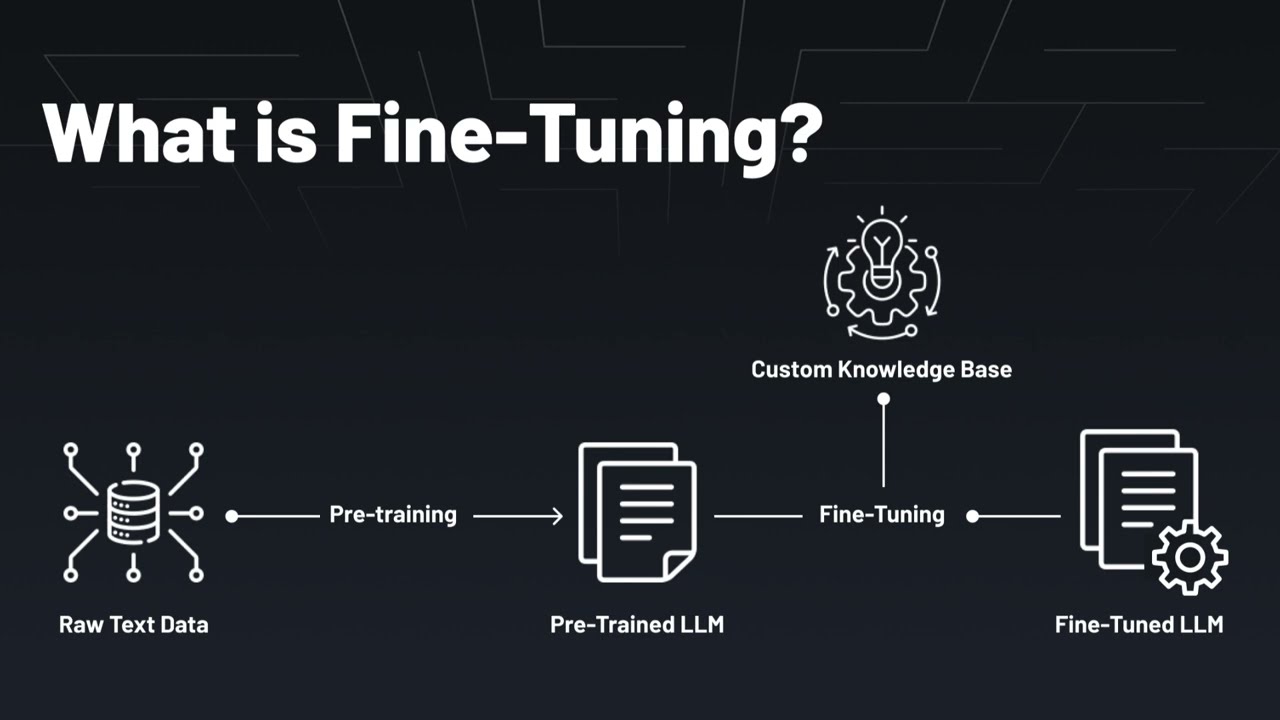
this is amazing now we are going to fine-tune llama 3 model in this we are going to see how to instruction fine tune how to save the model locally and finally upload that to hugging face why we should fine tune for example if you take a model that is the base model when we ask a question like this list the top five most popular movies of all time is going to respond some random or maybe a continuation from this text it is not going to follow instruction so to make it to follow instruction we need to fine-tune the model so after fine-tuning when you ask the same question list the top five most popular movies of all time it is going to give us the list so how to find tune that's exactly what we're going to see today let's get [Music] started hi everyone I'm really excited to show you about llama 3 fine-tuning or model training I'm going to take you through step by step on how to do this and finally upload that in hugging face so that everyone else can use this model but before that I regularly create videos in regards to Artificial Intelligence on my YouTube channel so do subscribe and click the Bell icon to stay tuned make sure you click the like button so this video can be helpful for many others like you we are going to use this data set oig to fine-tune our model so if you see the data it starts with human and off that is expecting the bot response like this so when we ask question as a human the bot should respond in instruction following manner this data set is called open instruction generalist data set so if I open the data set this is how it's going to look like there are multiple lines each line is a instruction data so as a human here is the question what are some tips for creating a successful business plan and if I take only one row this is how it's going to look like it contains text and metadata that means isans The Source data so I'm going to extract the information from this line and this is how it is going to look like human and the question then the bot is going to respond with the list of answers so now we're going to teach the model how to respond like this when we ask a question so first step cond create hyen and unslot python equal 3. 11 and then click enter we're going to use unslot to fine-tune this llama 3 Model so we creating the cond environment this will automatic create that next cond activate UNS sloth now pip install hugging face Hub IPython unso collab and then click enter I'll put all the information in the description below after this export the hugging face token like this and then click enter this is used to download the model from hugging face I'm also going to use weight and biases this is used to save all our training data or the training metrics in a clean dashboard format to do that you can install pip install W andb next W andb login this will automatically initiate the process of logging into W andb I've already logged in now let's create a file called app. py and let's open it so in this first we are going to set up the configuration then load the model then we are going to see how before fine-tuning how it's going to look like then we are going to fine-tune the model or train the model next we are going to see how it's going to look like after fine-tuning at the end we are going to save that to hugging phas so first step importing and configuration import OS fast language model torch sft trainer training arguments load data set next defining some variables Max sequence length the URL where the data set is that is the data set which we just looked at next we are loading the data set now we're going to load the large language model that is llama 3 using the fast language model from pre-trained and here is the model name which we are providing this will automatically load the model next we are going to see how it's going to look like before training so here we are going to ask the model and print out the response so before pre-training we are going to ask this question list the top five most popular movies of all time and we are asking a response now I'm going to run this code in your terminal Python app.
py and then click enter if you're using cond there are few more steps to follow that's why we got error like this if you see the unso documentation here are the list of steps so I'm going to install cond install pytorch good to copy the code so I'm going to use 12. 1 version so I've changed that there and then click enter next going to install these two steps crl V and then click enter now it is all done this is the configuration which I'm using RTX a6000 and I am using M compute you can use M PR coupon code to get 50% off now I'm ready to run Python app. py and then click enter now it's running the code which means downloading the model and here is the response as you can see here as a human when you ask a question list the top five most popular movies of all time it's not giving me a proper answer so we're going to fine-tune this back to the code so the fourth step is fine-tuning so I'm going to Define this function fast language model get be model so we going to use QA for fine-tuning so these are the basic configuration you can change this based on your requirement I'm passing the model here so the next step initiating the sft trainer and here we we providing the data set and it's just a text field the model the tokenizer and basic settings you can modify this based on your requirement next I'm also saving this in the outputs folder you can modify this based on which folder you want to save this model next trainer.
train this will automatically start the training process now we going to print off of training how it's going to look like so going to ask the same question now the final step is to save the model so we going to SA save the Lowa model that's the adapter next we want to merge all the files which means our current file llama 3 files and our adapter together to do that model do save pre-trained merged this is going to save that in the outputs folder with the tokenizer and merged next model. push to HUB merged so this is where you're saving that to the hub hugging face Hub next we are pushing the unmerged version that's adapter here the adapter here is the completely merged version that's it all done so basically as a quick overview we imported and defin the configuration loaded the model we ask a question before training to check we are doing a training after that using sftd trainer next we're going to print out how it's going to look like after training and save the model in hugging face now I'm going to run this code in your terminal python.