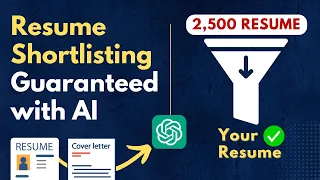
Getting hired has always been tough, but nowadays it's a nightmare. Before a human even glimpses your resume, online robots scan it, looking for reasons to toss it in the trash. These Applicant Tracking Systems trash 75% of resumes.
That's rough. But you can use A. I.
to your advantage and win big. Let's get started. To make your resume stand out, we'll need to focus on customizing it to a specific role.
Start by choosing one particular job that you're interested in applying for. I pulled this job description from the Apple Careers website as an example of a job that we can optimize our resume for. With a targeted job description in mind, we can now tailor all of the details to showcase how you're a strong match for the company's top requirements.
Here's a great way to get started with taking our resume to the next level. Before we start using ChatGPT to tailor our resume to the job description, we can use the custom instructions feature to assign ChatGPT a specific role to play. For example, instead of just asking ChatGPT for generic advice, we can prompt it to embody a role, like a resume expert or a marketing Hiring Manager.
As you can see, ChatGPT gives us thought starters for the types of information that we'll need to provide in the custom Instruction section. The custom instruction feature is a recent upgrade that's available in both versions of ChatGPT. Whenever you make changes to the custom instructions, you'll need to start a new chat in order for the changes to take place.
Instructions given will not update old chats or apply to currently active chats. Let's take a look at some more information for how to use this section. As spelled out by OpenAI, here's another reminder that the instructions will be applied to new conversations going forward.
And I encourage you to review this information before you enter any personal data in the custom instructions fields, since the data can be used for improving the performance of ChatGPT. Also, when we enter a resume later on in the tutorial for ChatGPT to scan it, never use your real name and contact information when using ChatGPT. Now going back to our tutorial, we're going provide specific instructions to ChatGPT for different characters that are going to help us build out our resume.
Let me show you what I mean. First, we'll need to figure out the custom instructions that we want to give ChatGPT to fit our first persona, and we can ask for help in creating those instructions. I'll copy and paste the fields that I need typed to fill out, and then I'll follow up by asking ChatGPT to, “Please fill out the fields above with the information in that is relevant to an experienced hiring manager.
” So ChatGPT is giving us all the information that we will need in order to fill out the custom instruction section. These instructions will inform ChatGPT to behave as a Hiring Manager who's going to help us with our resume. Let's copy and paste that into our custom instructions and we'll save the first part and then move on to the second custom instruction field.
And next, I’ll place the following in our prompt box. “Please fill out the fields above with the information that is relevant to the communication style of an experienced hiring manager. Do not exceed 1500 characters.
Use a list form. Do not use full sentences. ” And we'll copy and paste that into our custom instructions as well.
Now remember, whenever we paste new instructions in the custom instructions boxes, we have to save the changes and start a new chat in order for them to take effect. Now we're set to ask ChatGPT for help with constructing a resume from the perspective of the Hiring Manager for the role that we're applying for. Now that we understand role prompting, first we’ll upload the job description into ChatGPT so that it can scan it and get familiar with the role that we're applying for.
Then we can ask ChatGPT questions that we would ask a real hiring manager for this role. That's how this all comes together. Let's begin with asking the hiring manager questions like, “Hi ChatGPT, I've uploaded this job description for a Growth Marketing Operations position at Apple.
Based on this description, I'd like some assistance in preparing my application. Could you help me with the following: 1. Identify the key skills and qualifications that this job requires.
2. Suggest how I can tailor my resume to highlight my experience that's relevant to these key skills and qualifications. And 3.
Advise me on how I should prioritize information in my resume for this application. I'm looking to make my application as strong as possible, so any additional insights you can offer based on this job description would be greatly appreciated. ” Now, later on we can switch to other relevant personas for tailoring the details and polishing the language.
But while we're using the hiring manager persona, your focus should be on understanding what employers typically look for in candidates for the specific job description that you're interested in. Here are some additional questions that you could ask ChatGPT to get more insight into what the company is probably looking for in the ideal candidate. “What technical skills are indispensable for this role?
” “What types of accomplishments or results should I highlight for this role? ” “What qualities or experiences might make a candidate particularly appealing for a role at this company? ” ChatGPT will scan the job description that you give it and give you concrete answers that you can use when preparing to apply.
Now, I know this list of requirements that ChatGPT has given us might seem a little bit overwhelming. You might have already counted yourself out of the running. But don't worry, these are only suggestions and we're not going to have to make all these changes on our own.
We're going to use these tips to start refining our resume the easy way using ChatGPT. Now let's copy these tips into a document and we'll come back to it shortly. I'm going to use Google Docs, but you can use any word processing program.
By going through each of these steps, you'll ensure that your resume not only gets past the robot scanners that are looking for specific keywords and skill matches, but that it also resonates with the real humans who are making the hiring decisions. Now that we've gained insights from a hiring manager’s perspective, we're going to switch gears go to another role. Now we're going to ask ChatGPT to give us information from the perspective of the perfect candidate for the role.
We'll begin by editing our custom instruction section in the same way that we did before. “Please fill out the following fields with information that is relevant to the perfect candidate for a growth marketing operations role. Do not exceed 1500 characters.
Use a list form. Do not useful sentences. ” Now, as you'll notice, these are pretty much the same prompts that we used before when we created our hiring manager persona.
The only changes that we're making is to the persona type. Now let's copy and paste the information into the custom instructions just like before, and we'll do the same for the communication style of the perfect candidate. Now, I know this is a very unique and different way of going about tailoring your resume.
But these steps are really critical and it's going to save you a lot of time. Now we have ChatGPT set up to behave as the perfect candidate who's preparing their resume for the role. For this part of the tutorial, you'll need a copy of your existing resume so that you can feed it into ChatGPT for review.
But don't forget to edit your personal information first. I'll use this resume for marketing operations professional that I found online for the tutorial. If you have ChatGPT4.
0, you can simply attach the PDF or word version of your resume to the prop box using the paperclip icon. But if you have the 3. 5 version, you'll need to convert your resume to a plain text file and copy and paste it in.
I'll do it using the copy and paste method, since I'm currently in ChatGPT 3. 5. But don't press enter just yet.
To skip to a new line without submitting the prompt, you can press the Shift key in the Enter key together and it goes to a new line. Give it a try real quick. Now, in this step, we're going to ask ChatGPT to review our existing resume for areas where we can start incorporating some of the advice that we receive from the hiring manager.
And then I'll go back to the document that we saved with the hiring managers input and paste it into the prompt box. Hold on! Don't press Enter just yet.
The second part that's highlighted here is a continuation from the first part of the prompt. I’ll ask ChatGPT to please take my resume above and review it to provide feedback on how well it aligns with the hiring managers preferences. And now we'll press Enter.
Now this is insanely valuable information. What has basically happened is ChatGPT has reviewed our resume against the hiring managers recommendations, and those recommendations were based on the original job description for the role that we're applying for. So this is exactly what we need to get started in tailoring our resume.
Let's start incorporating some of the feedback that my ChatGPT has given me. We’ll ask ChatGPT, “Based on your feedback on areas for improvement, help me to tailor my resume to the Growth Marketing Operations role at Apple. I want to focus on the most important responsibilities from the job description and make sure that I've included some of the most relevant keywords that match the requirements for the role.
Give specific bullet point changes and additions that I can make, but do not make anything up. ” And there we go. ChatGPT has given us some examples of bullet points that we might include in our resume that have the kind of information that the resume scanners will probably be looking for.
The one thing I do want to note is that I've seen a huge difference in the depth of feedback that ChatGPT 4. 0 gives us in comparison to the 3. 5 model.
So whenever you're ready to start actually constructing your resume, I'd encourage you to strongly consider investing in the 4. 0 model, even if it's only for one month while you're working on your resume. Now this next step is super important.
We need to ask ChatGPT what changes were made so that we can decide which changes we want to actually incorporate. We'll say, “List out the differences between my original resume and the version you've edited. List out the differences in a table with two columns.
The columns should be for the original version and the revised version. Be specific and list out exactly what was changed down to the exact words. And this will allow us to go back in and really inspect what changes ChatGPT has proposed.
What we don't want to do is include bullet points for things that never happen or for situations that we’ll never be able to justify in an actual interview. And quick side note, if you're finding these tips on optimizing your resume with ChatGPT helpful so far, I'd really appreciate it if you could hit the Like button and consider subscribing. It really helps support the channel and it motivates me to create more content like this.
Thank you. Before we continue optimizing our resume, I want to provide some crucial advice on metrics. One thing that I want to point out about the original resume example that I pulled from the Web is that the creator of it has done a great job of including a number of bullet points with quantifiable results.
What I mean by that is if I hadn't included bullet points in my resume that had actual measurable accomplishments, ChatGPT would have most certainly flagged it and pointed it out to me. Let me explain why that is. The biggest resume mistake is bullet points that only describe what your responsibilities were for your jobs, rather than telling the actual results that you achieved.
A survey done by Cultivated Culture shows that only 26% of all resumes submitted have five or more bullet points on them, that have examples of what the applicant has actually accomplished. That's super low because recruiters are always talking about how much of a difference bullet points with metrics will make the acceptance or rejection of a resume. And I know you might think that your metrics have to be huge or flashy or made up, but they don't.
You can even place your old bullet points into ChatGPT, and ChatGPT will revise them for you. For example, I’ll place some bullet points in here without any metrics. And then I'll say, “These are the bullet points that are currently on my resume.
List examples of metrics that I could use for each bullet point that will show my quantified results. ” Next, I'll ask ChatGPT to, “Please give specific, quantifiable bullet points that I can use on my resume that are tailored to the examples that I sent to you. ” And now I have a number of different formats that I can choose from that I can use to create my new improved bullet points.
All I have to do is ensure the correct percentages and metrics that applied to my role. And this works for any role. You don't have to worry if you don't have a super flashy, an impressive metric to share, or if your job isn't flashy or impressive.
When you go through the resume scanners, it's more important to show that you understand the importance of communicating measurable results. Don't forget that. Now let's go back to our resume writing with ChatGPT.
We have one more persona to bring into the mix, and that’s the professional resume writer persona. We're going to use this personality to help us to polish and refine our final resume. I'm going to switch my model back to ChatGPT 4.
0 and that way we can get more optimal results in the final responses. Let's make one more final change to our custom instructions. And I'm going to speed this up a little bit because we've been through it a couple of times before.
But just be aware that the only thing that I've changed in the prompt, again, is the title of the professional resume writer. Instead of the hiring manager or the perfect candidate persona. And then let's hit, save and continue on.
So by now, you should have the revised resume that you've updated, that's based on all of the feedback from the hiring manager and the new bullet points that ChatGPT has suggested. So that's the final resume that you're going to use for the final part of this process. Now, with a professional resume writer persona all set up, we can start a new chat so the new changes will take place.
We want to ask ChatGPT for all the final advice that’s going to help keep us out of that 75% throw away pile. I'll say, “Hi ChatGPT, I'm applying for the Growth Marketing Operations position at Apple and I’ve revised my resume to tailor it for the specific role. I'd like you to review my resume in light of the new changes.
Here's my resume. Then you'll copy and paste your revised resume. But don't press Enter just yet.
Once you have the resume pasted in, you'll continue with the prompts. I'll say, “And here's the job description. ” And we'll go back to the original job description and paste it in here as well.
But again, don't press Enter yet. The final part of the prompt is highlighted in yellow. It's a continuation from the other one.
And now I can finally go back through and ask ChatGPT to give me specific ways to incorporate its feedback. Okay, So you could go through this process all day long if you wanted to, but it's really important for you to know when enough is enough Here's what I'll say to ChatGPT so that we can start landing the plane. “Great.
I'm pretty confident that my resume is almost complete. Once I take your final feedback into account, I'll be ready to apply. Please use specific changes and edits that I can make to incorporate your feedback and finalize my resume for submission to the application.
Give specific changes and consider everything needed to make this resume. The application. ready.
” So ChatGPT is going to go through our resume line by line and get specific changes that you can make in order to be application ready. And there we go. Within just 15 minutes, you're already working with a new resume that's fully tailored to match your dream job description, and get you past the resume scanners.
Now, we've covered a ton of practical strategies for optimizing your resume, with ChatGPT in a short amount of time. First, the hiring manager perspective allowed us to understand exactly what qualifications and skills the person that's hiring for the role might want to see in our resume. Then assigning the perfect candidate persona helped to take our old resume and refine it so that we would be the perfect fit for the role.
And then finally, the professional resume writer persona helped us to provide the final expert polish to be application-ready. Be sure to check out my next video where I’ll show you some incredible ChatGPT plug ins and Chrome extensions that I seriously cannot live without. Go ahead and subscribe so you’ll know when I drop even more cool AI videos like this one.
I'll see you in the next video.