as the number of integration and automation projects grow it becomes increasingly important to manage the lifecycle of recipes by designing a robust process for recipe lifecycle management your team can build a framework for collaboration between dev qa and ops teams create scalable and functional models built for agility and speed minimize the risks of downtime and missed slas and above all develop high responsiveness to meet business demands throughout this demo we'll walk you through the 5 steps you can employ for your recipe lifecycle management it all starts with the setting up of fundamental but separate environments
for development testing and production next we'll define roles and responsibilities and assign the right permissions and access policies set up standards and naming conventions create folders for organizing projects and construct privacy settings for our data after that we'll walk through the built-in tools in ricato-like manifests packages test data and version control that you can use to move your deployment packages across these environments then even though processes may vary across organizations teams and companies we'll explore some common practices for controlling and coordinating deployment lastly we'll share some of these ideas and inspirations for automating your deployment
and how to create a ci cd pipeline for recipes let's dive into what environments provide it's common to have separate environments for development testing and production all the new projects and change requests for enhancements flow into a business backlog your dev team works on a prioritized queue request from that backlog in each sprint building and running their own unit tests when the recipes are ready for testing they're eventually moved to the qa environment there our qa team runs standard tests on those new or modified recipes the ones that pass get deployed in the production environment
and go live while the ones that fail the tests return to the development queue for further modifications in addition to having separate workato environments it's also important to have separate dev test and production data sets for your apps as you don't want your dev team to have access to read or modify your production system and vice versa with our environments now set up we'll want an efficient system of governance we'll start with defining policies and permissions for a team member's role for example you can set up roles like the project lead who coordinates the release
cycles a workato chef who's responsible for recipe design creation and building reusable assets or the workato operator for your production environment with permissions to run jobs and view job history workato provides fine grain permissions to set up role-based access controls for each environment in your workata workspace you can go to tools then to teams to manage the collaborators and define access policies in this example we've set up a custom rule for the ricotta chef in our dev environment this role has access to view create and edit recipes but doesn't have permission to delete them similarly
the workato operator for our production environment will have access to view job history as well as run jobs but is restricted to only those too depending on your environment and processes you can use the standard roles or you can create custom roles for your environment with any combination of permissions on top of this folders in worcado provide an easy way to organize recipes and connections by functional area project name or other conventions you might follow they're an easy and safe way to separate data recipes and connections in our app connections we can look at our
data replication folder and see the connections isolated to it it contains all our database connections related to billing security and more you can also restrict folder access when setting up roles for example a ricotta chef for the data team can only access recipes and connections in the data replications folder similarly you can move your hr payroll benefits and other application connections to an hr folder your netsuite sap koopa bill.com and other connections to our finance folder and so on in our dev team's recipes home folder we can see multiple subfolders and other items within them
each of these is group either functionality or project such as being mainly related to hr tasks slack automations or others going further in and exploring the slack folder we can see more subfolders and recipes each sorted by their tasks and data in slack as you can see folders can really be customized and sorted in whatever manner your project needs now we'll dive into a demo exploring various tools available in riccato to move recipes contained in a project folder between different environments in our dev environment we can explore the slack folder from earlier let's look at
this recipe in particular on changing a candidate status in greenhouse we should search and update a lookup table log our output and be notified on slack but for us to move this recipe from dev to test we'll not only need to move the recipe but include all of the dependent resources like the lookup table similarly for other recipes in this folder they can involve specific templates for applications account variables or custom workflows and bots when working on large projects where you have to move hundreds of recipes like this and their dependent objects manually copying or
recreating them in each environment can be daunting and tedious so we'll use some of ricotta's tools to help ease that process your tool section we'll navigate to recipe lifecycle management to move our project we'll build a deployment package called a manifest containing all our assets we'll title our manifest slack automations and pick the slack folder to be our source since it contains everything relevant to our project on the next page we're given two different views of all the items inside the slack folder in the middle is a line item view with each item individually listed
and where in the folder is we can see all dependencies associated with our recipes like the connectors at the top and what recipes they're each individually connected to which folder each recipe is in as well as each recipe's dependencies in a drop down list below it as well as apis at the bottom along with templates and other miscellaneous dependencies additionally in the top right we have a summary view this summary gives us quick numbers on what's included in the manifest we're currently building and how many there are of each type on confirmation we can finalize
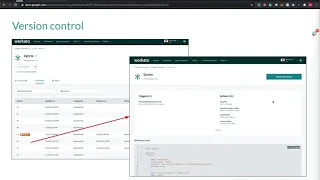
our manifest build it out and download a local copy to move to our test environment now we'll switch over to our test environment and bring in the manifest we just created currently the slack folder in our test environment is completely empty to bring in our exported manifest we go to recipe lifecycle management and choose the import option here we'll get our local copy of the export manifest but this can easily be done through some sort of version control like svn or github to get the code and recipes that you need our target folder will still
be our test environment slack folder where we'll update it to be the same as the one in our dev environment before we're done with the import a review of each item appears in a line item view the same as in the export once we've gone through all the items and seen the updates that have been made we can confirm everything and finalize our import then checking our slack folder again we see it's been completely updated all the recipes and subfolders are the same as our dev environment and everything is completely up to date but over
time our products will change and update so that previous manifests are out of date at that point we need to export our project again to get our updated version into our other environments and make sure they're synced up for our latest round of testing if we use the same process as before we can go to the export we previously made and try to rebuild it since our source folder is the same but prior to building it out we're notified that there are changes in our manifest since the last time we built it on review it
shows that different changes have been made some recipes had their location changed others were directly modified and some new recipes were added while the only changes we saw before were new recipes being included since it was a new export once we confirm those changes to be appropriate instead of exporting our entire project again we can just select the items we want to export since we already have a previous version of our project in our test environment we deselect everything else confirm our choice and build out the new manifest holding only our latest updates and then
on importing our manifest we can see what changes will be made to the test version of our project only a few changes will be made the same as the ones made in the dev version since we've only chosen to update a few things thus once imported we can check our folder once again to see that those exact updates have been made now that we're able to move between environments we can define various processes for our entire workflow release processes can vary by organizations projects or company but regardless of how you set up the release process
for deploying changes across environments riccato provides a rich set of tools platform apis and workflows that can fit your needs first you can design the deployment process for ricotta recipes by defining who can export the packages which source control system you'd like them to use and check into and out of what will the pr review and approval process look like as a whole and what kind of tests you'll run after the deployment is finished once the deployment processes are done in a steady state you can use ricotta recipes to automate the workflows in the cicd
pipeline for efficiencies ricato also provides connectivity to a broad set of apps like git bitbucket jenkins jira bamboo codechip and many others in devops tool chains to help automate your pipelines with everything now set up all that's really left is to automate it this is a sample automation built using ricato recipes and ricotta's unique low to no code app development platform for slack like workbot in this example the project lead can kick off the deployment package export directly from slack with recipes that use ricotta's platform apis for recipe lifecycle management the deployment package is automatically
exported from the dev environment and imported into the test environment the qa team can then start automating testing to validate the modified recipes and create the deployment package for production based on their outcomes next a pr request is created for review and approval and once the pr quest has been approved the deployment package can finally be deployed into the production environment ricato helps provide for zero downtime deployment by automatically switching jobs between the older version of the recipes in production with the newly deployed ones to make sure that no matter what you're doing you'll always
be up to date and ready to go you