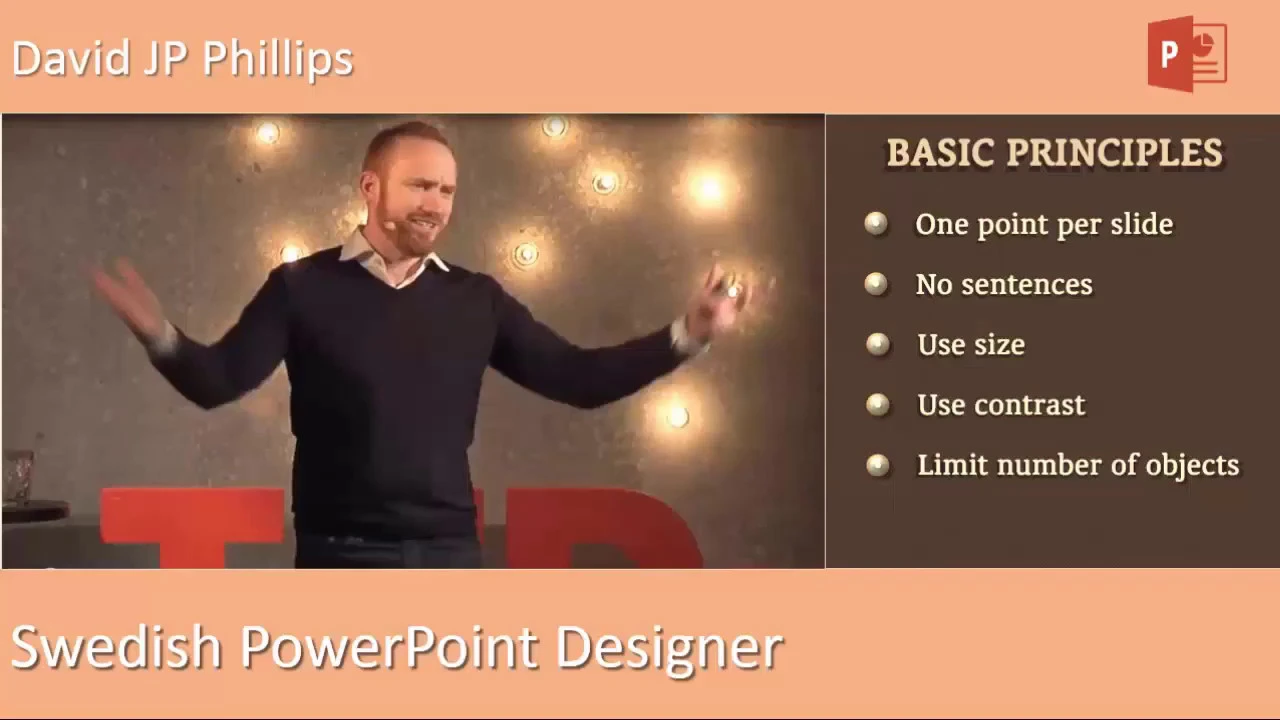
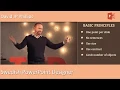
welcome to this presentation about different ways of putting text on slides without bullets before we get into the techniques let's review five principles that should govern how we design our presentations according to Swedish PowerPoint designer David J P Phillips first one point per slide in other words don't give the viewer a choice grab and maintain focus by having only one main point per slide here's a slide with two main points why to perhaps the designer thinks he or she is being more efficient saving time with fewer slides wrong clarity and simplicity bring efficiency not clutter
also the more often slides change the better you can keep the audience's attention second no sentences sentences belong in the speaker's notes not on your slide instead of sentences use short bits of text that enhance the image also the image should enhance the text this is the 50-50 rule of combining text and image each is incomplete without the other short pithy quotes are an exception of course to the no sentence rule third use size in this typical slide notice how powerpoints default template tricks you into making the headline the largest object also notice how your
eyes stay on the headline and not the content but what happens when the headline is smaller notice how your eyes fall down into the content so the largest text on your slide will be what is most noticed so make sure you control that focus to your presentations advantage fourth use contrast in these lists there's no contrast but watch what happens when contrast is applied as each bullet point is spoken about your eyes follow and stay focused on the high contrast element in PowerPoint these are often called Bill lists and allow you to present information without
a cluttered fifth limit the number of objects per slide what's the optimal number of objects for a slide here's a test designed by David Phillips you're about to see a slide with boxes on it notice how long it takes you to count the boxes on the slide ready here's the first slide how long did it take you normally about two seconds to countenance now the next set again notice how long it takes you to count them here it is it took you about 1.2 seconds to count seven now the last set ready here it is
instantaneous right 0.2 seconds now in terms of time these differences don't seem like much but measured by cognitive load or cognitive resources required the slide with five boxes was processed 500% easier than the slide was seven and 1000% easier than the slide was ten multiply that difference from the course of an entire presentation and you end up with the usual boredom and irritation associated with powerpoints so the optimal number of objects per slide fewer than seven wait a minute doesn't that increase the number of slides yes it does however the number of slides has never
been the problem the problem has been the number of objects on the slides

![All about PowerPoint Slide Master [Basic to Advanced]](https://img.youtube.com/vi/qxvIUhFOdrs/maxresdefault.jpg)