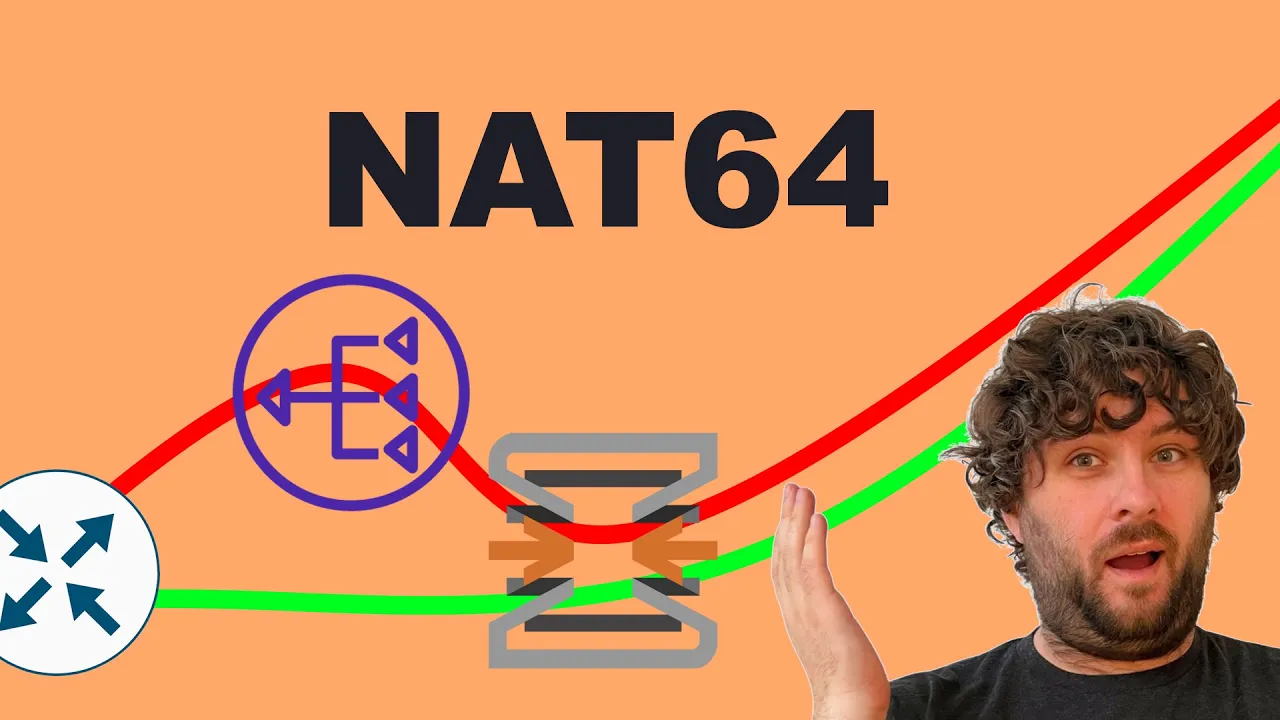
so almost exactly a year ago I embarked on a journey to take my desktop my laptop and my phone off of the ipv4 internet I went IPv6 only for one week video appear here where I did that but after that week was over I went back to my normal Network my normal landan that was still there and still running everything as it had been and that's how it's been for the past year over that time I spent a lot of work in hopefully dual stacking all of my host post looking at all of my virtual machines containers making sure they're all dual stack capable to run IPv6 and now I think I'm ready to take the next major step in converting my regular home network into an IPv6 only or mostly Network so there's something like 60 or 70 devices on my network and I'm going to go through them system by system and systematically move them over from Legacy addresses to Modern addresses that's not going to all be in this video but I'm hoping by the end of the video I can have at least 10 devices that are IPv6 only on my home network everything is still working and then in future videos I can migrate more and more devices I don't know maybe five or 10 at a time get rid of their legacy addresses move them V6 only so if you're interested in IPv6 and open sense and Mac OS Come Along on this adventure so IPv6 deployment is really the tale of two internets we have the ipv4 internet and the IPv6 internet even back in the 1990s Engineers realized that the addressing methods of ipv4 could not scale into the future when the web era emerged we needed a better solution and that solution was IPv6 nevertheless for about 20 years after that we continued deploying things as ipv4 primary the expectation was that everything on the internet would be accessible over ipv4 and a lot of it would also be accessible over IPv6 but if you only had an ipv4 that was still okay now one of the challenges is that IPv6 and ipv4 are not intercompatibility isot tap or to tunnels now these early adopters were able to get V6 connectivity to the modern world but they pay the early adopter tax latency you see every time we go through an extra step in the process an extra route or an extra tunnel we're breaking the direct endtoend path and we're introducing latency so in ipv4 we have Network address translation which forces all of our traffic to go through Nat Gateway and adds a bit of latency but in something like isoab or Rd our packets are going way the hell out of the way to a Gateway and then they can go back to the V6 internet so it's introducing quite a bit of latency so then as vstick started catching on for real we started seeing actual real deployment in the real world we started going to dual stack so now we're providing a full V4 service to all clients and a full V6 service to all clients this means our clients can access the whole internet V4 and V6 using native V4 connectivity and Native V6 con activity in most of the world this is what your internet service provider will give you today but now this brings some other challenges now operationally we have to support both V4 and V6 everywhere all of our subnets have to have V4 and V6 addressing so we need a V4 addressing and subnetting plan and a V6 addressing and subnetting plan we need to configure our routers for V4 and V6 all of our routing protocols need to deal with V4 and V6 it's a lot more operational complexity to deal with both and also we're starting to get to a point where even this is not longer sustainable in the V4 world with modern internet service providers very much out of addresses they're being pushed into carrier grade natat more and more and so this is adding some additional latency in the V4 path the V6 path doesn't have it also severely complicates the deployment of V4 on new ISP networks now a lot of Legacy isps have enough V4 space to work with for now because they got in the game early and lot of cloud providers like Amazon have been spending the last decade buying up V4 addresses so they're okay for now too but that doesn't mean every ISP has enough V4 to go around or even has enough V4 to deploy their CG n gate rates so that brings us beyond the mid-stage of V6 deployment so depending on where you are in the world V6 traffic might be as high as 70% in your country worldwide average is probably closer to 40% but it depends on what company does the measuring so how do we move beyond the full dual stack to a more V V6 world so back in the early days of V6 we used to Tunnel V4 and that wasn't the best for V6 traffic but it meant we didn't have to deploy two stacks so now we can do the opposite we can deploy only V6 and tunnel our V4 by bringing ipv4 as a service on top of V6 that gets rid of all of the former ipv4 complexity we had in our Network kicks it all out and now just leaves us to a translation Gateway somewhere on the network so this is the path that a lot of mobile isps have already been doing for the last couple years many of them are deploying V6 only across their Network and they're relying on the phones to do V4 to V6 translation so the network can provide the opposite V6 to V4 translation on a bit of a more technical level what's actually happening is an ipv4 address is 32 bits long so with a single 64-bit V6 subnet we could fit 4 billion copies of the entire ipv4 internet address space just into our V6 subnet so we're going to do just that we're going to encode the V4 address address as a longer V6 address transferred over our Network and our network is going to recognize that specific subnet needs to get translated back to V4 on the way out that translation is called the NAT 64 Gateway it's part of our customer Edge router in my case the only router open sense so then what about client side well there's two ways we can deal with clients if the clients respect DNS they don't actually care if they're getting an address over V4 V6 only that the address they get works so for major websites like GitHub that don't support IPv6 yet we can take their ipv4 address and code it as an IPv6 address and return that over DNS so our clients will resolve the DNS name as a V6 address connect to the V4 Gateway get sent out to the world through nap and they'll never even know that the original service was actually V4 now for some services that actually do direct IP communication this won't work so for that step we need the clients to contribute as well so the clients could either be manually verified to be entirely V6 supported so Apple enforces this on their app store if we're doing things like iot devices home automation we can do a pretty good job of mandating that our devices support V6 checking that the minimal amount of protocols we're doing support V6 getting on with our life so client devices though are already doing four to six translation for mobile devices and mobile networks so we can make use of that at home as well so the first step in getting this all up and running is to get that natat 64 piece working and for open sense we're going to use a tool called IGA to do that so let's get that set up so before I jump right into Tiga let me explain the four open source options we have to do serers side natat 64 option one we have Jewel Jewel is developed by Nic MX this is the Mexican local internet registry I believe it's intended to be used by Mexican service providers for their cgn and 464xlat deployments juel is an outof tree Linux colel module distributed as a dkms package so it gets dynamically compiled on your system it very Faithfully implements all of the rfcs required to do stateful natat 64 so you have a pool of ipv4 addresses where your customers are egressing from you have a prefix the net64 prefix it does all of that uh address and Port translation along the way you can segregate customers into different outbound Port groups you can do static inbound routes so it's kind of like port forwarding from an ipv4 address and port to an IPv6 address and Port you do pretty much everything in that case a big downside is that because it hooks into net filter sort of indirectly as a kernel module it pulls packets out early in the process and dumps them late in the process so they skip the Linux firewall now if you're a service provider you're probably dealing with firewalling in a different way anyway either with a different box or with black hole routing or something like that and you're not going to rely on a state packet firewall in Linux but if you're a home user that's probably a pretty big deal there are ways around around this if you want to use open wrt jewel is a great choice you can isolate in a network name space to deal with the uh prerouting post routing problem but since I'm using open sense which is based on BSD and not Linux this is not an option for me next up if you're a big fan of FreeBSD they have Nat 64 built in so it is open BSD but that doesn't mean we can use it in open sense either it's complicated so fundamentally open sense is a series of scripts that configure the BSD packet filter PF but PF is not the only firewall in FreeBSD there's another one it's called IPFW and the feature set between PF and IPFW is not the same so IPFW has stateful Nat 64 and 1:1 Nat 64n 46 clad functionality all built into the kernel but it's part of IPFW not PF so maybe one day open sense could be integrated to configure IPFW for n functionality currently it's using PF for net functionality and that's why this is not directly supported in open sense so that leaves us with our next two options Tundra and tigga both of these run in user space instead of Kernel space and they rely on the ton adapter so the ton adapter is essentially used for user space VPN Solutions so open VPN relies on this wire guard go wire guard on Mac OS um things like that they use the ton adapter to create a network interface that's backed by some user space Damon so in the case of tundra we create one toone mappings between a V4 address and a V6 address statically and use those so to deploy this for Nat 64 we would first have the Linux do natat 66 so Linux would take our V6 packets it would do address and Port translation to get us down to a single V6 address with a bunch of ports so it's doing normal masquerade and V6 then it would feed that V6 packet to the tundra ton adapter Tundra translates to V4 sends it back out so that is how you would Implement Tundra you can also use Tundra to do um sead functionality n 46 works the same way now Tundra is also not currently available on open sense which is a bit unfortunate I think it's better than tigga so that leaves us with Tiga so like Tundra Tiga operates in user space using the ton adapter except it has a dynamic mapping system so instead of having a onetoone relationship between a V6 address and a V4 address it has a pool relationship so in the end we're still dealing with one to one mappings every V6 packet and address has a corresponding V4 address we're not doing Port translation and mass gr we're strictly translating IPS and this means it's not a complete n 64 solution because we still need to do that Port translation somewhere but for Tiga that's done on the V4 side so in Tiga we allocate a relatively large pool of V4 addresses in my case I allocated a sl20 and every time an unknown V6 address makes a connection to the V4 Gateway it's allocated an address out of this pool and it will use that V4 address for all of its connections going forward then on the host side we have it do Nat 44 traditional masquerade natat for these pulled addresses to go out to the Internet so this is available as a package and open sense but the configuration is not super straightforward so we're going to want to follow the documentation pretty exactly I'm going to go through that now so I pull up the open sense documentation here on how to install Tiga we're going to walk through this very exactly it's important if you have any issues come back to this document and take a look at it there's a lot of steps that need to be followed to make this work and the first of them is to install the Tiga plugin itself so this is my test firewall I'm sure you've seen it in other videos go to system firmware plugins so now we need to find Tiger we're going to add that while that install SS I'm going to explain a little bit about how the packets are going to flow here so as I said before tigga is in user space and has a ton adapter so that means we're going to get a new interface on open sense it's going to have a new set of firewall rules Etc and under the hood it's called Matt 64 in the in the UI it's called tigga and this interface is going to have a V4 address and a V6 address and these are the addresses of tigga itself so if Tiga itself has to send for example icmp packets icmp too big ping um time exceeded those kinds of things it'll send them from its own addresses so it needs its own V4 address and its own V6 address then on the V6 side we configure a static route in open sense that'll say all packets from the 96-bit NAT 64 prefix get sent to the taon adapter to get translated on the before side we now have an address pool this address pool is all of the V4 to V6 mapped addresses that are created by taiga so we need to create a gat rule so all of these internal pool addresses get gatted when they go out this is not created automatically as for selecting your prefix you have two options here if you have a static prefix you can choose to use any 64bit prefix from your designation if um for example you have 2001 DBA 6969 48 you could take the last one of that fffff you could take 6464 whatever you want and use that as your 64 prefix uh all your functionality will work fine the other option is to use the well-known prefix which is 64 f9b colon colon 96 this is specified in the rfc's as being the well-known prefix and some things may fall back on it if they don't know the prefix or whatever it also has the advantage of being checkm neutral so uh packets that pass through the Gateway don't have to get their checkm translated that is the prefix I'm going to use in this video I like using the well-known prefix because it makes addresses that are translated very clear it's it's easy to remember not that you should be remembering addresses but you can put this prefix in DNS things like that the other thing it does though is per the rfc's if you use the 64 f9b well-known prefix you're not supposed to translate addresses from the rfc1918 space so that's 108 1726 and 192 168 and that could be a problem if you want to use your NAT 64 to access your legacy ipv4 devices on your own network juel doesn't enforce this limitation Tiga strictly does enforce this so now at the install finished let's come over here to Services Tiga and configure it so Services tigga here's what we have to configure I'm going to aable to help here so first of all we want to enable Tiga we probably wouldn't have installed it if we didn't want to enable it next up I'm going to skip down to the V6 prefix and the V4 pool because once we know these we can start assigning other addresses within this pool so as I said earlier I'm I'm going to use the well-known prefix 64 ff9 B96 this does mean that I won't be able to use TAA to access V4 addresses on my landan from V6 only clients on my landan that will essentially force me to move these clients over to V6 dual stack at least and I like that but you might not like that so for this 64 ff9 B96 next up we have the V4 pool so remember in V6 clients will have multiple addresses they'll probably have at least two they might have three or four and so we need to be aware that this pool needs to be big enough to fit all of the clients that are going to be coming out through our Gateway so on my network I think I have about 70 or so devices I'm not sure how many of them are using the N 64 Gateway CU I don't have a metric on that but I want to have a pool larger than sl24 however many clients you have in your network you probably want a pool to be at least twice that size maybe three times so for my case a SL 20 is fine now know it seems like we're wasting ton of E4 space here but it's transition space it's free right yeah that's right okay can never remember the funny V4 subnets nice and V6 they're always just on a four bit boundary okay so 192 to 160 to 240 obviously you can't have other addresses in this space but pick something you like going back up to the top we have some addresses we need to configure on our own so like I said earlier TAA needs its own address to respond to icmp this is one of them from the pool so in this case we'll use 2401 so this needs to be not in the pool so we can make it one below the pool 239 255 so this last one this is the address that tagy uses for icmp responses this should be an address within your own subnet if your router has a pool you're using for the routing addresses you can take it out of that if you don't you can pick something within your [Applause] prefix we do need to include an IPv6 address here so Tiga was not a fan of my 6. 6. 6.
6 so I set it to an address in the same prefix I used before with 6464 and 4646 are the two addresses so now at this point we should be able to Route packets to tigga but they're not going to go anywhere else so Tiga is an interface like anything else so we need to allow packets to go through that interface now and we're just going to say allow all packets through the tig interface and rely on the other interfaces for firewalling so you can firewall on your land side and your lands side there's no reason to F uh firewall in this kind of intermediate Gateway so firewall rules Tiga add a new rule pass V4 or V6 and nothing else apply that so next up we need to do some Gat config I know we like to hate Gat open sense isn't going to automatically generate Gat rules for this specific subnet so we have to do it manually so first going to go here firewall settings normalization we're going to add a rule and we're going to choose the tiger Rule and we will save that then we will come to natat outbound so if you're already using automatic outbound rules you have to switch to hybrid so we can manually generate some rules here and now we have to add a manual rule for the Tiga subnet Source address should be single Hoster Network and we type in the network we're using as the tiger pool that's going to be a slash2 and we leave everything else default and save that don't forget to click apply changes as well every time we edit one of these things can get an apply changes box so now at this point we should be able to access Nat 64 from the firewall itself so let's give that a try so we're going try trace [Applause] route a lot of places let you type in the decimal ip4 notation on the end of a Nat 64 prefix it's kind of Handy if you're typing out V4 translated addresses so this is what a trace route looks like first top of the path is the V6 address of Tiga and from there all of our icmp replies have been translated to V6 so they all have that 64 f9b tag on them there actually be four addresses so 64. 45. 60.
1 um obviously you have to in your your head you have to translate from two-digit hex to decimal V4 but probably you don't actually care anyway what the address actually is so our path here from where we are here to 99. 999 so now the last step we have optionally depending on how you want to configure DNS it's possible to configure DNS to return this prefix in Quad a records so if a device requests a quad a record and there is no quad a record but there is an a record it can synthesize the quad a record with this prefix and if you do DNS on open sense as well I know some of you like to use py hole or ruard home or something but if you do it with Unbound we can do it directly in open sense so you got to Services Unbound DNS General and there's enabled DNS 64 support and we can type our prefix here so now Unbound will do will do the synthesis for us if you're using something like adguard home which is a really great DNS server by the way I'm not sure if they have an option or not I'll guess I'll put that up on the screen screen editors note they do it's in their configuration here so this is the aduard home config use dns64 and dns64 prefixes so now we've set up the server side in open sense so if our clients would like to use the NAT 64 Gateway they can now we need to convince our clients to use the N64 Gateway so now for clients now we got to get those V4 addresses out of our clients in my experience the easiest clients are Linux servers so you've already seen my video link up there whatever where I show how I do V4 to V6 Ingress with ha proxy and TCP mode so this means that all of my services are coming through if they come through on V4 they get sent to the right place by their TLS as an I so now the servers within my network only need to deal with V6 clients which is nice that doesn't mean I can do things like go out to GitHub which needs V4 currently although they claim to be working on it we'll see but now that we have Nat 64 set up and if we use our DNS 64 DNS server everything will just work let's demonstrate so when I create containers before I used to always pick dhtp and slack and so that would essentially get a random V4 address I didn't care what it was because I was only using it to go out to GitHub and then slack because it would use stable privacy addresses and I can just copy and paste that into DNS nice and easy but now I choose static I leave it blank so I get no V4 and then on V6 I choose slack so I still get my ident damic privacy address and let's go I'm going to say used host settings which essentially means it's going to copy the DNS resolve. from proxmox but if your proxmox server isn't configured to use your DNS 64 resolver you'll have to set a different DNS 64 resolver here so just to kind of show this off I only have V6 connectivity I'm going do an app update and app upgrade then I'm trying to pull a package from GitHub so I'm not sure if all the debb and repos are V6 enabled I think they are but I'm not having any problems with connection no matter what as for repo I'm going to try to clone my BPF natat project this is a bit of a hobby I started working on a month ago as with all my hobbies they come and go but the goal of this is to implement a client side natat 46 in ebpf so it's very efficient the current implementation is essentially to use tigga I'd like to get something that can be merged into system D which would be really nice but if anyone wants to help me on this I would appreciate it there we go so if I just try to get wget github.
com it's going through the net64 Gateway all is good so with essentially no configuration on the Linux server it's able to process incoming V6 packets which is all I need and it's able to go out to V6 and V4 Services it has to do updates or whatever everything works just fine in the modern world all of these things should be using DNS so DNS 64 should be all we need but that's not always the case so let's take a look at some clients where that's not so that works for everything that uses DNS which for most people is almost everything you use if you to Google Amazon Facebook all of them will be very happy to do V6 in fact most of them are probably using IPv6 exclusively in their own networks and they don't want to deal with V4 anymore than you do but there's a couple things that slip through the cracks a big one for me is Discord so let's demonstrate with looks like so I'm over here in my user VM that I use to test VM things I have V6 but not V4 so if I try to Ping quad 9 I get address and network is unreachable but if I try to Ping it through the NAT 64 Gateway I get I get to Ping back so coming over here to Discord I just logged in I have a Discord server by the way if you want to join me link in the description below I'm on my own Discord server it's able to load just fine because I'm going through the NAT 64 Gateway but if I go to chat here we get stuck here under RTC connecting it doesn't work so what appears to be happening is Discord is fronting all of their stuff through cloudflare which is a good way to do things in general except for their Real Time video and audio that's going directly to Discord servers and those servers don't have DNS names so when Discord pairs you with an RTC server to do the real time bit it gives you the ipv4 address over HTTP that it wants you to connect to so the client in the browser is trying to do a direct V4 Connection by address instead of by DNS name so it doesn't get translated and in general peer-to-peer apps especially games and peer-to-peer video chat apps like this are really the only things that have suffer from this problem everything else should be going through DNS it's not real time enough to do um like peer-to-peer matchmaking so how can we solve this problem the way to solve this is with a 464xlat clat which stands for a client side translator so the cat creates a V4 address on the local system that then has a corresponding V6 address and it does natat 4 to six so the client will pretend to have an address locally in its local routing table let say I don't know 1920. 0. 4 usually it's part of the DS Light prefix range which is used for this purpose and anytime an application tries to buy into a V4 only socket it'll get that add address and that address is a corresponding V6 address to get one to one translated so if an application sends a packet to 9999 from its V4 address it'll actually send it from the V6 address to the net 64 Gateway and this way the V4 gets carried over V6 as a native V6 packet it can just only go to the net 64 Gateway because you can't encode a V4 address or you can't encode a V6 address in the V4 address bace so a number of operating systems already include this Android includes it um Mac OS everything Apple produces includes it most of them are automatic cellular networks are already relying on this and have been for years Microsoft will only do it on a cellular network which is kind of a pain and on Linux of course there are open source Solutions so since I have primarily Apple devices I'm going to set those up in this video so now that we've decided a particular client needs a clap how do we get the client to enable its clap automatically this basically breaks down into to two problems first the client has to recognize that it's on an IPv6 only Network and that it should enable it seat and secondly it needs to discover what the NAT 64 prefix is so it can properly configure it cat so for the second problem we again have two options the first is a router advertisement option called pref 64 if a router advertises this option it includes the prefix to use for n 64 logically this is the preferred option going forward for new deployment ments but it's not the only option the other option is called ipv4 only.
arpa and that's a domain name and it is defined to resolve to two specific ipv4 addresses so if a client does a quad lookup and it gets back an IPv6 address it knows that those well-known ipv4 addresses must have been translated by DNS 64 and it can figure out the prefix from that now as a network operator we should be deploying both of these because different clients have different support pretty much all CLI I found do support ipv4 only. arpa a lot of them also support pref 64 and will prefer pref 64 over V4 only. arpa but some software such as cat D on Linux only supports V4 only arpa now the first bit how to get it to enable cat is bit more tricky if you just disable V4 entirely your clients will try to do a DHCP V4 request to try to get a router advertisement and on a lot of operating systems if they get back a router solicitation and they're able to discover the N 64 prefix either via pref 64 or ipv4 only at arpa and their dhcpv4 request times out they'll enable the see that this is what I used in my previous video when I did IPv6 only testing I created a separate Wi-Fi network a separate VLAN that did not have a DHCP V4 server and that worked clients were happy the downside to this is now I have to create a second VLAN and a second Wi-Fi network for all of my clients that are V6 only I have to segregate them and I don't really want to do that I just want my network to work as a normal landan and so that brings us to dhcpv4 option 108 IPv6 preferred so if a client has all of the software in place to act as a 464xlat clat it can advertise in his DHCP discover that support and that does that by requesting option 108 from the dhtp V4 server if the dhcpv4 server doesn't support it doesn't return option 108 client does nothing if the DH DCP V4 server detects that a client supports option 108 then the DHCP server can choose to instead assign the client address of zero which is obviously not valid so this doesn't consume a V4 address from the DHCP pool and instead it returns option 108 with the number of seconds that the client should disable V4 connectivity and during this time the client will enable their seap similar rules apply the sea has to be able to discover the prefix with prep 64 or V4 arpa but if all of those rules are met we can get some of our clients to willingly disregard ipv4 and switch to only modern networks well we don't have to segregate all of our clients based on whether or not they support modern networks we can just have one open land for everyone now even if your dhtp V4 Server doesn't support this fully you can still manually add option 108 in that case the V4 dhtp server will still allocate an address from the pool so we're not saving addresses in our pool unfortunately but we're still turning off E4 on the client side that's what I've done here so to figure out how many devices on my network support option 108 I did a packet capture and open sense that's the router that should have all the dhtp requests and then I analyzed it with a python script I found on the internet which told me how many clients requested option 108 in their dhtp request or dhtp discover it's coming over here to open sense we can do packet packet capture so we want to capture on Lan we want to capture V4 only and we want to capture Port 67 and that is a UDP packet we're going to say [Applause] unlimited and let's start this off I actually let it run for 24 hours to capture all of the DHCP traffic hopefully all of the devices that would connect to my network regularly did connect to my network if you're running a larger Network you'll probably want to run this for a decently long amount of time to make sure you catch transient devices and stuff to get a good statistic so here's the script I found this guy who's a member of ripe NCC so they should know their stuff when it comes to IPv6 it's pretty simple you just pass it in a pcap file and it analyzes it one Quirk I did find is he's specifically looking for DHCP option one he's specifically looking for DHCP option one which is a discover so that's when a client doesn't have an address yet if you're on some sort of public Wi-Fi and you log this for a couple of days chances are that the clients will always do at least one discover however on my home network clients tend to sit for a long time a lot of them are wired things like Apple TVs that are never going to reboot so they're never going to do a discover so I added option three as well which is dhp request that's when they're renewing their existing lease so with that I come over here my modified file I just changed it to look for one or three and then we can run it with my PE app that I took from open sense so we found 59 unique Mac addresses doing DHCP requests of those 13 of them supported option 108 22% that's more than the 10 devices I was hoping for in this video so I just got 13 devices off of the Legacy internet if your network is primarily mobile devices there's a good chance this will give you higher than 50% all Apple devices in my experience all advertise support for option 108 and some new Android ones appear to as well although I don't have very many new Android ones to test so if your network is primarily a guas network with phones option 10 away could help you save a ton of DHCP address space so here's an example of a packet that has option 108 so 8.
1 was requesting a renewal it's a request we come here to DHCP you can see dat a request and it includes parameter request list so these are parameters that the client would like the DHCP server to return it includes here option 108 IPv6 only preferred so when I did most of this testing at open sense I was using version 23. 7 which was using ISC DHCP server ISC has discontinued their DHCP server in favor of their new DHCP serer K so open sense now has to migrate from ISC DEA and they started that process in 24. 1 so 24.
1 you have the option to use either is or k neither one of these support option 108 where they don't allocate adders from the pool but it's on K's to-do list and according to their gitlab tracker it should be done in about 2 months so hopefully by the open sense release in the fall of 2024 we'll have full support for option 108 where it doesn't allocate an address from the pool but we can still fake it it'll just allocate an address from the pool but it'll let us test this deployment so to do that we come over here to Services DHCP V4 if you're in an older version of open sense it'll just say dhcpv4 we'll go to our Network we go down here to additional options and we're going to add option 108 it is a unsigned 32-bit integer we can add a value in seconds so 8600 is 1 hour so this will basically tell any client that supports it that it should turn off ipv4 and go V6 only for 1 hour 1 hour later it'll do a DHCP request get the same thing back cycle continues so unfortunately the router advertisement Damon version that open sense is currently using does not support pref 64 so if we look at the additional options here we're set to unmanage we can add additional routes and we can do rdnss but we don't have an option here for pref 64 it's not in here so that means we only have ipv4 only. arpa so here's where they defined it so Cisco broadcom Nokia and they defined 1920 170 and 171 so we can come over here to open sense Unbound overrides so we can add a new host over right here it's going to be ipv4 only. arpa it's going to be a Quade and it's going to be 64 [Applause] f9b 1920.
[Applause] 0.