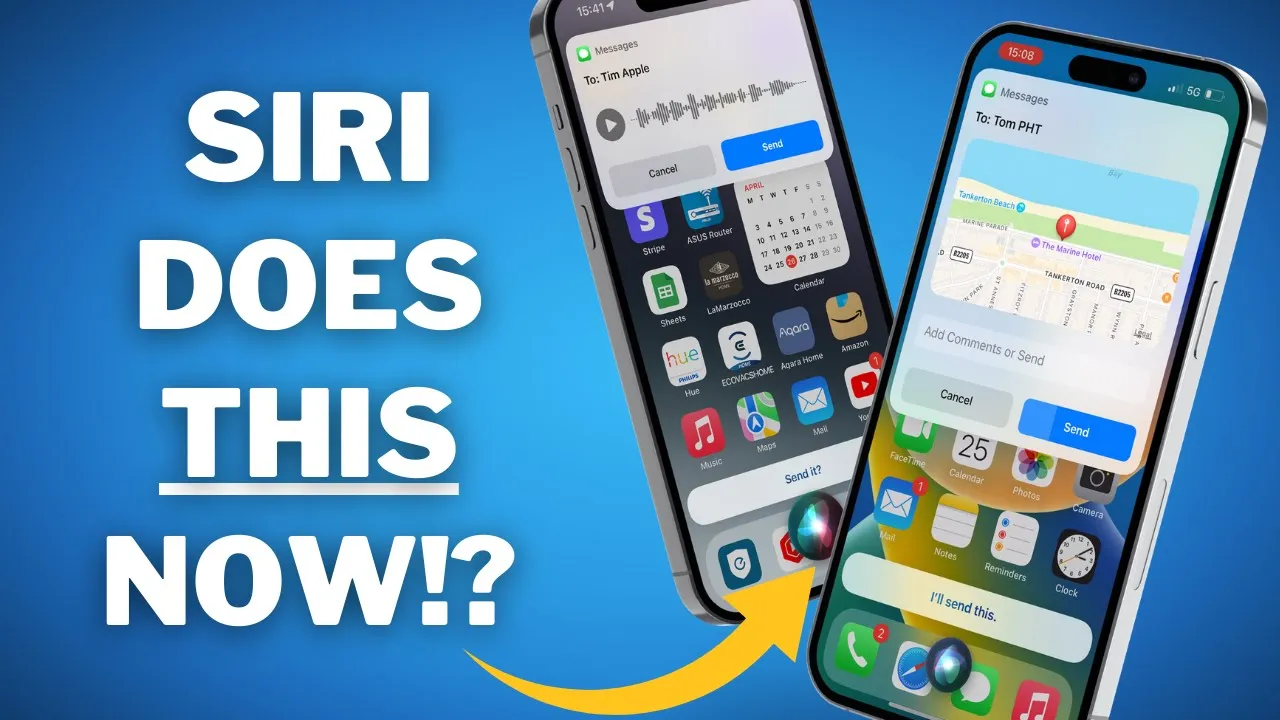
I've made quite a bit of content about Siri here on the channel and I'm very aware that it lags behind a lot of The Voice Assistant competition especially as AI is starting to become more widely adopted but For Better or Worse Siri is the tool that over 1. 3 billion of us have access to so we might as well try and get the most out of it and that's what I'm going to try and do in this video as I share with you 12 genuinely useful Siri commands that I reckon you might not know stick with me until the end of this video to see what your voice assistant can do I would make sure that you're running I 16. 4.
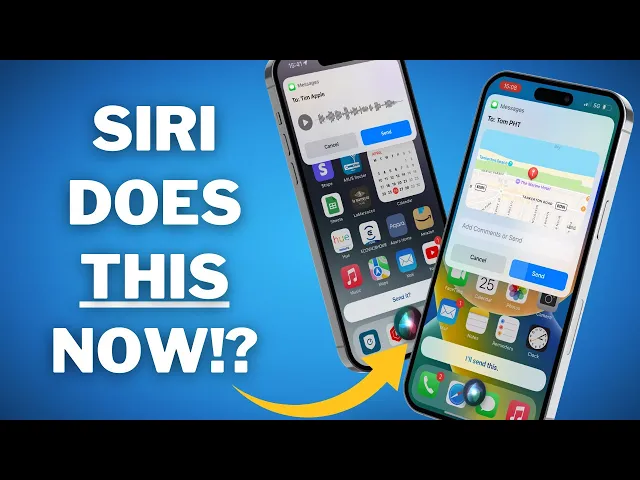
1 or newer to ensure you can do everything that we discuss okay let's get into it sending text messages to people is useful and I'm sure you know how to do that on Siri already but there are going to be times where it's much easier for you to send a voice note to someone and you can do that with Siri this only works with imessage to the best of my knowledge and here's how you do it so if I want to send my friend Tim Apple a voice note I would activate my voice assistant and say send a voice note to Tim Apple hey Tim how's it going just wanted to send you a quick voice message so that everyone watching this video could see how it works you can then either listen to the voice note or send it all without having to touch your phone the person who receives it at the other end will be able to listen to it and it will default to disappear after 2 minutes although the recipient can choose to keep it if they wish you no doubt already know that you can use Siri to send emails but you might not know that you can also use Siri to quickly locate emails and and you can do this using a number of different options for example if I wanted to find all the emails sent to me by Tim Apple I would say show me emails by Tim Apple note that you don't have to have the mail app open for this to work I could also say something like show me all the emails I received yesterday and your voice assistant will show you them you could say show me my unread emails and your phone will show you any new emails you can also ask to see emails from a specific date which is helpful if someone is for example telling you that they sent you something and you're struggling to locate it just say show me emails received on the 6th of April for example and all relevant emails will be shown to you passwords are in general best stored in a secure part of your phone like iCloud keychain where you can only access them using your phone's passcode or betti yet Touch ID or face ID but there are going to be times where you'll need to view those passwords maybe because you're logging in on a non-apple device you can of course get to your passwords by going into settings and getting them from there but easier still is to use Siri and ask it to show you the specific password you want so I might say for example show me my Discord password and Siri will first verify that it's me and then show me the information the nice thing here is that you do have to actually tap on the password to view it if you have multiple passwords for something Siri will show you all of them and you simply pick the one that you want so if I were to say show me my Google passwords for example that's how this would work before we continue a quick word about the sponsor of today's video private internet access one of the downsides of Siri is that it needs an internet connection for you to get the most out of it which means that wherever you are you're going to need to have your phone online and if you're someone who relies on public Wi-Fi the kind that you get in coffee shops airports and shopping malls for example you're transmitting a lot of sensitive data across a totally unencrypted Network a VPN like the one provided by Pia hides that data by running it through the worldclass server infrastructure giving you peace of mind that your browsing activity remain seen by you and you alone and that's actually one of the main reasons why I keep recommending Pia here on the channel they have a no log policy that they've defended in court which basically means that they don't store any browsing data about you it's great for use when you're trying to get some work done on the go but it's also excellent if you're the type of person who likes to browse and stream content from different regions as you can change your IP address to one of 84 different countries as well as all 50 US states and their latest feature is the ability to use your one subscription for your entire household on all of your devices so if you're like me and you've got multiple phones tablets and computers you don't need to worry about running out of licenses sign up through the link in the description of this video to get 86% off plus 4 months for free so it ends up at just under $2 a month and thanks again to private internet access for sponsoring this video Siri is good for finding out about the weather but it doesn't always give you the kind of detail that you want for example if I say what's the weather going to be like in Canterbury today it will give me a summary view of what the weather is going to be like but if you say instead show me the hourly weather for Canterbury you'll get a much more detailed hour by hour view of what's going on which is of course useful if you're planning your day interestingly from an accessibility perspective although the visual information will always be the same no matter what you ask for you can change what Siri says to you by asking for something more specific so for example if I say show me the hourly rain forecast for Canterbury will say it's currently partly cloudy and 10° in Canterbury but if I say show me the hourly temperature forecast for Canterbury Siri will say the high today at 18800 hours to tomorrow at 5:00 in Canterbury will be 9° C and the low will be 3° C being able to communicate effectively with people makes life easier and as your phone is always in your pocket it's good to know that you can use Siri to translate when you need to the command that you would use to make this happen is how do you say so for example if I wanted to ask for directions to the restroom in Turkish I would say how do you say please can you direct me to the restroom in Turkish your phone will not only show you the text on screen it will also speak the phrase out so if you're asking for help you could hold the phone out to let the other person direct you also not a Siri feature but worth remembering your iPhone does have a translate app built in which you can use to have conversations with people with your phone translating as you go by by the way if you prefer to have content like this in a written format there's a PDF to accompany this video and you can access it by joining my membership program where for a small monthly fee you'll get access to all video PDFs moving forward plus the growing library of old ones just follow the link in the description of this video that says become a channel member you no doubt know that you can use Siri to call someone you just say call so and so and Siri will do it for you and since iOS 16 you can even use Siri to hang up the call by activating Siri and saying hang up at the end of the call but if you're needing to use your phone handsfree it's a pain having Siri call someone and then having to switch that call to speaker you can manage the entire thing if you ask Siri to make the call correctly for you so if I were to say call Tim apple on speaker my phone would not only make the call but it would root it straight to the speaker for me if you use find M on your Apple devices and you should by the way you can quickly locate your various different items things like your phone your airpods your MacBook your watch Etc and you can do so using the find my app if you have an air tag the list of items you can track grows even further I use air tags to track my keys my wallet my suitcase and my backpack Siri makes it super easy to find them without you having to head into the app simply activate Siri and say where's my wallet for example and your phone will search for it if it can find it nearby you it will play a sound and let you know that it's nearby so you can quickly locate it if it's further away or if it can't find find it it will let you know where and when it was last visible and you can open the find my app to look for it in more detail oh and a bit of a bonus tip if you use carplay or if you connect your phone via Bluetooth to your car stereo you can go into settings and maps and then ensure that show parked location is toggled on that way when you exit your car you can say where's my car and Siri will help you navigate back to it helpful if you parked somewhere in a place that you don't know very well another useful Siri tip when it comes to location is to use Siri to share your location with another person this can be extremely useful if you're trying to describe where you are to a trusted person and rather than trying to navigate them to you you could simply access Siri and say share my location with Tom PHT in my case for example your location will appear as a snippet on screen and you can add a note or comment to it before you send it but otherwise it will be sent as an iMessage to the contact you mentioned they'll receive it as a map snippet at their end and can simply tap on that snippet to then use maps to navigate them to you also a little bonus tip for this feature if you access Siri and say Where am I Siri will give you the closest address that it can find for you which would include GPS coordinates if you scroll down a little again super helpful if you ever find yourself in a place that you're unfamiliar with and you need to quickly figure out where you are ever had a strange message or error appear on your screen and wanted to send it to someone so that they could advise you about it you could take a screenshot and then locate the screenshot and then send the screenshot but it's very easy to do this in one simple step using Siri simply access it and say take a screenshot and send it to Tom PHT for example and Siri will immediately take a screenshot put it into an iMessage ready for you to send it quick and easy tipping culture isn't as big here in the UK as it is in the US but I do know that there are going to be times where you might need to quickly work out a tip and if it's anything other than 10% that quick math could be a bit tricky so you could use Siri to figure it out for you let's say we've got a $48 bill and we want to work out what a 14% tip would be we could simply say how much is 14% of $48 and Siri would come back with an answer bonus tip here if you own an Apple watch this has by far the best tip working out capability of any Apple device built right into the calculator open the calculator app type in the value of the bill and then tap the tip button you can then use the digital Crown to choose the tip percentage and even the number of people splitting the bill giving you all the information you need right there on your wrist you can use Siri to tell you how long it is until either a certain time in the day or even a certain day or event in your calendar so if you're working towards something maybe you've got a meeting coming up later that day or a deadline coming up in a few weeks time you can use Siri to figure out exactly how long you've got left so if I wanted to know how long until 3:00 p. m. today for example I'd just say how long until till 300 p.
m. today and Siri would let me know likewise if I knew I had to turn a project in before the 20th of May I could say how long until the 20th of May to figure out how much work time I've got remaining slightly annoyingly Siri will just give you the number of days and weeks until that time even if you ask for working days or weekday specifically it would be great to see that improved in the future also on the topic of time you no doubt already know that Siri can book out appointments for you and if you ask it what you've got coming up it will tell you about your next appointment but if you use your calendar to book everything in you can use Siri to let you know immediately if you're free or busy on a certain day Andor a certain time if you were to say am I free on Friday for example Siri would let you know about any events that you've got coming up on that day you could be more specific and say am I free at 300 p. m.