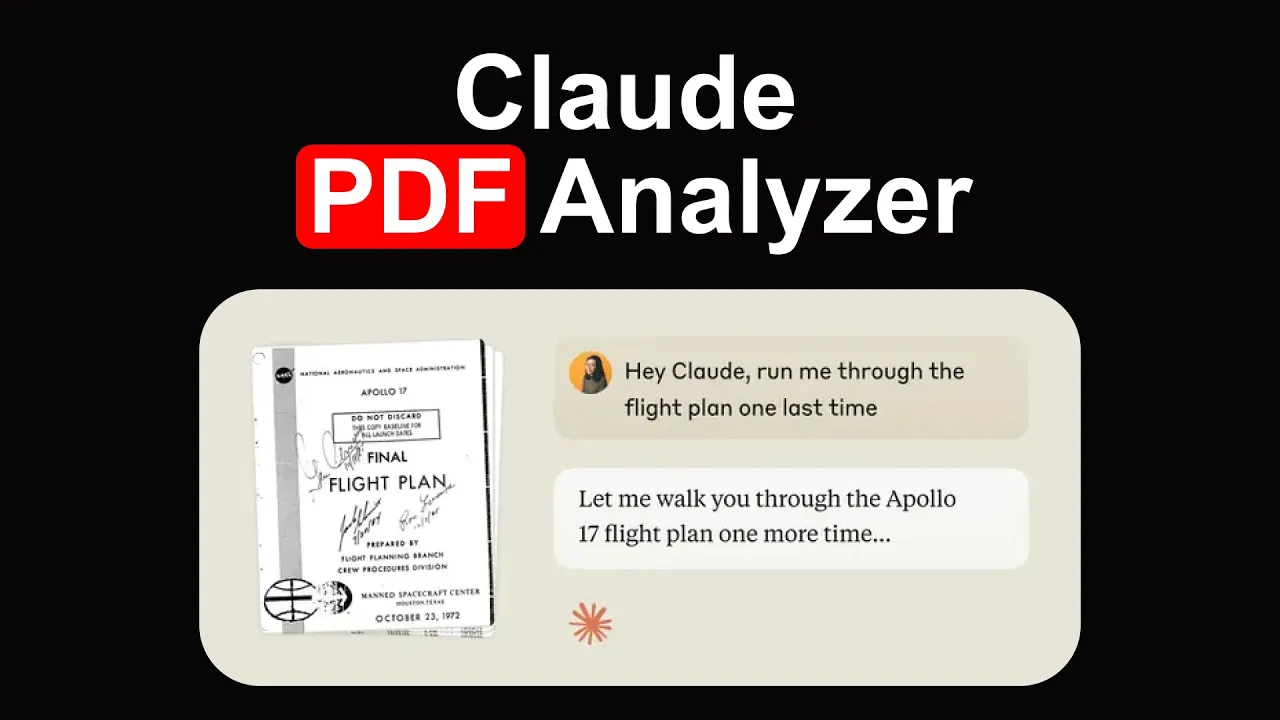
entropic recently released this PDF analysis feature in this video we're going to go through this feature in particular I found it very useful for a lot of day-to-day tasks that I work on using Cloud so here I'm logged into cloud and I have the professional plan you probably need a paid plan so you'll have to look into that and once I have that then there are all these different features that is available under cloud and you can preview them there so there is analysis tool this is more for analysis then there's latex rendering and then there is visual PDFs this is the one that we're going to be testing out today visual PDFs is enabled here and give Cloud Chast sunit the ability to view and analyze images charts and graphs found in PDFs in addition to text and PDFs that are less than 100 pages are supported so just keep that in mind it has some limitations I'm using Cloud here because it's much easier to use here but I do believe that the prompts that I'm using here can probably be easily integrated in into their apis as well so if you're using the apis the same will apply all right so I'm going to first upload a PDF that I have here let me upload that first so this is the PDF and this PDF is a paper that recently was published and I share this paper on Twitter as well and this paper has I think around 35 pages and it's a very interesting paper that recently came out that's talking about how to improve prompting results so the paper that I'm talking about is this one right here multi-expert prompting improves reliability safety and use fness of llm so this this is the idea here so instead of using one expert to come up with an answer you want to use multi experts to address any query that you're asking them all and what you will do is you aggregate those to come up with an answer it's very typical to what a research process would look like and so that's kind of the idea at the high level so what we're going to do is we're going to take cloud and we're going to run some analysis on This research paper so now we're in cloud and I'm going to start to prompt this model right here so the first first one I want to do is I want to see how Cloud PDF analysis is interpreting figures and I'm going to be switching over between cloud and this paper because I want to show you how cloud is performing at the different task and the only way I can show you if the result makes sense is to go back to the paper and show you I'm going to paste some of the prompts that I'm using here just to make this video a little bit more concise so explain figure one and it's implications and then I'm just going to run this one here right so PDF analysis is already enabled as you saw before and so this is going to take a few seconds to run before we look at the results I will take you back to the paper so figure one in this paper will be this one right here so this is figure one right here so it's going to basically try to explain what's going on in the figure and it's going to use the information it's going to use the text and it's going to use this figure here so this is what it gave me it says from figure one I'll analyze the key aspects and implications of multi-expert prompting from compared to expert prompting expert prompting is another paper where they suggested the idea but they're scaling this basically by proposing multi-expert in the context of the question it is ethical to eat meat in fact this is the question that's actually asked in the figure so if we look at the paper here you will see this is the exact question here so that's really neat to see because if you really want to make Cloud pay attention to specific details it's already doing that then it says key components expert prompting approach it has it on the left side okay uses a single expert it has ethesis that's one of the expert examples I was shown provides a one-sided view concludes me eating is etical dismissive of other valid perspectives which is the idea of multi-expert prompting and so you can see that it's teaching us already right is explaining things and this is a really good way to learn about the concepts explained in papers the language model is trying to summarize things so that we can understand it so the second part is a multi-expert prompting approach right that's on the right hand side incorporates multiple experts so this right hand side and left side here I found it a bit strange and that's because these models while they have this image understanding capabilities they're not so great with orientation or where exactly things are positioned so you will see that the model makes some mistakes on that sometimes and that's because of how it's processing these images so keep that in mind all right so more details here I'm not going to go through all of that but I think it's doing really well at least for the explanations okay you can see it's using ethicist nutritionist and environmentalist these are the three agents in fact that were used in that figure as an example and then it has some implication I guess it's going to take this from the paper so it's going to use is the context of the paper and it's going to explain to you what are the implications right it's balance decision making these are the main advantages of the actual Method All right so that's basically one nice feature already with the PDF analysis to explain figures and interpret these figures and understand and use the context as well to in this case get implications of the method I will continue to follow up here with some more questions so I'm going to ask it summarize the top key two results from table one I'm going to go here and what I'm testing for here is it it can extract information from table one and if it can make some interpretation of that so it's basically about table understanding so it says here truthful K performance Improvement and then there is factuality prompt error reduction and I'm seeing that it actually is highlighting some of the results that appear on the table so it's definitely using that information properly now maybe we can pick one of these and then gr check whether it actually extracted the information correctly specifically with chbt multi expert prompting achieve 89. 35% accuracy beating the Baseline expert prompting 8. 66 by 8.
69 so let's look at these two numbers 9. 35 and 8. 66 and if they appear in the paper and that's table one I'm going to go to table one here that's figure two all right so the main results are here multi expert prompting you can see here how it's comparing with and and apparently this one is truful C I'm having the results here 80.
34 and then I have 87. 15 oh sorry this is chat GPD right so I need to look at chat GPD that's really important even I made mistakes while looking at the table right right there's so many different parts to this table and it has so many different dimensions but it's looking at chpt on truthful QA so multi expert prompting the proposed method is 89. 2 five and expert prompting 8.
66 8925 I think this is correct let me verify 8925 and you can see here 8925 so that's accurate I'm very happy with this result especially because as you saw that table it's a bit more complex than other tables you would see it has a few dimensions and that's why I was testing this and so you can keep testing the results you can verify for yourself if those are correct but that's the idea here with the table understanding table understanding is one of the capabilities with PDF analysis so that's something you want to experiment with or any domain that you work on where I see a lot of mistakes with table understanding is usually when the model is not able to process the table correctly and it would confuse or mix different dimensions or mix different for instance columns and sometimes it doesn't even get the numbers right so that's another thing and that's because maybe of how the PDF was processed so PDF processing is a huge and very important task CU sometimes you would say for instance here you might say 87. something and then it's like wait there's no 87 and that's because probably it didn't pick up that number and so he just making up that number so that's something that you want to test for right when you think about accuracy and the way the model is interpreting the information and what I heard from this announcement that an Tropic made is that they are processing these things as images so they have the ability to process that information more accurately in that way now I'm going to test something really simple here and this one is translate the abstract into Spanish so it also has multilingual capabilities too which is really nice if your main language is another language though for instance I know Spanish as well as I know English you know if I'm a Spanish speaker and I prefer things in Spanish because I'll be able to understand it better that way then this is really important so I'm going to try that and basically it's going to try to translate the abstract into Spanish now I know this paper because I already read it it says present multi expert prompting indic multi on this and then down here is really nice because it says okay here is a note I maintain technical terms like multi-expert prompting because there's no direct translation for those right you can see there there are no technical terms are typically not translated and the translation maintains the academic tone while making the content accessible to Spanish speaking readers I think this is really great and this is going to be super helpful for folks that speak a specific language in this case I try Spanish but I'm pretty sure he has support for the common languages at least so do experiment with that all right so I'm going to try something else that is about trying to find or locate information or discover some information and this is typically what I do when I'm reading papers and again all the these things are really helpful right like in different situations I am going to be using these features to help me interpret and better analyze the paper results and here I'm asking can you find the multi-expert prompt template that was used so they use this multiexport prompt and to get a better understanding of this prompting technique it's good to actually look at the template itself to see how it actually works all right so you can see here it says all right yes looking through the paper in section C5 page 20 even gave me the page it says you found the template with seven steps here is the exact promp template and then even formatted really nicely here and then I can pretty much take this and put this into my code which is amazing because it already comes in the right format now I need to double check whether it's actually the right one and so it says c. five so I'm going to have to check that section there and then it says oh this is a it's following this nominal group technique framework and it's designed to do all of these different things and then it explains it different parts of it and this is nice right because now I can go directly and try to experiment with this I just want to verify that it's the correct thing so I'm going to maybe take a look at this first all right so it has expert one expert two expert three so those are part of the initial prompt here instructions and then it's using like Chain of Thought step one step two all of these different things so these are the Chain of Thought and then he even has explanation then some reasoning here about the steps and then the final answer the basically it's a Chain of Thought template that's being used here applying this particular framework so let's check on see .
5 this is the correct one all right so here it is multi-expert prompting Tre experts so you can see here is the same structure then it took all of this and it looks pretty much the same so basically it extracted this from this you can see that I can select it so that's nice to see that it actually picked this up and gave me the right format and it put two of these together which is really cool it sort of understood that context right so that's basically the extracting and finding information which works really nicely with this PDF analysis feature these use cases are going to be about converting into information from one format to another that's also very useful especially for this kind of documents so these are some examples that I will be using here or testing the list the main research questions ask and the key findings for each and then use Json output format this will be nice for me because then I can save these into nodes or save it into whatever application that I'm using to save my research notes or whatever format I want right I'm using Json as an example here what we're really testing here is whether it can convert information from one format another and whether you can even extract that information and as we do this right we're obviously learning about what the method is proposed in the paper so it says here research question one can multi expert prompting improve reliability and safety compared to existing methods and these are the findings so truthfulness then result achieve State ofthe art and then a factuality significant reduction in hallucination errors and it even give me some details about the performance as well and it tell me where the evidence is table one this is so useful and then it has research question two then it goes through the same process again you will see that it's still using that Json format so I won't actually check whether the format is completely correct but it looks correct just at a glance here all right so that's really neat and you can see it has four questions here so that's kind of a really good way on how I study papers like I want to understand what were the main research questions and whether those were answered what are the findings and so forth so let's test another one along the same lines and I'm just pasting the prom here just to save time what are the author saying about figure two please convert into Json with the main points please also include Source in the Json such as page sections or paragraph So if it's extracting information as we saw here with the evidence part I want to be very explicit to the model that it needs to pick up certain types of information and like what's the source so I'm going to go to enter here and the idea with this particular prompt is that it's going to look at figure two I want to see if it actually can make sense of the context that it has access to as well so it has access to the figures it actually has access to the text as well the full text of the paper and how it can use that information to answer queries like these so it says figure two analysis figure two illustrates the main components of multi expert prompting and responses generation and aggregating expert responses so let's just quickly check that to make sure that's correct all right so that's figure one and this is figure two so you can see figure two has a lot more details it actually is breaking down how this particular prompting framework works right so if you have a question here it's going to do expert and responses generation so it has response generation then says expert response is aggregation so it has an aggregation step and all the details of the aggregation steps are there right step one step two and so forth and then it says so each one is explained in different sections so for instance this part this first part here is explained in 3. 1 and this second part here is explained in 3. 2 now if you have used these models like Gemini and so on for analysis or even if you use the GPT models for this type of analysis this is where these mods actually struggle from my own experience so like knowing the sections getting the sections correct again it's because of how it's processing again if it can make sense out of the information when it has it in context as well right because obviously if it didn't process this correctly or it's not formatting things correctly it'll make a lot of mistakes so this is something I actually want to check so this first part here is explaining 3.
1 the second part with aggregation is explaining 3. 2 and I think it mentioned that so we can confirm it here so it definitely is section three page three and then it says section 3. 1 page three right so that will be the experts and responses generation which is a first part of the framework and then there is expert responsive aggregation which is section 3.
2 page three CU that's something that I ask it for right the source source is really important if I wanted to use this information maybe in another application or maybe if I have this stored somewhere or I'm viewing this in a dashboard or something like that then that information will be key because that's how I go back to the source that's really important with any llm application that you're building that's way you can verify the results and the analysis and all the details the model was explaining all right so that looks good I really like this I think this is a pretty useful feature and from my own test it seems to be working really well and that has to do again with how it's processing things it's processing things much better so the last one I'm going to try here is summarize all the state-of-the-art results in a table and provide a source or figure table or chart so this one is interesting because it's going to have to look at the entire context the entire paper and it's going to have to summarize the key state-of-the-art results now state-of-the-art what does it mean it's going to mean the top results where the model actually oper from the others and where it's producing the best results for this particular Benchmark or particular test that it ran and that's really important right so researchers they usually look at this so let's say they wanted to find what is the state of the art for code generation that's how they would look at it and what I told it as well is summarize it in a table so I'm actually asking it for a format as well and so that's really neat because now we get it in a specific format so if we wanted this in adjacent we wanted this in whatever markdown whatever you want whatever format you want you can tell it and it's going to do that task really nicely you can see here at the bottom so this table looks really interesting so it says the task data set there were many data sets that were used and it's giving me a preview essentially of what matters in this paper it's telling me previous soda even the previous soda now for those of you that know I used to work on this papers code project and basically this is what we were trying to do right we were doing these things you know extracting information from PDFs uh what was the state of the results extracting state of the results and we had these kind of pipelines really complex Pipelines that would extract information like the state of the results and we would have those results presented in papers code right so if you click on each paper you have the leaderboards and so forth so all of this stuff is happening here automatically because I just prompted them all this way I mean this is a very convenient way to check for the results of a paper and present them in a nice way where I can actually you know understand better what this particular paper is actually proposing and what's the big deal about it right so you can see here the comparison between the results which is really nice even gave me this which is a nice thing because that's a citation and it told me here this is the other method and this one it didn't find any information about that but it does have information about this so it has the win rate that's really cool because it's not making up information if it didn't find any and then it says what's the Improvement so for this one is plus 1.