It's 7:30 in the morning and you're a hotshot agentic engineer getting ahead on the new year. You crack open your terminal and fire up the best agent coding tool claude code running open 4. 5 in yolo mode.
You're running Claude in your 7 figureure revenue generating codebase and you scaled it to this level with your powerful/ sentient command. This command does your job for you. But today something goes wrong.
Your agent had too much compute last night and it starts hallucinating at the worst possible time back to backto back running damaging commands. Thankfully, they were all caught by your clawed code hooks, your local hooks, your global hooks, and your prompt hooks. You even set up prompt requests where if your agent is unsure, it's going to ask you, "We don't want to delete this user, so we're going to go down and we're going to type skip.
" Every catastrophic command that your agent tried to run was blocked. You think back to that Andy Devdan video you watched and you think about that clawed code damage control you learned that prevented your agents from running catastrophic irreversible double Thanos snap career destroying commands. This can happen at any time to any engineer.
Obviously I set up this example as a proof of concept to showcase this idea to you. If you delete your codebase, your git repo, or your production database, like we've seen the vibe coders do over and over, it doesn't matter how fast, powerful, or autonomous your agents are. All of your months and years of hard work can be evaporated in a single misinterpreted or hallucinated command.
Today in this video, we're going to enhance your agentic coating and add the armor to your production systems it needs to prevent irreversible damage. I have this all configurable in a simple skill you can use to both install and manage your hooks. Let's start the new year outright by not deleting our most valuable engineering resources we work so hard for.
This dangerous mock command/s sentient showcased several unique damage control measures through clawed code hooks. Local hooks, global hooks, ask permission functionality and the prompt hook. Most engineers don't know about prompt hooks, so let's start there.
I want to show you how you can quickly set this up end to end and then we'll jump right into the prompt hook. The setup here is very simple. We're going to spin up a new terminal window here.
We're going to go to temp. Let's go ahead and get the clone command for this. I'll have this linked in the description for you.
I'll hit code, copy, get clone, fire that off, cd into claw code damage control, and then right away, we'll just boot up cloud code here. All you have to do to get started is type /install. Now, while this is running, I'm going to open up a new tab here and just open this up.
We'll go ahead and use cursor here. And this /install command is a new pattern I'm going to be using more often where we can set up interactive installation processes. So you can see here our agent is asking us where would you like to install this?
We can install this at the global level, the project level or the personal level. Let's go ahead and run with project. Our agent is going to help us work through the process of setting this up in a very seamless way.
It's checking the existence of a settings file to see if it has to create or merge. And now it's asking us, do we want Python or TypeScript? We want Python.
So we'll just hit enter there. And now it's going to aentically finish the setup process. So this is a cool pattern you can use.
I like to call this prompt just slashinstall. And then you can create a workflow using the ask user question tool to kind of guide engineers on your team and yourself when you are operating in other codebases or reusing a skill for a specific purpose. Our agent has finished the installation.
You can get a nice breakdown here. The most important thing here is that our agent is communicating to us what's happened and what we need to do next. We need to restart our agent for these hooks to take effect.
So, we'll do that first. You won't always know what the deletion command is going to be. And so, here's an example, right?
This is a simple one. It's not as destructive. This is going to look for all clawed hooks in this directory.
It's going to look for files and then it's going to try to delete them. As you'll see in a moment, we don't have deterministic hooks to catch this exact command. This can be very dangerous.
I've been engineering for over 15 years and I'm still learning and finding new commands, some of them destructive. When we run this, check this out. Our system is going to catch this command even though it's never seen it before because we are running a destructive command.
You can see here the prompt hook condition was not met. Now, if we open up the codebase, we can see this in settings. json.
JSON. This is where we configure all of our hooks. And this is what our skill set up for us agentically with that install command.
If we just close this, close this. We'll check out these commands in a second. We have that permissions block down here.
If we just look at this, we have a pre-tool use matcher, which is the place to catch commands before they run. We're looking for all bash commands. And then we have two hooks.
Now, this is something that a lot of engineers don't know exists. Most engineers know about deterministic hooks where you run a script. Here we're using Astral UV.
You can also set this up with bun as you saw in the setup. But you can also do this. You can run a prompt against this.
Now it's very important to mention that whatever you put in this prompt is fantastic and you should consider this an additional guard. As soon as you find that command, right? For instance, as soon as you find this new database table deletion, psql command or whatever frameworks or tools you're looking for, your Google cloud, your AWS CLI commands, once you find those hard, dangerous commands, you should add them to your deterministic hook.
This is essentially a lastditch effort. That's the way I like to think about the prompt pre-tool use hook. It's very powerful to catch things that you haven't explicitly caught, but right after you find it, you want to encode it.
All right? And remember, the whole idea here is that you want to prevent from having your most valuable assets deleted by mistake or on purpose from your agent. Hallucination or a bad prompt that you wrote, it doesn't matter how it happens, right?
The problem is just that there is a chance that your agents can permanently damage your production assets. And this helps us completely prevent that. Now, we can of course also catch more traditional things inside of this installation here.
You can see several scripts that were built out. And you'll also notice a patterns file. Now, if you've worked with hooks before, you know what these scripts are, right?
The bash tool damage control is what we have right here. And this is going to make sure that we don't run any commands that we don't want to run. Now, the cool thing that we're doing here is we're looking at a list of patterns.
This is a lightweight wrapper around the hooks capability where you can come into this file and have specific commands that you never want to run. You can just write it out here. And by you, I of course mean you can prompt your agent to add something here.
You can see we're disallowing a bunch of commands here. So let's just go ahead and and test one of these. So if we commanded something like run to rm read me, this is going to be a blocked command.
We have this in our patterns file that then is loaded by our primary file. This is just a command that our agent cannot run. Okay?
And so this is a classic just pre-tool use blocked command. This is great. This is what you really want to rely on, right?
Most of your damage control is going to be inside of pre-tool use. And what I've built here inside of the skill, it's going to just create these bash tool patterns, which are just regex commands that you can prompt your agent to use and update to prevent certain commands. So this is a local pre-tool use hook that is preventing action.
Fantastic. Sometimes though the commands you want to block are not so clear and what you actually want is to have your agent ask you. And so in this pattern with our patterns.
yaml combined with the scripts that have been written here we can do something like this. We can say ask colon and you can see here we have a ask flag on this SQL operation. So this is an example where you just want your agent to ask you if you can run this thing.
And we have some zero access paths here and readon and no deletes. We'll talk about that in just a second. But we can run something like this, right?
And this is all coming through the settings. json, right? This is just traditional cloud code hooks.
All we're doing here is layering on a simple pattern zaml file to quickly add and modify things we want to have blocked or things we want to have our agent ask us if it can do. All right. And this is great for inloop agent coding.
Now, let's just go and run a command here. We have this mock database from the git clone. And we're going to play with that.
So, let's go ahead and open up our Asian again. Let's clear once again, and then we'll kick off this command. So, I'll say run this command.
And you can see here, this isn't the most destructive command, but not everything is a 100 to zero command. Sometimes you want to make sure that if your agent's going to delete something specifically from your production assets, you want it to ask you, right? You want it to confirm with you.
So, it's going to run this and it's going to actually kick off a pre-tool use ask command. So, there we go. So, it's asking me, should I do this or should I not?
In this case, we can do it. Or we could say something like this, right? Come down here and say skip.
And then it will not run that command. With this thin lightweight patterns file we've set up, you can just set ask true and have your agents ask you if you want to run that specific command based on that specific pattern. Every one of these scripts is relatively simple, right?
We're loading in that patterns file and we're making sure that the incoming command doesn't match anything we have set up in our patterns. All right? And this covers our pre-tool use bash and prompt command.
We have two other commands here. Edit and of course write. Now these are both going to just call the respective edit and write tools.
If we open up this file, it's pretty simple, right? We only have 100 lines here. It's looking at this zero access path variable from our patterns file, right?
So it's looking at this and it's looking at read only paths inside of the write tool. Your agent will not write to any one of these paths. All right.
And this is just a simple once again a simple lightweight layer we've set up on top of cloud code hooks. If we collapse bash tool patterns, you can see we have zero access paths, read only paths, and no delete paths. Sometimes you want a little bit more granularity.
So that's what this gives you. And again, you know, I'm not trying to prescribe one way to run your hooks. This is just the way I found is really valuable.
So, I'm rolling this into a skill that you can use for all of your code bases. And it's as easy to set up as opening up an agent, get clone the codebase, and then you just type /install in any one of your new codebases. So, just copy the skill directory in.
You can just run the prompt from the install. Install the damage control system, and then our skill is going to take it from there. But this is a cool way to prevent access to files in a more granular way.
All right, so we have zero access path. So, we're blocking our agents from accessing, reading, or writing or doing anything in these files. All right, you probably want to change these.
That's fine. Feel free to do so. We also have readonly paths and we have no delete paths, right?
So, we cannot delete anything from hooks or commands. Now, let's just test this out. Some engineers like to give their agents the ability to access and modify these files.
This by default is a read only. So, we can test this, right? So, if we open up the terminal here, we can do something dangerous.
We can say delete this. So you can see here Claude Code has really great builtin understanding of these files. It's asking me if I'm really sure and it's doing it this naturally.
So this is why this tool is fantastic. It's trained on not deleting important files. We're going to really trust the system and go ahead and delete the batch RC.
And of course our hook system is going to prevent this, right? because we have no delete access on the bash rc and cloud code is being just the absolute goat and it's it's creating a backup here too. So I chose a terrible file, right?
Cloud code is already really good at this stuff. It's going to create a backup here and then it's going to actually run this deletion command and the deletion command is not going to work. All right, and it looks like our prompt hook caught this one.
Um it's important to mention that your commands here inside of your settings, these all run in parallel. So, whichever one finishes first is the one that gets kicked off. It looks like our prompt for some reason somehow ran faster, which doesn't really make sense.
But you can see here this was blocked. We chose a terrible file there to try to change or update. Let's go to our readonly path and instead let's try to just append a new item into our bash rc.
So, we'll clear this and we'll say append a comment to this and we'll say a random comment just so that it writes something. And so you can see our agent has read this file, but it's going to try to update it and it can't update it. All right, so this is a readonly path.
And so this is just another powerful mechanism you can build into your hooks. And we just have this built out. You just don't want to think about your security over and over and over.
You just want to have great defaults and then you want to run with it. You can modify any one of these. You know exactly what this does, right?
No delete paths, readonly paths, zero access path. So nothing can happen in our zero access paths. All right?
So if we did something like this, ls we we'll clear first just to get that clean setup. ls this. All right.
So we're going to try to lsr. SSH and we have completely prevented access to this using the cloud code hook system and this patterns file. There we go.
So we have a zero access path here. And our agent just couldn't access this at all. Very powerful stuff here.
This is all easily configurable in the patterns. yamel file and it's all triggered by just traditional claw code hooks. Right?
There's nothing special happening here. We have a single additional layer inside that YAML file that's helping us not run these dangerous commands that can really mess up our code bases. All right, so we have our classic pre-tool use here.
We can block commands that we do know with deterministic controls and we can block commands that we had no idea about, right? Dangerous commands that we didn't even know existed. Our agent's going to run a prompt on every single bash command.
Now, that's the caveat here, right? This is going to be slow, but if you ask me, running this prompt every single time is going to be faster than potentially deleting a valuable production asset. Okay, how does this work?
How is this all set up? When you set up this codebase, this is what you'll start out with. It's just this damage control skill, right, when you clone this codebase.
And so it looks like this. We have traditional command blocking, we have ask patterns, and then we have path protection levels. And here's the skill structure.
You can see the 100 foot view right here. We have some test prompts. We have our TypeScript version and we have our Python version each with the patterns file.
I could probably ddup this. But then we have the most important piece here, the cookbook. All right.
And so the cookbook is what actually runs us through that workflow. So let's say we wanted to clone this into another repository. We can get that clone command right there.
Add a dot. Copy all this CD out. Make dur CD into this.
Get clone kickoff cloud code. and then just rerun install. You're going to see this exact same workflow and then we can change where the workflow is going and so it's going to kick off this workflow again.
So what is happening here right it is running this cookbook. So when we say install damage control and we can go into markdown formatted view here installation pathway install damage control setup security hooks deploy damage control or add protection it's going to read and execute our installation agentic workflow cookbook. All right and so if we open up this cookbook prompt you can see this exactly right a classic agentic coding prompt.
If you've been with the channel, you already know what the structure is. Here we have a great agentic workflow where we're going to use the ask user question tool to walk through setting things up. So, we had two key questions there, right?
We said, do you want uh global setup, project level setup, or personal level setup? And then we asked, do you want TypeScript or bunk? All right.
And there are some other pathways in here. For instance, if it detects a settings file already, it's going to run a merge workflow, right? Merge, overwrite, or stop.
And then it's going to proceed with the rest of the steps. Right? So you can see all the steps there is a ninestep agentic workflow where we are installing this tool into your hooks.
All right? And for sure there are great cloud code plugins. Go ahead use those.
I'm not trying to you know sell you on any one paradigm. But I wanted to build this out and I wanted to share this with you as I am creating a consistent pattern for preventing my production assets from being destroyed. I want to share with you here so you have access to a version that uh can help you get up and running very very quickly.
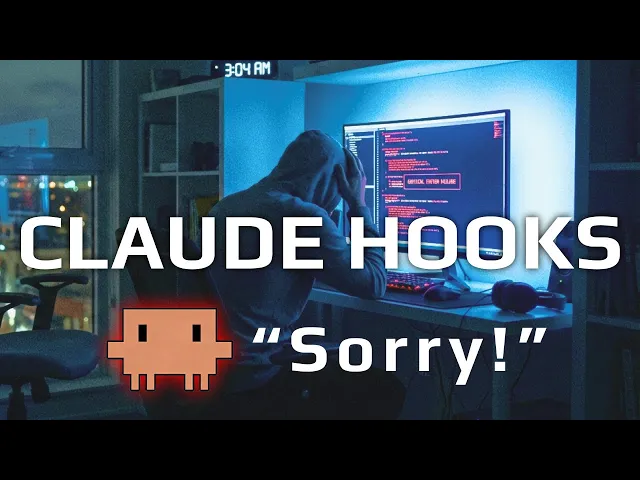
All right, I know a decent amount of my audience will already have hooks in place. This is just too important to miss so you don't end up like this guy, right? This is what damage control is for.
So we have agenda workflows, right? And we also have additional ones. So we can do something like this, right?
Use the damage control skill and list all damage controls. So, it's just going to give us a comprehensive list of everything our assets going to prevent and protect against. And so, this leads us to the the final level, global settings.
So, there are four damage controls that I wanted to show you, right? You have your local project setting, classic static hook, and then you can use non-deterministic prompts to help you catch commands you didn't even know existed. Now, here we can take this to the final level.
This is another damage control measure. You can set up global hooks. Again, this is a thing that a lot of engineers know exists, but they don't have it in place.
In addition to your local hooks, you can set this up globally so that on your device when you're doing inloop agent coding or when you have agents operating this machine, your global hooks apply everywhere. All right, these are user level hooks, but really these are global hooks, right? They apply on your entire device and they get merged into your settings, right?
And if you look at the documentation here, the cloud code hooks, docs, they have a clear breakdown of the hierarchy of how this works, right? So there's user level, project level, and local level. And then there's an enterprise level.
So back in our damage control here, you can see our agent is detailing all of the hooks we have set up and all of the access paths that are detailed here. Right? So no delete, readon, zero access, and this is on my project level.
You can see all the blocked commands. You can see the ass patterns. We have no local settings file here.
But this is how you can set up both your global which will run everywhere project level and your local level, right? I think it's really important to have at least these two. And then sometimes when you're setting up a new codebase, you're just moving really quickly.
You'll always have your global level settings to rely on. So that's that. This is a simpler video.
I just wanted to come back to cloud code hooks. We talked about these hooks when they were released, but it's so important to come back to. They've added a couple new bells and whistles and I needed to standardize a process because I'll be honest with you, a few weeks ago I almost ran a command that would have been catastrophic in one of my production applications.
That was a signal to jump back into security, jump back into hooks, and make sure that I have a system I can reuse very quickly. Skills are great for this. I'm a big fan of keeping things on the prompt level, but when you want a reusable collection of resources, skills are really, really great for that.
So that's why I've built out this cloud code damage control skill that you can use and deploy for your work as well. I'm going to make some tweaks to this and you know support this codebase for a little bit and then eventually I'll just fork it myself and build a you know really specific version to what I like to use. But here's a nice public version you can check out and take any ideas from if you're interested.
If you use cloud code and do not have hooks on every codebase you have in production, please, you know, just clone this codebase. It's so simple. I tried to make it as simple as possible.
/install after you get it set up in the codebase you want to run in and just walk through the process. And you don't even need to run /install, right? Like slinstall literally is just this, right?
Commands install. We're just kicking off the damage control system. Just prompt install the damage control system.
After you clone this, you can pull in this command or you can just pull in the skills directory, right? It's all in here and it's all detailed in the skill file. This is going to be very important as we continue to scale our compute, to scale our impact.
We're going to be running hundreds and thousands of tool calls and hundreds and thousands of agents. And it only takes one bad command to destroy your production assets. All right, it's really important to stress that.
Yes, models are improving. Yes, Cloud Code and Opus have great built-in protections to prevent stuff like this, but there's going to be a moment where you miss something and your agent misses something and it hallucinates and that's all it takes, right? One out of a 100,000.
Okay, that's enough to really ruin your day. It's enough to destroy a lot of value. And so, why not just put the insurance in place with a tool like this?
Again, link in the description if you want to check this out. Pull ideas from this, make it your own, fork it, you know the drill. It's important to mention that sandboxes are really great for mitigating this.
A lot of what we're going to be doing on the channel is talking about building trust with our agents. You can build trust or you can defer it or you can make sure that you don't need trust. Right?
Building out claw code hooks and having a great deterministic and probabilistic hook system is going to be a great way to not require trust at all. Right? If your agents can't run critical, liferuining destructive commands, there is more trust there, right?
Just like you trust the engineer on your team that you know is not going to delete the production database, right? Versus that new hire, you know, you have a bit less trust. You don't give them the keys to the car that early.
So, this is a mechanism of trust with your agents. I have built this out. I'm going to continue expanding this.
You should do the same, too. Make sure your agents can't ruin all of your hard work. We're talking days and months of work that can be deleted in an instant.
Link available in the description. I'll also link the agent sandbox video below if you want to understand how you can just completely defer trust and let your agents run their own machines so that they don't even need damage control. All right, no matter what, stay focused and keep building.