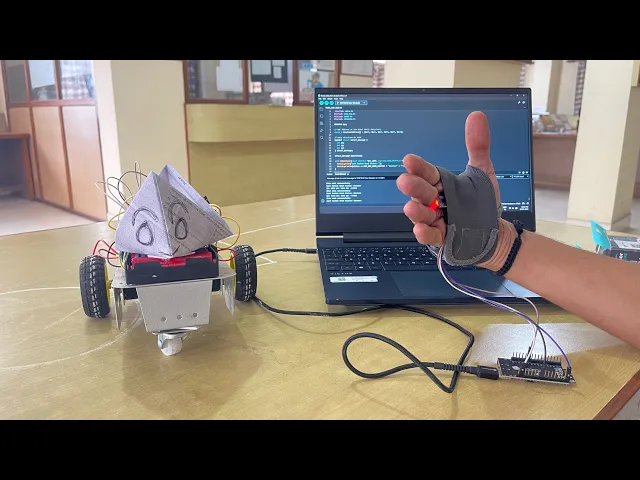
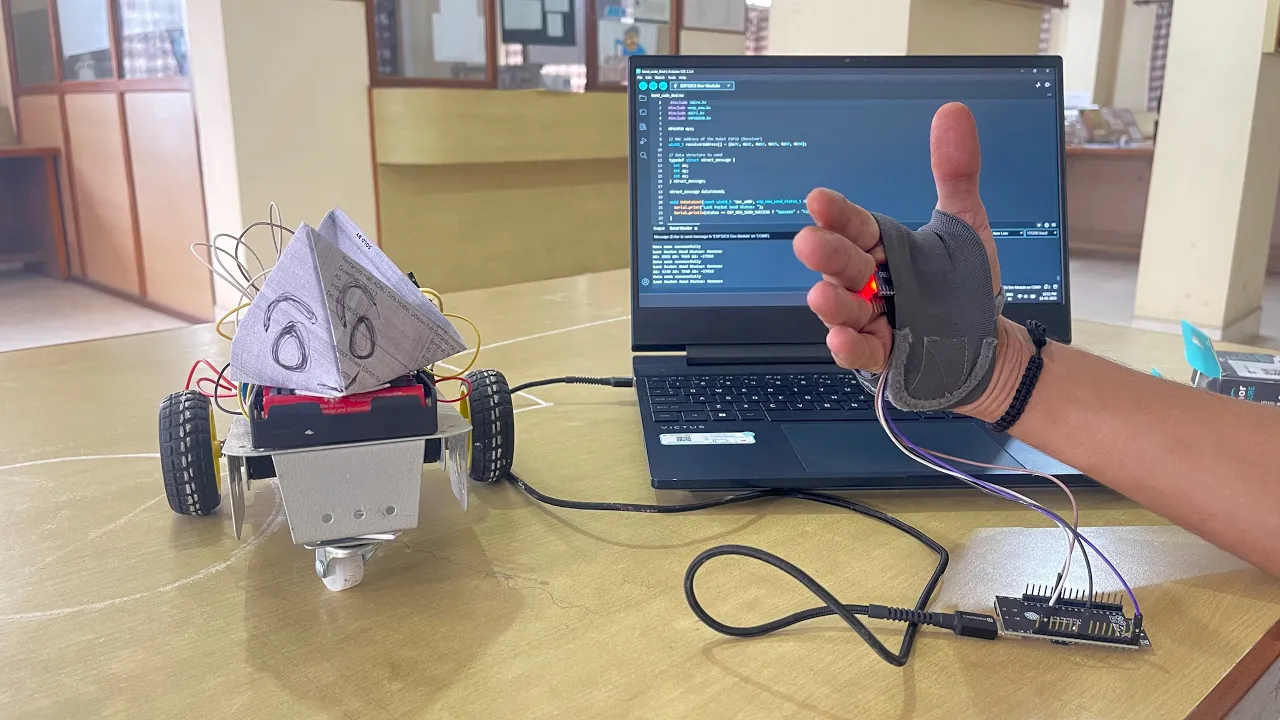
Today we have made the gesture control robot using uh the sensor MPU 650 and this is the hand glove. So mostly we have uh attached the MP uh 650 in our hand. So when we can uh control our hand movement the robot will go uh forward forward, backward, left and right.
So for that reason MQ 650 motion sensor is used. Uh here we have used the ESP32 C6 broom model for the coding uh of the head module. Uh this is basically the hand module connected with the laptop and this is the code.
So I will just show you the code once and this is uh this is the robot module. So in the robot module we have used uh normal uh tires. In front we have used the caster wheel caster wheels and motors 12vt DC motors and here also we have used uh ESP 32C6 room model and uh motor driver batteries.
So basically the ESP uh need 5V supply. So we have here the battery is 3. 7 volt.
So we have uh attached one extra 1. 5 to get a total of 5. 2 volts.
So these two are connected for this ESP board. And here here are three batteries which are powering uh the motor driver because the motor driver needs uh 12 volts. So this total uh gives 12 volts which is uh supplying the uh motor.
So by this way we can like uh operate this robot. And the main question is how we are operating the robot with this hand module. We are using wireless communication but not like Bluetooth or Wi-Fi.
Actually the ESP two ESP board can communicate with a protocol known as ESP. Now, so by using this protocol, we are uh communicating by from the hand module to the robot module wirelessly. So you can also see in the code that in the starting uh we have included the ESP now.
h which is basically a library uh by which you can activate the ESP now of this hand module and here. So first we have uh run the code of the robot module. Let me show the robot module code.
This is the robot module code. So first we have given this code to this and then we have got the MAC address which is basically this. Then we have copied the MAC address to the hand module which is here.
And after we have copied the uh MAC address uh from the robot module to the hand module then we run the code and then the two ESP can communicate with the protocol known as ESP. Now and after that like uh we can do anything like maneuvers and etc. Let me show you how we can like control the robot using our hand module.
So here is the off switch for this onoff switch. So when I will on the robot is on and it is operated by my hand. So when I move my hand forward it will go forward stop.
If it is straight parallel to the ground it will stop. If it's backward then it will go backward stop front. If it's go left it's going like this like this.
So it's basically just a control robot which you can control using the MQ sensor here. So for attaching the MPU sensor we have used this hand tape or something for and then you can control by your uh hand movement like forward, backward, left, right, anything forward, backward. Okay, done.
Right. left. Next in st Well, that's [Music] God behind this.
Okay. Okay. I'll be Time.
That's why video [Music] [Music] Heat. Heat.