hey everybody it's Lon Seidman and we're back with my home theater talker series where we've been looking at my home theater upgrade upstairs and this all began about last December when I got the LG OLED television I bought a 65 inch TV which I absolutely love and I've been trying to find the most economical way to get really high quality 4k video to that set so of course we've got the Nvidia shield that's been doing a good job of that but there are a lot of movies now that are using Dolby vision like the Star
Wars movie here that I can't rip out to a file and play through that Nvidia shield at the best possible quality so that set us off on an adventure to find the right 4k blu-ray player and I went into this kind of blind in the sense that I didn't do a lot of research prior to buying my players so the first one I went with was the Xbox One S and I needed to get an Xbox One S anyhow for some stuff here on the channel so I figured hey this might be a good way
to kill two birds with one stone and get a decent playback device that could do everything I need but as we saw in the initial video it didn't quite stack up has no dolby vision support it's incredibly noisy and it's not outputting video properly for the best color replication on screen so that one was tossed out then we went to the Oppo blu-ray player which was awesome but that player is very expensive about 500 or $600 it's getting discontinued so it's not going to be around all that much longer and I felt like you know
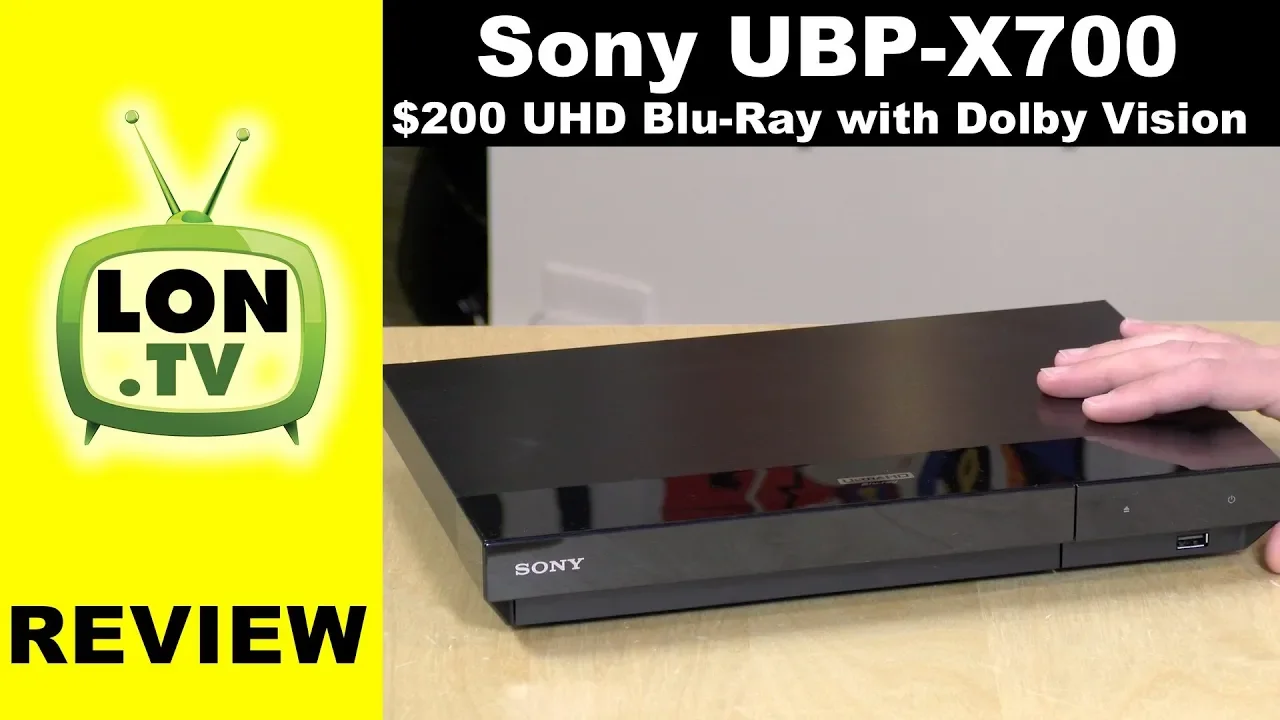
budget wise it was kind of overkill for what my needs were so I went out about a month or two ago now and bought this player from Sony this is the Sony ubp X 700 it's $200 so very affordable at least in comparison to some of the other stuff we've been looking at here in the 4k series and it actually is meeting my needs and the only reason why I didn't review it earlier was that they didn't have the Dolby vision update available for it yet so when I bought it it didn't support Dolby vision
but now it does it has had a firmware update get pushed down to it so we're going to take a look at this player and tell you what I think of it in this video we'll look through some of its interfaces and explore some of the ways you can use it with your own 4k home theater but I do wanna let you know in the interest of full disclosure that I paid for this with my own funds all the opinions are about to hear are my own nobody is paying for this review and no one
has reviewed what you're about to see before I uploaded it so let's get into it now and see what this cheaper player is all about so let's take a closer look now at the hardware this is not a very well built device in fact it feels very Hollow and cheap a lot like what you would expect from a commoditized blu-ray player you might buy at the department store so it certainly doesn't have the Oppo real heavy-duty feel but playback quality is really all that I cared about and it seems to be doing that just fine
the disk goes in over here there's a door that will pop open when you eject the tray that will flop back up there you've got an eject button and a power button here you can connect up your external storage to the USB port here it'll play back pretty much anything actually within reason including lossless audio like flak or AIFF or wav so if you've got some high quality audio you can play that back here along with your mpeg-2 and mpeg-4 video I'm pretty sure it supports HEVC stuff as well on the back here you've got
the power that goes in right there here is your LAN port for connecting it up to Ethernet it's 100 megabit but that's good enough for most of what you're going to throw at this player over the network it does have a bunch of apps which we'll take a look at in a few minutes too because the remote has the Netflix button on there of course I'll talk more about the remote in a few minutes it does have Wi-Fi built in it's a B G and n it is not AC so my advice always if you
can plug it in via ethernet now you'll notice there are two HDMI ports here on the back because this player like the Oppo has the ability to send the audio out through a separate port and this is important because if you have an older receiver that doesn't support 4k video you can still use that older receiver so what you do is run video out to your new TV over here run this cable out to your receiver for audio so you can get your lossless audio working without having to upgrade the receiver and as you all
know from my previous episode I upgraded my receiver before I bought one of these players and I didn't really need to because I could have just bought one of these dual HDMI outputs and been done with it it does have the ability to adjust the audio delay so if your audio is a little bit out of sync you can adjust the delay inside the player to make sure the video and audio sync up for other forms of surround sound the non lossless forms you can run a coax digital out to your receiver as well on
this but that's it for ports if you don't have HDMI you're gonna be out of luck but I think for the most part if you've got your fancy new 4k TV it's going to support that we did see on the Oppo player that it had more options for audio output so for example it could actually decode the audio and run it out to your receiver with a straight cable this will not do that of course but again for my needs I didn't need anything all that fancy and all that extra stuff and cost really wasn't
necessary here's the remote and it's a tiny little remote and not a great one I think it does support HDMI CEC so you can use your existing remote controls if you wish to control it not much to the remote here other than it being rather small it's not backlit of course and you got your Netflix button there because Netflix paid to put that button on there I'd love to see how much money they've paid over the years to get these buttons enabled on it so that is it for the hardware pretty simple stuff here what
we're gonna do now is hook up my display and we'll see what you can do with this player so here is the main menu of your blu-ray player not a lot to look at here kind of a Spartan interface but there are a few apps you might already have these apps on your fancy new television but if you don't they're on here and you should be able to gain access to some of the more popular video services out there you can also gain access to your blu-ray discs here this is for your USB Drive if
you have one plugged in this is a mirror casting feature where you can screen mirror a PC or an Android device to the player so if you want something on here really quickly in a wireless fashion you can do that there isn't much to choose from on the app front though you can see it's a very limited app selection you also have the ability to play things over the network with the media server application here which I will show you in detail in just a second the Netflix experience I found to be pretty good it
does playback HDR video properly along with the 4k stuff the issue though I was running into with this is that every time you change something on the menu the screen blanks out and then it loads up the trailer that runs in line with the menu here and if I switch to Star Trek Voyager here for example the same thing will happen it'll go blank and then the trailer begins once again so I think this might be the video mode switching on the player which is what I want it to do and it's going out of
a menu and switching to some video and it must be adjusting the framerate or something so they've got to work on that a little bit but once the video is up and running everything I found was working just fine on it Amazon Prime video looks the same as it does on other devices HDR wasn't working for me though on prime video YouTube was fine same interface as we've seen on everything else and it appeared to work as I expected it to it even at 4k at 60 Hertz so if you lack a good YouTube client
or a good any one of these clients this might be a good supplement for that now I was surprised that this player handles blu-ray mkv files over the network better than the oppo did as we saw in the original video the oppo would take an exceptionally long period of time to spin those movies up and they were often freezing and not working correctly so far this one's been a little bit better at least with the 1080p stuff so I can go into that little media playback application it immediately found all of the available DLNA media
sources on my network if you've got one of these newer network-attached storage devices like a WD my cloud or a Synology they all have DLNA servers built in and you can see just how quickly over the Ethernet network it's able to browse what's going on there so I'm going to go pick out a Star Wars movie here real quick and load that up and see how it works now I'm finding that generally it's taking about anywhere from 20 to 45 seconds for one of these movies to spin up here so if we go and look
at my least favorite movie here attack of the clones you'll see you'll get this little spinning wheel here for a bit on the oppo this thing went on forever this one will hopefully come up a little bit quicker than that it is switching the player into 24p mode for these movies and it's passing over the lossless audio too so all those things have been good but you will have to wait a little bit for these movies to come up by comparison when we were on the Nvidia shield with Plex or with Kodi these movies spin
up immediately so there is a little bit of a lag here to get the movie started but once it does start it seems to be playing back as I would expect it to so I don't think it's a replacement for my Nvidia shield by any stretch but it could be a good supplement if I don't have an extra one available or something or you just don't want to have to go through the process of buying additional boxes this should at least do your blu-ray 1080p rips ok the issue though I'm having with it is with
the 4k blu-ray rips those are locking the player up completely to the point where I had to unplug it and plug it back in so I think 1080p is about the best you're gonna do with your blu-ray rips here but it does do a better job than the Oppo did with them so not too bad on that front let's take a look now at playing discs the old-fashioned way so we are now ready for disc playback and I can take out my blu-ray here of the Star Wars movie and pop that in I don't have
a Dolby vision display but this did work just fine upstairs on my OLED television it switched in the Dolby vision mode properly my other non Dolby vision movies worked just fine as well it switched into that proper color space so it does all the switching just fine here I was really quite pleased with that now this monitor here although a 4k monitor is not an HDR monitor but the player here is converting the HDR video to non HDR here on the display so things are looking fine so if you have a 4k TV but don't
have the HDR capability the movies won't look all that distorted they won't look ideal but they will certainly look better than they would if it didn't have that ability to convert back down to a standard color space so I was pleased to see that too out of a relatively inexpensive player here now if you get this player and you don't get Dolby vision right away there's a couple of things that you have to do the first is connect it up to the internet so that you can get your update downloaded for that Dolby vision support
because it wasn't on many of these players up until about a few weeks ago so I'm guessing there's a lot out in the channel that still don't yet have this capability so the first thing you want to do is go into your setup menu and run the software update it'll download I think two or three different files it takes about five or ten minutes for it to conduct that update and once it's done you'll be good to go now once you get the update and reboot you need to go over to your screen settings and
in here you'll have the option to turn on Dolby vision output that is off by default mainly because most people don't have Dolby vision TVs apparently so you'll need to turn that on specifically to get it to work but you don't have to turn it off if the movie doesn't support it I'm finding it switches into the proper modes depending on what the movie has but if you so somehow I wanted to watch the Star Wars movie in HD are ten and not in Dolby vision you will need to disable that feature first but for
any movie that supports HDR and not Dolby vision it will correctly switch into HDR so I'm finding in my experience so far that the Dolby vision HDR looks better than the standard HDR 10 so for me I have just left this setting on and any movie that supports that Dolby vision is going to get it on my TV set here the other thing I suggest adjusting here is the 24p output mode what I found here for the data content was that if it was switched to off because I was streaming some stuff over my network
I wanted it to switch into that mode so I turned it on auto for that and the same went for the network content so I moved that over to auto so that I could get that 24p mode to play back on here so just two settings here that I think you need to do to get the best performance out of the player and you'll be good to go it is a very quiet player there's no fan on it the disc is a little bit noisier than the Oppo player was but in listening to my movie
with the player across the room for me I really didn't hear it operating so I think you won't have any real interruption of your entertainment here with the player running so I have to say I am quite pleased with this purchase probably should have started here first but in fairness the Dolby vision support wasn't yet available for this player when I first embarked on this journey this firmware update just came out over the last maybe week or two so it's good to now have that capability I can play back my dolby vision movies the way
I want and I didn't break the bank to get there there is a player I believe that costs a little less than this one from Philips that one is about 175 dollars on Amazon right now it also has the dual HDMI output for those of you that have the older receivers it also has optical audio out too I haven't tried that one so I can't comment on its video quality versus this one but I would imagine it's probably going to be pretty close I did hear it's a little more Spartan than this one is so
you might want to take a look at that one if another 15 dollars is important to the budget there but overall again with this $200 player I think it's going to be just fine for most people who are in a similar situation to me where they don't need the best but they need something decent and this is certainly decent so I think that's gonna do it at the moment for the home theater series I am sure I'll be diving into it more as some of the Nvidia shield updates come out and we get better color
switching and whatnot so we'll be coming back to this but I think for the moment at least from a hardware standpoint I have everything I need right now but I would love to get some feedback from all of you on some maybe new topics to cover that I didn't cover in the course of the other videos so let me know down in the comments below and we'll keep this little series going here over the course of the year until next time this is Lon Seidman thanks for watching this channel is brought to you by the
lon.TV supporters including gold level supporters with black eyed and blues music hour podcast Chris Allegretta Tom Albrecht and Kalyan Kumar if you want to help the channel you can by contributing as little as a dollar a month head over to Lon.TV/support to learn more and don't forget to subscribe visit Lon.TV/s