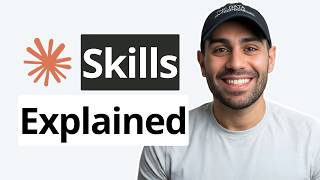
A few weeks ago, the Enthropic team released a 33-page guide on the one feature that Cloud Code users either heavily underutilize or completely ignore with your skills. Now, I read the whole thing cover to cover, not just fed it to an LLM. And I'm going to walk you through every pattern, every nugget, every framework, and most importantly, every mistake that you can avoid, so you can get all the sauce from the six chapters without having to spend the time to read it yourself.
But I didn't just summarize it. I diagrammed each and every concept across all six chapters. So by the end of this video, you'll never have a skill issue ever again.
Let's dive in. So the six chapters that Anthropic goes through in this guide cover fundamentals, planning and design, testing and iteration, distribution and sharing, patterns and troubleshooting, and then they end off with resources and references. So a lot of our diagrams will follow the exact same flow.
So if we pop into our beautiful Excel, this is the anatomy of what a skill looks like. So you have the skill. mmd file right here and it's supported by a series of scripts, references, and assets.
But the most fundamental thing is having this markdown file. In this markdown file itself is a series of structures that inform Claude code if and when to use said skill. Now, if you're looking at this and you still don't really know what a skill is, the TLDDR is you can think of it as Claude's way of onboarding itself on your specific workflow.
So, on its own, Claude code is already very smart. It can write, it can analyze, but it might not have your specific ways of doing things or approaching problems in its training data. So, these skills supplement its skill issues when it comes to your specific way of doing things.
So you can think of a skill pretty much as an onboarding guide for cloud code for whatever it is you're trying to use. Whether it's a service, a process, a series of steps, you're going to be able to do everything you want. Now there's three different levels of magic behind the curtains of how a skill is used, observed, and executed.
And most Claude Code users till this day don't know this. So at the very front, we have level one, which is called the YAML front matter. Now what the word YAML stands for doesn't really matter.
just know that it denotes the first snippet of a skill file. And this really matters because it's always loaded in the system prompt whenever you have a brand new cloud code session. So just to show you more tangibly, if I show you an ongoing session that I have building something out, when I do /context right here, as of the recent updates, all the MCP tools are muted to preserve our context cuz you can see how many tools that I have and they're only invoked whenever they're needed.
But when it comes to the skills, you'll see right here, all of them are actually included in context. But this is not the entire skill. This is a small tiny micro snippet of the skill.
That's just enough to tell Claude Code, should I actually investigate to see what the skill is about and if we should invoke it. So level one basically just relies on the name and the description. Once we go to level two is where Cloud Code has more confidence that this skill might be a match for the particular task or project at hand.
If so, we dive into level two. So, this is where it goes through all the procedural information and core instructions. And if it sees that in level two, yes, this is exactly what we need to do.
That's where it goes down the tree to the linked files. So, all the Python scripts, everything associated with that skill that makes that skill tick. So, just in time means that they're only used in full when it feels like it's absolutely necessary to go down that full set of context.
Now by using skills in many cases you can actually avoid having to even use MCP servers but there could be other scenarios where it makes sense to use both MCPs and skills together and that's where you can get some super power workflows where you can essentially think of MCP as providing claude code the tooling and then skills provide the recipe and procedure of executing said tooling. So, if I were to give you an analogous example to using MCPs and skills in a lot more of a tangible way, then if we were in a kitchen, you can think of MCPs being the hands that actually do the cooking, while the skills are the recipes that inform the hands exactly what ingredients to use, in what order, and in what amount. So, MCPs connect claw to different services and give the tools to have real time data access.
And skills can be thought of teaching cloud code actual tangible workflows. So in many ways these Python files being invoked by the skills can be what used to be make or end workflows on their own which is why you would have seen so many YouTube videos saying is make. com dead is zap your dead is everything dead because a lot of these skills can pseudo function as these automated workflows from before now extending our kitchen analogy there are three core flavors of skills category one is document and asset creation and I use this quite a it for anything related to PDFs, PowerPoint presentations or Excel files.
So this is meant to create consistent, predictable, highquality outputs. But the goal of a skill is that it evolves as your workflow evolves. And a good example of this is the skill creator skill, the meta skill.
So giving Claude code the ability to know how to create a subsequent skill if you want to be able to crystallize a specific procedure or way of doing things. Category number three is heavily underutilized, which is getting the best out of MCP servers and leaving all the bloat by actually telling it how it should invoke the MCP server and which tools to use in what order. So instead of just yoloing the MCP server calls to let's say Superbase or Versel to create a database, edit a table and just have it figure it out along the way.
Once you figure it out or it figures it out once you crystallize that process by doing basically a reverse metaprompt and saying you know what go through this whole process we went through crystallize exactly how you went from A to B. ignore all the noise and fix that all in a skill where you can always invoke that and know exactly what procedure you followed to get to that end point. So if we go back to our terminal example to these MCP servers instead of having it load the entire MCP server then iterate through each and every tool possible you can literally say when we invoke the superbase MCP server all I care about is for you to acquaint yourself with using create project list extension get logs etc.
And this helps also scope down the usage of set MCP. So again, you can preserve that context window as much as possible. Now, a good example of this could be the sentry code review skill.
And if you don't know what sentry is, it's basically a monitoring platform, especially for errors that happen in production with general applications. But you could create a sentry code review skill that always knows exactly when to go through Sentry to go through all the error logs and understand what happened and why. And you could apply this to all kinds of scenarios.
The real goal here is not to just blindly call an MCP server. It's to add your expertise of exactly why you're using it and why it should focus on particular tools versus others. So this next section is probably the most important, which is where we double click on what we referred to before as the YAML front matter, which if you remember was level one of the three different levels of looking at a skill.
And it's a section that Claude Code always looks at at all times. So the main two questions that this has to answer perfectly is one what does the skill do and number two when does it need to be invoked. So when we go into the details here if we zoom in you'll see this is written in what's called kebab case and kebab case is literally this lowercase dashepparated name and this should be a very descriptive one to fourword description.
The core description though is where the magic lies. So this is where you explain what this is. In this case, it says manages linear project workflows including sprint planning, task creations, and status tracking.
Then key extra gold nugget here is you should be able to give keywords or trigger words for the skill to be invoked. It's an added cheat sheet or hint for cloud code to really work off of. So in this case, you could say use when user mentions sprint, linear tasks, project planning, or asks to create tickets.
And because cloud code is so smart, it can semantically also find something similar to create tickets. So if you said create tasks and log them, then most likely it will be the most semantically similar to this specific trigger word. But obviously if you use a trigger word, then you almost have a 100% chance of it invoking it.
So beyond that, this is the part you really need to nail down because once you do that, as long as this is less than a thousand characters, everything else will be a matter of how you design the rest of the scripts and parts of the skill that matter. If you wrote helps with projects, well, pretty much every other skill could help with projects. If you say creates sophisticated multi-page documentation systems, there's no real triggers here as to exactly when this should be called.
And the last one if you say implements the project entity model with hierarchal relationships. One very technical very buzzwordy and similar to a consultant from a very big end firm saying a bunch of words like a word salad but not actually saying anything. You want to make sure that your skill is very refined and to the point.
So instead of helps with projects, you should say something like analyzes Figma design files and generates developer handoff documents. Use when user uploads fig files, ask for design specs or design to code handoffs. And here instead of saying create sophisticated systems, you could say manages linear project workflows including sprint planning.
Use when user mentions the following. And last one implements the project identity model. We don't want that.
You could say end toend customer onboarding for payflow. Use when user asks for this. So the more trigger words you have even for different parts of the skill process, the better.
So the TLDDR of the TLDDR is what it does, when to use it, key trigger phrases equals perfect description. And obviously you don't have to write these yourself. You could just walk through in plain English, in slang, in whatever you speak, and ask it to create the skill itself because prompt engineering is now a fully solved problem.
So if we take a look at some example files like I promised and we go to this comparison description right here. I already showed you pair one what that looks like. But if we take a look at pair two.
So a bad description would say implements a sophisticated multi-paradigm data transformation pipe. And this would fail because it's not technical. No trigger words.
And a good version would be cleans, validates, and transforms CSV files for analysis. use when a user says, "Clean the CSV, fix my data, or prepare the spreadsheet for analysis. " Or a trigger could also be an event where if you upload a CSV, that could also be a trigger.
So, that's an added nugget right there. It doesn't always have to be a textual trigger. It could be event-based as well.
And I have a bunch of these in here that I'll make available to you in the second link in the description below. But this next one I want to touch on is this overt triggering. Now I have a bunch of other examples but I wanted to zero in on this one for a particular reason.
You can also overt trigger based on events. So if you say processes documents and analyzes data for business use, this could be triggered for all kinds of different use cases. So you want to be as precise as possible.
You would change this to say advanced statistical analysis for CSV data sets performs regression, clustering, hypothesis testing. It's a lot more specific on exactly what processing documents means because at some point your skill is useless. You're just basically relying on cloud code to interpret what is the best thing to do on that situation since you're not giving it any form of cheat sheet or guide or onboarding on how to do it itself.
And if we take a look at an MCP-based example, a bad version of this would say works with Sentry to look at errors. Instead, you'd want to be way more specific. So, automatically analyzes and fixes detected bugs in GitHub pull requests using Sentry's error monitoring and then use when a user says the following.
And now you have something even more useful. Now, you can even layer on which tools and subtools it should invoke from said MCP to keep it as focused as possible. Now, this next section is the most complex and intricate where anthropic walks through the five different design patterns where you can design a skill to execute in a certain way.
So pattern one is the sequential workflow which is the most linear where you go from step one to step four in a very predictable manner. If we take a hypothetical use case of authentication, you would first go through and create an account, then set up payment, then create the subscription, then get some form of welcome email, and the dependency lies on actually getting the customer ID and information from step one. So this is pretty straightforward.
If any step fails, then you roll back to prior steps. Number two though is where we get more complex where we get to multimcp coordination. So you can use this when you have workflows that span multiple services.
So maybe in phase one you have the Figma MCP where you do the designing and then you upload it to the drive MCP. You create a project folder. Then you use the linear MCP to create tasks for your developers or yourself and then you hand it off to the Slack MCP for a full summary with a series of links.
So this is a series of different MCPs orchestrated in a particular order and in this case you can't move from phase one to phase 2 until you have all the prerequisites. Now pattern three is iterative refinement and this is probably the most used one in my personal ecosystem and I use this even for thumbnail generation where I'll generate an initial thumbnail using an excellently what should be located on which part of the thumbnail. Then I'll go through and generate five 10 different versions using Nano Banana.
Then I'll spin up a few agents to take a look at and audit it and roast the thumbnail. Then refine it and come back with the final five of the 10 15 generated through the whole process. So this part makes a lot of sense when you need to go through a couple different evolutions until you get to the final version of whatever it is you're trying to generate.
So pattern 4 looks very similar to an NN workflow where you could have the same input which is an incoming file. Imagine you use the world of NADN and you have a form submission and you upload a file. If it's a PDF it's treated one way.
If it's an Excel file, it's treated another way. You can design a skill in the exact same format where if you upload a file and then you check the file type and size and it realizes that it's a code file, maybe it it uses and invokes the GitHub MCP. Whereas if it's a collaborative doc like a docx or something similar, it uses the notion or docs MCP.
So now you're orchestrating a couple different layers. You're orchestrating MCPs and you're orchestrating which different path the same skill goes down depending on the input. And the last pattern is really for enterprise where it's domain specific intelligence embedded into a skill.
So imagine all the understanding of the code bases, the design of infrastructure, everything that makes a company tick on the IT side of things. So this is where you'd have embedded rules. You'd have a sanctions list.
You'd have a jurisdiction verification. You'd have risk level assessments based on exactly what's happening. Then you'd have a series of decision logic.
So all of this would be custom. If you're a business owner that runs on, let's say, AWS and you have a series of microservices and you have databases, then this skill would tell it specifically how you use those microservices, which ones are editable and how you can edit those services in a way that lines up to exactly what your normal procedure would be. So, whatever the SOP would be for a new hire would be the same SOP for this pattern.
So, when it comes to good versus bad instructions, I have a few different examples. The one I'll show you right now is this bad one, which is very handwavy. That says, "Help the user with their data.
Validate it and make sure everything looks good. That's awful. Process the data appropriately and handle any issues that come up.
Make sure to check for errors and fix them if possible. " Now, it's very clear that this is unbelievably vague. And the way you'd make this a lot more actionable is you literally structure it in steps.
So many skills that I've seen and ones that I've designed for myself and my agency and our clients all have this markdown format where you have step one that says inspect the data. Then you break down exactly what does that look like to inspect the data. Step two is you identify the issues and then maybe you can get the help of AI to create some form of columnwise table that goes through a decision framework or some form of rubric.
Then step three could be apply the fixes. And then step four could be export the clean data where you tell it exactly what your expectations are. So some name here, some dynamically made name or cleaned.
csv. And this is where you have the balance of being explicit while leaving slight room for a dynamic nature of the task at hand. So now you've built your skill.
How do you go about testing it? Well, this section covers the three different ways that you can do so. Number one is what's called a triggering test where you load a brand new terminal session keyword new terminal session.
You don't want to use an existing one because it could be muddied by the context and accidentally invoke the skill just because it knows that it should. And just like Goldilocks would taste a very hot soup and a very cold soup and find the sweet spot for the perfectly testing room temperature soup, you could have the exact same scenario here where the skill could be undertriggering or overt triggering and ideally you have a sweet spot where you have a very high hit rate that invokes a skill when it makes sense to. Now the second test you can run is the functional test.
So let's say it triggers it after it goes through everything. Do you actually get the output you're expecting in the format you're expecting deterministically every single time? And a good use case would be to try to battle test this one, four or five times, then try it with maybe an agent team or sub agents and see does the behavior change in different formats.
If it doesn't, great. If it does, then you can tell cloud code to iterate and change the skill as needed until you get the behavior you're expecting. And this last test is likely the one that many will ignore where sometimes you get so committed to using a skill that you overlook the fact that based on this testing of one and two, what if by at the end of all of that, it would have been easier to not have the skill at all and the skill actually adds more error than it actually helps with.
So it's important to have some form of benchmarking to know is this skill valuable? If so, it should exist. If not, maybe we created some form of automated workflow or a cron job or a Python file that does this entire process in a very linear way.
But assuming that the skill is helpful, then you want to make sure that the skill is structured in the right format. So if we take a look at the bad example here, right here we have the name of the skill and then we have the skill. md directly.
No references, no scripts, nothing. A good version is something like this where you have this CSV data pipeline. Then you have this references that has some form of markdown file that refers to the different column types in the CSV.
Then you have the scripts folder that has the Python files that are invoked by the skill to execute whatever it is. And then in the main folder is this skillmd file. So these become the dependencies right here.
And the skill MD is right there front and center. Once you've solidified skills, my advice to you is to not make a skill global until you fully battle tested it. And battle testing doesn't mean a couple of minutes.
It means run it for a month maybe. And once it's good enough, depending on where you're deploying this, either personally or as an organization, that's where it makes sense to graduate to becoming a global skill, something that you maybe commit to a repo to be ingested and used elsewhere. something you can use not only in cloud but also claude co-work on the front end or the cloud API with the claude agent SDK.
Now to bring everything together from this journey of creating a skill you have six different chapters that we covered in the course of this video. Number one is identifying the use cases. So having two to three concrete workflows that you create and synthesize and crystallize as a skill.
Station two is planning and designing. So creating the success criteria, the PRDS, choosing which categories matter, which MCPS if applicable matter and planning the folder structure and then station three is the most important part which is the build section where you want to perfect that YAML front matter and crafting the perfect description with the right trigger words. Then station four to five are testing, iterating, then distributing to make sure it actually works well in production and then monitoring and evolving them over time.
Usually a skill will have to evolve over time as your workflows or business or whatever it is changes as well. So you can think of skills as your ever living document where you don't want to overbloat too many skills. You want to be very selective on what skills matter and how well you can refine a single skill before you go out and build even more.
And that pretty much synthesizes the entire 33page document in a series of diagrams. So hopefully this gives you the bite-sized learnings to execute everything and upskill your skill creation to the next level. Now I'll make all the examples of the good and the bad when it comes to instructions, descriptions, errors, everything available to you in the second link in the description below.
And if you want to take your general Claude code skill set to brand new heights, then you want to check out the first link in the description below because we have a brand new Claude zero to hero course. And for the rest of you, if you found this video helpful, please leave a like and a comment on the video. It really helps the video and helps the channel.