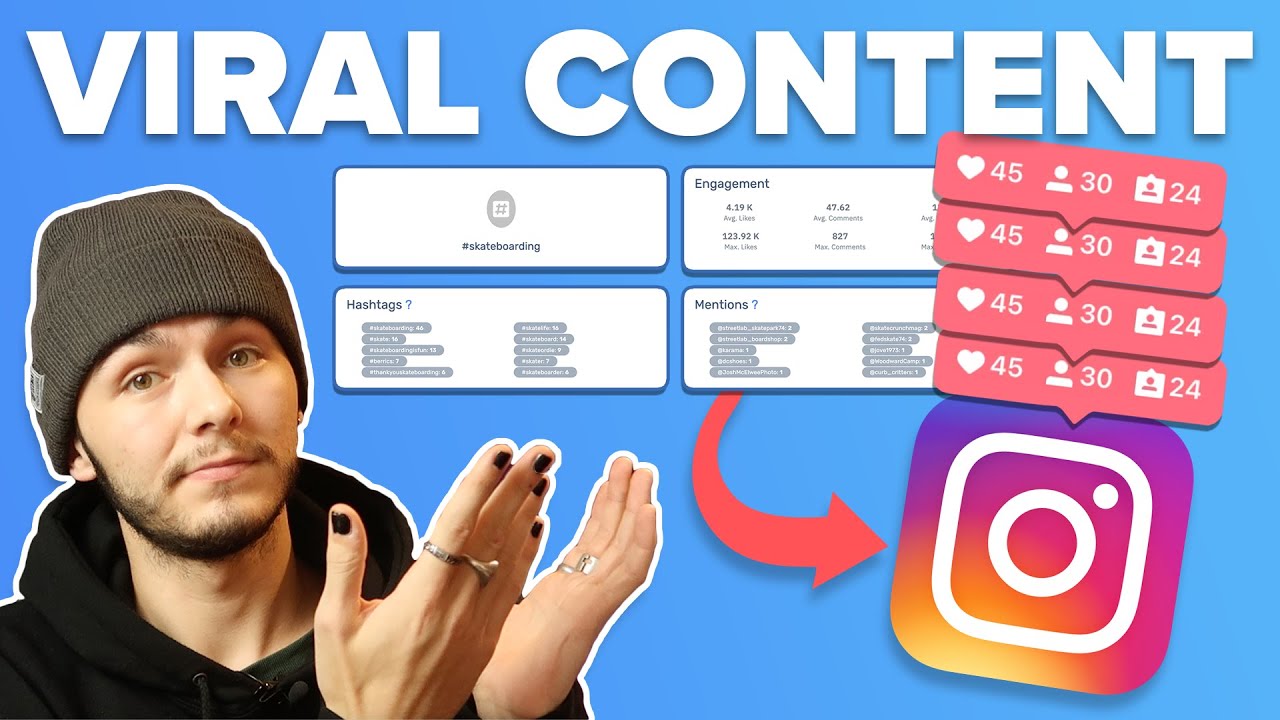
welcome to this viral finder tutorial for beginners where I will show you how to find viral Instagram content in 2024 you will learn in this video how to find viral Instagram content also get those statistics and analytics so you can see how many views the type of content is getting what the content is and for those of you who are content creators you'll be able to use this data and information to repurpose those viral clips and make them your own new clip maybe on a different social media platform or on Instagram what makes viral finder
so great is that you're getting that data you know how much search traffic it's getting and more you are getting that data and I'm about to show you how to get that data right now using viral finder to find those Instagram users and the pieces of content that they are going viral with right now to take your Instagram game to the next level no longer will you have to guess what is going viral or or have to search through Instagram constantly to find a viral video or topic With viral finder you will find this content
and have it front and center with the numbers to prove it so let's show you how to use viral Finder right now so you can take your social media to the next level here we are on the viral finder account it reads viral finder in the top left hand corner of the screen next to this Instagram type logo save time finding content for social media then then there's this white button here which reads register a free account we're going to select this now keyword is free we're not going to pay anything when getting started here
currently you need to have a Google account to sign up this might update in future but do keep that in mind we're now on the main dashboard where it says welcome and then my name Anthony three remaining searches zero search this month results available we don't have any results because we haven't made any searches yet there are popular niches displaying below entrepreneur business fitness and motivation I'm going to click into one of these Niche right now the niche that I'm going to select is Fitness so you're going to see how this can gather data from
Instagram and help you when creating content to go viral or of course repurposing content that is already viral and so you can find that content you can see the amount of posts underneath this hashtag or underneath this Niche then you can see the most used hashtags so if you're creating content in the fitness Niche you can now find the most used hashtags which can be helpful for you and your content these hashtags currently are Fitness gym workout fitness motivation fit instag good which is a unique hashtag that you might not have used for your content
initially but now you know that people are using it in the fitness niche motiv motivation love bodybuilding fashion Instagram gym motivation model lifestyle Health Training photography sport beautiful and photo of the day now looking at these hashtags alone will give you an idea of the types of content that people are creating in the fitness Niche and this can help you when strategizing your social media post on Instagram remember you can also search these has tags on Instagram to see what types of content are in the search results the top search result of course is going
to be the one that most likely has the most amount of likes and that's why it's at the top of your search results that can help you when you're trying to create your content because then you can find the type of content that is at the top you also have most mentioned users keep in mind this is a mention so there is a reason why these users are being mentioned again this can help you when creating your content you have B blab Elena and a lot more I'm not going to try and pronounce everyone's username
because people have very odd usernames and trying to pronounce them in regular English is going to sound really odd but you get the idea you can find these users on Instagram to see why they're being mentioned and also if they're creating a specific type of content on the fitness something that they're doing in the fitness Niche that is causing them to be mention so much let's scroll down because there's more information and data that we now have you can see that that we have likes in the like section you have the current most amount of
likes that a post has the average likes that a post has in this Niche usually and then you get a total amount so 19,200 is the most amount of likes the viral posts in this Niche currently have 112,000 is usually the average so you can expect that this post right here could potentially get more likes going forward and on average this totals to 176,000 comments it does the same the most amount of comments a post has in this Niche right now is 431 the average usually for comments is 3.5 meaning 3,500 and on total this
is going to give you a Vira score or a Vira average of 5,500 the engagement right now is not actually populating with everything you can see most average and non applicable this maybe because it doesn't have the right set of data in order to show you a type of Engagement likes are a set of Engagement likes is an engagement it's somebody pressing something on your post they're engaging with your post by pressing the like button or the heart on Instagram so you can't really have an average of this because you already have them right here
that's why it doesn't say anything in the engagement section but we can sort by something else if we select the drop down where it says sort by you can sort by comments engagement so as we've just mentioned engagement is going to summarize the comments likes and what people are doing on the post so if there is another action you can complete on Instagram in the future then it would be under engagement but it's with somebody doing something when they see your Instagram post either talking to you or liking the post let's select engagement right now
to show what populates in the data below so with engagement it literally gives you the post themselves and you can see right here the different types of posts that are currently getting higher engagement on Instagram this again is going to help you either when creating your content or seeing what types of content in this Niche are currently popular this is very very useful for you to find these types of posts and you can also see the amount of likes that each post is getting the users and the images that these users are using now it's
actually gone for just about over 40 posts here that are displayed because we cannot have too many searches or post displayed right here as we are in the free version so I'm going through these and some of the likes might take a while to populate but it's showing you which ones are currently popular so as well as engagement you can also filter by comments so selecting comments again this is going to change some of the information below the data because we already have comments in the data here and you can see those comments on the
posts and you can also view them on Instagram so if you have an Instagram account and you're signed into your Instagram account currently you can actually view this post on Instagram by selecting this button a very useful feature of viral finder is that you can click the post and view it on Instagram so this post for example if I want to view it on Instagram to find out some more information on it if I select this button right here the share icon it will take me to that individual post and I can now have a
look at the comments and more you can also alternatively while you're on viral finder select view more on Instagram and instead of taking you to that individual post it's going to take you to the account user so now I'll be able to see the entire account to find out what other types of content the Instagram user is creating cuz maybe there is a reason why all of his posts are gaining some attraction right now so as you can see there are some more things on the menu including feed under feed you can now see popular
on Instagram and these are the posts that are currently popular on Instagram now remember that we click a niche to get started we are in the fitness Niche so you can see that most of these posts are Fitness posts and you can see they are quite popular right now on Instagram you can find out more information by selecting view profile for example and if you're already logged into your Instagram account you will go directly to that Instagram post right now that is going viral on Instagram and you can find out some more in this case
it's gone to the account because I did select view profile but that's one useful feature of viral finder as well as the feed you also have analytics now analytical information is brilliant if you want to strategize your content creation you can see here monitor Instagram account this feature lets you track growth of your Instagram account and provide you with insights about the account as well your current plan allows monitoring maximum of three accounts now what makes this absolutely brilliant is that when you are on Instagram this is not provided to you you are literally getting
an analytic Studio where you can track the growth of your account this is extremely useful because now you can create content with the types of posts that are doing well for you and you'll be able to track this so I have a test Instagram account that I've entered right here I created this quite a while ago just to have a look at Instagram let's select monitor to see what happens remember you can have a maximum three accounts when using the free version of vial finder so as you can see here because this doesn't have any
engagement you don't have any figures showing but what you will have for your account that has any action or activity on it is the amount of followers uploads your engagement percentage and you will see the engagement percentage here in more depth average likes average comments now this information can be EXT extremely helpful to you when building your personal brand maybe you are a user generated content creat and you are wanting to Showcase products you will now have those statistics that you could show somebody that you are pitching so if you're pitching to a company because
you want to work with a company you will now have the correct statistics of your Instagram account in order to take advantage of the engagement you're getting in a correct way so then you can say look we get this amount of Engagement this is our average likes and this is our average comments this can be extremely helpful to you it's basically taking Instagram to the next level if you are a content creator because now you have those statistics at hand when using viral finder extremely helpful because other social media platforms have this for you Instagram
hasn't had this really for you to take advantage of so now you have your figures when you're using viral finder remember you can use up to three accounts or add up to three accounts on this method here remember you can have up to three accounts when you're adding your accounts to Via find out to find out this information you also have statistic summary which covers followers evolution chart so let's say you're getting a gradual steady growth of followers you can see that in a line graph and you'll be able to see how many followers you're
getting over a period of time and you can do the same as well for the following evolution chart so if you're following more accounts or unfollowing you'll be able to see that drop or growth in this data as well as that there's more data that would be extremely useful to you if you decide to be a content creator on Instagram and I have to tell you at this point when looking at this it actually makes me want to consider to begin to use Instagram I haven't been using Instagram at all but this makes me want
to use Instagram because I now have that data that all important data information so I can use that to my advantage and other content creators and influenc and people who are online you know having a career online could also now use Instagram when using viral finder this is amazing stuff really Instagram could have implemented this beforehand but don't worry viral finder is here to solve that problem so let's have a look at some more right here you have average engagement rate chart so you'll be able to see your average engagement now your engagement of just
follow just covered that that means your likes that means your comments it's when people are literally interacting with your post that's what your engagement is on social media in this terms we're talking in Instagram terms you also have future projections so future projections is a completely different calculation where it says here you can see an approximated future projections based on your previous day average so your days average let's say you're getting two followers per day you'll be able to see technically how much you might get in the future based on this that's a really good
feature and there is more data about your account that you can find out including engagement rates on Instagram summarized up into these percentages so as well as the line graphs that you're given you're also given these percentages now of course as I'm not using Instagram with this dummy account that I've created or let's call it a test account maybe one that I might start to grow I will uh not have much statistics to show right here but for you there might be some good numbers and some good insights this is a useful feature right here
on VI finder so let's have a look at a littleit more because there's more to have a look at we've just gone into analytics which is very helpful so now that we've already gone through some very useful data points that you can find on viral finder what about user search so you can search for specific users let's see what this does so I'm going to search for Kevin Hart you can see Kevin Hart is now populated in the search results here there are a few other searches that I tried to do earlier and I can
delete these because they have not had the profile displaying that might be because they might have some privacy settings on their accounts let's get into Kevin Hart's right now to see what Kevin Hart numbers are looking like right now Kevin Hart very popular comedian and celebrity actor let's take a look right now so it says that this isn't the real Kevin Hart so as you can see this is not the real Kevin Hart and you can see that because of the amount of posts followers and following Kevin Hart has so let's go on to Instagram
and try to find Kevin Hart first to see if we can search for him correctly so I'm going to go into the search of Instagram and I'm going to search Kevin Hart let's take a look right so we just found Kevin Hart right here Kevin Hart's username is Kevin Hart for real right so there's a difference so Kevin Hart for real is Kevin Hart's username so that's what we want to search for let's try that again so let's search for Kevin Hart for real so we're going to go back into user search because we have
a not Kevin Hart and we're going to search for Kevin Hart for real which is Kevin Hart's username so we need to make sure you find the right account we just searched for Kevin Hart and we found the wrong Kevin Hart now you need to make sure you get the correct one and this is one way you can do this you can go on Instagram first get the username copy and paste it using command and C to copy or control and C on Windows I'm using command and C on Mac or you can hold your
right click with control or alternatively if you're on a mobile device you could hold you click and you'll have the option to copy and the same for paste except for it control EnV or command EnV if you're on Mac so let's get into the Kevin Hart results so let's select view results to find out Kevin Hart's numbers here see now we have some really important information on Kevin Hart's account we have the amount of posts he has his followers how many accounts he's following and his most used hashtags so if you wanted to make any
content about Kevin Hart it might be wise to use his most used hashtags cold as balls is a show that he has on YouTube where he sits in an ice bath with celebrities talking about their career and different things that are going on in their life right now that's what called as balls is and you can find that on YouTube there are other things that Kevin Hart has used in his hashtags which are very helpful for you to find out more information on his account traffic and you can use this when creating content about Kevin
Hart to help you gain some traffic we also have his most mentioned users so Kevin Hart's most mentioned users include Nick Cannon and Dave Chappelle so you know already that Nick Cannon and Dave Chappelle are in the sort of same genre Nick Cannon has a rap comedy show called while and out and Dave Chappelle is a stand-up comedian which of course most of you that are watching the video will know but the other really important cool things that you might be able to find are the other contracts that he may have or other users that
talking to on social media which include Will Smith no need for an introduction right there Old Spice which Old Spice is a a men's aftershave cologne spray that kind of product that's what Old Spice is and Walmart now Walmart is a shopping uh a supermarket brand it's a a type of Supermarket here in the UK Walmart own Asda so Asda is Walmart here in the UK in the US it's known as Walmart it's a a chain of supermarkets and there is other different things that Kevin Hart uses and mentions in his post quite often and
you can see that here now that's very useful information as you might find that you can also use these mentions in your post to help you gain some more attention on your posts when talking about Kevin Hart or give you some ideas of different types of Kevin Hart content you could make so maybe you could make a Content about Kevin Hart talking about Dave Chappelle or something he said about Dave Chappelle maybe you want to make a a real about their conversation and you can add that into a chat GPT video that you can create
let's get into some more information so there's more data as well you can see the amount of likes that Kevin Hart has most right now which is 691 th000 on average he's going to get 117,000 and then on a total there's like 5,892 th000 right there which of course is not the correct number that I've just pronounced but you can see that he gets quite a lot of likes as well as this you can see the amount of comments Kevin Hart gets so 9,600 the most 1,300 on average and then a totaling of 63,360 can
see him right here this is his setup and Kevin Hart has recently been with him and they've been making some skits here and there in Kai Senate setup and you can see some of that in this post by scrolling through you can also have a look at how many likes it has comments and more so giving you another idea for your content maybe you want to make some content about this moment that Kevin Hart has shared remember this is in picture form you could take this and make it into a video that could be one
way that you create a viral engaging post using this information so there's more information as well as that that you can do when searching other users there is also the hashtag search so as well as the user search hashtag search is something else that you can do now keep in mind that right now we are going into the paid plan services so you can see that this is currently going to cost you some money to use the hashtag search but you won't really need to do too much hashtag search because we've just used the user
search to find some hashtags the analytics to find out what's going on with your account the feed to see what's currently being posted right now and that dashboard so we can see those most popular niches so we've got some really good information there including the figures when we're making those searches in viral finder now let's have a look at reals reals again is going to cost you some money so when trying to do this with reals you can see that you have your paid plans and these are the current prices of the paid plans that
are available on virinder let's look at results so the results are searches that we've currently already made you can see we made a search on Kevin Hart workout and Kevin Hart for real the real Kevin Hart account let's go back to the dashboard to see how this affects the account so you can see right now I have zero searches remaining I have search for this month because there was a different way that I've chosen to search and three results the fourth search is the way that I've had a look right here in the niche so
if I select business instead of Fitness we should get results because we're technically not searching but it does still for some reason count as a search but we have that information in this Niche right here where we can search those viral topics and which is currently popping what posts are currently popping what's getting the most likes what's getting the most engagement as well as that all important data driven information where you will then find how you can fit in and get that search traffic on your Instagram and this is your tutorial for viral finder now
you can find those analytics on Instagram it's extreme useful check this out right now and it can help you when creating your content for Instagram maybe you want to repurpose the things you've seen or create something with some originality maybe a chat GPT video would be a brilliant way to get that engagement on something that is currently trending don't forget to give this video a big thumbs up especially if you're already an Instagram user this might motivate you to get on Instagram because now you have that data and subscribe to the Mr Money YouTube channel
for more thank you for watching