hey and welcome again to the third lesson of our python 4 AI development course today I'm going to show you how to train a machine learning model using the data that we prepared in the previous lesson using scikit-learn again on Jupiter notebooks once again if you want the data you can go ahead and download it using the link in the description or I will also leave a link somewhere here on the video if you remember in the previous lesson what we did was lastly to divide our data set into X and Y data sets and
we also created the one hot encoded version of this data set and today we're going to mainly use scikit-learn and of course python so I could learn is the machine learning library for python basically there's a bunch of things that you can do with scikit-learn but for a beginner level we can divide them into three main groups so you can prepare your data we already prepared our data to a certain extent with pandas but here what the the preparation I mean is you can also do one hot encoding which I could learn or you can
split the data into train test and validation tests which we will see how to do you can do normalization or maybe if you're working with some other types of data like image or text Data you can also do some other types of preparation for your data once your data is prepared you can do model training so I could learn by default has a lot of different types of models you have clustering models classification models regression models and also for each of these models you have different hyper parameter options that you can set if you study
machine learning before if you know about machine learning algorithms you might know that each algorithm has its own settings so that's what hyper parameters mean if you want of course you can Implement these machine learning algorithms these traditional machine learning algorithms from scratch that wouldn't even be super hard but of course it's always easier to use something where you can create a model from scratch with just one code and then using the hyper parameters you can customize it and you can tune it to your specific problem and lastly once you train your model through scikit-learn
there is also a bunch of evaluation metrics that we can use we will also see some of them today and using that you can try to tune your model and get to the best performance one additional nice thing that we have in scikit-learn is actually data set so we already prepared our data set from Kegel so we got it from Kegel and then we prepared it for machine learning model training but if you wanted to you could use some data sets from scikit-learn library too you have some toy data sets that are a little bit
small you also have a more real world data set that could be a little bit more unstructured and they could also be a bit bigger data sets so and the nice thing is they come with their own loading functions so instead of going and finding the data set and then downloading it to your system and like importing it again you can just use the from sklearn datasets import load IRS function and then using this load Iris function you can import your data set immediately to your notebook and this is what the data set would look
like and then let's also see what the news groups train looks like and this is a text-based data set as you can see we have information or text information from news The Next Step that you have to cover before you train a machine learning algorithm is to split your data set there are a couple of ways how you can do this sometimes you only divide your data set into train and test data sets and sometimes you divide into train test and validation data sets but you can do both using scikit-learn's train test split function so
if you only want to split your data set into training and testing data set what you're going to do is use a train and test split data set give your original X and Y data sets and then tell the function how much out of one what portion do you want the test size to be so here I'm basically saying the 30 should be set aside for the testing data set and you can also set a random State using this random state next time you generate the data set again using the same X flights and Y
flights the same result will be returned to you so if you want to keep the results same for your training and testing data sets the same data points to be there you can use that if you want to instead create three separate data sets so train test and validation what you can do is to call the train test split function twice so you can first create a train and test data sets let's say by setting aside 15 for testing and then what you can do is to call this function again on top of the train
data set and then divide it into train and validation let's say by from the remaining 85 percent you set aside 20 again so at the end you have test and validation data sets that are the same size and one last thing before we jump into the model training is if you have unbalanced data you might want to deal with that before you start training your model so there is a library called imbalance learn you can see the documentation on their website too it's called imbalance-learn.org it's a very simple easy to use Library what you do
is basically at first you have to install it of course using pip or conda whichever one you're using and you just need to call either a over sampler or under sampler they have a couple of different options for how to sample your data set but basically what happens is let's say this is our train data sets this is the Y train so the target values if we look closely we see that these are one two three four five six separate values that we might have or we have in our data sets and we see that
late aircraft delay happens more than 14 000 times whereas security delay only happens 73 times so when you try to build a model on top of this because of this imbalanced structure of the data set you might not be able to get a trainer model that is really good at finding or classifying a instance as security delay so then what you might want to do is to over sample it so sample it more than once each data point more than once and feed it to your data set more than once in hopes that it will
actually create a more robust more model that can also or that is also able to classify security delays correctly so if you use oversampler what you're going to get is at the end this is a resample data set you will there are different strategies that you can use but with the default strategy you sample all of these different classes so many times so that the amount equals to the majority groups amount how you do it is this time I used over sampling from imbalanced learn I import over sampling as I said there are a bunch
of different ways to do oversampling but the simplest one is to use random over sampler and again if you want you can give it a random State and all you have to do is basically to the fifth resample function you need to pass the data sets or data frame that you're working with and then it will return to the resample data set next we have model training this could actually be quite an overwhelming step because it's kind of hard to know sometimes what kind of model you should go for we have a lot of different
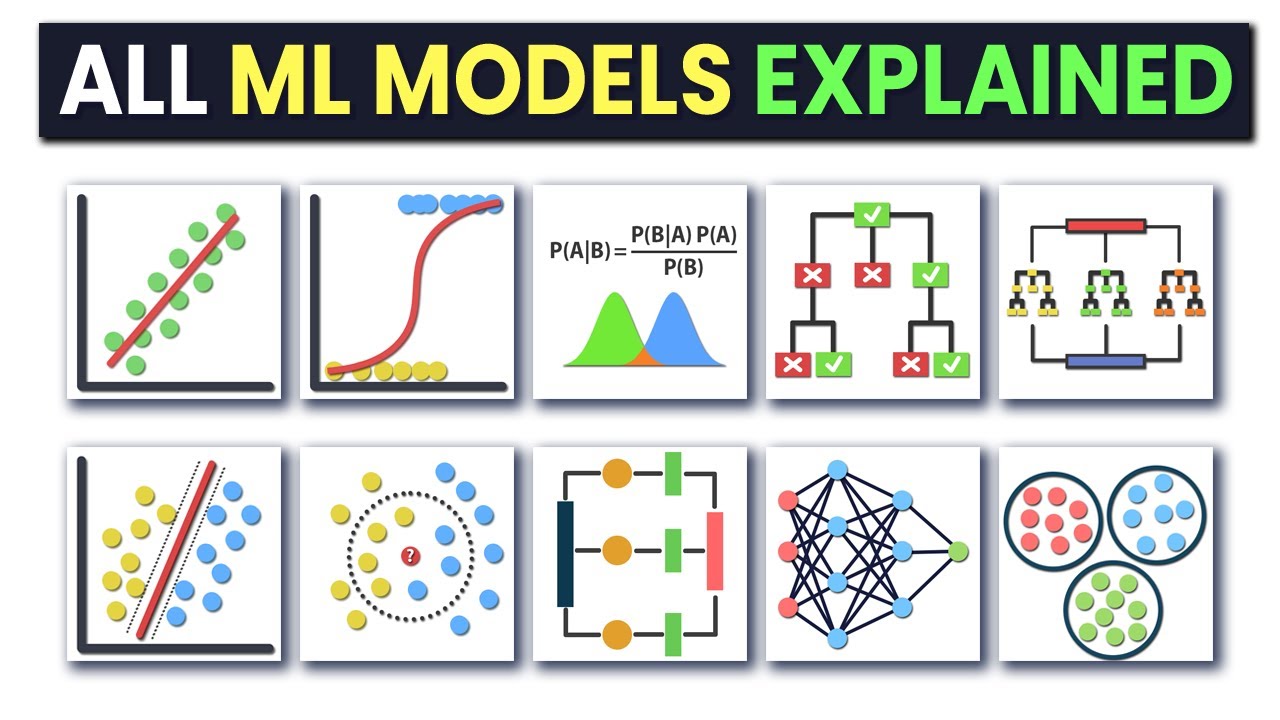
models available in scikit-learn library but you know you can also Implement some other models one thing that I do kind of my go to your go-to approach is once I decide on what my problem is going to be if it's going to be a classification problem if it's going to be unsupervised or supervised am I going to prioritize speed or accuracy I go and take a look at this cheat sheet and then by basically answering these questions you can see which one you should try first so for example if we do it right now this
is alignment this is not a dimensionality reduction problem so it's a no if you do have responses so it's a yes we are predicting we are not predicting numeric because we're trying to predict the categories of whether the flight is going to be late and if it is going to be late what is going to be the reason and once we're here we can basically use any of these but let's say I want to optimize for accuracy this time and once we're here we can basically use any of these algorithms but let's say I want
to optimize for Speed this time and I want it to be explainable then I can try decision trees for example with scikit-learn training a model is quite simple so all you have to do is from scikit-learn you need to go find your algorithm and normally in the documentation they do a really good job of explaining how you should import it so I'll actually show you an example let's say I want to use decision trees regressor I can just search for decision trees regressor and maybe also add SK learn to it and then I land at
their documentation inside the scikit-learn documentation most of the time they have a little code example so you can see how you're going to import this algorithm or model to your code also they have explanations of all different types of hyper parameters or settings that you can change so then it's quite easy to just copy and paste that code here all you have to do is to basically create a instance of this decision tree classifier and then you call the fit function on it by passing the data to it once you pass the data and once
this model is trained I trained all of this beforehand because sometimes they take a little bit too long because you know we have a lot of data points um what you can do to get the results from it so once this is trained once this cell has run the clf variable there contains our model so to get predictions from this model you can simply use the predict function this is also included in the documentation so you see what kind of functions you can call on the model that is trained so apply cost complexity pruning pad
decision path fit you see oh predict score all of these things uh what their explanations are in the documentation so you can see what are the possibilities of you can do with this model and when you do predict and when you pass it you can only pass it also just one instance and then it will do predictions for that instance and you'll get the result but if you pass it a test data set for example it will do predictions on all of these instances in the test data set and then it will pass you the
predictions and the predictions will basically look like a list this list will be as long as your test data set and for each instance in the data set it will give you one answer so it thinks the first example First Flight is going to be late because of a aircraft delay the third one is going to be late because of an air system delay and the third one is not going to be delayed for example and to see how well your machine learning algorithm that you just trained did you can use a score the one
that we just seen here also and here you can see the details for example okay we're returning a score but what is the score and apparently here we're getting the coefficient of determination so the r squared score when we are using the score function on top of our classification decision tree classifier and to this decision tree classifier you just need to pass your X test and why test so basically what it does is it does the step automatically it calculates your predictions and it Compares it to the actual values that that they have to be
but sometimes of course just one number one score might not be enough especially in a case where we have multiple classes so for that what you might want to do is to include some other evaluation um options with scikit-learn there are actually a lot of different ways how you can evaluate your models so we can also go take a look at the documentation there so metrics and scoring if you go here you will actually see a very big list of different types of metrics that you're going to use of course it's always a good idea
to have in mind before you start your project or once you decided your or your problem is going to be to kind of what metric you're going to be optimizing for um but even if you have no idea you can kind of go to scikit-learn or maybe just to learn something new you can go to psychic learn documentation and to understand what metrics you can use so in this case in this multi-class case one thing that I like to use is a confusion Matrix again psych learn provides a confusion Matrix um algorithm to calculate the
confusion Matrix values and what you do is you pass it the predictions that you calculated and you also pass at the test so the actual values and if you like you can also pass it the labels of your classes so basically Airline delay air system delay no delay security delay Etc so that when you produce your graphic it's going to look nice and clean instead of just having numbers there once you calculate the confusion matrix it's actually just going to look like these numbers so that might not make a lot of sense to you that's
why I like to use other plotting libraries for example Seaborn which creates some nice and colorful graphics for us and here what I do is from matpot lip I am creating a canvas using a matplotlif and Pi plot and on top of that I am creating a heat map from Seabourn and to this heat map I am passing my confusion Matrix I'm calling my annotation to be true so I want the there's there to be specific numbers and not just coloring in my heat map this determines whether to show Numbers fully or in a science
scientific annotation way and for x axis and the y-axis I am passing it the labels so let's take a look at this if you've never seen a confusion Matrix before it basically shows me for every instance that was Airline delay how many of them were classified by the model as Airline delay so correctly air system delay late aircraft delay no delay etc etc so basically every value in this diagonal line shows us the correctly classified information so how many of this information was correctly classified so it looks like for the first four we actually got
a good amount and also the colors are determined as you can see here as how high it is so ideally we would want the diagonal line to be quite bright and the less the rest of the heat map to be quite dark and that will show us how well our algorithm is doing how well our model is doing if you want on top of that you can also create another report which is called the classification report directly from scikit-learns again super useful and what it does for you is to create for each of your classes
and also on top of that for all of them together what is a Precision what is the recall and what is the F1 score and this is really useful especially in a unbalanced case where we have for example not that many cases of security delay you can see specifically how well you did for this class because if you just get one number if you just get accuracy for example you will get accuracy for the whole data set and what's going to happen is if you have a majority class maybe that majority class covers 90 of
your data set and if you get 90 accuracy you might think hey I'm doing really well but maybe the rest of the 10 is because you were not able to classify your minority class correctly at all so that would actually give you that with me you have a really bad model but on paper it will look like it is a good model so especially for multi-class cases and when you have unbalanced data make sure to look into a bit more details of your precision and recall and not just go with overall Precision or recall or
accuracy so so far what we've seen is basically to train the model in one way you get the model right now we are not changing anything about the model we are using the default values for everything as I said just to kind of remind you let's go back to the decision tree progressor for example it has many different options many different hyper parameters that you can set so the Criterion splitter Max steps Min sample split but we did not change anything so we are only using the default values here but to build a accurate model
you need to change these values you need to play with them maybe tune them a little bit and then see what gives you a better result there are a bunch of ways how you can do that one of them is to do searches around your possibility space so let's say if you have four different hyper parameters and they all have two values you would have 16 combinations of how you can make a new model so you would have 16 different options for making this model and it is sometimes hard to go search through all of
the space because then you would have to make a new line for each of these models change the settings and then save the results save the predictions and then compare it to each other instead you can use the grid search from scikit-learn there are also some other searching algorithms that you can use but this is the simplest one just to kind of get you started and what it does is through all of these options that you give it for the hyper parameters it creates a new model it trains it with the data that you're giving
it it then creates the results from it creates the predictions from it and all of these models it Compares with each other and then gives you back the best model the best performing model how you're going to set it up is again you create your an instance of your model and you pass this instance of your model to the grid search CV and on top of the model you also passes some parameters so as I said they're already a lot of different options of what you can set so you can choose which ones you want
to try for and then you can say I want to try for max depth 10 and 15 and for Max features so what should be the way to choose how many features are going to be selected for the next split in our decision tree I want to try two different ways of determining that number and in total there will be four models that are going to be trained so one width where the max step is 10 and Max features is square root one with Max steps is 15 and the Max features a square root one
where Max features a max depth is a 10 and Max features is log 2 and another one where max depth is 15 and Max features is log 2. so in total four models will be created like this and then they're going to be compared to each other and once I say fit on the train and on the X train and x a y train data sets using these data sets it's going to compare these models to each other and then return to me the best model and again I can create the predictions from this model
like we did before and see a classification report and maybe compare it to the base model that we just trained without changing any of the settings and see if there is a Improvement if not you can change where you're searching you can add a new parameter here you can include include or increase the number of different combinations that you're trying out or you can just cross validation yourself uh one thing I forgot to mention with grid search is that it includes cross-validation so as it trains these models with this combination of parameters it doesn't only
train them once you pass it the X chain and Y train and then it divides it into uh subgroups and then trains a bunch of um different models with the same parameters and then the resulting the actual performance metric performance value of this model is going to be the combination of all these little models so it is already done in Grid search but if you want to do it yourself you can again get a model for example random forest classifier and then you can set the random state or not you can if you want you
can set some of the hyper parameters for example number of estimators max depth or you can leave it as default again and then you can you can ask for the cross validation score so what it does is so the cross-validation score function you passed how many times you want there to be cross validation so it's called k-fold cross-validation if you pass it 10 it will be 10 fold cross validation and the model that you just initiated and the information and the data X flights and why flights what it's going to do is it's going to
divide in itself this data into 10 different sub datas and from then it's going to create 10 different it's going to train using these values that you passed it the hyper parameter settings that you passed it 10 different machine learning models and these models will be reported here of how well they perform the reason that you want to do this is because you want to make sure that your model's results and performance is reproducible and it is kind of robust to changes in the data so you want to see that your model actually understands the
patterns in the data instead of just fitting really well to one subset of data which is a subset of the real world that you're passing it so once you if you want to make sure of that you can use a cross-validation score but as I said if you're using grid search it will already be included and these are generally the main steps of getting started with scikit-learn as I said it's a very big Library there are many things you can do with it but when you're starting out the main things you're going to use is
a data preparation model training and then evaluation there are other things you can do with the two for example dimensionality reduction but that could be a bit more of like a higher level thing that you might not want to deal with at first if you have any questions don't forget to leave them down below in the comment section we would love to hear them and I hope you enjoyed this video in the next lesson Patrick is going to be with you and he's going to take you through how to use model hubs like hugging face
and replicate and that's really exciting because these are really powerful models so see you there