There's a new way to use cloud code if you're a solo developer or somebody who isn't even that technical. And if you watched my last video, you know exactly what I'm talking about. In that video, we took an end automation and turned it into a completely deployed app, front end, backend, authentication, payments, databases, deployment, the whole works.
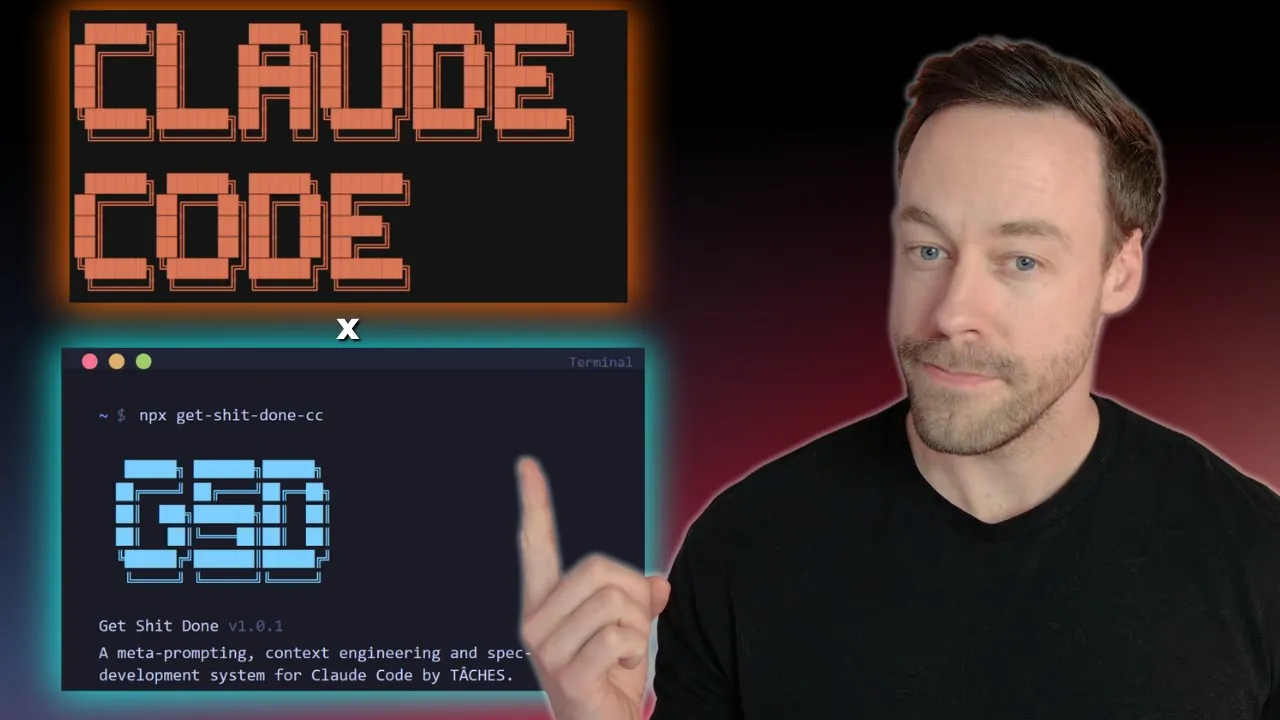
And we did all of that using this brand new framework that allows you to go from idea to finished product in a sustainable, repeatable way that avoids some of the pitfalls that you get into with normal cloud code usage. And that framework is GSD, get done. And today I'm going to break down how it works, why it works, and why I think this is the new meta for solo developers.
So what the heck is GSD and why should you care? Well, GSD, get done, is a context engineering orchestration layer that lives on top of cloud code and allows you to better execute specd driven development. Now, that was a whole lot of buzzwords in one sentence.
And what that really means is if I have an idea and I take it to claude code and I'm using GSD as well, it's going to do a better job of taking me from idea to deployed app. And it does that in a number of ways. And the first way is in the planning stage.
So, this part is pretty similar to normal cloud code. You're going to have a back and forth just like you would in plan mode, and it's going to extract all the information it needs from that very vague prompt you probably started with. From there, it's then going to create a road map which explicitly states all the phases and all the deliverables it needs for each phase to actually execute your plan.
Again, not much different from normal cloud code. However, this goes a bit deeper because for each phase, it then breaks down each phase into sub plans. And each sub plan is broken up into two to three atomic tasks.
And the real money maker here is in the execution of those atomic tasks because they're run in a fresh sub aent context, which means every single task is given essentially a fresh 200,000 context window to work with. Now, why the heck is that important? Well, that's important because of the phenomenon known as context rot.
Now, what is context rot? Well, it essentially means that when I start at the beginning of a context window, no matter how big it is, right, whether that's sonnet or opus or if we're talking some million context window, the tokens at the front end, right, at the first half, and you see that in this graph, are more effective than the tokens at the end. So the longer I use Claude in a single session in the same context window, its efficiency is going to decrease.
That's just how it works. There's no ifands or buts about that. Now Claude Code recognizes that.
That's what the autocompact buffer is kind of built in to help fix. But we can do better. And that's where this GSD sub aent execution comes in.
And this sub aent execution idea, this battle against context rot thing we're talking about, this is the real money maker with GSD. I mean, it's great on one hand that it's going to break everything into phases and it's going to get really granular, but ultimately we care about what's actually going to be outputed, right? I can scaffold these things all I want, tell to do X, Y, and Z, but if I don't get a good output, who cares?
This actually affects the output. And GST spells it out right here. Within each phase, we have sub plans.
Each sub plan has a maximum of three tasks. And each of those is attacked by a fresh sub agent. Now, let's be honest.
Overall, big picture is this going to use more tokens when it comes to creating your app? Totally. Now, there's probably an argument that it's probably less tokens in the long run because we're doing it all up front, but just know that going in.
Another nice thing is that we're getting commits immediately after every single completion. Okay, so all that sounds great in theory, right? But what does this actually look like in real life when you try to execute with it?
Well, like I alluded to in the intro, I did a video yesterday where we did the full build using cloud code in GSD. I really liked it. If you really want to get granular and see it for yourself, go ahead and check it out.
But right now, let's take a look at some of those planning outputs and also show you what it looks like when I'm talking like, oh, there's a phase and then a subplan and then a task. Like, what what am I talking about? What does that really look like?
Now, normally when you're working with cloud code, we're talking about some sort of prompt at the beginning, some back and forth, and probably a cloud MD file. Well, with GSD, it's a little bit different. Instead of just one cloud MD file, we're having we have a couple files that are created.
The big one is the project file. So that's what I'm looking at right here. This is similar to Claude MD where it's like the one source of truth for what you're actually building.
So anytime Claude is, you know, confused or whatever or you start up a new session, you always have this to look at and say, "Hey, this is what we're building. These are the values and these are the key requirements and whether they've been authenticated or not. " And when I say whether they've been authenticated or not, that's because this is a living document.
You can see it's been updated as validated and these are all the different features we worked on in that previous video and made sure were actually created and tested. It then follows that up with the road map document which is different from the project doc cuz it's more specific. It's like these are the exact phases and exact tasks we need to execute on.
So project's more big picture and then road map is more tactical. And then lastly, it has a state document similar to project and roadmap, but this is more of like the source of truth for when you start new sessions or spin them back up again where it says, "Hey, this is the progress. This is what has been done.
" And by the way, here's some like performance metrics of like how long each thing has taken. Now, let's talk about the phases. And this is where we're getting into like what is actually being executed on and why this kind of differs from a vanilla claw code run.
So, for our plan, right, we created essentially like a My Fitness Pal clone type thing. It broke it down into seven phases, right? the foundation where it actually spun up the next.
js JS project then we had database and authentication me logging any integration dashboard payments and polish so these were the seven phases and for each phase for example let's take a look at payments for example each phase created a number of plans in this case we have 0601 0602 0603 each plan as you see right here has a number of tasks associated with it now this is written in XML perthropic suggestions we get an objective context. And this is a pretty dense what is essentially a prompt that gets sent to Claude code that's specifying exactly what it needs to execute again on a brand new sub agent. And what I really like about it, if we go all the way to the bottom are the verification criteria, right?
So before it's going to declare the plans complete, we need to make sure all this stuff is actually done. It has success criteria and if necessary, it's actually going to pause in the middle of development to say, "Hey, you human being, you need to go verify A, B, and C. " And then after you give the thumbs up that the tasks have been complete, it creates a summary file breaking down what it did, what it edited, and it does the commit.
And this is the process that it repeats every single phase for each step over and over and over. And so, as you can see, this is a very methodical but repeatable way by which it's going to create your applications. And there's going to be a lot of people out there who say, "Hey, doesn't something like BMAD do this as well?
" And the answer is yes. But this is essentially like a streamlined version of those orchestration layers and it's more for solo developer right um Takis who actually created this thing has a great line in here where it's like it's not enterprise theater right we understand that you're just one person you just want some sort of scaffolding around cloud code to make sure it executes the tasks it says it's going to execute in an effective way right we don't have to go overboard necessarily with like too much agile planning stuff right like We just want to get it done. Now, for how you actually install this, it's really easy.
Just head to the GitHub, just follow the instructions, right? NPX get done CC and then breaks down how it actually works, right? You just start a new project inside of Cloud Code and like honestly, it walks you through the process and really handholds you along the entire way.
So, that ends my evangelizing for GSD. I actually found even found out about it on Reddit a few days ago, honestly, like right around this time. And you can see it's kind of just like gone nuts the last few days.
I think it's super cool as someone who definitely is not working with with the team, who's doing solo stuff and loves Claude code, but also does really appreciate again sort of the scaffolding to make sure things are being done the way they should be done in a way that I can also monitor and not just be, you know, some vibe coder throwing prompts into a black box and hoping for the best. This has been a godsend. So, definitely check it out.
Give it a star. Let me know in the comments what you think.