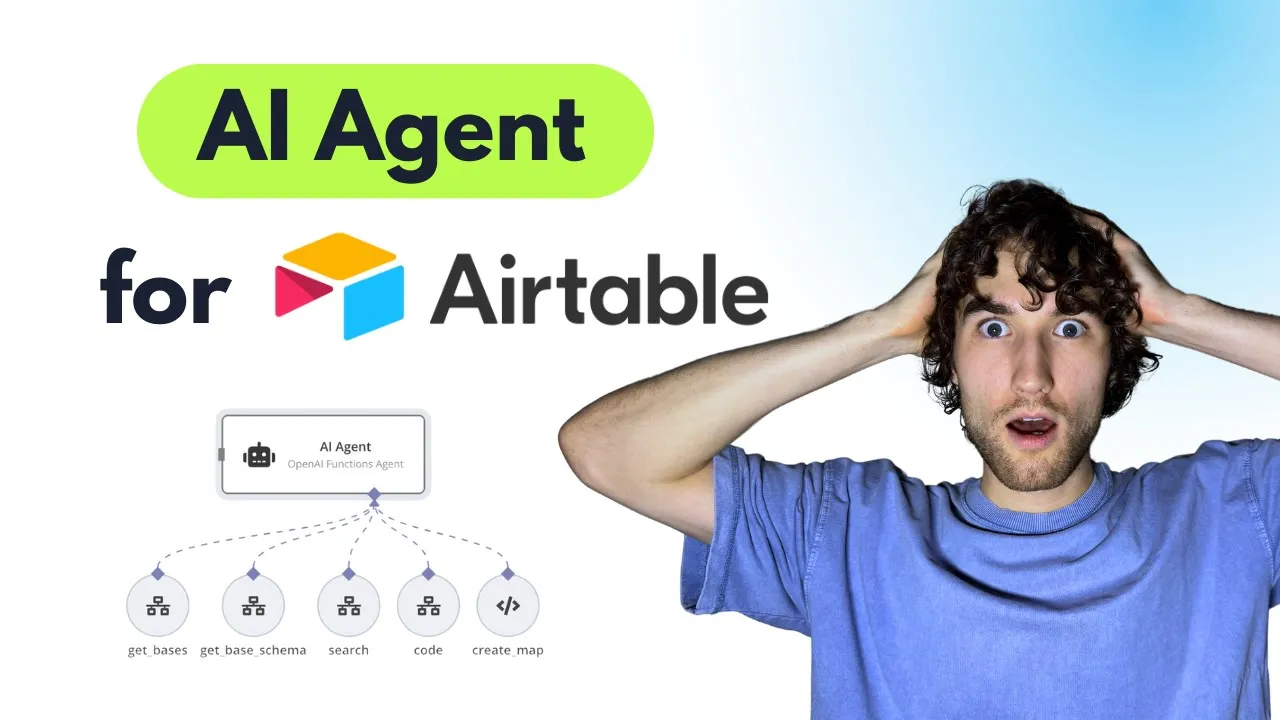
hi today we're going to check how to build based on your data in air table AI agent to talk with this data it's really awesome one because you can find some data about record you need or you can do some graphs or math operations and also even you can create a map based on addresses in your area table let's get [Music] started we'll start with dat in air table here I have a demo data that I copied from one of site that generates demo data and we have a data about orders they have the same
sale date but different products order IDs categories addresses quantity and price is like different data about Revenue margin so also I added coordinates to build Maps because without it you can't actually build easily map but you can add some additional integration that will convert your addresses to coordinates and you will be able to build these Maps images too in na10 we have two scenarios one of them it's main AI agent that can talk with you through chat and use different Tools in another scenario we have a different tools actually there's four of them with different
proposes and in a few minutes we will check how it works let's start with with this scenario so here we have a chat basic chat model nothing special here in the I agent we have a simple AI agent with open AI functions agents I prefer this one in instead of tools agents because it works much better with open AI model window buffer memory for memory of chart conversation also we have a prompt in the agent this system message is result of my own research on work with air and yeah we have a few important advices
for AI agent like use code function for math like count average and other things because sometimes CHP do wrong simple math operations yeah also some additional advices that may help AI agent provide your request better you can check it by copying templates and maybe improve if you want if you find some problems during using DC agent you can add additional notes there so let's check our tools first of all if you checked my previous video about chat agent with super base here we have the same idea that a agent need to know a list of
your bases within one workspace in my workspace I have only one base and with these tool this C agent can get list of bases available for within this workspace yeah as all other tools we have a workflow that we will trigger it's a second workflow this one and we have some extra inputs it's always command it's string that we will use to identify the command and the path that we need to go through for example yeah this one get bases here we will go this path and also we provide workpace ID here it's also static
and it was taken from previous set workpace ad no so it's quite simple tool that we return back to a agent list of bases with their IDs then for each base using base ID a agent can get schema of this base with the name of tables and also description of fields like type description of field if it's a select field it will be list of options and other stuff again nothing special also we asked yeah agent to provide Json with base ID here in this workflow we will use G base table schema note and go
this path we will we will check all details about these tools a bit later next tool is search if because current bot can only search not create or update records we have this Search tool that that's quite complex because there's a bunch of different parameters that can be used during search and each of them has own rules within air table API so I described all limitation to a agent in this description we specify like limit list of fields because if you will try to return all your 100 fields from Air table for thousand records it
will definitely overload window input for open AI yeah and it's definitely a bad idea to get all records without limit so always provide limit for example and we have a sorting and we have a main thing it's a filter and filter is quite tricky we will see that in next scenario and uh because we can't overload description of this tools with different rules and there's a lot of rules for filtering I decided to ask AI agent on this step only specify each request like for example field name with type should be equal or contains mark
and it means that generating filter for API request in air table will be done by another a open AI request as a separate step it makes system weaker a bit because it's better to keep all rules within one a agent that know all data but the same time it's sort of multi AI agent structure where you need to specify right request and get right response between different AI agents yeah something like that so we have a common search we have different parameters like that we specified in Json schema it's base ID table ID limit filter
description sword and Fields not all of them are required as you can see so the agent can leave empty some of them another one too is code so to do different different math operations I decided to add feature you can see it here so we will just trigger assistant on open AI that will use default code tool and generate needed code and provide our data and return needed result also it can generate graph images that we need to save somewhere to provide them as a link in chat because if you want to see these images
as images in this chat you need to provide direct link you can't show binary data here so I will show how to save these images there to as Json schema we ask to provide request and data and for example it's count average for this data and openi will create a code to do these math functions last two is create map it's optional one I just added because I know a few cases for real estate for example where you need to generate custom map based on different addresses in your table so here we use map box
service that can generate by link different map images it's quite simple it's free so you can just replace your token here and it will use a list of markers to generate link to this image that you will see here and again it will return back to you as link or as image here and you'll be able to see that so here we asked to provide list of markers with long with longitude and latitude as list of pins that's all for AI agent here let's go and check how it works on two side okay so in
tools we have execute workflow trigger because we trigger the same workflow from these tools all of these except this code tool and then using command input that we specified in the tool we can add switch node where we specify data it's like it will be always item Json command and then we compare it with the sum of results it will be for functions like search code get bases and get base table schema then we have SIMPLE note from a table because some of a table API request is missing in defaulter table node but this one
you can find it here it's like get many paces and get P schema yeah it's quite simple you just need to replace credentials and choose yeah and that's all the same here where we also specified variable that should be provided by a agent so the idea is that as a first step AI agent will always trigger get basis tool then using this tool then using results from this tool you can see it here you can open this and we can see that there's a lot of different bases so you you can see that as as
result we got different bases with name and IDs and as a Next Step the agent will use this get base schema to retrieve a schema with tables and field names you can see it here so for each table it will return list of fields like table ID table name then field and depends on the field it will provide type of the field name and also description so it's very varable for you to specify all description for all Fields not only for managers you can do it here for example you see my product name and here
we have a product name but also for openi because it will receive description and will give more context to open AI what's going on in this field also for single select for example we will see list of all options so it's also additional context for open AI all these data will help open a ey to understand what's going on within your table and then open ey will use it to search needed data based on fields and tables that you have in the database for search we have a different cases for example we can provide filter
or not and we will use if to identify if filter description was provided or not without filter we'll just get all data without any filtration and if we have filter then we will set some Fields this is a prompt and schema for generating filter so this prompt contains a long long description that I mentioned before with all rules for formula in a table I copied this data and a bit processed with the Char jpt but it's still quite complex and even for people sometimes it's difficult to make right formula for a table that will work
so it's a bit weak moment in all this schema so you just need to know that it might not work for some cases okay and for schema we have SIMPLE string it's filter yeah that's all that we will use in next search request then we just merge both paths and use custom HTTP request to make search request to every table it's quite complex one because we need to get long list of records that shouldn't be limited with 100 records or sometimes it should be limited with 100 records also we don't know how long the query
will be for filtration for example sometimes it may be too long and for this air table has special request it's not a get request it's post request with this list record prefix at the end or post fix where we need to provide base ID table ID and then we provide some data in Json usually you need to do search queries with the query parameters but here we just do it with Json and in Json we combine all different parameters that could be provided here it's sort limit fields and filter by formula because some of them
are optional they could miss in and we're also ready for this case also we have pagination because if we need to retrieve all records we need to use offset parameters that St return to us because maximum limit for number of Records is 100 so it's default settings to use pagination in HTTP requests with a table API then we aggregate this data actually also you need to return back to a agent all errors so here in settings I have on error continue using error output this way I provide this error response directly to response and it
will return back to a agent and a agent will understand what type of error it made for example it may try to retrieve wrong table or wrong base or wrong field or wrong filter for example then we just need need to aggregate this data we need to records from error table and we send all these back to the agent as response here we can see how it works when we need to filtration so as input we have a filter description like field category field type string should be equal to vements and then because filter exists
we set up all this stuff that could be easily changed within like this note and open a returns to us simple filter that can be used in a table HTP request then we use HTTP request and actually here we have a error yeah and all these data for example I unknown field name will be returned back to AI agent I think the problem here was that AI agent used the wrong table ID that's why we need to force him always get bases and get table and base schema to use right ID these for a table
records and tables yeah here we can see the working example so it asked to provide total sale date category and all these records were returned as response back to a agent and a agent send this date further to code no and last two it's complex one where we generate files and generate code process math operation with assistant if you checked my previous video you already saw this group of HTP requests this is how open AI Works actually using HTTP requests so you need to first of all create threat and you just need to specify here
your credentials for open Ai and yeah we just create and we send in message to this threat you can see we send in message where we provide request and data that we already saw it's for example for average for one 2 three um then we need to run assistant within created threat here you can specify any assistant ID that you need to generate in open AI platform for example this one you can get this ID it doesn't matter what actually instructions and tools you have because we will overwritten in this run we specify two Choice
code interpreter and yeah we just Force assistant to use code interpreter for our task and we also have instructions here so you don't need to worry about it you just need to create any assistant with chat GPT for all or for or Mei it's better and provide here your ID then we get messages so the last message can contains image file as content or as attachment so I covered both cases yeah and actually assistant provide you file ID that you need to download it to get this data so if it was image generation for example
graph generation and we got ID we have a file ID and attachments or we will have file ID in content in this case we need to download it this file again you need to change credentials here and I've already mapped all needed data here it will be file ID from this note then I use this temporary files site that let me upload temporary any image and use this link to return back to AI agent because to show this image here we need to have some URL we can't return back to AI agent binary data actually
it won't be shown here as a result so we use this service to to upload image get URL and return it back as response in case we had some math operations we just need to Simply return back to a agent this response and it will be done that's basically all about how it works inside so let me show how to use it because I found it's a bit tricky to force return some data that you need you need to understand that there's a lot of t tables and you always need to specify base and table
to get some data from this table for example we will try to get this order ID by order ID and if I will ask for example please return me order with I did this one it will try to find this order in any base that it will think it will suit for this request and it won't work usually so it's better to clarify where exactly you want to see so you see that it's struggling to search something somewhere yeah it's totally wrong tables yeah as you can see it tried to use sales serum base but
it's wrong serm so we need to clarify that please use base shop orders table you can specify orders it's optional because it will know all tables within this space but base it's required one so as you can see we actually again didn't find it because from the beginning we haven't specified right table and it's really struggling to understand where and what it should find so you need to force first of all you can see using this logs what's going on inside and what data was returned from tools for example what kind of Errors it has
and yeah you just need to start with write request it's like take all bases and use shop base to find order with ID and then the right way it's like get all bases then find schemo of needed base and then create search and as you can see it was done within one request without any problem because a agent follows right logic so basically that's all if you're interested in second part where we add additional tools to create tables and update tables records with the y agent and if you like this video please click like button
and leave some comments and subscribe and join our community where we discuss a agents daily and build it within minutes not and months thank you for joining me today bye