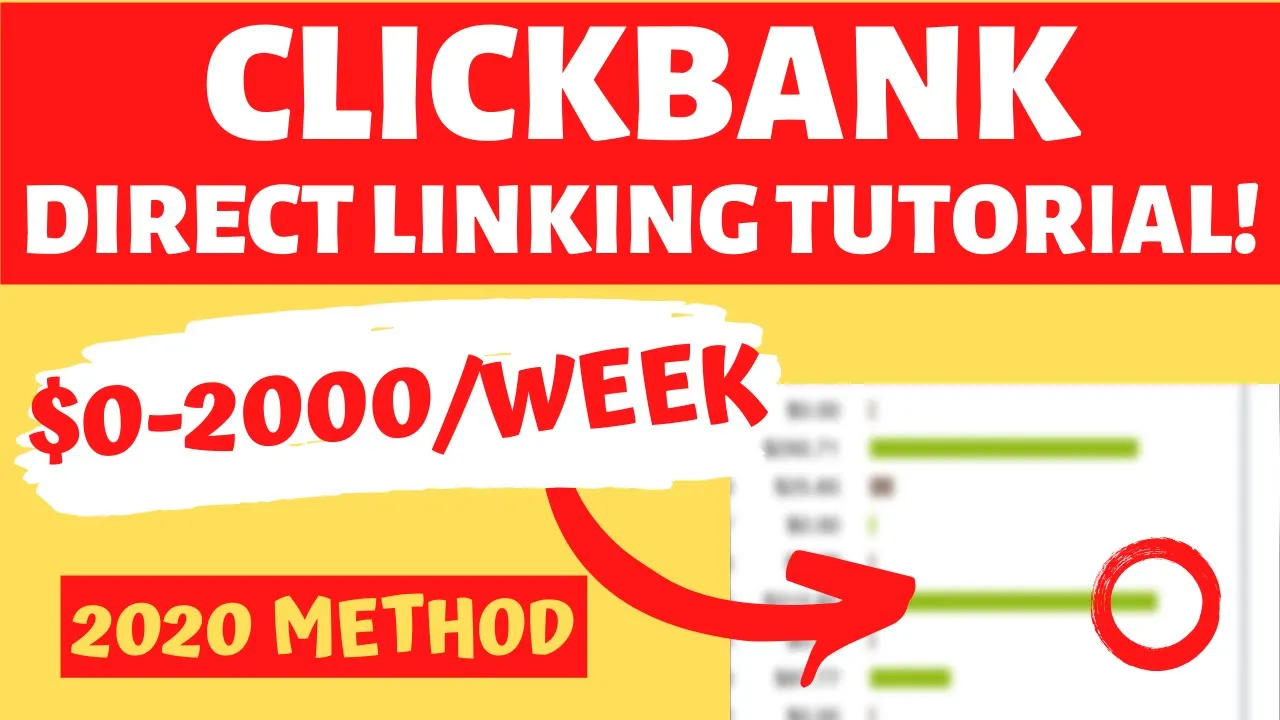
what is going on guys welcome back to another video so I've been fairly successful on a Clickbank using a variety of different methods throughout the years and in this video I want to show you one of the simplest methods of being successful on Clickbank and that is using direct linking alright so in this video I'm gonna show you exactly the things that you can't do the things that you shouldn't do how it all works the things that you need to watch out right this is gonna be a complete tutorial a very comprehensive one and understanding
how it works so that you know exactly how to do it and you know exactly how it works and by the end of the video you shouldn't have much questions about the whole process and really what it's all about alright so I want to begin by showing you this diagram here so that you have a better understanding of how this flow works alright so here's the visitor right this is another visitor and you're basically trying to get the visitor from here you're trying to get them to purchase a product alright so by themselves the visitor
is not gonna purchase anything or they will you know we don't know but if you get them to go from this point A to point B you're gonna get a commission and unclick bank these Commission's they arrange typically anywhere from 50% to up to 95% depending on the kind of product you have and even if you have like maybe 50% or 75% the average is gonna be around 75% and so even if you have something like 75% you can you know and you're sending good traffic you like the offer you like promoting that particular product
or service you can get it robbed so you have a chance to make a bunch of money and so how do you get the visitor from here to here right you can buy traffic right you can buy different traffic on different platforms as a traffic source right they need to come somewhere and you can buy it right so let's say they're hanging out somewhere here or here here you can basically advertise and show your ad to this visitor and then get them to go maybe to your website to a blog click on the product link
you know have them do a checkout and then hopefully purchased and so typically the way this works is that yeah you can buy ads you can do it for free we're gonna talk about buying ads in this case but you can do it for free as well and typically the way this works is that they can basically go to a website right you can direct them to a website and on the website they can click on a link maybe they're gonna read a product review or something like that ah but but you know you can
do that of course and that's it absolutely that's absolutely a good strategy but you can also direct link so for instance they can basically instead of going to your website they can basically click directly and and you know basically skip over the website and go to your product link and so that is what we're gonna be talking about today now the thing you have to understand is that you know the way you can direct link you cannot direct link all the offers right I mean whoever is selling you can directly everything is is absolutely not
telling you the entire truth you cannot drink all offers right and you also cannot really direct link on certain traffic sources so it really depends on two things the kind of offer you're promoting and the kind of traffic source because that's what you know it's all about the traffic source and the offers are even you have to have the right combination and so what I mean by that is let's say you're browsing our Clickbank and you want to promote this offer or let's say we're gonna sort this by gravity which is an indicator of popularity
and Clickbank and let's say you want to promote my shed plans or muscle strength and health and so you want to promote this on let's say on something like Facebook well sometimes you cannot do that okay and we're gonna really investigate and find out what are the things what what kind of offers you can promote on what kind of offers you cannot promote so Facebook is the biggest Google Ads is the second-biggest and then display ads is the same and then Bing s is the least biggest in this video we're gonna talk about Facebook Ads
how to do it with direct linking on Facebook ads and so what you have to be aware of on Facebook ads I would not really direct link a lot of health offers you cannot promote dating right Facebook does not do dating you cannot you know I would really kind of stay away from kind of make money online on each I would stay away from fitness are kind of these supplements I would stay away they make money online that kind of thing what you want to be doing as a beginner right you want to be promoting
these so-called nice offers and there's another word for it hobby offers right you want to be promoting this kind of hobby offers and these are the best ones and the way I think about it is that there are things that people all people need right and these are things like so if you scroll down on Clickbank you have this health and fitness you have making money online things like that these are the things that everybody needs you do not want to promote that you want to promote more of these kind of these nice offers Rises
new things like languages home-and-garden you know maybe even green products you know these kind of niche meaning like not everybody would be interested in them and these offers are what I call these they're gonna fly under the radar they're gonna do you know you're gonna be able to be more successful promoting these offers then basically something like politics something like you know a business a business in marketing and you know these this health and fitness offers right you don't want to be promoting that as a beginner right you want to stay away from that as
a beginner and so that's kind of the first thing you want to take a look at now that we covered that I want to talk about the kind of offers you can promote okay so with on Clickbank there's a lot of these so-called high quality offers and what I mean by that is it's not an offer where basically you know I I go and read in a book about losing weight or something like that it's an offer where you know it's a hobby offer so something like my shed plans this is so let's open this
offer right away let's let's take a look at the software this is a hobby offer and what makes it a high-quality offer is that you're basically building a shed okay you're gonna get instructions on build any shed in the weekend okay and they have a presentation I'm gonna pause that in a say you can take a look and they have all of this and so this is a hobby offer and you have a lot greater chance of promoting something like this on Facebook another good thing about these kinds of offers is that if you go
to their affiliate page so let's go back let's go back to we're in the landing page right and some offers so I'm here in another warfare I'm here at Woodworking right and so if we go here you can basically type Ted's and you're gonna find the software to Ted's Woodworking what you want to do is you want to click on this affiliate page you do not want to click on this because this is the main landing page right this is what we're gonna show to the end-user and so if you click on this affiliate page
you're gonna open this up and you're gonna see a lot of interesting things and what you're looking for is you're looking for Facebook or Google compliant page right no income claims and it's it's compliant for several reasons the first reason is that they're not making income claims Google Facebook they don't like it when you're making claims okay the second reason is that it doesn't have Clickbank anywhere in there right so this so typically Clickbank um you know links tracking links whatever you want to call them they have some day and didn't Clickbank that night they
have something like a hop dot Clickbank that net right this is this is gonna be your Clickbank ID this is the name of the product and then you have hop Clickbank that not these pages do not have it right so this page is basically linking to their main site right or at least one of their sites you link using your ID but this is and what's beautiful about this page number one is they're not making the same claims so for instance they're saying no income claims and the second thing is that it doesn't have any
where Clickbank on it and that's really kind of the Holy Grail right because Facebook Google they don't they don't like affiliate marketers simply because they make a lot of claims and they're just trying to push products which is kind of what we're doing right we're affiliate marketing right but if you're sensible about it right if you are you know very honest about it you're not you know you don't want to make crazy claims and the the other benefit is this goes through the main page right and so and it's not completely evident that this is
affiliate marketing right this could be just you know this could be my own product and I'm just using different links right whereas Clickbank is very very evident and so that's kind of what you want to be fine you want to be finding these offers that say compliant page and I found a bunch of other offers right so this is our this is the same one I believe right Ted's Woodworking small shop we have this I found another one so this is our instant manifestation and if we scroll down we have Facebook compliant via cell link
right here's another one and then I have found another offer that you can do that and this is a small shop ultimate small shop and you see that it has ultimate small shop Noir pop-up Noir order play whereas so here you have direct affiliate link Google PPC safe and then they give you Facebook compliant land that right and the way you can do that right the way you do that is you basically are scrolling around and let's say you find an offer you want to do you have to open their affiliate page and you basically
have to take a look and if they see they have a Facebook compliant page some offers will some offers don't and in my honest opinion this is kind of the way you promote it because they are their tested it they know that it works with Facebook they're not making crazy claims and this is kind of the way you want to look at right and so you can scroll around you can also go on google and you can basically type something like this Facebook compliant and you're basically looking for affiliate pages that have facebook compliant and
then maybe some Clickbank links right so this is one query I have this is how I found ultimate small shop you're gonna find some other ones right you're gonna find some of the instant manifestation secrets right and so you know you're gonna have various types of articles right and you basically you have to kind of scroll and look at different results and try to find or you can basically go over by offer and see if you can basically find an offer that's Facebook compliant if you find a very good offer that you want to promote
but it's not Facebook compliant it doesn't have a Facebook compliant meaning like the URL doesn't have like a normal arm link without Clickbank that net and that also you know they're you know it's a separate page without crazy claims and things like that that Facebook is gonna be cool with you can basically email them and say hey I want to promote this on Facebook do you have a facebook compliant page or do you know how other affiliates are promoting this product directly on Facebook remember we're talking about the REC linking right and so they can
go out and even create a page for you right if you know they think you're gonna make the or maybe they're gonna give you some advice and say hey one of the affiliates they basically removed our they created their own they basically took one of our pages they removed something and then we host it on our page and this is still direct linking and so you do not want to be direct linking just a regular page you want to be direct linking Facebook compliant page and this strategy is gonna work on Google or you know
Google Display as Google Ads Bing ads etcetera etcetera and so right now I want to show you how you can actually create the ad as well on Facebook so that you understand how it works okay so let's say we want to promote this let's say we have wood profits right let's say we want to promote this one right here so this ultimate small shop and so we have a lot of stuff we can get images we can get banners right so we can open this we're gonna get images and a lot of nice content right
we're gonna get we even have videos right so you can promote this on Facebook when it comes to videos or you can even promote it on YouTube as well using the compliant page so you have a lot of options right how to set up a complete shop so this could be a really nice image to create an ad out of so I'm gonna go ahead I'm gonna save this I'm gonna save this image to my hard drive and so I save this image and then we're gonna go out we're gonna create the ad so here
I am in Facebook's ad manager I'm gonna show you how to create the ads for this campaign from beginning to end so we have to click on create and we're gonna have this kind of wizard so you can call it what you want you can call it c1 we're gonna leave this on basically the way it is right now I like to set up basically an ad budget for the ad set for each ad said I don't like to do to use this sometimes I do use it but for the purpose of this tutorial which
is gonna keep it simple so you have an ad set one ad one we're gonna save this to draft and we're gonna keep continuing it's basically gonna create a skeleton structure for us right so we have this campaign we have an ad set we have the ads first we're gonna set up the ad set so if we edit that we're gonna go out and we're gonna be basically arm configuring this ad set and so you want to scroll down you want to start with maybe something like ten dollars is a daily budget you want to
start the next day at midnight so we're gonna start it the next day at midnight we're gonna make this on midnight okay next is the audience definition okay the first thing is you want to put United United States in there so we want to do that we want to put basically United States search locations I'm gonna put United States I'm gonna pick it here we want to choose people living in this location not people recently okay because we don't really care about tourists for the age I like to do 25 plus and this is probably
gonna work better with maybe in all their audience it's just my guess and I'm also guessing is gonna work better with males so I'm just gonna target males okay simply because it's just one of the things that I feel is gonna is gonna connect work more with males and if you actually go on this page you can watch some of the video and there's typically like a male there and that's why they're trying to appeal to males right this is kind of a I would assume this this offer is gonna work better with a male
audience and so now we have 91 million people and that's way too much what we're looking for is anywhere from 1 to 10 million somewhere around there and what we want to do is we want to do you can do automatic placements you can do manual placement so I'm gonna get to that in a second and first I want to go to detail targeting right and this is where we are adding entering our demographics so the first thing you want to do is you want to make things simple for yourself right I want to go
out and I wanna see if they're basically giving me customer demographics and in this case they are giving me customer demographics and look at this is 95 percent male so we can do that 25 to 65 which is kind of like why I didn't want to target anybody under 25 ethnicity we don't really care homeownership is important countries that's out 5 countries so here we have the interest and these are the main interests and then we have additional interest so we're gonna start with these ones and then let Facebook kind of figure it out for
us so remember it's would work in the DIY home improvement and survival so I'm gonna start with woodworking and DIY so woodworking let's do woodworking and we have woodworking this is employers we have interests it's 134 million and it's 14 million so this is a good one Facebook is showing it's a little bit on the broad side we can basically what we can do is we can narrow this audience with something like homeowners because typically this these are gonna be homeowners so small business owners home let's try home and let's see home interests home appliances
home depot right so you can basically match it with this and you're gonna have a super targeted audience and this is just me on the fly right because somebody that goes to Home Depot right they're working on their home they're interested in woodworking they're interested in DIY do-it-yourself kind of things so we're gonna do the so for this asset we're good enough okay you can do manual placement is what we're not gonna do that we have five million which is perfect and so we have one ad set that's correct and I'm gonna just call it
I'm gonna have a name and what I'm gonna do is I'm gonna basically name it woodworking so woodworking and the next thing you want to do is you want to basically edit the add are under that ad set ok the ad is what gets displayed this is the creative it's it's an important thing when you're creating the ad you need a page basically I have a bunch of pages that I used this is for one of my other campaigns and you basically need to create a page okay so I'm not gonna do this in this
video it's a very simple process once you create the page in fact if you're gonna if you go in here and you don't have any pages linked to your a personal account it's gonna basically tell you that you can create a page you can do that we have an ad we're gonna create an ad it's gonna have a single image and we're gonna do all that so what we want to do is we want to add images right so we're gonna click on add image we're gonna go and upload this image that we create it
and now it's uploaded and then we have the image it's selling us that this image is smaller than 600 by 600 and so what you want to do is right when you see that you want to go on canva so once you're in canva you have to click on create design we're gonna do Facebook ad and then we can basically create an ad given the image that we have okay so we can basically upload this image here we're gonna upload this image and we can basically create an ad out of it right so we can
do something like this in fact we already have an ready right you you know this is kind of it right so let's say we can create more text and you don't want to add a lot of text if maybe they have something else would would let's say we have some templates so there's a couple of yeah there's not a lot of kind of as so we can basically use that you can play around with it or things like that we can basically publish it here we're gonna download this and now we have the image that's
ready in the dimensions that Facebook likes okay we're gonna save this we're gonna you know get out get out of here and we're gonna go back to Facebook and we're gonna be basically upload we're gonna click on upload and we're gonna upload the image that we created once we do that Facebook is not gonna complain anymore because this image is in the perfect dimensions okay so we have that now the add you have to play around with it right you know I'm not very artistic you can hire somebody to create the image I just want
to show you the kind of flow you can do using this particular campaign okay so now it's basically showing us since we picked automatic placements it's gonna show on different devices you know mobile desktop different placements around Facebook depending on so we can basically prove preview it and what you want to do is you want to have your primary text and this text appears above the image right I ever wanted to create your own shed or something like that you can basically go back to their Facebook and you can set up your own workshop under
a thousand you can do that and you can basically read what they're telling you and so sometimes they do email swipes email swipes is a really good place to start and looking at different arm ideas right so you can basically download this download that you can open it up right you can you can do that so let's say we open this up we take a look we save that we open email swipes okay so now you have my email swipe open and in the email swipes obviously these are designed to be sent a subject and
you know the body and all that but they also give you really good headlines so what I would do a secret tool source that saves you three that we small and how to avoid them right so they give you some interesting ideas set up your worship so I don't want to I don't want to make claims on facebook I want to kind of stay away from that I'll learn to set up so I want something very innocent right I want something very innocent and simple so I'm gonna go back and I'm gonna try something like
this I'm gonna go back to Facebook and I'm gonna try set up your own workshop very easily learn how to set up so you want something very simple so you can do something like learn how to set up your own workshop right then you can add more things and this is basically gonna appear above the image right this is one of the first things that people read next we're gonna have the headline disappears here and you can type the headline you can do all that basically it's up there and then you have the display or
all the display or all could be the link they're giving us right so we go back to the link we have this link here direct affiliate link new Facebook compliant land there right you want to take this and you want to replace your a by the by the thing you you don't even need to replace that the tid is kind of an individual tracking link you want to basically replace this right so once you have that once you have that place you basically replace this by your clickbank ID right you need to have a Clickbank
right and so once you have that and then it says replace with your actual ID replace tracking with any tax that that you track leads and your Clickbank dashboard so this doesn't even need to be right so you know you don't even need that I mean it's a good idea because from that Facebook campaign you can also set it up so for instance you have your face our Clickbank our ID and then you have here fb-01 campaign or something like that right so we can go back here we can go back to our website URL
here and we can replace this so this is gonna be your Facebook ID and you can basically type that in there and there we go small shop guide com how to set up for fully so this does not seem very affiliate marketing lee right it's it's not there's no Clickbank or anything like that it's legit just replace this with your this is gonna be your CB ID and then you might you might have something like this you're gonna have something like FBO 1 or something like that for this specific campaign right and so that's kind
of how you set it up and the next thing you wanna do is you wanna duplicate the ad cess and this is an optional step you already have a campaign that you can you can start running right now you do not need to do anything in fact yeah let me just fix this link on one or something like that or whatever you want it because that's gonna appear in your Clickbank dashboard and so what you want to do it this is kind of an optional step you don't need to do it I just like doing
it because I basically like to create my Facebook campaigns using different ad sets so I'm gonna duplicate that I'm gonna duplicate it five times you can duplicate it as much as you want and so I'm gonna duplicate it four more times and what I'm gonna do is I'm gonna add at the ad size because I want to try different interests and I want to keep it one interest per ad set okay so if I go in here and we have this original ad set and I'm gonna go in here and I'm basically gonna click on
click this edit name well not only name we're gonna edit the name as well we want to edit the whole thing we're gonna click on this pen here and we're gonna load up this asset now you can scroll down and you have the daily budget you can change it to $5 and what I want to do is I want to basically edit this detail targeting and I want to modify Woodworking okay so I want to click on suggestions and they give you a carpentry right this is an aji Gnaeus one we're gonna remove carpentry we're
gonna remove what woodworking and now we have carpentry and we have Home Depot right so you can roll with it you can remove this if you want but I have a feeling your potential reach is gonna be sky-high right now we have 1.9 million which is perfect right remember you want to start small initially really that's the secret and then later on Facebook is gonna figure out who your audience is and is gonna it's gonna be a lot more successful and so we're gonna edit this ad set and we're gonna call it our carpentry okay
carpentry okay so now I have to add sets that I've created then I have three more copies you basically repeat the same process you go in here and you basically go into your detail target and you click on suggestions you take the next one over and then you remove that one right Facebook is going to basically suggest you you can do that if you'd like you can start with just one asset that's up to you I just like this approach a lot you can also basically decrease the daily budget from $10 to $5 and if
you have five assets is gonna be $25 you can even start with $2 right two times five that's ten dollars per day it's it's really up to you the more money you start with the faster you're gonna be able to reach that campaign the faster you're gonna reach people and that is how you do it right that is all you need to do then you click on publish and it's gonna go into a review and you're gonna start promoting I'm currently promoting some of the other offers so I'm not gonna you know promote this particular
campaign but this is exactly how I've been promoting my other office and how I've been able to make money with affiliate marketing all right guys so that is all I wanted to cover in this video if you have any questions or comments anything at all that I cover in this video definitely leave them below if you enjoyed this tutorial smash that like button and subscribe to the channel and again thank you so much for watching this video and I will see you in the next
![DAX Filter Context Basics [Full Course]](https://i.ytimg.com/vi_webp/Rpa8mDH7mes/mqdefault.webp)
![Excel to Power BI [Full Course] 📊](https://i.ytimg.com/vi_webp/gjnnqsdvAc0/mqdefault.webp)


![Visual Calculations in Power BI - DAX Made Easy! [Full Course]](https://i.ytimg.com/vi_webp/JITM2iW2uLQ/mqdefault.webp)

![Hands-On Power BI Tutorial 📊 Beginner to Pro [Full Course] 2023 Edition⚡](https://i.ytimg.com/vi_webp/77jIzgvCIYY/mqdefault.webp)

![Conquering PL-300: Power BI Data Analyst Certification 📈 [Full Course]](https://i.ytimg.com/vi_webp/BDGzVpt1xCg/mqdefault.webp)
![Power Automate Tutorial ⚡ Beginner To Pro [Full Course]](https://i.ytimg.com/vi_webp/KsgxDz-nY_I/mqdefault.webp)