GPT 5. 6 is here and this is an absolute beast. In this video, we're going to go over all the impressive things that it can do and where and how to use it.
And of course, we're also going to go over its specs and performance against other competitor models. Let's jump right in. Thanks to HubSpot for sponsoring this video.
All right, so Justin, OpenAI releases GPT 5. 6. This is their latest most intelligent family of models.
In fact, this consists of three different models. There's GPT 5. 6 six soul which is the largest and most performant variant.
This is also the most expensive and then Terra is in the middle and then we have Luna which is the smallest model so it's the fastest but also less intelligent. First of all it's important to note that for all these Frontier models they can already handle simple stuff like writing emails, summarizing things, writing essays or doing research for you. So in this video I'm not even going to show you such tests.
It's way too easy. I'm going to push its limits on some much harder stuff. Now for this latest GPT 5.
6 6. You could use this using the online chat GPT platform, but it doesn't really do it justice. Especially if you're working on something that requires using multiple files or tools or multiple steps.
It's much better to use GPT 5. 6 with an agentic framework or a harness like Codeex. In fact, they've kind of redesigned the Codeex app to just be called the chat GPT desktop app.
You can download this for free for whatever operating system you're using, and it looks like this. It's pretty similar to the online chat GPT, but with this you can basically get multiple agents to work on multiple files and folders on your computer at once. You can also save skills to be reused later or even schedule automations, so definitely give the Codeex app a try.
It's free for you to use. All right, let's start off with a really complex prompt already. I'm going to get it to make a web app where there's going to be an anime girl who can talk to me in real time.
So, here's my prompt. Make a role- playinging web app. It should feature an interactive avatar which I can chat with using voice.
There should be an animate girl who I can talk to. Use GPT image to make multiple images of this character with mouth movements. So you can stitch them together into animations.
And then here I got it to use Google's Gemini realtime voice model. So what I did was I just went to Google's AI studio and then clicked on real time. And then I chose this one cuz it's a bit cheaper.
And then I'm going to choose this voice. And then at the top here, I simply click on get code. And then I'm going to copy this and then paste the code in here for it to refer to.
And then down here, I also give it my API key. And then I wrote the character should be animated with lip sync so that it looks like she's speaking out the audio. And then for the model, I'm going to use the largest 5.
6 sole and set this to the maximum thinking mode, which is ultra. Let's click run. All right.
So that took it 17 minutes. And you can see here it's using GPT image to generate this avatar with different mouth movements. And it told me to run this with my API key and then open this URL.
So let me do that really quickly. And here's the interface. Let's see if this works.
I'm going to press on start voice chat. Hello. Can you hear me >> loud and clear?
Welcome to our little corner of the stars. Are you ready for some stargazing or maybe a story? >> Can you tell me a joke?
>> Why did the star break up with the moon? because it said the moon was just going through too many phases. Pretty cheesy, right?
Got a better one for me. >> So, there you go. Here is a fully functioning anime girl, which I can talk to in real time.
It was able to code up all of this in just one prompt, and everything just works. I didn't even need to send any follow-up prompts or correct it any further. Really impressive.
Next, let's test its physics understanding. So, I'm going to get it to simulate liquid splashes with adjustable gravity and light settings. make it visually stunning.
And to make it even more difficult, I want it to allow me to control movements using handtracking via webcam. And here's the key, do not use 3JS or any other external libraries with, you know, pre-rendered physics animations. It needs to code up everything from scratch.
Again, I'm going to use 5. 6 Soul Ultra and then press generate. So, it worked for 12 minutes and that was it.
I didn't need to prompt it further. I didn't run into any errors. Everything just works.
All right. So, here is the interface. You can see the liquid does look pretty accurate.
I can adjust these different settings like flow energy, brush radius, gravity, vector, viscosity, vorticity. I can change the colors here. So, here are some additional colors.
And here is where I can turn on my webcam to start hand tracking. So, let's click on this. So, now it's pulling up my webcam and tracking my hand.
Very cool. So, I can draw all over this canvas. Let me change the colors a bit.
And then over here, I can also change the key direction as you can see here. Also the light intensity and also liquid gloss and the bloom or basically the glow effect. Very nice.
Everything just works in one prompt. That's the beauty of GPT 5. 6, especially the largest sole model with, you know, extra high or ultra thinking.
It usually gets everything right from just one prompt. There's very minimal handholding and you don't really need to prompt it further. Now, because GPT 5.
6 is designed for agentic use, it can autonomously call and use various tools to complete a workflow. So, let's test its ability to do exactly that. I'm going to give it a product page.
This is the landing page of Bite Dance's latest image model, Cdream 5 Pro. And I want to get GPT to create a promo video about this product. We're going to use Gemini TTS to include a voice over.
And then we're also going to use an open source tool called Hyperframes to create the animation. I'm not even going to tell it how to install it. I'm only going to link to this GitHub repo.
So, it needs to scroll down and look at the instructions and figure out how to set this up itself. And then here are more specs. So, it should be 16 to9 around a minute long.
Include actual images, demo images or videos from the product page. And then use this existing audio as the background music. And then afterwards, I just pasted some documentation on how to actually use Gemini TTS.
Plus down here, I gave it my API key so we can actually use Gemini TTS to generate the voice over. And that's pretty much it. Let's press generate.
All right, so that took a painfully long time. It took 30 minutes to actually generate the video. There were some elements that were overlapping, such as some text or images on other images.
So I added a follow-up prompt, make sure no elements overlap, and then it rerendered the video. And here's our final result. >> What if image generation could think like a creative partner, not just make a picture?
Meet Cream 5. 0 Pro, Bite Dance Seed's multimodal image model for advanced reasoning, efficient creation, and professional production. Mark the space, sketch the idea, or annotate the change.
See responds with precise edits while the rest of the frame stays intact. It can even separate a finished image into editable layers. Need more than a beautiful frame?
Build information dense infographics, product layouts, storyboards, and interfaces with detail that holds up. Push realism further with authentic light, shadow, skin texture, and cinematic composition. Take the same workflow global with native prompting and image generation across a dozen widely used languages.
From first concept to final campaign, Cream 5. 0 0 Pro gives creators more control, more clarity, and more room to explore. Beyond generation, it understands design.
As you can see, the video still looks pretty bad. There are some places where the text is kind of overlapping with the image. It's not really placed nicely.
The letter spacing is also sometimes messed up. So, in terms of creating professional visual content, it is still lacking. You've probably heard how useful ChatGpt can be at work, but if you're not quite sure how to actually use it beyond asking random questions, this is the ultimate guide for you.
Check out how to use ChatgPT at work by HubSpot. I've put it in the description below for you to access for free. This guide walks you through how ChatGpt actually works, what it's good at, and how to stop treating it like a simple chatbot and start using it like a real productivity assistant.
It starts with a simple breakdown of AI and ChatGpt. So even if you're new to this, you'll understand what's happening behind the scenes. Then it shows you practical ways to use Chat GPT at work from drafting emails and doing research to sales, lead genen, customer support, marketing, and product management.
My favorite part is the section on creating better prompts. It breaks down how to give Chad GPT the right context, the right task, and the right details so you get sharper, more useful responses instead of vague or generic answers. It even includes advanced techniques like iterative prompting and asking GPT to help improve your own prompts.
It also includes a free doc, 100 ways to try ChatGpt today. You can access it for free using the link in the description below. Thanks to HubSpot for sponsoring this video.
All right. Next, let's see how good it is at making music. So, here's my prompt.
Make a DAW interface with these instruments. For each instrument, there should be a piano rule interface where I can drag and drop notes on the timeline. Each track should have pan, volume, and other standard settings.
Add play, pause, and other settings. Put everything in a standalone HTML file, make sure it loads efficiently on a regular web browser, and then by default, show a powerful expressive 32 bar song. include effects, automation, panning, and make sure everything is mastered well.
Again, I'm going to set this to 5. 6 soul ultra, and then press run. All right, so it worked for 11 minutes, but when I tested it, it kind of sounded robotic without much variations.
So, I wrote add more variation and creativity. You can add more instruments if necessary, add risers and drops, add volume and FX automation for the tracks, add more width, make it sound amazing. So, it worked for an additional 12 minutes.
And here's the final result. So, it just keeps looping after that. But overall, not bad for just two prompts.
It was able to add some really cool transitions like risers and symbols and drops. It's able to include and orchestrate all these instruments together into one fairly coherent song. It's not going to win a Grammy.
It still doesn't sound like a professional humanmade track, but it does seem to be better than what I got from the other Frontier models. Next, let's see how good it is at rendering 3D scenes. So, I'm going to upload this image.
It's a pretty complicated image with a ton of different elements. And then for the prompt, I just wrote, "Create a beautiful 3D animated scene from this image. use a single HTML file and that's pretty much it.
So, it worked for 11 minutes and afterwards it did give me a simple render. However, it was quite simple and not really detailed. So, I wrote add more details and make it look exactly like the reference image.
And afterwards, here is our result. As you can see, it doesn't look exactly like the reference image. The tables and the chairs and the walls aren't really in the right place.
But again, this is a really tricky image, and none of the other top models, including Claude Fable, were able to get this completely correct. What I do like about this is that all the objects are very coherent from the start, such as the legs of the chairs and the tables, plus the screens and the keyboards. Most of the objects do look coherent.
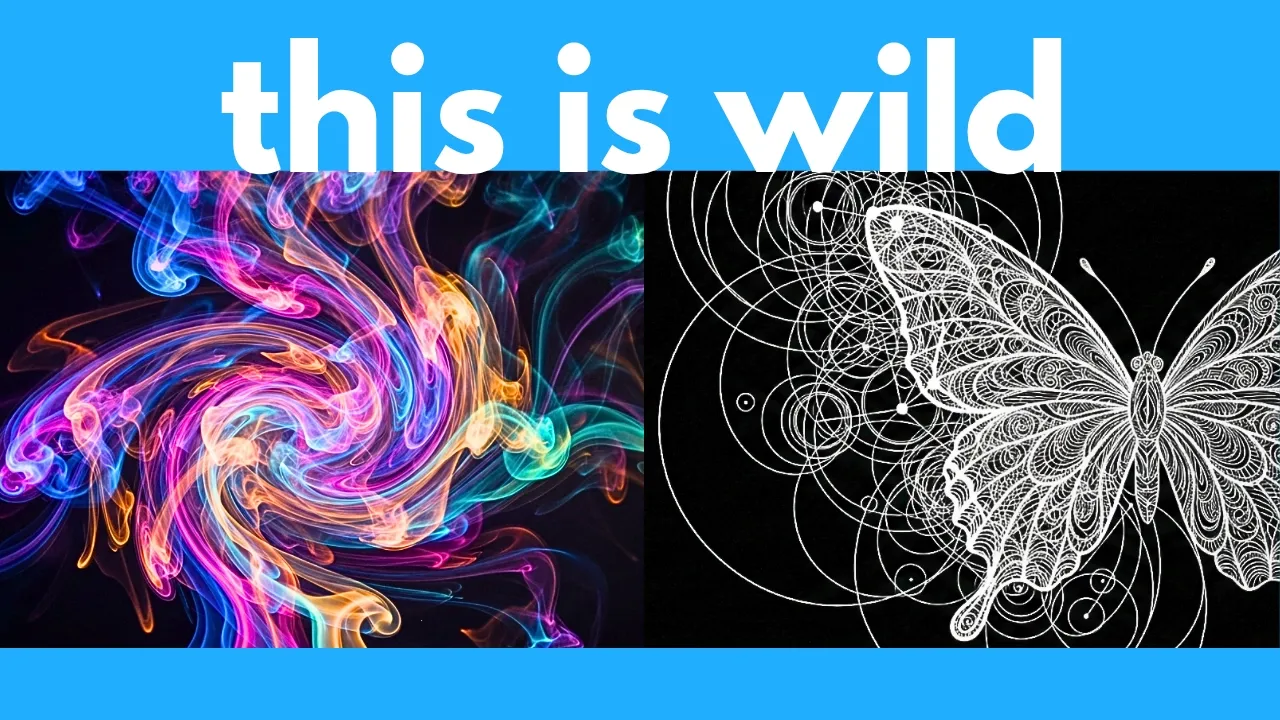
Next, let's see how good it is at making math animations. Here, the prompt is create a beautiful manom animation where for your epicycles, draw a butterfly, etc. , etc.
Save the output as MP4. Now, for those of you who don't know, Manom is basically a tool to create math animations, but I don't even have this installed yet. It needs to search for the Manom GitHub repo and figure out how to install this in my folder and run it.
Anyways, let's click run. Now, again, 5. 6 Soul is super slow, so it worked for 19 minutes.
It did output a video file of the animation, but the butterfly looked way too simple, so I prompted it further to make it look better. and even more complicated, but the butterfly still looked pretty ugly. So, I wrote make the markings on the butterfly even more beautiful and accurate.
And then it worked for an additional 17 minutes. And here is our final animation. And as you can see, this animation is really complex.
It contains a ton of these fer circles connected together in order to draw this really complex butterfly shape. I did the same test with the open- source GLM 5. 2, but the animation from GPT 5.
6 6 does look a bit better. I especially like the outlines on the butterfly wings. So, those are some tests on the Codeex desktop app, but you can also use the new GPT 5.
6 directly on the online chat GPT. So, in the model dropdown, you should see a version of GPT 5. 6 depending on which plan you have.
Since I'm on the pro plan, I do have access to 5. 6 soul. And for intelligence, I can select all the way up to pro level, which is the highest.
In my next test, let's see if it can identify cancer. So, I'm going to paste in this image of six different scans and then ask it to identify the types of tumors in each of the six images, if any. Let's press generate and see if it can get this correct.
All right, so it thought for 18 minutes and here is its answer. For all scans in the top row, it just identified them as hemorrhages and not tumors, which is not correct. All images here actually contain a type of tumor.
And then for bottom center, it identified this as cranio farenioma, which is also not correct. And then for the bottom right, it also said this is not a tumor, which is wrong. It completely failed this test.
However, I still appreciate that it actually tried to answer this. Whereas for Claude Fable, it will just outright refuse to answer any biology related questions. All right, it's time for your favorite test, finding the frog.
So, I'm going to upload this image. And there's a frog hidden somewhere in this image. Now, I'm not even going to say that there's a frog in this image.
I'm going to ask GPT if there's any animal in this image, and if so, identify it and circle it. Again, I'm going to use 5. 6 and then pro.
Let's see if it can get this correct. All right, so it worked for 13 minutes, and it said yes, there is a camouflaged frog near the left edge of the image. I circled it in red.
Now, if I click on viewed the circled animal, it circled the frog here, which is not correct. So, unfortunately, it failed the frog test. Note that Claude Fable 5 is the only model so far that was able to successfully find the frog.
I'm actually surprised that GPT 5. 6 couldn't find it because it should have better vision capabilities than Cloud Fable. Now, let's be nice to it and give it a second chance.
This time, I'm going to upload this image. And there's an animal hidden somewhere in this image. And then I'm going to write the same prompt.
Is there any animal in this image? If so, identify it and circle it. All right, for this prompt, it took a ridiculously long time.
It worked for 27 minutes, and it identified that there's a well- camouflaged toad near the center of the image. Now, actually, where it circled is correct, but this is definitely not a toad. So, it only got it half correct.
All right. Next, let's also test its ability to do deep research. So, here's my prompt.
describe the molecular drivers of this type of leukemia. Include relevant tables and visualizations. So, a very deep and technical medical research report.
Let's see its response. So, this worked for 31 minutes and here is what we got here. It gives me a nice table on some molecular response terminology.
Everything has relevant citations. Next, it talks about molecular drivers of this leukemia with a very thorough table. It even gives me a nice flowchart.
Here's another flowchart. And then next section is evolution of targeted therapy. Again, very thorough and comprehensive.
The thing I like about chat GPT is it doesn't ravel on and on like Gemini. It's very short and concise and it only answers exactly what you ask it. And then here is section three, resistance mechanisms.
Again, with a very nice table, jam-packed with a ton of very useful information. And then afterwards, longitudinal outcomes. Here are some frontline studies.
Again, a very nice table breaking down the specs and results of all these different studies plus some additional figures. And then afterwards, the next section is third generation and later line longitudinal outcomes again with a very thorough table. And then finally, it ends with some overall conclusions.
Now, when you open up chat GPT today, you might have noticed a new tab called work. This is actually super powerful. This lets you use GPT more like an agent rather than just a regular chat interface where it answers simple questions.
So with work, you can link to your files and folders in various platforms like Slack, GitHub, Google Drve, Google Workspace, etc. And you can get an agent to work on these files or carry out a workflow autonomously. This is great for like creating presentations or spreadsheets, analyzing data, synthesizing information, etc.
Now, it's a bit beyond the scope of this tutorial, but let's just do a quick example where I get it to fetch the Q1 2026 earnings reports from Alphabet, Nvidia, and Amazon and create a slideshow comparing their financials and future outlook. And then I'm going to set this to 5. 6 Soul Ultra.
And then press run. It worked for 26 minutes. Again, 5.
6 Soul, especially the extra high or ultra modes, are incredibly slow, but they get the work done. After all this research and data synthesis, it gives me this final presentation. So, let me pull this up.
And as you can see, this is very comprehensive. Here's the revenue growth and operating margin for all three companies. And then here's the next slide.
Here are some additional metrics for all three companies. Here is investment gains, then capex. Just from an initial scan of this, the data and conclusions that it draws from this are actually very insightful.
Here you can see it deep diving into Alphabet's financials. And then here's a deep dive on Amazon. And then finally, Nvidia.
And then here's the forward outlook for all three companies. Very interesting insights and conclusions. So that's the full presentation.
As you can see, it looks very professional. All right. Next, let's go over some specs, performance, and benchmarks.
Now, as with most Frontier models out there, this is especially designed for aentic coding and reasoning and autonomously doing some really long horizon tasks that require multiple steps or hours of work. This can keep working and working for hours until it achieves your specified goal. And if you look at this agent's last exam benchmark, and this is a benchmark that tests an AI model's ability to perform some really long professional work tasks.
As you can see, the largest GPT 5. 6 Soul was not only able to achieve the highest score, but also at a much cheaper price point compared to Claude Opus and Claude Fable, which is all the way down here. This is incredibly expensive and not even as performant.
And similarly, if you look at this agentic coding benchmark, you can see that the largest GPT 5. 6 soul at max level or even just the extra high level is still able to outperform Claude Fable, which is over here. Not only is Claude Fable less performant, but also more expensive.
In terms of this benchmark, Genebench, which tests the model's ability on long horizon genomics tasks, you can see that GPT 5. 6 Six. Soul by far outperforms Claude Opus 4.
8. And keep in mind, Fable is not on here because if you've watched my previous review on Cloud Fable, it just outright refuses to answer any biology or cyber security related questions. It has like really strict guardrails.
So, it's pretty nerfed. Whereas, you don't really get such nerfing with GPT 5. 6.
So, especially if you need a frontier model in like biology, GPT 5. 6 is currently the best option. The crazy thing is here it says GPT 5.
6 was used to accelerate OpenAI's internal research. They use it across the development loop and as a result it really helps accelerate their R&D. This is not surprising.
OpenAI and probably the other frontier AI labs already have a form of recursive R&D loop where they just get the current generation of AI models to help develop, design and create the next generation of AI models. And this process is only going to accelerate more and more. Now, if you look at an independent leaderboard called artificial analysis, you can see that interestingly GPT 5.
6 Soul Max is still one point behind Claude Fable 5. However, if you look at the average price, it is way less expensive than Claude Fable, like less than half the price. So, this is way more costefficient compared to Claude Fable.
Now, here's a really important metric, which is the omniscience hallucination rate. This measures how often the model hallucinates. And as you can see, GPT 5.
6 6 soul maxes all the way over here at 89%. So this hallucinates way more often compared to Claude Fable which is only 55% and the open- source GLM 5. 2 which is only 28%.
Now this 89% doesn't mean that it hallucinates 89% of the time on average. This only means it hallucinates 89% of the questions from this benchmark. Just in we also have the official results from this other leaderboard called Deep Sweet.
This is quite an accurate measure of how good an AI model is at long horizon software engineering tasks. And if you scroll down, as you can see, GPT 5. 6 Soul Max even beats Claude Fable 5.
It's currently ranked number one in this Deep Sweet leaderboard. However, keep in mind that the confidence intervals still overlap Claude Fable 5, so it's not technically a significant difference. However, you can see that the average cost and the output tokens are way lower than Cloud Fable 5.
So, not only is this more performant, but it also is a lot more efficient. And if you look at this ARC AGI2 leaderboard, you can see that GPT 5. 6 also outperforms Cloud Opus, which is all the way down here.
Not only is this more performant, but also cheaper than the cloud models. Now, if you're not familiar with Arc AGI 2, this basically tests an AI model's ability to solve these visual puzzles. For example, it's first given a question and answer pair.
So in this example, the answer is you need to color these blobs based on how many holes it has. Well, the AI has to kind of figure this out or learn this on the fly and then apply this new pattern in its response. It's actually really hard for current AI models to do this because once they're finished training, their model weights are fixed.
Technically speaking, they can't really learn new things after training. But apparently for ARC AGI 2, GPT 5. 6 six soul scores a whopping 92.
5% demonstrating its kind of emergent ability to learn new things on the fly which is really important. Now that's just Arc AGI 2. If you look at Arc AGI 3 which is even harder you can see that the rest of the Frontier models including Opus and Gemini are all the way down here at less than 1%.
But surprisingly GPT 5. 6 Soul Max scores almost 8% which is really impressive. So these models have a really strong emergent ability to learn new patterns or things on the fly.
Now if you look at livebench by abcusai then you can see that the largest GBT 5. 6 soul at max effort does outperform Claude Fable 5 which is all the way in fourth place. It's particularly good in terms of reasoning agentic coding mathematics and language.
Finally let's talk about where and how to use it. So here it says they're rolling GPT 5. 6 6 out in the next 24 hours on the online chat GPT platform currently only paid users can use GPT 5.
6 but for chat GPT work and codecs which you can download for free note that even free users have access to GPT 5. 6 six, but only the medium Terra model. Paid users have access to all three models, Soul, Terra, and Luna.
And they can also set an effort for each. So, for example, for me, you can see that for each model, I can set the effort level all the way to ultra. And currently, GPT 5.
6 is also available via API. So, that sums up my review of GPT 5. 6.
This is definitely one of the smartest models you can use right now, and it's way more costefficient and faster than Claude Fable 5. It seems to require very minimal handholding. It can just get things done and work for hours and hours to achieve your goal.
Let me know in the comments what you think of this. As always, I will be on the lookout for the top AI news and tools to share with you. So, if you enjoyed this video, remember to like, share, subscribe, and stay tuned for more content.
Also, there's just so much happening in the world of AI every week. I can't possibly cover everything on my YouTube channel. So, to really stay uptodate with all that's going on in AI, be sure to subscribe to my free weekly newsletter.
The link to that will be in the description below. Thanks for watching and I'll see you in the next one.