foreign ERS my name is Jose Ignacio now I don't want to toot my own horn but Tootie toot toot business is booming here at stealthy wood we're selling tons of products every single day and that means that we're dealing with a bunch of quotations sales orders and invoices all of the time and if we had to take care of those tasks by hand it would be super annoying very frustrating and extremely time consuming that's why we use odoo's online quotations to create a quote send it and we have our customers sign and pay for it
before they even receive an invoice we can also suggest additional products to customers with these online quotations now how does that work you might ask well think about it this way let's say that we sell one of our popular desks to a customer now since they bought a desk I may suggest a chair or perhaps a lamp to that same customer as an additional purchase to go with the new desk now these optional products appear on the online quotation itself then with a single click the customer can add those products to their quote and pay
for everything all at once it's just that simple now I don't even need to talk about the customer or to the customer to upsell these products implementing optional products like this provides more Revenue opportunities while increasing the visibility of other items it's a real win-win situation in addition we can use pre-design quotation templates that have optional products already built in which saves our sales team a ton of effort so enough Chit Chat how about we dive head first into our stealthy Wood Database and see how online quotations work with odoo let's kick things off here
on the settings page of the sales application which inside of the sales app can access from configuration settings and there we are we're going to scroll down over here to quotations and orders because we have a few things we have to activate now before we get too deep in the weeds here we'll need to make sure that we have these settings activated actually the online signature checked online payment quotation templates and the quotation Builder as well now thankfully we already have this locked and loaded but if you still need to enable them go ahead and
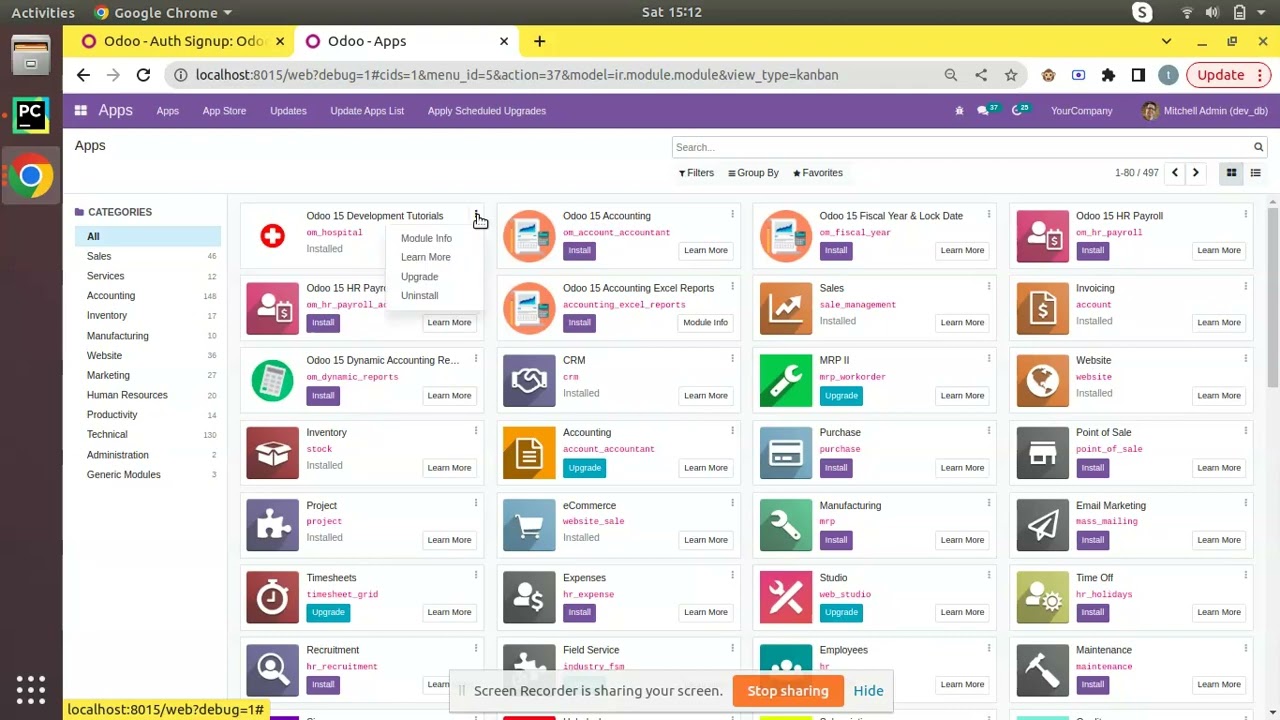
do so and don't forget to click save and then you can finally move on now something else that you should be aware of is that you'll need the website application installed in order to use the quotation Builder setting but don't you worry oh doer if you don't have that app yet Odo will automatically install it for you after you activate that setting and that's pretty convenient right well now we can finally move on now let's create a quotation template from scratch to get to the proper page to do that we could go to the configuration
quotation templates right there or because I always give you a Jose Ignacio tip we can actually just click over here on quotation templates both will take you to the same page which as you can see here has a couple of our templates already done now to create a new one we actually just have to select new up here and there are various options now first we'll name this template in our case something easy to remember conference room table and we can spell today which is great now up next we have the option to select the
amount of days the quotation expires after this could be useful for seasonal sales or something like that Black Friday I don't know but for this example I'm going to leave it at a very season zero days now up next we have the online confirmation over here as an option I want the boxes for both in this case signature and payment that way my customers can confirm the quotation online with an electronic signature and they can also pay for it online as well it's all about options people then we have the confirmation email option right here
and then we can designate a templated email to be sent to the customer upon confirmation of the quotation but if we leave it empty nothing will be sent so I'm go ahead gonna actually we're just gonna leave that empty I was going to select one and then I changed my mind now lastly we have the opportunity to apply this quotation template to a specific company if we're working inside of a multi-company you know type of situation but if we leave it blank it will apply to all companies in the database which is kind of the
better option since I want this quotation to be available at all times to every company we're leaving a blank as well all right now let's direct our attention to the tabs down here starting with the lines tab here we'll click on add a product and what did we just say this was well it's a table it's a big one actually large meeting table perfect and as you'll notice we can even adjust a few things such as the quantities we can change stuff such as the units of measure if necessary but for our template we're going
to leave it as one large meeting table but we're not done yet let's jump into the optional products tab which is what we've been talking about I also want to suggest to them additional items that my customers who purchase are a large meeting table and they might need this so this is where we would do that so to add some we actually just click add a line what goes well with a large meeting table in our case chairs you're gonna do office chair and then office chair black will give them the illusion of options remember
while you can technically add as many optional products as you want you should be careful not that too many as that could overwhelm your customers and frankly it'll make you look a little bit thirsty as the kids say so try to only offer a few select items that would pair perfectly with their initial purchase all right now that we have all of our quotation template configs ready to go we now have the option to design the look and feel of the template however this quotation template is ready to use as is and will make for
a very simple professional quotation but that said what if we want to go extra a step further and customize the design we can actually totally do that by selecting the design template button up here and doing so takes us to the template Builder with blue template placeholders over here through the website application here we'll be able to thoroughly design the look and style of our quotation template using the same drag and drop building blocks that you'd find when designing a website so to get started select the edit button give it a second to load all
its magic now we can change stuff by dragging it in and in our case using the sidebar full of a lot of customizations let's go with a little bit of a basic design job here I'm going to cover the basics so that you can get a feel for how the process works so we won't go too full into it now first let's add a cover block over here I'm going to change this we're going to say meet your new desk give it a little bit of a catchy thing in all caps so that we sound
very threatening buyer stuff beautiful now the other thing that we want to do is replace this image over here we can search for up that one looks pretty good right there I immediately went with it and that's pretty much the gist of it as you saw very quickly I was able to change things here and add my own little cover right there and that's how everything looks and once that you're done you hit save up here beautiful all right feel free to have fun with the template design when you get to this point it's actually
a blast to work with as you saw me just kind of getting ridiculous and as you saw I don't know that you know this but you didn't actually need to know any coding at all that's really convenient especially for me all those ones and zeros give me anxiety anyways now that we're happy with the design of the template it's time to use this sucker in a sales order so to do that let's click back to edit mode and in our case we're going to navigate over to the sales dashboard new and you're gonna see why
we're doing this so we've got to select a customer and in our case I keep selecting them because I'm Boolean them as our interior and then at this point we will direct our attention to the quotation template field ah you thought I was going to add a product we're actually going to click on that field and you'll notice we could select our conference room table right there and everything actually Auto populates so I didn't need to do that and if we duck into the optional products they've been added right there waiting for us as well
all right since everything looks good here let's go ahead and click Send by email and we'll give that a second right there while it loads all of that stuff look at that everything looks beautiful and as you'll notice we're going to send our quotation template so let's hit send and once that's all done over here you can take a quick look alrighty let's take a closer look at what you're going to see when they open it up which we can do so by clicking on the customer preview smart button now doing so takes us to
the exact quotation template that we just designed which does look awesome by the way if I do say so myself and if you scroll down do you see that that's what beauty looks like that is our two optional products it's right there and ready to go along now let's say that the customer wants to add one of those lovely office chairs to their quotation before confirming everything great all they have to do is Select card icon and boom added instantly updated inside of the pricing section and everything they could even adjust the quantity if they
want down here and everything and that's pretty cool all right now let's say that this customer is ready to complete this order all they have to do is actually just click sign in pay and they can either use an automated version of an online signature draw one of their own or upload one and then they'll just basically click acceptance sign which is right there ah and then once they do that guess what also happens once that they do that there is another pop-up that occurs and that is basically telling them it's time to select your
own payment method and then they can select pay and that's it they're done that took minutes now if we click outside of here and we go back to the edit mode to return to the sales order over here and I actually want you to scroll down over here or actually check over here to the right you'll notice that there are two options the message letting us know that we're just waiting on that payment as well as the fact that they have actually signed and it's a nice little PDF also to check it out and if
we had to set up one of the other many payment methods that ODU provides that payment would have already been automatically processed but either way it's good to know that you can find all the information you need over here on the right side in our chatter and there you have it oh doers you just saw how easy it is to utilize and customize online quotations with Odo sales to save your company valuable time while generating a ton of Revenue and not only that it also enhances and simplifies the overall shopping experience for your customers like
I said before it's always a win-win situation so have a great day oh doers foreign