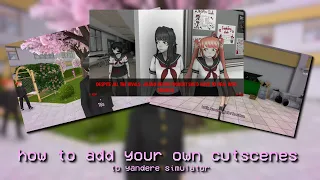
hello guys today I'm making a tutorial on basic vlogging in yandere Sim I will be showing you how to add a custom hair model to the game make a routine for a student and make your own prompts first of all open your Unity this works best on the 2017 version if you don't have one I make a new project in 3D as you can see I already have some models I bundled earlier you can go ahead and drag the model and texture from where you have it into Unity now you will need the essential folder
for bundling I will put the download in my description extract the folder from the zip and drag it into your project files [Music] drag the model onto the scene object list drag the texture onto the hair copy the settings I use for the texture [Music] now select the model in the object viewer drag it into the project files foreign [Music] give the bundle a name and make sure to put fill the last section with unity 3D [Music] press the bundle button on the top and when it's done locate your bundle and move it into the
pose mod folder [Music] foreign [Music] [Music] before doing anything look at the student Json file and get the specified Student's name you need to remember their name and their ID [Music] put the following commands which I will put in my description and fill in with the needed information [Music] thank you in-game press X go to cutscenes and start your cut scene with me [Music] foreign [Music] [Music] test subject [Music] you have to follow my steps replace the Third location here Jason filed for the student you are editing with Locker [Music] put in the following commands
which once again will be in the description and fill in with your student name and coordinates foreign let me show you an example of some coordinates [Music] now she's reading [Music] [Music] let's make a prompt to inspect the skull in front of the occult Club you will need to put the prompt in one cutscene and then when you press that prompt it will open the second one you link [Music] goodbye flops