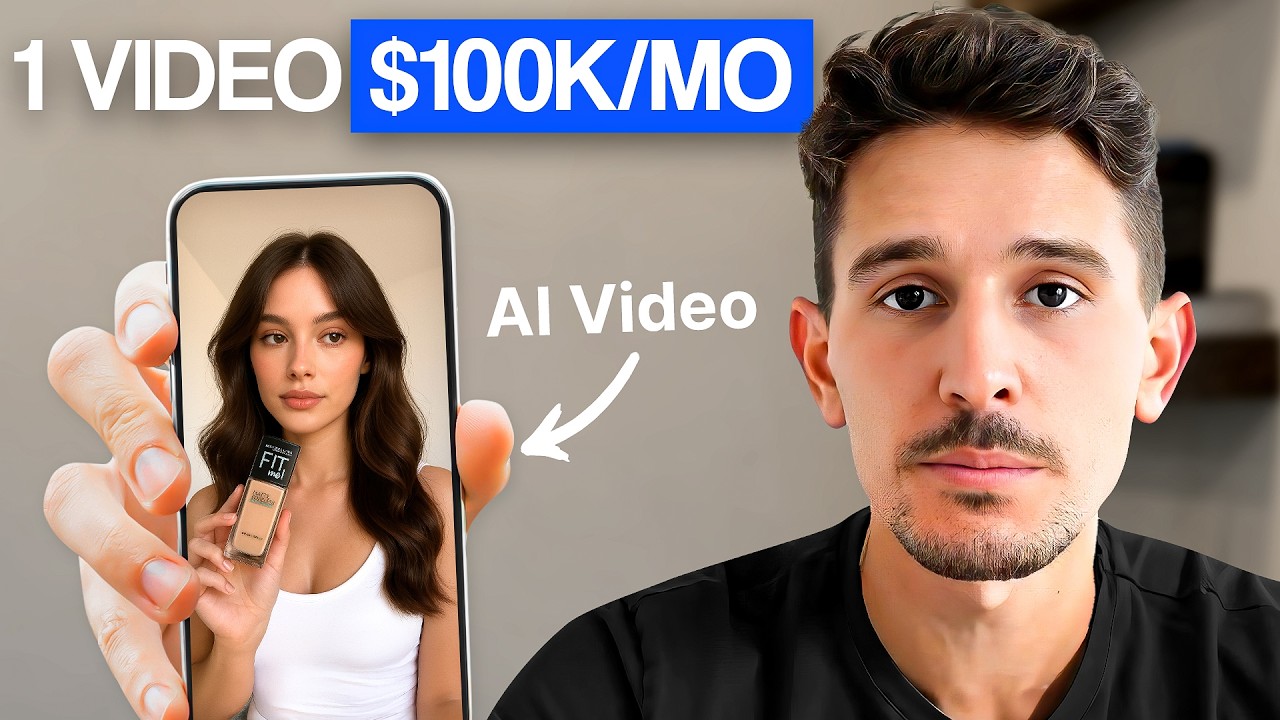
Here's exactly how I let AI agents run my sevenf figureure Facebook ad account. And what I mean by an AI agent, it's something like this that actually is able to scrape my competitor's ad libraries, highlight winning ads, then transform those into brand new ad scripts, and create a full new video entirely done for me, which I can then download and have it ready to upload on Meta. And so, in this video, I want to show you three very specific use cases by which I let AI agents run my Meta ad account.
If you're new to the channel, you don't yet know who I am. My name is Justin Lon and I'm the founder at pit advertising. com where on the one hand we help businesses implement a scalable ad engine.
And on the other, we grow ecom and info businesses to multi-7 figures with paid ads. Over the last year, we've profitably spent and advise on over $50 million in ad spend. And let's get straight into today's video.
We'll be connecting everything today to Arc Ads, which is our go-to AI generated UGC platform. It's a tool that I rely on to create high performing AI UGC campaigns for some of our top clients. It's actually very easy to use.
is you just come up with a script, which this video is going to show you exactly how to do that utilizing AI agents. You then pick an avatar. So, as an example here, I would have pasted in my script into ArchiCADs.
I go here, I pick from the hundreds of AI avatars that they have, male, female, some with a Christmas background, a pool, outside, inside, fitness clothing, name it. And once you're done picking your content creators, you can simply hit generate the top right corner. Click generate and you'll be left with completely AI generated UGC pieces of content as shown later in this video in less than three to five minutes of work.
So the first way by which I use AI agents is actually to mass upload scripts that I've made with Chad GPT or Claude that I then put into a Google sheet and get on the software called Arcads which then allows me to create AI UGC videos. Here's what I mean. So for that, what you're going to need is well, Cad GP to your cloud.
You're also going to be needing Google Sheets, and you're going to be needing Gum Loop. If you're unfamiliar with what Gum Loop is, Gum Loop is, think of it as like a Zapier or a make. com where you can embed some like AI workflows and have them run autonomously for you.
And so therefore, it's like a superpowered Zapier if you want. So, if you want for Gum Loop, you can just use the code Archads for 20% off a subscription on their software. Okay?
And so, what you're going to want to do is make an account on Gum Loop, sign up, use the code Archads, get 20% off, go to your flows, and then click on new flow. And what you essentially want to do is you want to prepare a Google sheet like what I have on screen right here. You want to have hooks on the left hand side and then scripts on the right hand side.
You can either write those manually or you can have those generated with Chad GBT or perhaps Claude which I have plenty of videos on the channel showing you exactly how to do that. So you put them in the sheet right here and then you get into the flow that you're making on Gum Loop. You're going to choose to add a new node.
You're going to pick Google sheet right here. You're then going to copy the link to your Google sheet, put it in your node on Gum Loop. Then you're going to search in the node library for arcads which you're going to be able to click on it.
Add that as a second step after the first step. And then from there, what you're going to want to do, you're simply going to want to select like what creator and parameters you want to use with Archads to generate said videos. And so I'd pick my folder.
I'd pick the actor or actors by which I want to do this. Then the kind of situations that I would want to use on Arcads, which I can show you more of that in a second. And then I can just go ahead and then run my flow right here.
And now if you head over to your Archads account itself, you're going to actually see all those videos start populating on Archads, which essentially all the scripts that you would have on your Google sheet are going to start popping up on your sidebar on Arcads. You're going to see the same script that you had on your Google sheet and it's automatically going to generate those videos utilizing AI actors. And so this is one way in which to use this Google sheet in Archad's flow.
But Arcad's team can actually also help you if you want to implement another step in this fill like what you've seen in the intro of this video where you can actually set up at the start a scraping bot. So, an additional node that would look through your competitor's ad library, spot longest running active ads, and every time an ad meets said criteria that you set, it would be able to extract the script from this ad, put that into your Google sheet, send it to Chad GPT, iterate on the script, so make a new version according to your product and its description, send it back to Google sheet, and then from there, go through the flow that I just showed you here to create videos with Arcads. So now the idea generation portion of things actually comes from iterating on your competitor's top winning ads.
Now a second and somewhat similar way in which I use AI agents in my Facebook ad process is to actually repurpose winning ads that I currently have on my own ad account. And so what you can do is either following the same process utilizing Google Sheets or doing so with speech to text which I'll show you in a second. You can actually use some of your own winning video ads, extract the script from these winning ads of yours and then iterate on those scripts utilizing AI and sending a version back to Arcads.
And so from there, Arcads is going to generate a new video, send it back to you to which you can then upload into Ads Manager. And so you can pump out iterations much faster with doing so. And so what you would want to do is you would actually want to create a speechtoext node in Gum Loop.
So right here you make a speechtoext node. Then what you can do is you can just download your winning video ad right now on Facebook as an example or the actual ad file itself. So like the MP4 you upload it right here and then you use the model is open AAI whisper which is going to be able to actually extract a transcript of this winning video ad.
Then from there what you want to do is you want to create a second node that's called an ask AI node and you want to use the prompt below. So here's a very good Facebook ads transcript. write a direct response ad for and then you put in your offer name or whatever your your offer description is following the exact angle and writing style of the Facebook ad I just shared with you.
Super important you keep the same writing style. Obviously not the same content since those are very different topics, but the writing should still feel similar, but you'll be penalized if you change the writing style. So the script should feel the same.
So essentially, you're just emphasizing like, hey, don't change the structure too much. In other words, you really wanted to just iterate, not to go out and ideate with a whole new concept. So you do so essentially here in this ask AAI node.
And then lastly, you add an Arcads node at the end right here. And then very similar to the first workflow I showed you earlier, you can just select your product, the folder by which you would want this output to go into Archads and the actor itself and hit generate. And from there, you would have essentially this this new video or this new iteration generated within seconds utilizing Arcads.
And so what we've seen so far is how to use either some of your own scripts or some of your competitor scripts to put into a Google sheet feed to Gum Loop and have it run through ARC ads automatically. A second thing that we've just looked at is how to iterate on winning ads utilizing an automated flow that you have with Gum Loop. Now a third way in which I use AI agents I do so for localization.
So, one of the easiest wins that you can have in your ad account, would you be an ecom brand, a SAS company, info product, name it, is actually to localize your ads in other submarkets that aren't just US English as an example, right? So, there's a lot of money to be made in other markets like Latin American market, like the French market, like some Eastern European markets, and so on and so forth. And so therefore, what you can actually do is very similar to the second AI agent I just showed you that I have running right now on our ad accounts.
We can actually have some of our top winning ads and localize them in other languages. And so here's exactly how we can do this flow. So first of all, you're going to go back into Gum Loop.
You're actually going to create a node once in or new flow. The first node you're going to put is same thing as AI agent number two that I showed you today. So a speechto text node.
You're going to upload your video file from your current winning ad, let's say in the English market. You're also going to be using your OpenAI whisper model just like earlier. Then the second note you're going to add is a Google translate note, which is automatically going to translate the transcript of the video that was going to be extracted by step one.
Now, note number three you're going to add is, you guessed it, Arcat once again, which will then automatically generate the video with the actor in the voice and language of your choice based on the translated transcript from your second node that you have in here. And so, the input language is the original language of the ad. So, it could be English original, then output could be French, could be Spanish, so on and so forth.
And so, again, Arcads is then going to be able to translate that into a brand new ad that you have. And so I'm going to show you an example of a video ad that we had in English that was a winning video ad that we generated in Spanish utilizing once again this third AI agent on Gum Loop Tik Tok. All right, I'm going to pause it right here so you get the gist of it.
We can then either take this as is, but pacing might be a little slow. post, then you might just want to take this, send it to one of your video editors, edit that into a slightly faster pacing, add subtitles and whatnot to make this slightly more engaging. And as always, I'm emphasizing that whenever I use AI agents, it is not to completely replace my entire workflow or team.
It's to speed up our workflow. Those are things that would have taken us, traditionally speaking, about 10 times the same amount of time that it now takes us with having a workflow utilizing Gum Loop and Arcads as shared in this video. And so if you want to check out Arcads, I'm going to leave a link to their website right below in the video description for you to check them out and try it out for your own business.
And as mentioned at the start of this video, if you want to have slightly more complex flows on Gum Loop and Arcads, you can reach out to Arcads team directly and they can help you implement such as scraping some of the active winning ads of your competitors and much more. So with that being said, if you enjoyed watching this video, I'll invite you to check out more videos on the channel for some more useful e-commerce marketing tips. And I'll be seeing you in the next one.