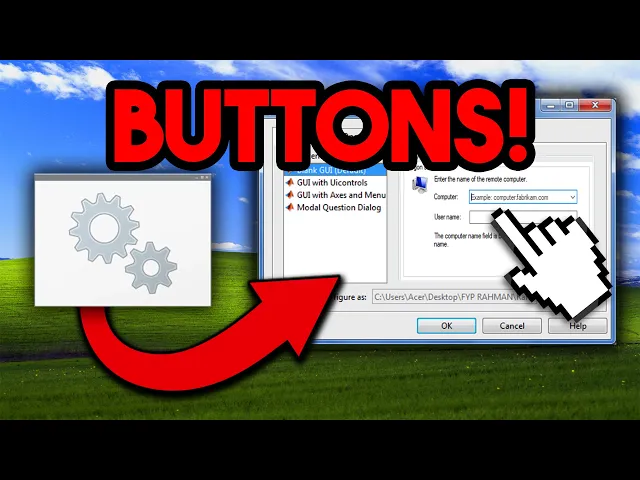
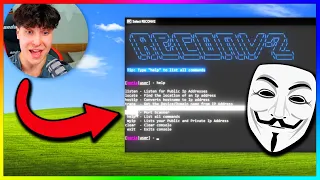
I am finally back Ebola is back baby back from the dead because guess what a certain platform has been taking down my face I'm pretty sure you can guess what has been happening all I'm going to say is I've missed this bro I've actually missed this and by the way something new is coming really really soon in like a week something new is actually going to be out something something exciting okay I've been working on this for like months and I think you'll love it so stay tuned for that in about a week I will be dropping something crazy just I guess yeah just be ready for that anyway let's quit the yapping and get straight into the content what are we going to be doing today we're going to be making graphical user interfaces with batch this is something that I was looking for oh my God forever because okay batch files they're fun but eventually you get tired of doing like the old menu um font thing whatever like yeah you still do it sometimes it's fun but you know what if you're a skid and you don't want to learn Visual Basic or C but you still want to have buttons and have Windows and have popups and actually have a graphical user interface there are ways to do it WID batch it's it's a crazy work around I'm not even going to lie whoever uh Windows is making it really easy for us somehow it's lowkey crazy like we're basically using C but through batch it's I don't even know actually Visual Basic we'll get into it and then I'll show you how and I'll show you some examples of my old tools that actually use the stuff that we're going to be talking about in this video so let's get straight into it all right so we're going to be making a new badge file let's just make this a basic I don't know we're just going to say this is going to be our file for today we're just going to call this GUI bath so just for those who didn't really understand what I explained by GUI I probably popped some pictures up in the intro but this is a CLI which stands for command line interface that means you have this little conhost window right here little cmd. exe this where you type stuff this where you see stuff this is where all the magic happens but gu man I love them I have so many GUI tools and um I will say that the best ever IDE for that is is Visual Studio cuz you can use C or Visual Basic to make basically anything you want with a GUI and it's very easy you just literally drag over buttons drag over stuff for the GUI and then you can just code like what happens when that button is pressed I will probably make a video on that later cuz um it is fun anyway for now we're sticking with batch so we got our little little window right here and how do we actually add stuff first you have to understand how we can actually execute Powershell code blocks through um batch so for that we're going to have to call Powershell Das command and then over here quote and where is it where is it okay and finish the quote and over here you type any pow shell command and it gets executed within your batch file so what we're going to be doing is using Powershell to call different Visual Basic commands basically you'll see by the way I'll link the article below with all the different guis that we're going to be using so the first one I'm just going to copy paste it in is this long line they get even longer so uh better get ready but look it's calling pow shell just like we had before and then we see this ad type assembly name system. windows.
forms if you use uh Visual Basic or C you've seen this and this is what you call the library you call for the graphical user interface and as you can see over here we have a drawing notify icon and here and this is what we'll change around some of the settings first we'll save this and I'll just show you what that looks like so so we're going to run this and boom hello world this is called from a badge script I don't know about you but that's cool I've seen that before in um our ATS before if you know what I'm saying you know when you get a connection it gives you a little boom received connection from dot dot thought if you get my drift but yeah this is a cool little notification and we can actually change this so let's let's change some of this let's customize it a little so right now I kind of set to information and we can make it error it's going to make it pop up as an error we can make it a warning so warning now it's a warning and yeah so that's pretty cool so now we can actually change the title and what it says so we can say like if you're pranking you can actually use this in a prank you could be like Windows Defender 8 Trojans have been detected something like this this is some like 2002 like type prank whatever but Windows Defender HR have been detected so this is pretty cool and if you click on it nothing happens so that's the first one you can make a notification pop up and you can change icon text title so that's cool you can use that in any sorts of parts of your bat file so for example let's say like let's make this let's make this a little file going to be like Echo wait here we're going to we're going to make it a little menu we're going to say Echo one is notification Echo 2 is going to be you'll see in a sec but anyway if hold up setp input equals yeah we can just put and then if input equals one then we're going to go to Noy there we go we're going to have Noy and then this is going to be our little menu right here once we're done with this we're going to go to clear go to menu boom perfect wait actually we should clear beforehand all right all right so next one is going to be the most common thing and that's just a message box okay so the command for the message box is this right here it's a little bit shorter o this is cool this is an example hello world notification and it also displays like the Buton that we pressed so all right all right all right so what can we change here it's pretty similar to last time so we have information right here we can make it an error and now it's going to show up as an error we can uh change the title and the text and I don't know if we can change the button actually wait let me try oh yeah see so there's there are actually custom buttons um I guess you can ask chat GPT cuz there actually are custom buttons that we can change but I'm not trying to figure that out right now you can ask chat GPT but yeah you can change that and have like multiple buttons actually you can have like the ignore abort retry you have like okay cancel blah blah blah All That Jazz and um and like always we can switch the title and the text so here I'm just going to copy this so I don't have to stress about that and we're going to make this MSG box boom probably clearing a little unnecessarily but that's fine you know we're just just being safe here all right here wait this was okay and we can make this like actually let's make all of them like something related to Defender you can be like actually Windows upgrading upgrading from Windows 10 to Windows 11 dot dot dot okay wait let's see what this looks like now if input is equal to two we're going to go to message box I don't even know if this input works I it probably doesn't you're wait message box boom all right we're going to we're choosing the message box okay oh W they're flipped the error actually doesn't look that good let's make it information you know information and we have to switch these two here we go we have Windows and we have a little message okay let's see what this looks like man if I saw this I would start like I would probably die of a heart attack man to be honest I would rather have the freaking mems Trojan ransomware Sonic. exe than see this on my screen okay but on a real note message box is actually useful cuz you can use that as an input instead of having like this for example you can have like a okay no or okay cancel and uh basically use I'm pretty sure you can use error level yeah I think so I think you can use error level to actually go off of what button the user clicked so that's cool okay so the article actually says there okay wow okay so it just shows us how it is doing the what's it called the choice the option so it's basically the same command except now it's outputting it to a temporary file and then then yeah I guess using it and then we can delete this one wait so let's see what this looks like so so we have hello we can do yes or no if we do no doesn't output anything and if we do yes and it says okay for a second here on the console it uh showed yes like Echo clicked yes so yeah wait what actually did they do for the yes or no so we have Windows okay oh okay it's just yes no okay this is how it is so it's probably like okay cancel or something like this okay this isn't going to work but I wait let me just try this out actually just for fun yeah oh see boom power of guessing we see okay cancel so yeah stuff like that so this saves it to a temporary file and then saves it into a variable and we check it so you can use that all right so this next one is actually pretty interesting I used to use this one all the time this one's cool and this one's going to be a input input box let's add the little option input box if it equals 3 go to all right so I'm just going to copy paste what the article has because this one's pretty long CLS boom CLS go to menu all right let's check this out we're choosing the input box enter your name Ebola you have entered Ebola oh see we're combining the input box and the message box okay that's cool that's actually cool and you can make it ask anything you can just you can just switch around the words oh wow look look how short this one is I was the notification the simplest but the longest but this one is literally like three times shorter enter your name this the title then it uses the message box so that's actually pretty cool Okay so we've reached a certain point and now custom GUI elements all the above demonstrations use pre-built UI elements even though you need to build custom dialogue boxes it is possible to implement with partial commands because it offers bindings to net methods anything accomplished with doet could also be implemented in a bat script via Powershell code blocks using this approach that's what we did moreover it is possible to use this approach to display native GUI components and notifications via any programming language as I did by using C++ for some project the above script will show a window with a label likewise any custom GUI element can be added to your windows batch files by calling required methods from The NET Framework so wow you can actually have a window like this is Guy GUI this is an actual window but look how long this is this is very long just for like one label so I guess we're going to paste this in anyway here I'm going to add it and this is going to be um should we call it guess window [Music] stop capitalizing don't okay there we [Music] go all right let's run this see the window wow you can resize it you can minimize it come back oh what the hell I have so many command promp Windows average day in the life of Ebola man you just have like 10 CMD windows open okay boom you can minimize it shows up as po shell you can full screen it resize like this is in like an actual window and close it so that's damn that's pretty cool damn imagine if for a future video I just realized I just realized what the hell okay so look after every semicolon this is like a line of um code right so look blah blah blah I type semicolon and now this the next line of code semicolon this semicolon right yeah obviously now we can actually just code something in Visual Basic or like in net and then just put the semicolons before it and actually just paste it in here and have a GUI like easily without having to just type like this and figure this out oh my God I'm actually a genius no I'm not a genius anyone who's not kid probably knew that I want to try that I want to try that okay in the future this is what I'm going to do I'm going to challenge myself to actually make like a complicated tool like a cool tool with a GUI with like the full window with like buttons and stuff labels and make it all in batch I don't know how long this is going to take me I don't know when I'm going to do this probably during the winter when there's uh no sun out and I can sit in my room all day and just like rod on my computer and somehow make that so I don't know but that's coming soon that's coming soon so stay tuned I don't know about it soon actually but it's coming someday there's a minor issue with this method this approach May slow down your badge files a bit because each GUI element such as apparent window or notification will create a separate process however that slowness can be ignored with a computation power of modern computers o making a complicated GUI every small little function is going to be its own process so I might have to upgrade my memory and my CPU too actually but um we'll see okay so now we have this I'm going to throw the article in the description so you can actually just copy paste yourself and now I actually want to show you how I used this article like 2 years ago in some of my old tools so as some of you have I've seen I have this folder with a bunch of old files and we're looking for Recon V2 here we go so Recon V2 I'm going to have to blur out some of what it shows because it's person personal information but anyway so yeah we have all this this is basically like the best IP puller that you could ever have I was charging like 250 for this kids were buying it left and right everyone wanted their hands on recon V2 this was the ladies and gentlemen so this was the I'm not even joking people were going crazy over this but you know it's getting dropped soon okay I need to focus up so we can uh do all these different features which I went over in this video right here where I was going through my old files now we're just going to be scanning my network for IP addresses and it gives us a little prompt little GUI so watch this are you sure you want to scan Bell 157 that's my network we're going to go yes checking for internet why if I found Sid so yeah that was the message box I didn't only use GUI in Recon V2 I also used it in RDP lbat so it was basically RDP exploit but it it was it didn't really work but um 20025 this was a while ago so let's run this wo boom input box straight off the bat enter Target's IP address man wait should I boot up my VM for this yeah let's do that actually while we're waiting for that let me show off this USB this USB stick is so cool you know some people thought it was a vape this is how messed up our generation is this days I've be holding just a USB stick and these fellas think that it's a vape okay okay we got the windows we got the windows VM oh by the way does anyone know how the hell I have two user accounts like man these VMS are cooked I don't even know how the hell some of this stuff be working but anyway virtual machine with RDP enabled um let me just figure out the IP my CPU started spinning like five times faster the fans are going crazy right now let me just get the IP real quick 2. 27 oh wait this actually bro we could have used Recon V2 to just scan the network that would have been cool you know okay so let's go enter Target's IP address boom i21 168 2.