[Music] so today we'll be talking about organizations all right so on the agenda today so an organization overview uh talk about supervisory ORS which is foundational to learning HCM and then characteristics of the supervisory or being able to create these supervisory orgs and kind of move them around uh assign roles create cost centers create locations and Staffing models um but I'll talk up until uh the locations piece and let me give you the organization overview uh and I am going to jump into another organization types there's several different types in workday but the one that's
key for us is supervisory and again like what I said is that this is foundational to workday HCM so you have to whenever you get a tenant when you're at the customer when you're at the customer site most likely um if you're not from like an implementation partner this will kind of be set up for you but you'll have to still you know if there's any changes or anything like that you'll have to play around with this but um again if you understand supervisory orgs everything else kind of will make sense we will touch upon
companies cost centers possibly even re regions but the other areas we don't have to worry about too much and we need um the whole kind of basis for supervisory or is kind of to just lay not only the foundation but create these buckets that you can hire workers into these supervisory orgs uh so that they can become part of the the or type uh I will jump back into here and then here's the organization overview so I'm just going to read the slide and then add color to it an organization is used to group resources
workers and cost to support a bus particular business function a supervisory org is the primary and just like I said foundational organization structure workers kind of get grouped and tracked within the supervisory or and like the commonly used ones are going to be company cost center and region so when you create um a supervisory organ I'll show that in a little bit basically you're mapping all these other organization types to IT company cost center and region and what that helps with is more around the reporting piece and an organization can have like just like I'm
talking about is you create your supervisory or and then the other information kind of maps to it so some of these people will be part of this region some of these people will be part of um this cost center so a supervisory or it can be created and other uh org types uh get mapped to it and another important piece um for organizations is that it helps with security security access to different information different reports um and we have reporting here as well it helps you report information so if you want to see um kind
of what the expenses are for a specific cost center or who's part of a specific cost center you can use reporting to kind of see that information or let's say you want to see how many people are in a specific location that's also another organization type and that's what that helps with like let's say if somebody from the executive management team wanted to see how many people are in my Texas location you know or even go further down how many are in Texas and then if they wanted to C further filter down how many are
actually in the Austin office versus um the Dallas office versus the Houston office and then the other thing that organizations kind of help with is around business process so um when like for instance if we think about um uh the higher BP every organization within the the company may have a different business process to hire folks so let's look at this as an example so let's take a step back uh as I mentioned supervisory orex you know kind of foundational and in here is where um jobs position and compensation are going to be tied to
supervisory or and let's say I need to hire somebody so I want to hire Logan mcneel I will I can't just hire her I have to hire her into to a supervisory or so let's say the supervisory org is human resources where a position has already been created that I need to fill so Logan mcneel is going to be hired into this position and then of course there's going to be compensation associated with it but this Human Resources supervisory or will have a specific BP associated with it which is the higher employee um and in
it there might be four different steps for um this higher employee like go ahead make an offer uh review the compensation um on board this employee let's just say but let's say this supervisory or is really now um the IT department over here if Logan mcneel was to be hired into that position as like let's say desktop support or something they may have a different higher employee business process so they may have configured five different steps where they need you know some agreement to be signed before the the student uh the customer is onboarded or
this um uh employee is onboarded so the business processes get tied to the supervisory org and every supervisory or can either have one business process like the same one maybe it's all the same throughout the company which I would think is kind of strange or they're very specific to the supervisory or and they can be uh configured um in that way so again just uh going back to the different organization types the one that is most important to um HR is uh the supervisory Matrix and retiree we'll just uh basically focus on the supervisory one
and then these are the cross functional org types so in independent of what module or um what you're sort of tracking you'll always need location hierarchy the custom organizations we're not going to get into but that's something also that can be used cross functionally then there's these other organization types committee academic unit Union talent pool um location as well so you'll see like academic unit this is for higher ed so again depending on the modules that you have and what you're going to be implementing but since we're only focused on HCM we don't really care
right now about these other ones but if you're implementing let's say payroll you'd be uh interested in this pay group if it's financials you'd probably be interested in these other ones but all this slide is really emphasizing is um you know organization uh the supervisory ones are foundational to for HCM but there's many others out there and then as you're if you continue to stay in this workday kind of um space you'll uh if you go on a financials project or maybe are going to be implementing payroll you'll probably be touching these other ones as
well all right let's move on so uh talking about supervisory organizations so all of these as we mentioned kind of last time are supervisory organization so each This Global modern Services is one supervisory organization this executive Management Group is another organization information technology is another one let's say that kind of goes a step lower into this it Services Group that's another supervisory or and to the last kind of on this list is the it health desk department so all of these kind of uh are bucketed into supervisory ORS then there's people right that make up
that supervisory or or so there's a team of people that are part or members of the supervisory or so at the top level you have that Global modern Services Steve Morgan is a super uh part a member of that supervisory org but then you'll see there's several people there's four people that kind of report into him so he's a manager he lives in the supervisory or above and won't be a member of kind of the um supervisory or that uh is below him the one that he manages so the executive Management Group all these folks
report into him and since he's a manager he reports into the supervisory or above and we'll go into that in a little bit more detail I I'll even jump into the tenant and then you'll see manager oliv Reynolds um he has two direct reports and they're part of a different supervisory or but it's the one that reports into him so he will always sit or managers always sit in the supervisory org above and then the direct reports are underneath and then you'll see that it continues kind of to keep following uh that flow so the
the you know the department is the supervisory or or the team is the supervisory or the manager always lives in the supervisory not is not part of the supervisory or that he manages he always is one above so hopefully I've emphasized uh that enough and so again kind of I showed um the pictoral view of it but I'll just read um the the definitions for supervisory organizations so supervisory or again I think I've emphasized this enough is the foundation to HCM they help to group workers into kind of this management hierarchy so again how I
was uh talking about that the managers kind of live above this just helps with that kind of reporting structure again um and helps with this management hierarchy and what I'll show in a little bit is a supervisory or can be a business unit generally a department a group or a project and then jobs position and compensation are associated with the supervisory org and the the thing that I was mentioning about the higher just as an example higher BP um where it's tied to a supervisory or the same thing any business process can be assigned to
a supervisory orc and they could be different from supervisory orc to supervisory orc and I kind of um already showed this and you there's one thing that I didn't show is like you can even have these open positions but as soon as someone's hired into it so let's say uh in this example there's no Logan mcneel but Logan mcneel was uh applying for a certain position and she's applying for this open position on the operations team once she's hired in um then this position will be filled and her name will be here and she'll be
part of this supervisory or or this department and I will actually jump into ATT tenant let me just check if anybody has any questions if not I will asking I just want to make sure and search for uh maybe let's do it this way let's go ahead as you know I'm signed in as Logan mcneel SI again Logan mcneel best person to log in as she's kind of like uh a power user super user where she has uh the most security access and especially in the beginning it probably is best to um sign in as
somebody or whenever you're on a project going with somebody that has the most security access so that way you don't kind of um run into like approving things or who else do I need to log in as and stuff because these business processes um are pretty uh they the the sequence of tasks there's different people that are assigned to it so you might run into hurdles of um how do I get something all the way through so Logan mcneel is the best person to log in as um one tangent that I'll make if you know
uh I probably have mentioned oh if you're working um with one of workday's customers versus if you're working uh with a partner or implementing something so I just want to talk a little bit um more about that just uh in case you guys aren't aware there's many customers that now workday has so you don't need per se like maybe a certification for it but you know having this background being able to navigate through kind of understand the terminology and kind of play around in the tenant is more than useful to to go ahead and work
at any one of the customers that have uh HCM workday HCM but then there's also these implementing Partners right like deoy Accenture there's probably many more in the ecosystem and for those you do need uh a certification and those Partners you will have implementor access so these implementers are kind of like Logan mcneils because um they need to be able to configure a lot of the stuff so when you go to a customer site it'll be it'll look something like what we already have in this Global modern Services tenant which is just uh a dummy
tenant that's already preconfigured and everything but when you're going as an implementer many of the things um won't be configured you're going to have to sit down down with the the the actual customer that wants this implemented and find out all their requirements understand them and then um make sure that you're configuring things the right way before you kind of hand it over to the customer so just wanted to to talk a little bit about that before I just um because I know I've been mentioning it a couple of times so over here went to
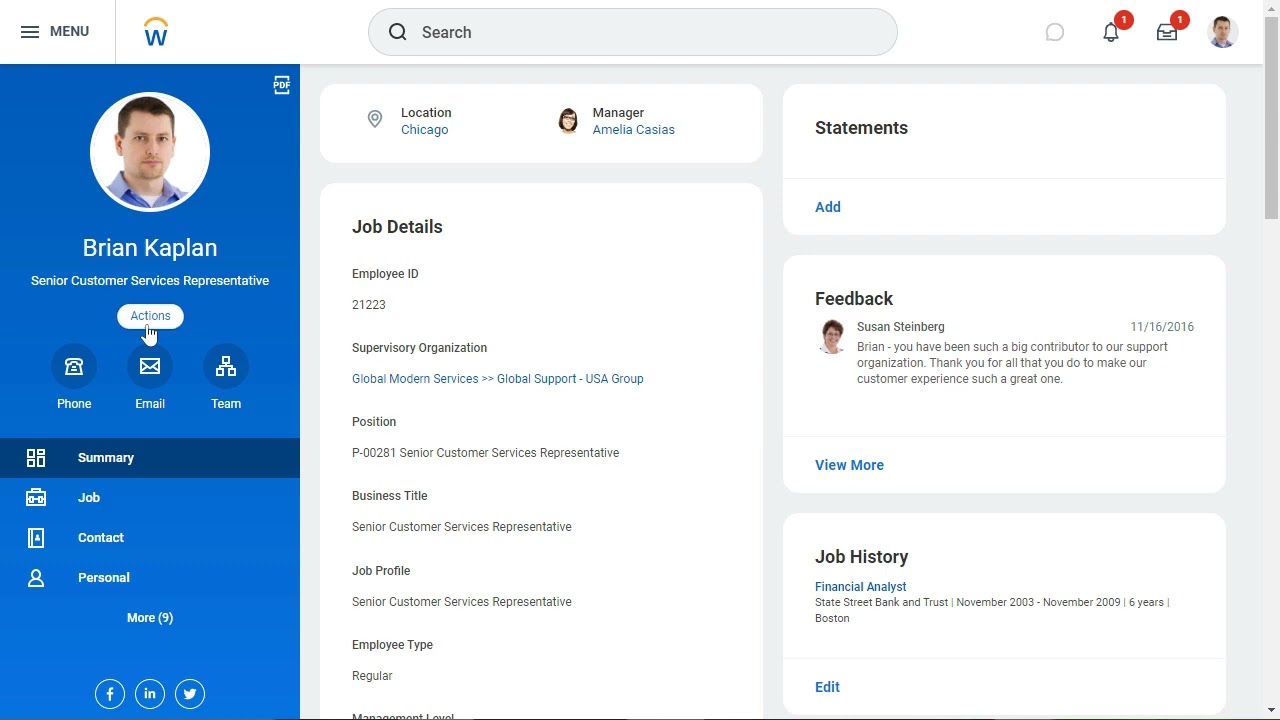
Logan mcneel's profile you can go you can get to the same sort of information several ways but I want to show this so Logan mcneel uh she's the VP of Human Resources she the manager is Joy Banks and you'll see over here we have listed the supervisory or so there's several ways you can get again uh to the same information um so you could just click here or do the related actions which is kind of um the way to do take any action on any of these um objects and you'll see here there's or chart
or um there's several other things there's uh this organization uh there was one more um here hierarchy and hierarchy structure so I'll walk through each one and kind of show you that they kind of let you land in the same place but um there's just different ways of getting there and then also uh this team area so first I'll just go ahead click or chart and what you'll see is um when I clicked on the uh Human Resources that's where I came from Human Resources so it just took me even though I was coming from
Logan mcneel but because I'm clicking on this specific supervisory org and I wanted to look at the org chart it took me to the whole um the person that is managing it so she's living in uh the supervisory orig above and then the department here underneath and as you can see there's two kind of positions open that somebody can get hired into and here's Logan mcneel and uh if I want to go up and see okay what does human res uh resources kind of report into oh um uh Joy Banks and Human Resources is kind
of under the executive management group and then there's these peers of other departments in here so I'll get into this part a little bit more but again around the navigation I can go ahead and do related actions here that's not showing up there we go and then you know view her team again or take any of the other related actions over here or the other thing that I can do and then what's interesting is now that they've also add added kind of these outlines over here so let's say I wanted to go back to Joy
Banks team and then I could do that and now it doesn't know where else I want to go so I cck Logan mcneel I could go down there and this kind of gets updated and this kind of shows you that management hierarchy and you could continue going down that way or you could do so this is kind of um the org view org chart over here if I click this this will show me a little bit more information um key information like uh over here what we have is the headcount that needs to um headcount
to plan percent how many females a lot of companies these days are tracking this information and average comparation so if you wanted to see a little bit more information uh you can go ahead and click that and then over here is where you could see say let's say I don't really care while I'm looking at this or structure how how many contingent workers I have I could just uncheck that or if I didn't want to see like I see over here how many open positions I could just go ahead and unclick that it should refresh
and it should show me all the positions that are filled uh with someone and then the other thing that I wanted to show let me just actually go into Logan M again is if I go to related action over here I'm sorry wrong place this related actions since I'm only talking about supervisory or I would go here there's also this hierarchy so navigate hierarchy um just kind of showing that structure again the management structure and over here now it's less about uh the I sorry management structure it's more about how the supervisory hierarchy is kind
of set up so you can navigate that way and then I'll go back to Logan mcne I to go in and then the other thing and view as a tree so I haven't seen many people use this but this is now being implemented kind of this view in a lot of different places so just wanted to to talk about it a little bit so Global modern services so before we were kind of getting that pictorial View this is just kind of showing kind of more of the skeleton View and you could CL um go ahead
and further uh collapse expand things or collapse them if you just kind of want to see how things are being rolled up and now I will go into Global modern services so any and then uh what I wanted to show here okay so when I go went into to the or structure this is kind of uh and let me do this so I don't have to keep on see a new tab and this is another nice thing just in case if you hadn't realized it or already and it it didn't make um sense at the
time is you can open up multiple screens which is really nice and that's how you'll probably end up doing a lot of the work if you're in workday unless you need to do like a specific expense report or something like that but especially when you're configuring things it's very helpful to have um multiple screens open and just kind of navigating between them so over here you'll see global modern Services kind of is um the top uh of this hierarchy so uh Steve Morgan is the you have to assign um a manager so he's the one
kind of the owner of this and then there's two others uh supervisory orgs that are underneath so um I kind of touched upon it but going to go into uh a little bit more detail is once you create a supervisory order you kind of have to lay out this hierarchy who where does this department go under sort of thing so the way uh it's kind of um mentioned uh in workday is around uh subordinates so this is that pictoral view you have the executive Management Group and IT services that all uh report under Global modern
services or are part of global modern services and the way you see that on this side is excuse me if you click on global modern Services it tells you the type which is supervisory and the sub uh subordinates is the executive Management Group and the IT services so it's just doing the same thing and you're getting to see that here and then this lets you know this tab over here who are the members so since this is the top and um there's uh no one else the member is just Steve Morgan and then here are
the details and we'll probably create uh a supervisory orc so I could show you uh what you need to fill out but here you have it you have uh the type supervisory this one is actually a company but the other ones that will create underneath and I'll show in a little bit will probably be departments external URL this is up to you if you um want to even configure but an important piece that you can do not need to but is kind of recommended is um a primary location to tie it to Staffing uh this
is just uh the position roles um these rules and I'll talk a little bit more about this in a bit they can either be assigned or inherited so at this supervisory orc these were all assigned so who the absence partner should be you say okay this absence partner should be um these two folks who is the benefits partner so all this stuff has been assigned to specific people that are going to take kind of that that role or that job function Security Group groups will'll probably be diving into much later on so I'm just going
to talk about that later but here is where a supervisory or can be mapped to several different or types and again um it's really around reporting it's if you're reporting and you wanted to to know how many people are part of this specific region you can go ahead and just put in like headquarters corporate and you'll get all the people that kind of um tie into uh this uh are a part of this headquarters corporate and then this other information we will not look at right now so now if I want to go into a
subordinate so again these are subordinates to this supervisory org and executive Management Group uh I mean Global modern Services is the superior so that's the way uh you talk about the or kind of hierarchy the supervisory or hierarchy one is always a superior but not like since this is the topmost level nothing's going to be the superior of This Global modern services but this Global modern Services is a superior to these two supervisory ORS and if you wanted to say the same information in a different way you would just say um executive Management Group and
IT services is a subordinate of global modern services so the way I will show that is if I click on one of these subordinates and oh expand this detail section now you'll see that um this is the superior organization Global modern services to the executive Management Group and now um uh executive Management Group will it'll show you all the subordinates for it so over here if I actually click on it it should mirror kind of one two there's like five so five subordinate uh kind of departments or groups so one 2 three four five so
here they are these guys just report directly without um having a supervisory org but um hopefully that's clear about Superior and subordinates and again the uh the org type over here is supervisory and over here you'll see this executive uh Management Group has uh more members right you have all these managers as well as individual contributors in this supervisory order so most of these are managers except for these two Olivia price and Ava uh and then here's the details for this supervisory org so this one the subtype is a group um visibility is everyone it
talks about the superior the subordinates again uh the primary location which this is a kind of uh important to call out and I'll call out in when we're talking about roles as well is you may not have to at each um supervisory org specifically State what location it is if one Loca uh location is not um selected it'll just always um take it from the top level or the superior uh org and uh it's really nice that uh workday has this help text kind of letting you know so that way if you want to change
it you can change it but it's inheriting this information and the same thing with roles once you've assigned it at a superior if you you don't need to per se assign it unless you want it to be something different so these also are inherited from the Superior or so Global modern Services as you saw that one was assigned the the roles um and over here it's just inheriting the same roles meaning these same people for this supervisory or are is the absence partner is the benefits partner is the compensation partner and this helps in those
BPS so let me take you to another tab sorry I should have duplicated the tab and I will just I don't see one for Global modern services but I will just go with the default definition and this is where those kind of roles uh are important is if that supervisory or is following this uh business process this hire business process whoever is listed as the HR operat specialist when somebody's being hired into this um supervisory org it's going to look for and let me just filter HR operation specialist those approvals those um decision making any
point of these actions or to-dos is all going to be routed to Logan McNeil so that's where this kind of uh information um is really important to make sure that it's if you need to change it and assign it you should you could do that and this will just change to assigned as you show as I showed in global modern services or if it's inherited and you just need to set it up at the superior and for it to kind of trickle down to the rest of them it will and it'll just say inherited um
another and I'm sure we'll get into it when we're talking about reporting but this is also another uh thing that I just showed right you can go ahead filter sort a lot of this information um when you're looking at a long grid rather than searching through it so I'll just remove that filter and it'll go back uh to normal creating supervisory ORS and I'm pretty sure it was kind of self-explanatory but I just wanted to show um the other thing is that you don't necessarily like like I was mentioning there's many ways to get to
the same information and when you go to Logan you'll see that the manager is joy Banks if you go to um Joy Banks you'll see that the manager is Steve Morgan so this is another kind of pictorial view to kind of see the management kind of hierarchy outside of uh the supervisory orgs and um mention here is one supervisory org is equivalent to having uh to the number of managers you have and you kind of get to see that over here right so here are the different different departments so you have one two three four
supervisory ORS right and you have four managers right this is a whole supervisory orc and you have one manager so a manager equ is kind of equivalent to how many supervisory orgs you should have all right so let me go ahead and close a couple of things so I'm just creating like kind of like a fictitious company kind of mirroring was already in global modern services so I have sarot Tech and then I have this executive Management Group and I'll have these different departments here Human Resources Information Technology finance and administration and each one of
these have further kind of departments uh or areas um that I'll have to create supervisory or for so I'll just kind of start it off and then hopefully it'll get more solidified so the way you go ahead and do that is just create [Music] supervisory uh and something that'll help I think in the labs uh especially if uh we need to kind of troubleshoot and stuff what I'd recommend is just when you're creating that first supervisory or go ahead if it's not already in the lab create this reorganization name all this is is kind of
a way to kind of bucket your or together so you know I don't want mine to be part of global modern Services right now I'm creating kind of my own thing and I just want to be able to see um all the supervisory orgs that I'm creating under a specific name so I will just show you so training and I'll just have this and I would recommend kind of keeping a similar nen clature just for for the labs so that way you know um and maybe instead of my name being at the end I will
put it in the front and I would recommend all of you guys to do the same thing is do something similar put your name and then go ahead and maybe underscore training and I will do a day before it's always kind of helpful a lot of times some customers choose like 11 1900 it's kind of um standard practice it seems like uh for for folks to to do that when they're implementing uh workday especially because we just want uh this information to just always be available and uh yeah I want the the supervisory org to
kind of just be bucketed under this uh training kind of organization categorization I guess uh is a good way to call it and so you'll see every time that now I'm going to create a supervisory or I'm going to kind of tie it to here so I can find it and what I want to do is the this is going to be my Superior the top and the topmost part of like the whole uh supervisory organization kind of hierarchy so I am going to just call this what did I call my I think it was
just s Tech can you guys see the tenant if you can so I'm just putting the tenant up if you guys can say yes to that that would would be great making sure when I'm doing this that I check in a little bit more often before going too much further so all right so I am going to start again so this reorganization piece is just a way to kind of like let's say I'm creating a whole different company or a whole different kind of like things are going to be reorganized a different way this is
just to kind of map and bucket everything together it's really just reporting purpose and just when you're kind of laying down the F foundation so uh I am going to go ahead and just start all over again just so you guys could see me walk through it so I this is what I was saying is um when you're going to do this piece when you get access to the tenant go ahead make sure you put your name in there I'm going to put now um one and then testing one so I could find this and
then I'll start again uh the name of this uh top level kind of the the highest most level of the or that I want is to be um let say SRA Tech and what I was saying is we could go ahead and select this information right now let's say you have an a code for your org go ahead put the whatever code that you want in here so right now I'll just put 789 I'll say include the organization ID in the name include the code in the name and most companies they do want to see
the manager and the leader so I'm hoping this is the part that I got cut off on right so uh and the subtypes over here so these are the ones that are when you're implementing uh at a customer site you'll go ahead and configure what you want these subtypes to be this was already preconfigured but it could be um you know it could be different things at different companies right now at the topmost level I'll just say that this is uh the company and everything uh underneath it the subordinates are going to be departments and
this is a really important piece you want the visibility to be for everyone I'm not sure this Java update thing that came up hopefully that doesn't mess anything up okay so you this is a really important piece visibility should be everyone because just in case if you end up leaving the company you don't want this to have just been for yourself or a select group of people you want everyone to be able to see it so you should always default to everyone primary location will come back to it and then there's two Staffing models and
um these Staffing models uh position management or job management right now we'll just go ahead select position in the next class we'll go over stop Staffing models a little bit more and then primary location let's go ahead I have another tab open let's create a location so everything best practice should be kind of tied to a location we'll talk about location hierarchy later but just so you get to see what are the important things um to put in for location I'll show you in this tenant already somebody's uh configured uh locations already right so I
could just select one of the but I think it's important to kind of show you especially folks that are going to be implementing this um or working on implementation projects you probably need to touch a little bit of everything so I'm going to put um Z Sarah one and location usages you always want to select a business site for everything uh for you know like there's different um location usages for different modules but for this specific one for HCM we'll use uh business site and click okay and then here you'll see there's uh there's pieces
of information that you could put in the most important piece of information is usually the address of course phone number uh external URL if there that's a thing but I will just go ahead put and this will be the primary location for it but the reason that I am specifically showing um how to create this location is his time profile time profile is really important um when you're creating locations and what locations these um setting up these locations is really helpful is let's say you know somebody in the executive Management Group wants to see how
many folks you have in a specific location and um is you know how many people are in Texas and maybe they want to even further filter down how many people are in Austin versus Houston versus Dallas right um maybe it's to to figure out how much of um that uh you know what location is growing a little bit more so this just helps with the reporting stuff time profile is useful so let's say in different locations you have um different times right like standard hours what are the standard hours in over here in San Francisco
it's 40 hours but let's say in New Zealand because of laws or other things it's really six hours that's kind of full-time work but that doesn't mean that you can't hire somebody in as part-time but this is when you're creating a location it's really important to select time for Prof file but as you see there's other pieces of information but the of course pretty intuitive anything with the red asterisk you need to make sure it's a required field and you need to make sure that you fill it up so I'll click okay there and now
I want to use this location um in when I was creating that supervisory or so I will click SF this was the one when I you guys couldn't hear me or see me so I just created kind of the same thing just wanted to show you how that location is created so now this should have all the information that um uh that I need to put in so all the red asteris pieces are in I talked about visibility it has to be for everyone these other pieces of information you can put in and I'm just
going to you know check these off for right now and there's hover text to kind of help you uh explain what what this is but let me show what this is when I click okay when I click okay now this is that top most level and the way we can see it is related actions and that pictoral view of it close this is here it is it's just my Lon uh supervisory or by itself right now and it's the only one so there's no no real Superior or subordinate as you can see here because that
information usually lives here but here are all the details of it so everything that we just selected this is everything there oh and one thing I want to point out before I move on is um you know how we added like show me the code in there and uh show me the uh ID so here's the ID part that 789 that I had put in and here is uh I think this was the code and here's the ID this part so most customers won't have this configured but I just wanted to show you what it
does to to the name you could of course always change the name by um editing name and code you could do that here I'm just going to leave it as is but you'll be able to to change the name to whatever you like uh so there's no such thing as a deleting just in case if I hadn't mentioned it to you for but uh here's my supervisory org and what I want to do now is uh I had the or chart open and I'll just show it from here is now I want that subordinate right
supervisory or of um exec management so what I would do is you go to this reorganization piece and you do create subordinate so again in your lab it's going to kind of uh ask you to do the same things I'm just kind of walking you through it right now so uh here it is I'm just going to change the date to day before and organization name this one is just management um or I'll just leave it as executive management I'm not going to add these things as you saw it really clutters it and unless your
customer is has this kind of nomenclature that they want or the Implement when you're implementing it the customer wants to see it that way the best one is just leaving the manager the leader's name in there and then the organization subtype this is going to be the department external URL you can leave and then as you saw I created a primary location at the top level and what I want to show you is this no longer is required right when I was creating that top level it was required but at this bottom level um the
subordinate it's not going to be required and I'll show you what it ends up doing so when I click submit now here I am kind of building out that uh hierarchy right this is that topmost level this is at um the subordinate and when I click into or I refresh this page so initially we were at the topmost level and what we'll get to see is now uh c tech topmost level the subordinate is executive management and what you see again is No members because we haven't hired anybody into these specific things or even created
positions at this point but when I go to the details section everything that I filled out but see I didn't fill out location but it's going to be inheriting so it's not required anymore because it's going to get inherited I could always change this as well if I wanted to and select something else so edit primary location and let's say I wanted it to be something else so I'm just going to pick today's date and I could select another active location if I needed to be that but if you don't fill it in it's just
going to take what's inherited and everything else like anything that's not a required field we'll just go ahead and inherit it from the superior so now the next thing I want to create is continue building out the teams right underneath it this one had three other teams and let me do this so that way I can so that's why like it doesn't know who to show cuz nobody's really a manager yet of uh the these orgs so that's why you see the kind of um parentheses the empty kind of blank area that's what what that
is so using that reorg right so I showed you how to create a subordinate so I'm going to further just really quickly create a subordinate for this one the executive Management Group there's a couple of departments that report into it so human resources and this time I'm just going to select this this is another department leave everything else blank submit great and then you'll see now it's being built out further we have that human resources so another one that I wanted to another way that you could do it and just want to show the difference
that happens here is I could just go back up here and do create subordinate and get that Finance team and the IT team or I could just go ahead click this because this is another team that reports into that executive management and just do divide click okay here and you know fill out the same pieces of information but because I didn't do it as create subordinate Department over here now I have that asterisk right showing because it's not really inheriting now from anyone because it's not really a subordinate of anyone so um I'm going to
have to put in that piece of information so there's two ways right of doing it hopefully that's that's really what I'm trying to show you guys is just like with navigation there's several ways of getting to the same pieces of information sometimes there's several piece ways of doing the same thing so I did from here in order to get the teams here I could do create subordinate or once I have uh a subordinate already available and I just need to further create them I could just do um divide and I'm just going to continue with
the subordinate and just great so now you see this kind of really quick view of how I'm building this out and what you'll see here is let's go back uh update this so topmost level subordinate is this when I click into this one and expand the details you'll see now there are those three subordinates and this uh executive management team has this Superior organization and if I click into one of these you look at the details it'll show you what it inherited from the superiors right it inherited all of this information that was on the
superior one let me see okay so um you know a signed Superior let's say that there's another um now IT department is getting moved and there's it's not reporting anymore to Executive Management Department for whatever reason there's now like a bigger it Department that's kind of like a peer to this one we can go ahead and just um create a superior that this one should report into and then we'll just have to make sure that uh we update that a specific um supervisory or to to map into uh the topmost level the company so just
trying to show that there's like flexibility and moving things around then also sometimes for whatever reason they again like you can't really delete things out of workday what you can do is inactivate them so you can inactivate this or and just move the workers out so you'd have to make sure that you know this department is empty right now it is so you can inactivate it and then it's just not going to be available in this hierarchy and you'll get to see I think um uh as we continue going through there like uh not this
specific session but as you continue playing with um workday you'll see how effective dating works and that's really what is driving the way that the oric structure should be or what changes uh should be reflected in the tenant so I showed the location and you could have um location hierarchy actually before I move on to what I was going to show around cost centers I should show you uh in this tenant so it's very similar to what we're doing with supervisory orgs like kind of showing you um how how to kind of build this kind
of skeleton outline of supervisory orgs so the same thing with location hierarchy so you have your location hierarchy and then they're the subordinates over there and then so this one let me go back is split up kind of into uh regions or continents Amia Japan and Asia Pacific Latin America North America let me go ahead click on North America and what that is is this has further two subordinates Canada United States click on United States then these are specific regions click on Northeast and this is probably really gnarly here's all the different different ones um
and what this helps with these locations is again just reporting like how many workers do I have um in a specific and you see that uh hierarchy headcount and if I wanted to do the org chart just very similar to what we were seeing you could kind of navigate this and that's why it's kind of um that's why it's asking for the primary location like is so that way it can map to specific locations that supervisory or maps to specific locations okay so then the next piece that I want wanted to talk about was cost
centers and it's the same thing create cost centers is the task that you would use for it and you could do the same what this is really for is really again mapping if somebody wants to do some sort of reporting around kind of the revenue and expenses that are going on for specific um person or supervisory or this just helps map to that um so instead of going through the same exercise but it's just very similar to what we were doing with supervisory orgs you would do create um cost center uh create the call centers
and do the the hierarchy there as well so this just again helps with kind of reporting purposes nothing um more than that so how I was saying that things are just mapped to something it's it's this right you could have um this call center and what the cost center has is uh here are the details so again same similar type of information where you're going to select the type the subtype is cost center code visibility is everyone and then that cost center this is where I came from is human resources it's just mapped to it
so that's all it's doing so you could create a number of different cost centers and then just map them to different supervisory or that's all um all it is [Music]