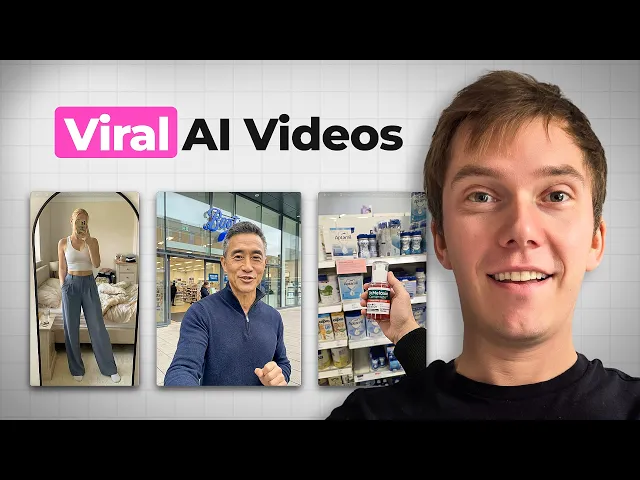
Some of the most viral videos on Tik Tok Shot right now are being made entirely with AI. And what's nuts is that when you actually read through the comments on all of those videos, nobody realizes that they're AI because they look so realistic. It's 2026 and the people that understand how to leverage AI are the ones that are going to be getting a massive advantage over their competitors.
Because instead of doing the old school method and relying entirely on UGC creators, paying for content, waiting on revisions, they're able to actually create high-erforming videos themselves faster, cheaper, and in a lot of cases with even better results. So, in this video, I'm going to ensure that you do not get left behind. I'm going to be showing you three different Tik Tok shop videos that have all gone viral in the last week using AI to promote very different products.
and I'm going to show you the entire workflow that all of them have gone through in order to make really cool AI videos that look very realistic. But first, if you haven't come across me before, I'm Jansen. I run Honest Brands, and we help people build and scale brands using Tik Tok Shop, Amazon, Meta, and AI.
So, if you need help starting or even scaling your own brand, don't forget to check us out. The link is in the description box below. All right.
So, I'm going to show you the three videos that went viral in the past week. And I'm going to be doing that using a tool called Social One, which if you haven't heard of it before, is basically a tool that shows you every single Tik Tok shop video from the past 30 days that could be well worth using for inspiration when promoting your own products. So, I've just gone into social one last 30 days.
And really important step to take, especially when you're going to be making AI content and you want inspiration, is to go on to filters and select AI content. And look at this. This video here uploaded one week ago.
It's generated 55,000 with 2 1/2 million views. It's entirely AI and I'm going to show you exactly how they did it. The next one I'm going to run through while at the same time it uses the exact same process that I'm going to be revealing in this video is this video here.
So, this got 1. 4 million views, also uploaded a week ago, did 42K promoting some sort of hose. And then this video here, which has got 934,000 views, generated 25K for the brand.
So collectively that's just around 5 million views and around 100k in revenues. And trust me when I say that the process that they followed is the exact same for each one and is really easy for you guys to do the exact same for pretty much any product out there. All right, so let's now run through the process to follow if you want to create insanely realistic AI videos for pretty much any product that you can think of.
Now, step one is to basically create an image that reflects the start of the video that you've got in mind. And the way that you're going to do that is to use a tool called Nano Banana. If you haven't come across it before, Nano Banana is owned by Google and it is the leading AI image generation tool out there.
You can use it to create images and you can use it to edit images. It's honestly insanely good and it's super simple to use. You basically just tell it what it is that you want it to do.
You attach an image if you want something to be used as inspiration or you want it amended and then you hit enter. Now, there's one big thing that you need to make sure that you do rather than getting all excited now and jumping straight into Nano Banana and typing all different weird and wonderful prompts in. And that is honestly going to make the difference between producing an average image that kind of looks real and an image that you're just like, there's no way I'd ever be able to tell that was AI.
and that is to use an AI tool like Chat GPT to help generate the prompt that you're going to be giving to Nano Banana. Now, come on, it's 2026. You didn't really think that we'd have to use our brains anymore, did you?
When it comes to any type of image prompting or video prompting, you are in most cases going to be better off if you use AI to help you write the prompt itself. So, instead of trying to write any type of prompt yourself, what you're going to do is come into chatbt and you're going to do one of two things. So option one is you just explain your idea.
So you might say something like, "Help me write a highly detailed Nana banana prompt for a Tik Tok video. I want a hyperrealistic close-up of. " And then let's just say, for example, I was wanting to create this Korean skincare video here.
Just basically write it out, whatever it is that I could see from the Tik Tok video that I was using as inspiration. And as soon as you do that, Chachi BT is going to give you a really detailed version of whatever it was that you were thinking about so that you can basically just copy and paste it over to Nano Banana and get a pretty good result. So just to demonstrate that, we are going to come into um Freepick, which is a tool that will allow you to get access to Nano Banana Pro or Nano Banana 2.
And we're going to paste in our prompt. And then we are going to just scroll down here. for the aspect ratio, you want to make sure 9 by6 if that's what you are if you're going to be uploading to Tik Tok and so on.
Here is where you can choose the batch size. So if you want to like get two outputs, three outputs, four outputs just to see the difference of what AI can produce, then select that. Maybe I'll just do two here and then let's press generate.
Whilst we're waiting for that to load, let's just run through the second option of how you can use chat PT to help you, which in my opinion is actually a lot better. So with this second option, you basically paste in a reference image or an example to chat GPT and then you ask it to make a Nano Banana Prompt based on what it is that it can see. So just to show you step by step, what we're going to do is come into Social One.
This is the video that I want to recreate. And believe me when I say it's honestly the exact same process for all of these videos. I'm going to click into it so that it loads into um Tik Tok here.
We're going to pause it just like this. And then we are going to take a screenshot like this. And then all we're going to do is head back into chat GPT, paste the image in, and now say, write me a nano banana prompt that recreates the attached image exactly, minus the text overlays, something like that.
And you press enter. All right. So, we've now got our prompt.
We're going to copy that. Head back into Freepick. We're going to replace the text here.
And let's see what we get this time when we generate. And you can already see the result from what I just did a few moments ago. That actually looks pretty impressive, doesn't it?
Like looks quite realistic. Whilst we wait for that to load, let me just show you another method that you can use, which is where you're going to be getting nano banana to amend an existing image that you lifted or you want to use for inspiration. Right?
So you're going to come back into free pick. You're going to select nanobanana 2. Again, where it says references, you're going to press add.
You're going to press Ctrl and V to paste in the snapshot that we just did from the Tik Tok video. And now what we're going to do is just tell it remove all of the text overlays. And you could say change the man in the middle to be, I don't know, white uh middle-aged man.
Something like that. And we're then going to press generate. All right.
And there we have it. We've now got our portfolio of different images. So these two were produced where we provided a reference image and just said to change the man.
Although in this example here, I don't think it's actually changed anything. It just removed the text overlays, which is why it's often important to do the batch size of more than one cuz sometimes AI gets it wrong. This one was made by using the reference image in chat pt and asking it to come up with the prompt.
And then these ones were made just off the top of my head. Now, to be honest, I actually think that all of these are pretty good and you could use any of them for the next step that we're going to be running through. The reason that you would want to do the method where you paste in the reference image either to Chat GPT directly or just to Nano Banana, you would want to do that with the slightly more complicated scenario.
So that could be like this one for example where you've got the product already in it or you've got a very specific layout um in mind as opposed to just you know something quite generic which is man stood in front of um boots. But you know, if you are going to be showing your product in any scene, you always want to make sure that you attach an image of the product here. You can attach more than one.
And then when you're typing your prompt out or when you're instructing Chat GPT to write out your prompt, you tell it to mention the attached product image. So with Freepick, you can just do at and then like tag the actual um image of the product that you are going to be attaching. But with all that being said, the results here are really, really good.
And I'm just going to be sticking with, you know, one of these examples here, like the same kind of layout for the next step in the process. Now, as I say, for these products here, like these videos, it is the exact same process. So, I'm not going to go through that now, but I will show you at the end me recreating each of these videos.
Easy it is for any product you can think of. Like I said earlier though, my favorite method to getting my Nano Banana prompt is to head to Chat GPT, give it the image that I want to recreate, and ask it to basically reverse engineer it. And by doing that, you're going to get the exact lighting, the angle, the environment, the subject, everything that you can think of exactly as you want it without replicating or copying someone else's video or image exactly.
And trust me when I say that the brand owners that follow that process there are the ones that are going to be getting the best results rather than just trying to copy someone else's work entirely or just doing their prompting off the top of their head which isn't going to produce anywhere near the level of detail needed to make a really realistic image that someone doesn't think is AI. Oh, and by the way, with that reference image that you're either going to be putting into Chachi PT to reverse engineer or just shoving straight into Nano Banana, you can actually put in images that you've just taken yourself. So, you can see this scene from the Korean skincare video.
It looks like the guy is just in Boots and he's holding the product in front of him. Now that entire scene there is AI generated. But I can guarantee you that what the person did is went to Boots and just took a picture of the like shelf right like in front of him and then he would have come back and said to Nano Banana or said to Chat GPT reverse engineer this image but this time when you give me the output image I want you to put my hand and this product in it.
And I'm going to show that on screen. I might even head down to boots to show you just how simple it is to do that. Now, once you've got your image for your opening scene, the next step is to make your reference image for the next scene in your video if, of course, there is going to be one.
This women's trousers one that I showed earlier, the one that went viral, that's only 8 seconds in length and it's one scene only, which shows you that you don't need long videos on Tik Tok to go viral and sell lots of products. With that being said though, if you are going to have multiple scenes, then the process is the exact same as before. And if you're struggling for inspiration, if you're thinking what do I even include for, you know, various other scenes in my video, then what I would do is look at social one for inspiration, look at what others in your niche are doing.
Or alternatively, just ask Chat GPT to help you write a scene by scene storyboard for the product it is that you want to promote. And if you're going to be doing that, make sure you paste in the full details of what product it is that you're selling. Once you've got all of your reference images, the next step that you need to take is to use AI to animate them into a video.
Now, there are different ways that you can do this, different tools, but the absolute leader right now is Cling easily, especially with Sora shutting down. So, it looks like for the time being whilst we wait for Seamream to open up to the public that we need to use Cling for pretty much everything. Now, you can access Clling with Freepic or Higsfield or you can access it directly.
Now, if you haven't come across them before, this is Freepick here. It's the very similar to um Higsfield. It's basically a platform that just gives you access to all of the latest and greatest um AI tools without you having to make tons of different um accounts, these do come at a subscription price, which depends on usage.
If you don't want to add another subscription to the pile, but you want to get access to, you know, all these different AI tools that I'm walking through and even more to help you with your brand building journey, then you can use a toolkit called Luxury Tools, which is $30 a month and it gives you access to um Cling, Freepick, Higsfield, ChachiBT, Brand tools, like honestly about 40 or 50 different tools and it does that through like an account sharing browser. So, you just pay $30 and you get access to like 40 or 50 different tools because of the fact that you're essentially tool sharing. So, for example, with Cling, I actually just prefer to use their site directly because it's pretty cheap and it's just so much quicker than going via another website.
So, in the rest of the example now, I'm just going to be showing you Cling directly. But if you're using Higsfield, Luxury Tools, Freepick, whatever, the process is still the exact same as long as you select Cling from the drop-own menu. All right.
So, the Cling website is super easy to access. You're just going to come in. You're going to press generate.
You're going to press 3. 0. And then you're going to paste in your prompt that you can get from chat GPT and your opening image that you generated from Nano Banana.
Now, the beautiful thing about Clling is it really doesn't need a complex prompt at all. So, you can actually see um here that I just wrote man speaking with a natural British accent, enthusiastic, and then I told him what to say. The dialogue is this.
And here is the result. Come with me and I'll show you three Korean skin care products that explain why women in their 40s look like they're in their 20ies. So you can see how realistic that looked.
I actually did a few variations of this just based on what Nano Banana sent me. And then I even remade the original just to show you that it is actually cling that those guys are using too. Like I say, you can use chatpt to help you write a massive prompt.
You can actually see here with this example the prompt was huge. But honestly, you really don't need to cuz if you compare it to this one here, the results the exact same and the prompt was barely anything in comparison. Once you've created your opening scene, you then need to move on to your second scene.
So again, the process is going to be the exact same. You're going to write into cling what it is that you want to show. You're going to attach your reference image.
You press generate and wham, bam, thank you, ma'am. Before you know it, you'll have your 30 secondond clip. Now, if you really want your videos to avoid being seen as AI despite being tagged as AI on Tik Tok, then you're going to need to make sure that you add a final touch, which is a voice over of some sort.
And a lot of people mess upon this. So, with this example here that I've shown, it's got a voice at the beginning, but that's only for about six or seven seconds. The rest of the video doesn't have a voice.
And what a lot of beginners will do, they'll use a text to voice tool and that voice will be completely different to his and it will just be really jarring and give away that it's AI. So there's a little hack of mine of what you need to do in order to avoid that and that is to use the 11 Labs voice cloning feature. So it's super easy to use.
You just log into 11 Labs. You come to voices. You're going to press the plus.
You're then going to press instant voice clone cuz that's the one that only needs 10 seconds of audio. Upload the audio. Press next.
And then basically give it 2 minutes to analyze what the audio is and then it will honestly spit out your own custom voice. So then you can just write out whatever it is you want your actor to say and it will sound the exact same as the clip that you've got up front. Adding that final touch there honestly adds another layer of realism and it's just going to make the video feel way more native and real, especially on Tik Tok.
And that is honestly all there is to it. all of those viral videos that I showed you there. That's the exact process they followed and I recreated those three videos more or less exactly.
Now, I know that I've run through a lot of tools in this video and you're probably thinking that is a lot of subscriptions. So, like I said earlier, if you just want to have a bit of fun, if you want to get used to the process, just use that luxury tools. $30 for a month and you get access to pretty much everything that I've just run through.
And honestly, that is all there is to it. All three of those viral videos there that generated over 5 million views and over 100k for the brands, they were made using this exact process. And the reason that they worked in particular is cuz they're not obviously AI despite the fact that every single one of those videos has got the AI tag at the bottom.
People didn't really cotton on. They went ahead and watched the video. They made the purchase and they put a huge smile on the brand owner's face.
No doubt. Now, if you're a new or even existing brand owner, I know what you're probably thinking right now, which is that's quite overwhelming and it does make sense kind of, but I don't really know how to relate it to me, my product, or even my idea. Well, if that does sound like you, then you should definitely check out Honest Brands because what we do inside there is show you step by step how to go from zero to actually building and scaling a real e-commerce brand, whether or not you've done it before.
will show you exactly how to find the right products to sell, connect with manufacturers, utilize AI like this to scale to the absolute moon and so much more. And most importantly of all, you're going to be surrounded by a community of people doing the exact same thing. Building brands, testing content, and sharing what's actually working right now.
So whether you're just starting out or whether you've already tried this and it hasn't quite worked yet, this is where you need to go if you actually want to take things seriously. Check us out in the description below. learn a bit more about us and if it all makes sense for you, you can book a call and learn about joining.
But with all that being said, that is the end of this video. I hope you've enjoyed it. See you next time.