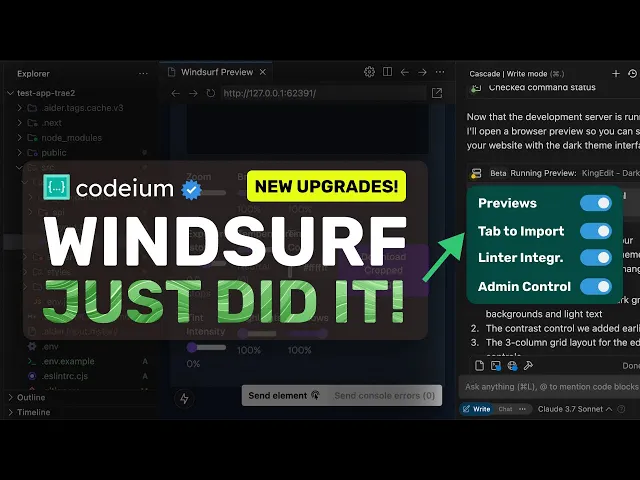
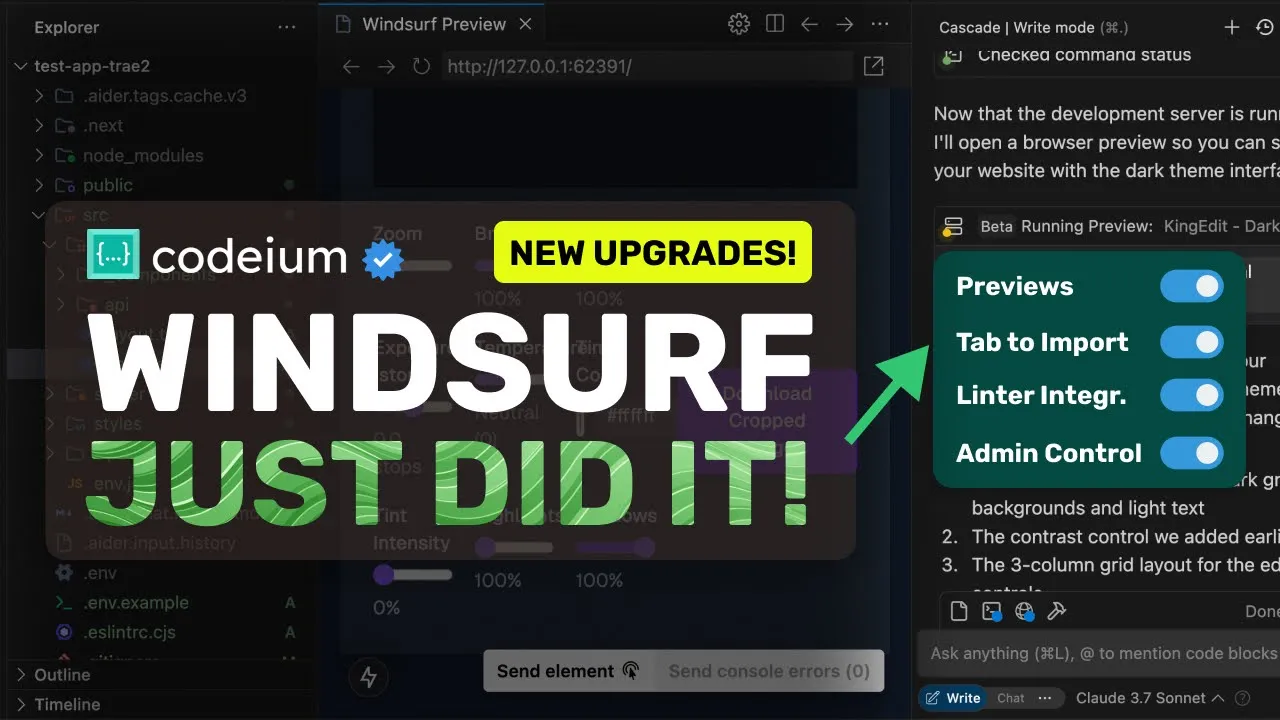
[Music] [Applause] hi welcome to another video so windsurf has launched their new wave of updates and I thought to talk a bit about these Updates this wave is called wave four and it includes a bunch of new features let's go through them one by one one of the major new features that has been added is the one and only preview feature now you may ask what previews are well this is very similar to how bolt and lovable kind of things work basically it is a preview option for your applications right within your editor which means
that if you ask Cascade to make something or do something it can now let you preview the whole app within the editor itself without navigating to the browser now this is fine and you could tell technically have done that with things like the live preview extension but this is not limited to just preview because it can also automatically pull log errors from the app this means that if an error happens when you click a button or something you don't need to manually provide logs to it instead it does that automatically which is kind of great
it also allows you to select a section or Chunk on the page and directly refer to that in Wind Surf and ask it to edit which is really great I mean this is basically what bolt offers right you can just have Cascade open and preview open and just Vibe code as people say nowadays so this is kind of insane another thing that is new is the tab to import option previously I had covered the tab to jump option which predicted the next changes but now we also have tab to import that basically allows you to
add Imports for something that you have mentioned so if you use the open AI SDK but haven't imported it then it will show you that instantly and ask you to get that imported and you can just hit Tab and it will get imported which is also great another option is the linter integration into Cascade so it can now automatically look at linting errors in your code and get them fixed automatically which is kind of great for people that use it Claude code also has this built in so this is also great to see here next
one is suggested actions it's basically like follow-up prompts it will give you some AI generated prompts on how you should proceed it's fine but not as useful another new thing is the mCP discoverability op option this basically shows you some of the recommended mCP servers by them and you can also now add mCP servers via a more graphical interface instead of dealing with Json so that's great as well next we have the drag and drop files where you can just select a bunch of files and drag and drop them into the Cascade interface and then
reference them there which is kind of great if you're an Enterprise user then you can also Now set up the allowed models to be used in sub accounts as well which is great they have also made some improvements to Claude 3.7 Sonet and they say that they have recognized that this model as opposed primarily to Claude 3.5 Sonet was often a bit trigger happy with tool calling leading to much faster than anticipated usage of flow action credits they've done a lot of work since the model release to reduce that tendency while still maximizing the underlying
strengths of this Foundation model this is quite good another great thing is that deep seek V3 on all their paid plans is now unlimited which is kind of amazing as it's a really capable model and you can use it without any worries of credits which is great to see these are the updates now let's try it out in action and let's see how well it performs forms but before we do that I want to take a quick break to tell you about Dart AI which is something that's been a game changer for my workflow lately
it's an AI powered project management tool that's honestly quite amazing you can generate entire project plans from a simple prompt detect duplicate tasks automatically create subtasks and this is the coolest part you can actually assign tasks to the A itself and it will complete them for you you can use it to generate blog posts research topics and even create thumbnails without having to do the work yourself it's pretty insane how good it is the best part it's completely free for teams up to four people if you need more they have $8 and $12 plans with
even more features Dart also has some great integration you can connect it with GitHub to link issues and PRS integrate with slack and Discord for updates and even use their API to build custom workflows if you're working on projects of any kind you should really give Dart a try it's built from the ground up with AI in mind and it shows in how seamlessly everything works check out the link in the description to get started it's free so so you've got nothing to lose and trust me it'll change how you manage your projects now back
to the video now first of all make sure that you upgrade windsurf to the latest version once done we can now start using the new features so let's start with the main preview feature first we'll need to ask it to make some changes this is my testing app that allows me to edit an image in multiple ways I wanted to add a new dial in it to change the contrast once we do that you'll see that it starts working on it also many people ask me what model I use well in windsurf I use 3.7
Sonet non-thinking because that's the best model for my usage anyway it's now done and what we can now do is that we can just hit this globe icon and will give us a preview option we can just hit this and it will send in a prompt to Cascade to open a preview and Cascade will then run the commands and then at last we'll get the final preview here this is basically like a browser and it works insanely well here we can use it and it has added the dial here now what we can do is
that we can select an element on the page and ask it to edit something or we can also send console errors directly as well let's just select this element here and once we do that you'll see that it will reference it here and we can now ask it to make some changes I'm asking it to change the title here to King edit and once we do that you'll see that it starts doing it and in just a bit the preview here gets updated which is amazing let's also try to select this block and let's ask
it to put it in a table and column like thing once we do that you'll see that it again starts working on it if we wait a bit then it's now done and it's now updated another thing that I found cool in this is that we can actually preview it even before accepting which allows you to check before accepting which is kind of cool this is actually really great and you can't go back once you have used this so this is kind of great to use another one is the import option so we can now
mention something like use State without importing and then you'll see that it will give us a prediction to allow us to import it for us which is kind of great to see there's also the linter integration that allows Cascade to look at linter errors as well which is kind of great to see another option is suggestions for the next message which is also fine it only shows you sometimes and sometimes it doesn't so I wasn't able to reproduce it yet next option is if you go to the advanced settings then you'll see this mCP servers
option and if you don't have any setup then it will show you some recommended mCP extensions as well which you can set up via a graphical interface there's also the drag and drop option where you can just select the file and drag and drop in the Cascade interface and mention it which is kind of great to see as well I think that these upgrades especially the preview one are kind of amazing I mean it really renders bolt and others almost useless because you can easily use it and there should be even better options integrated soon
which will be great to see overall it's pretty cool anyway share your thoughts below and subscribe to the channel you can also donate via super thanks option or join the channel as well and get some perks I'll see you in the next video bye [Music]