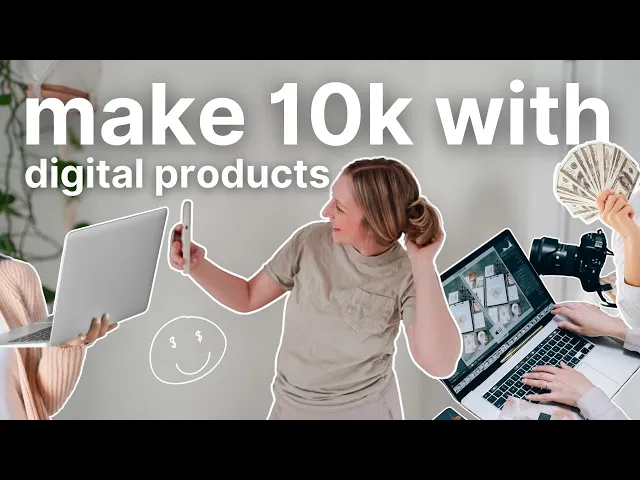
I'm so excited to talk to you about building a business online and of course we're going to talk a little bit about digital products but I want to walk you through step by step how to do it and for this video I've partnered with Riverside which is the go-to tool that I rely on for my digital products stay tuned I'll be sharing more about Riverside later in the video so if you feel overwhelmed with the idea of starting an online business I'm going to make it very simple in this video jumping right into step number
one you have to decide what your brand is some people would say like you know pick a niche or whatever I don't really think it's about picking a niche as much as it's choosing who you are what your brand is what you're going to offer just all of those very important but beginning stage foundational details that I think a lot of people forget they're like I want to post online I want to be you know an influencer I want to be a content creator but why and what is your brand about so that's the first
step and I have a resource it's completely free that can help you it's called design your Biz dashboard it's pretty much a template bundle hosted in notion includes like a brand book guide that will walk you through how to build your own brand book which essentially is a brand guide it's something that holds all the information about you and your business and your brand also a value ladder worksheet so a value ladder is pretty much your offerings the ladder of value that you're going to take your community on so this might be your you know
free resource your lead magnet then a couple paid offerings and so it just helps you work through what that funnel or ladder might look like and so that's in there along with a lot of other resources like content calendar Etc so this is free I will have it linked below I suggest you get it and in the brand book page specifically there are tons of questions and prompts to help you really figure out what your brand is all about and that's really the first step in the process if you don't do that you can't do
anything else so start there and then you need to pick what social media platform you're going to post on and yes you have to have social media why because you need to build a community if you want to build any kind of online business you need a community you need people to talk to you need people to nurture you need people to sell to and the best way to do that right now in this day and age is on social media I think email marketing is still very strong but how are you going to get
people there social media so we need some sort of sales funnel and using social media as free versus you know running paid ads which is an option if you have money to invest right from the get-go go ahead and do you know Facebook ads whatever you want to do but if you are like most of us online creators who want to build a business most of the time we're starting from nothing and all we have is our creativity and so social media is going to be your bestie and I'm going to recommend the platform I
love the most and that is YouTube big surprise I think YouTube is amazing because videos are evergreen so once you post it once they can continue growing and bringing you leads in the future I have tons of videos I posted years ago that are still getting people to my email list so it just shows you the power of Evergreen content like on YouTube videos another reason I think YouTube is the way to go especially right now with everything going on with meta and then the potential Tik Tok band coming up it's just a safe place
for creators right now and so if you're going to start on a platform today I think YouTube is is a good one to choose also they have shorts they have a community post feature so they have a lot of the other things that the other platforms have but again long form content is Evergreen and I think it's very important to add this to your social media Arsenal and I'm going to also say just choose one and start there I am going into 2025 with this new refresh I'm doing a brand refresh so you're going to
start noticing some changes on my channel and my website and everything I am taking things back I'm simplifying and I'm going to focus my energy only on YouTube right now I am going to still have my newsletter lots of free value it's not meant to sell it's meant to nurture and to provide and then I will post on Instagram here and there but it's more just to like you know communicate with you not so much to be strategic YouTube is where I feel at home and so I'm going to put my energy into that basket
and I suggest you do the same but you pick whatever platform you want now that you really know who you are what your brand is you have a platform you're going to be posting content on now you just have to start creating content I want to urge you not to overthink this I think I overthink it all the time but you know right now I'm in a t-shirt I have my hair thrown back I just made my son who is six a bowl of popcorn my husband and my dad are downstairs working on our basement
which we were finishing so there's some noises happening but I just showed up I'm here and I'm making this video because I feel like I have something to share and I'm not going to overthink it I'm just going to provide my value put yourself out there if you're struggling to figure out what to post initially and you need to get that first video out of the way just cuz it's going to be cringe it's going to be awkward just record an introduction of who you are what your Brand's about and what people can expect on
your channel it doesn't have to be perfect and just put it out there and it will feel like a relief and it will make the next video easier so go ahead and do that and then we're going to move on to step number two which is create and building a lead magnet so like I said YouTube social media is a funnel that you can lead to your email marketing platform I recommend flowes they join your email list you have direct access to their inbox and then hopefully you can you know build off of that relationship
and they will want to be a part of your community long term the next step in this process is creating a digital product so you now are going to want to create something that connects back to your lead magnet so like I mentioned in step one you need to have a value ladder so that is your lead magnet which might then lead to a simple digital product like a PDF guide and then after that you want to have some sort of Premium offering so that might be a course or a membership or a very detailed
Workshop something that's bigger and has a higher price point but it has a lot more value and for this portion of the video I want you to check out my partner Riverside welcome inside my Riverside Studio I want to show you a little sneak peek of what I'm going to be working on and how I'm going to use Riverside to do it so as you might see up here it says upcoming course yes your girl is going to be making a course I'm very excited about it I have no idea what I'm going to call
it yet but essentially this course is going to be walking you through how to do this whole business thing in the simplest most streamlined systematic way that you can do it even if you don't have a lot of time I started my business all of this creating and you know selling digital products things like that while having a full-time 40 hour per week job and a newborn so I didn't have the time which means I stretched myself so thin I was miserable and I have so much Insight now on how I could have done it
better and not felt like I was dying so I'm essentially creating a course on how to do what I did but better so that you whether you want to like be a work at- home mom and be able to be home with your kids or you want to be able to quit that corporate job that You' never loved I want to show you how to do that so that's what my course is going to be about if you have any ideas for names let me know in the comments but anyway so I haven't recorded yet
for my course but I want to show you how I will be using Riverside for it so as far as recording I'm going to be using my camera which is a Sony zv Mark I and then I'm going to upload that footage into Riverside and that's how I'm going to edit everything you can also record directly in here which I am probably going to do that as well I will either use this Logitech webcam that I have or I might actually connect my Sony camera to Riverside they actually can record in 4k if you are
using a 4k camera so keep that in mind I will probably be doing that because they have the ability to do like presentation Styles and screen sharing and I think that will be super helpful with my course but some of the just basic head talking videos I might just record and then drop in here so I'm going to show you in here by starting with the upload section so now we're in the editing platform and this is just like a sample that I had created for a past demonstration I think the feature I'll probably really
get the most use out of for these courses is the edit by text feature it's right here in front of your face and you can so easily just highlight anything one word a whole sentence and simply delete it and it's now now gone from the actual video itself the text is gone and the clip is gone so this whole section right here is blacked out and that is the text that I erased up there there's a lot of other things that you can do too like you can open this and do AI voice and it
mimics your voice it's actually kind of creepy but in like a good way so if you said something and realize you said the wrong word or maybe you said something where you're like I don't really like that I would have rather said this and you don't want to sit there and re-record the entire video you can use this feature and it will literally sound just like you hello I'm Shelby okay I'm going to have it generate the voice okay we're just going to give it a second it's processing right now and while that is processing
I'm going to show you a couple other features that I think are super helpful so more than anything you know my course it's going to be pretty simple it it's not going to be like overly edited videos not like a YouTube video would be it's going to be a little more streamlined like kind of straight to the point but I want to make sure the quality is topnotch and so I love they have this option up here that says AI producer you can set pace which means it would remove pauses and improve the conversation flow
it also can smooth the speech by removing filler words and unwanted sounds it can magic mute which this is more for like interview Styles which who knows maybe that will be on my course too and it can make sure when the other person's not talking it mutes them so that you're not hearing their background noises or breathing or anything while you're talking and then also the magic audio which can enhance the audio track so making them sound like studio quality like you had this recorded in a professional studio it will make them sound that way
um okay so looks like they finished my little AI voice let's hear it together I'm kind of nerv purp like let's see how this sounds oh okay hold on hello I'm Shelby that's so weird it's a little robotic like you can kind of like tell it's AI at least for me cuz it's my voice but like if you used it to just replace one word I don't know that you would be able to tell like if you said I really like pickles but you meant to say I really like pinatas I don't think that anybody
would notice I have no idea where that example came from by the way but either way Riverside is going to really change the game with creating this course I'm really excited to start diving into it and if this is something that you're interested in you don't have to use it for digital products or courses essentially it's a like podcast studio so if you want a video podcast or even an audio podcast this platform is set up for that but then it can be used for live webinars and courses and workshops and you know anything so
definitely check it out you can get 15% off by using my link in the description and my promo code Shelby and thank you so much Riverside for sponsoring this video now moving on to the next step you need to build momentum and what I mean by this is you need to be posting consistently once you get all of the setup the workflow the systems continuously lead people to your lead Magnet or paid offering and then keep nurturing them in your email list you just need to do this on repeat and do it consistently to see
results don't forget to check out Riverside and to be able to get the 15% discount you need to use my link in the description and my promo codee Shelby all of this will be linked below so you don't have to worry about it and also don't be afraid to comment below and just like tell me what business ideas you have I want to talk to you so let me know below what you're dealing with what you have questions about like what businesses you're wanting to start if I have any ideas I will totally share them
with you and let's just get to know each other more and grab my freebie so you can be on my email list and then you can you know email me directly as well but I hope you have an amazing rest of your day and I'll see you in the next video bye