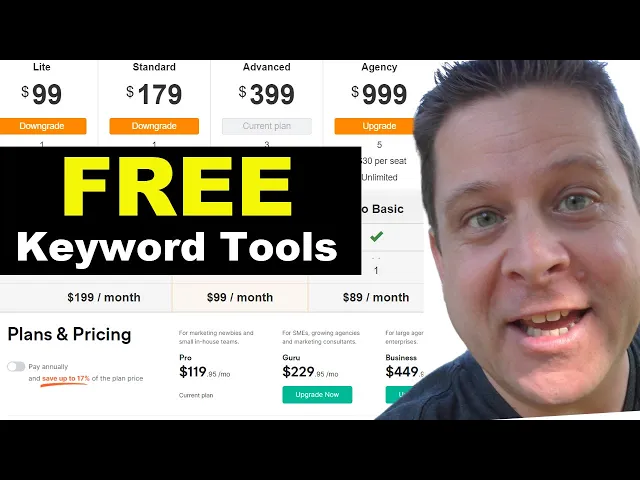
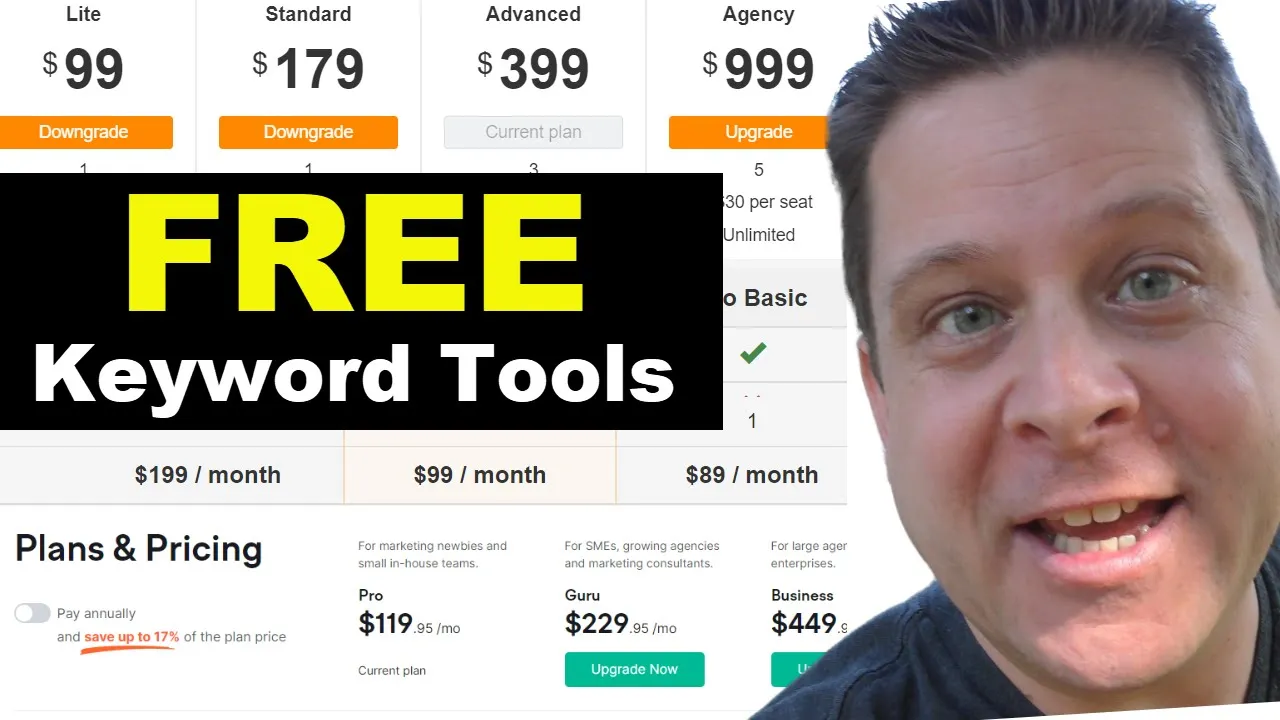
I'm gonna start my business right with the proper keyword tools. Ninety-nine bucks? What?
One hundred ninety-nine bucks? What? A thousand dollars a month?
Get out of here! There has to be a good keyword tool I can use. Too many keyword tools, too many keyword tools.
I know! I'll call Lauren. She does our keyword reports around here at the Affiliate Marketing Dude, so she'll be perfect.
She can find all kinds of keyword tools for us. "Hey, Marcus. Hey, how's it going?
" "Good, good. I got a quick job for you if you're up for it. " "Sure!
" "Alright, cool. Here's what I need: I need to find a bunch of keyword tools, but they have to have some of these things. First, I need a rank checker that's accurate.
Second, I need a deep keyword research tool with accurate competition. Third, I need keyword tools that have accurate volume levels and very few errors. Then I need focused keyword results based on a query and good competitive analysis.
" "Sure thing! Is it okay if I find free tools? " "Yeah, let's see if we can find some free ones.
If we get lots of free ones, that'll be great because I know a lot of people don't like paying huge prices for keyword tools. " "Awesome, I'm on it! And now we wait.
I'm sure it's gonna take her a couple hours to come up with some good keyword tools. " But, oh! Hey, Marcus, I just got that report for you already.
"Alright, let's take a look. " "Yeah, there's a lot of free keyword tools on this list! This is gonna be great, but it's gonna take a lot of work.
" [Music] [Applause] [Music] "Come on, let's go to work! " [Music] "Alright, so let's get started diving into these keyword tools. My goal is by the end of the video to show you a strategy using one or a few keyword tools to get the exact same result that I get on my videos using the Ahrefs keyword tool.
You guys see me using this all the time, but of course, it is a little bit pricey for some people. So what I want to do is give you an overview of some of the tools that are out there. Yes, this is going to be a long video, but I guarantee it's going to be worth it, and we're going to give you some free tools that you can use to get the same results.
You could start your business with literally nothing; you could do your keyword research with zero dollars out of pocket. Now, before we dive into this, let's go ahead in the comments and give a big shout-out to Lauren and tell her thanks for compiling this list for us because she did a great job. And that's kind of what's going to fuel this whole video and help you get free keyword tools that are going to give you results that are pretty similar to what I'm getting over here spending thousands of dollars a month on keyword tools.
So let's dive right in. First and foremost, one of the most popular keyword tools out there is known as the Google AdWords Planner. Now you can see here in the Google AdWords Planner, if we type in the word "PDF," we get all kinds of keywords related to the word "PDF.
" And of course, you can see here that it's going to give you the average monthly searches, which is not a solid number; it's like between 100,000 and a million, which is kind of all over the place unless, of course, you have an ad that is running currently. If you have a running ad currently, usually it'll show you the exact number amount. Now, this tool can be used in a really good way, but we need to understand that this is the Google ad tool, meaning that the competition is going to show you competition for paid ads, not SEO.
Most of you guys are looking to do SEO or free traffic, which means this tool isn't really going to do a whole lot for us unless we find a keyword and do it manually, right? If we go through and do "PDF to JPEG converter," and I search for this in Google in quotes, we're going to see that there's about 269,000 results for this keyword. That means the competition with the phrase "PDF to JPG converter" exactly like that is about 270,000 different websites, which means the competition here is pretty decent.
Now, compare that to a keyword that one of my websites is currently ranking for: "Lose 100 pounds in three months," which shows a competition on Ahrefs of 18, which is pretty low. Now, if we take this keyword and type that into Google in quotes, we could see that the number of results is only about 8,800. And of course, we can type "PDF to JPEG converter" into the Keywords Explorer on our Ahrefs tool, and we could see what the competition looks like here.
We get 79, or super hard, meaning it's very difficult versus the keyword I'm ranking for, which shows 18 and medium. Now, I'm not showing you this to tell you to go get the Ahrefs tool; it is a great tool, and I use it all the time. But I'm showing you this to show you where these numbers come from.
This is almost 270,000, which means it's super competitive. This in quotes is 8,800, which means it's way less competitive. There's also another method that I use when doing this manually known as the timeout method.
Now, the timeout method is when you search for something in Google in quotes, and then you scroll to the bottom and you click the last number until it times out. " See here: it says, "In order to show the most relevant results, we have omitted some that are very similar to these 31. " So we started with 8,800; now we're down to 31 results that are pretty tight-knit for this keyword.
That's a lot more manageable! If we use the timeout method on PDF to JPEG converter, we go to numbers 10, 14, 16, and then it finally times out with 158. 31 versus 158: super hard versus medium.
You got it? Good! Let's move on.
Now, the AdWords tool isn't really going to help us much with organic; however, I did find these little column things here. Let's click these and see if we can get some better results. We'll do competition, organic, and organic impression share.
Let’s see what happens here if we apply this. Now, what we're going to get here are some other columns: we've got competition, indexed value—which shows how competitive ad placement is for a keyword on the content network—and organic position. Yeah, it doesn't really show us a whole lot here, so while the Google keyword tool is good for finding monthly searches, it's not good for much else unless you're doing paid traffic.
Now, the next free tool I found was Keyword Tool. io, which was kind of limited on results, but let's take a look at it anyway. I went ahead and typed in "JPEG PDF converter" or "PDF to JPEG converter," right?
Like this, we can see the competition here is low, and we're going to compare that with what we have at Ahrefs here because Ahrefs is the industry standard—that's why I like it. When I go through and I get a low competition one, I know I'm going to rank for it, right? It's not a question.
Now, if we go through and we take a look at this, it says "super hard," and this says "16 low. " So if I go out here saying, "Hey, this is low; I can probably rank for it," I'd be wrong, and this wouldn't really give me the greatest results possible. Now, it does show me some other stuff, but of course, I do have to upgrade to get anything beyond like two results here, which is kind of a pain.
So as far as free tools go, yeah, that one's not really cutting the mustard. Now, there was a little tool I found that was kind of cool that helps you find different keywords related to your string keyword or your starter keyword, which was called Infinite Suggest. This was kind of cool!
Now, this one doesn't go through and show competition or anything like that, but it does give you an idea of what's going on. If you did want data on the keyword, you could probably see that through SEMrs; they have here, which you could usually see a couple of results free, and then it'll time out. But this was a good one—like if I wanted to go through and just download a big list of these, I can export a big list of related keyword terms, which is pretty cool, right?
So I did like this one for being able to get bulk lists of keywords. As far as getting data on those keywords, there's not a whole lot. It's got some IC, which shows how many times it shows up, some kind of modifier language, and the root term.
Again, not much in the way of competition, so we're not going to be using this one a whole lot. Next up, I found a keyword tool called "Solve" or something like that. Now, this one is good for looking at the internet as a whole.
So if I go in and do something like PDF, this is going to show me the stuff that shows up with the various keyword tools. So like, here's Bing, here's eBay, here's what shows up on Amazon, here's what's showing up on Google—and this is going to show you more or less like the suggested stuff, right? So apparently, it thinks that Peppa Pig has something to do with PDF.
Now, this is helpful; it's not really a good SEO tool, but I will point out one thing on this site, and that is that start button right there—that is a banner ad that kicks ass! You can guarantee this banner ad gets a lot of clicks, but that is for a different time in a different video. So Solve is good for kind of looking at this stuff and seeing what's going on.
It's like an overview kind of deal. You're going to want to use this with other keywords, namely the one I'm going to show you that kind of trumps all this stuff, and it's actually 100% free. Now, let's take a look at Google Trends because I think Google Trends is noteworthy as a keyword tool.
We could go through and see the trends of a topic. So if we do something like NFT, we could see that NFT was trending really hot, and now it's not. Google Trends will give you an idea of what people are looking for.
It'll show you related topics, which is really good because if you start to hit these topics, it's going to give you some ideas you wouldn't have even known before. Like if you're doing YouTube, this is going to give you like YouTube titles and stuff like that, which is pretty cool. You have related queries; you can see where people are searching— all kinds of good stuff here.
Again, I have a list of a lot of these over at TheProfitScoop. com. Really cool stuff!
We have some free tools that I've created for you as well, so Google Trends is definitely something that you want to bookmark. "Have in your tool belt, hands down. Moving right along, we actually went through and found the Moz tool.
Now, the Moz tool is pretty good. Again, we'll have links to this; check the description for links to all kinds of stuff like this. Now, the Moz tool was pretty good because it has the keyword, the monthly volume, so that's looking good, right?
We can see all suggestions here; we can get a detailed report of all this stuff, and then I believe we can also find out what the competition looks like. I think that was on the main page, so we might have to use this to find the competition. So what I would do if I was using Moz is I would go ahead and have two tabs open: I would have a tab for the keyword suggestions and a tab for keyword research.
Okay, very important here! That way, I could go through, and I could be like, "Hey, check this out. What is a PDF, and how do I open it?
" Alright, not much searches there, but if I did want to rank for it, I could come over here, analyze it, and see exactly what's going on, which is pretty cool. So that can work really well. You can play around with a lot of these other tools; apparently, it wants to take its time, but you can play around with these and see exactly what's going on—see what the competition looks like and everything like that.
We can even go through and put it to the test of "lose a hundred pounds in three months" and see if this will show us a competition that's similar to what we're seeing over at Ahrefs. And it actually does look like it's pretty good: this is an 18 here, 37 here, so it's not too bad. Organic click-through rate is high; priority is good.
You can actually see some of the SERP results. So the Moz keyword tool, as far as free keyword tools go, this is one of the better ones. It's not the best one, but this is one you definitely want to bookmark and use over and over because this is going to give you a lot of good stuff here.
Very similar to the Moz keyword tool, we also have the SpyFu keyword tool. So if we use SpyFu here, which primarily is for pay-per-click but does also work for SEO, and it does have a lot of good free tools for you, if we do "lose 100 pounds in three months" here, we're going to see monthly volume. Now, on the monthly volume, I am seeing a discrepancy here; we got 800 over here, and over here we only have 90.
So that might make us miss out on some stuff because my guess is that Ahrefs is probably the more accurate, which is okay. We can kind of use this as an idea to see what's going on. We can see here also stuff that is ranking; they buy ads for this a lot, a lot of paid ad stuff here.
And then, as far as organic ranking, we can see here it's a 95. Okay, according to the SpyFu tool, I probably would not go for this keyword. According to Ahrefs, I would go for the keyword; using those results, if I failed to rank for this, I would have missed out on a lot of traffic.
So you have to keep that in mind, whether you're buying keyword tools or using free keyword tools. The end result is I want a lot of traffic to my website, and I'm going to do whatever I got to do to get that. We can also take a look here on SpyFu with related keywords, which is pretty good—advertiser history, ranking history, backlinks—you could bulk upload a list of keywords and all kinds of things like that.
So it definitely does have a lot of good data. SpyFu is one that you always want to keep in your tool belt. And see here, the SERP analysis actually gives us domain strength, which is pretty cool.
And hey, check it out, there's your old buddy Nerd getting fit, one of my websites. Now, moving right along to one of the more popular keyword tools is the Ubersuggest tool that's put out by Neil Patel. This keyword research tool gives quite a bit of good info, but I do want to challenge how good the info actually is.
While it is a good keyword tool, and I do have a paid subscription to it, I want you to take a look at the difference here: we have the word "PDF," which, if we use the Ahrefs keyword tool, and I do the word "PDF," let's see how accurate the results are here because this is going to help us out. So we got 207, we got 177,000 results. Alright, we got 201.
Alright, so we're pretty much on the money as far as how many people are searching. As far as difficulty, yeah, it's looking pretty on the money for this one as well. Let's put it to the test and see exactly what's going on here.
Now, I do like that they have the competition and the paid difficulty, but let's take a look at "lose 100 pounds in three months" and see what the results look like because this is going to tell us if this is going to help us or hinder us. Now, over here we got "lose 100 pounds in three months. " As far as the search amount, yeah, I’m going to cut it a little slack—they're pretty close with 590.
This is pretty similar there. Okay, next up they are saying that the paid competition is about five bucks; that's good. Paid difficulty is 20; SEO difficulty is 77.
" So again, according to Ubersuggest, I would not have gone for this keyword because it's too competitive. However, I went for the keyword, and I'm actually ranking, so we got to keep that in mind. A lot of these tools are good, and they give good data, but they might be stopping us from a lot of traffic that we could get.
Like that, if we take the word "PDF" out, we can actually go through, and of course, if we do this word… and of course, it looks like I'm timed out already, so that's about all the keyword searches I get for free. As far as free tools go, Ubersuggest can give some results. As far as paid ones go, it's okay; it does the job, but it might keep you from getting some good traffic.
Now, here's one of the little gems that I came across, or rather Lauren found us; give her the credit on this. She actually went out there and found out that there was, in fact, a free keyword generator at Ahrefs. Now, it is limited, right?
It’s going to stop you right here, but at the end of this video, I'm going to show you how to use this alongside a different keyword tool that's free, and you could use these together to get the same result and save lots of money and live happily ever after. We could see here that it does, in fact, show us exactly what's going on, and we can go through and get the competition on up to ten words at a time. Now, you do have to prove that you're not a robot, but if I do something like "lose 100 pounds in three months," boom!
I could see that's a pretty good keyword. As far as I know, the only limit is that it's up to ten keywords. Other than that, I can do a bunch of searches a day, which is going to come in handy towards the end of this video.
Trust me, you're going to love this. So, Ahrefs Keyword Dash Generator, keep that in your back pocket for the rest of this video. Another free keyword tool that Lauren found us was the Keyword Sheeter.
Don't say that one wrong! Although, if you did, there is a keyword tool with that name. The Keyword Cheater actually allows you to find keywords on different websites, which is pretty cool.
You can go in and type in a website, and you can find out exactly what people are searching for. We did this with PDF and got a big old list from PDF keywords. Now, on the Keyword Cheater, in order to get big fancy reports, you do have to pay for them.
However, by clicking here, I was able to find the Domain Sheeter, which you could actually go in and enter a domain name. Let's try nerdgettingfit. com and see what comes up.
Ah, it looks like it's five bucks, but you know, sometimes you could go through and find some of these keyword reports on fancy stuff here. If you did want a solid report, you could go through and pay five bucks for it; it's not that much, and it looks like the reports are actually pretty good. We got the keyword, we got the rank for the site, search volume, backlinks, backlink domains, and of course, we have a competition score.
Let's see if this is actually pretty accurate. So this is 0. 6; I'm going to guess that's more competitive than a 0.
2. Which, if we were to go in our Ahrefs and do "ad arbitrage," it's a 9, so I'm guessing that's probably pretty easy there. Okay, not too bad.
But again, maybe we want to use this; maybe we don't—maybe for one-off reports or something like that. So the Keyword Cheater and the Domain Sheeter? It ain't complete sheet; it's actually pretty decent.
The next one we found here was answerthepublic. com. Now, I like Answer the Public because it gives us these pretty little results based on what people are looking for, like "why NFT is bad," "why NFT is so expensive," "how NFT works," or whatever it is.
We can even go in and do something like—let's say we're going to do a keyword, go to new search here. Apparently, we've got to look at this weird robot, and we could do something like "lose. " If we use the word "lose," we could see 80 different questions: "when to lose molars," "when to lose your first tooth," "why lose weight," all kinds of stuff here.
So, we got lots of good stuff. You could even do something like "abs" or something like that, and this tool is definitely something you want to have in your back pocket because we could go through, and it looks like we timed out. So you can do a few free ones, but use it sparingly when you're ready to go.
And that's the moral of this video: if you use free tools right—the ones I'm going to show you—we'll get you a list at the end where you can use them and actually get the same result as like thousands of dollars' worth of keyword tools. It takes a little bit longer, but hey, you know, some people don’t have a couple grand to spend on keyword tools every month. I get it.
So we're giving you some free stuff here, and if you like it, smash the like button. Now, here's a tool you definitely want to use called the SEMrs free keyword tool. We could go through and type something in like "lose weight" or whatever it is.
Let's go back to our "lose 100 pounds in three months" and analyze this keyword to see what comes. Up, so on this keyword we have variations. We have the volume, which is looking pretty similar here.
All right, we have the results; we have competition between advertisers. We got, uh, SERP results here, and it does show us the results. I like that it shows us the actual number.
Let's see if we have a competition score somewhere. Okay, so we got 33, 18. That's pretty good, I would say.
In terms of paid keyword tools, SEMrs is pretty much a close second to Ahrefs. Again, I'm going to have a full list of these over at theprofitscoop. com.
We even have some free tools you can use right there. But we can see here that this actually is a pretty decent result. I'm not sure when this times out for a free result, so let's go ahead and use a different browser and see what we get for a free result.
All right, so if you're going to use this free, it looks like we do create an account and we get 10 requests or something like that, so use it sparingly because it is limited. However, I think apples to apples, if you're looking for a free tool, definitely, without a doubt, the Ahrefs free keyword tool is going to win here, even though it only gives you 10 results. We're going to show you how to use this for free and get more than 10 results by just selecting exactly the results you want.
Next up, I found searchvolume. io, which apparently thinks I'm a robot. Let's try and type in the keyword here: "lose a hundred pounds in three months.
" See what we got. Okay, so we got 320. We got "analyze," which looks like it's taking us to StoryBase, and StoryBase looks like it needs to give us a free trial.
But, you know, to each his own; not really a whole lot of data here for the free stuff, so yeah, we're probably not going to use this one. Let's try, um, "PDF" and see if it gives us more than one result here. We'll hit submit, and apparently, it doesn't want to give us that result.
Please! Okay, apparently it doesn't like to give us results, so we're not going to be using this one too much. But if you want to find out how many times a word is searched up, maybe you can use it.
Next up, we got an oldie but a goodie. This is actually the one I cut my SEO teeth on, so to speak, where I actually went through and used the Word Tracker tool to find all kinds of keywords, competition, relevance, and how many times they're searched for and everything like that. So the Word Tracker Scout free add-on is pretty good.
I mean, it is a little limited, but it does show you how many words it's got, the competition, which again, this is competition directly using the Google number, which is what we used to use in the olden days before we had keyword difficulty and all this fancy stuff. And we have the opportunity number as well, which shows you, "Hey, is it a good opportunity or a bad one? What are we looking at here?
" And we can go through and download this for free. There's also the regular Word Tracker tool, which is free on their main page. We can type our keyword in right like this, and we could see some results here.
Lots of little pop-ups, but hopefully, we'll get some good results. We can see here that it does not show the competition, which is a little disappointing. It does show the volume and then some kind of IAT anchor title text or something or other.
Now, I don't see a whole lot of competition here. Let's just try "PDF" because I know that has competition. Okay, so it does show competition on some of these.
All right, I don't know why, when, or how, but it does show them. So the higher number means there's more competition, and the lower means less. So for some keywords, this will give us some pretty good data.
Word Tracker is definitely one to keep in your back pocket. The toolbar that they have through Chrome looks pretty good as well; suggestions are okay. You know, it's pretty decent.
It's a good keyword tool, and I do like that it allows you to export, but that's only on a paid account. Now, I have had a paid account off and on for Word Tracker for the last 20 years, and their data is pretty darn good. Again, if I was looking on a budget, I probably would not include this one.
I'd probably go with the free version of Ahrefs and the free thing I'm about to show you. If you want free results, you can use these two, and it's going to work like a charm. Now, some others to mention that looked pretty good were Keywords Everywhere.
Now, Keywords Everywhere is a little browser extension that you can use that's actually going to put the search results within your searches, so you're going to have your keyword, your volume, cost per click, and competition. This is definitely, as far as free tools go, it's pretty darn good. It's a good one, right?
It's pretty good. I would definitely have it; I use it on some of my other computers as well. Now, on this one, you can buy credits, which are pretty cheap, so it's kind of like a pay-as-you-go thing, which is good.
But we could go through and be like, "Hey, this is pretty cool. What does a credit mean? " It gets you the volume and competition for one keyword.
All right, so if I'm gonna run a full-out report, yeah, this is this. Isn't that expensive? This is pretty good, so using the free tool and this, I think we're looking pretty good.
Let's see if we can show without actually downloading this. Let's see if we could take a look at what the competition looks like using this here. So they're saying "SEO Checklist" is a competition of 35.
All right, well, let's see here. Let's do "SEO Checklist. " All right, we got 35, or 0.
35 here, and I know Keyword Planner is 16, Answer The Public is zero, TubeBuddy and Keyword Revealer. So there's some decent ones that say hard, so 35, I'm guessing that's higher? It looks like it.
Answer The Public? Let's try Answer The Public. Answer The Public.
Okay, if that's the case, if this is lower. . .
Yes, I think the lower number is better here. And again, this is a pretty decent keyword tool for free. I mean, definitely worth it.
Let's take a look at some others here. We had Answer The Public, Alphabeticals, it was pretty good. Surprater, this one looked interesting, right?
We could go here and you could see different specific local stuff. So this was for local. I don't do a lot of local, but if you do, you might want to use it.
Seed Keywords looked like a decent one where you could go through and find keywords and stuff like that. It does look a little difficult; like, I don't know if this is really doing what we want. Seed Keywords?
Okay, I'm not exactly sure how this one works, but you know, it's on the list. So let's see here. Okay, there we go.
So we got in-title search straight. Let's just do a straight search and see what goes on as opposed to different kinds of searches. I don't know, looks like it's kind of.
. . So this is just showing me Google.
All right, well, you know, I don't know. I'm probably not going to use this one too much, but I'm sure it has some kind of reason people would use it. Just personally for me, what I'm doing?
Not really. Next, we have Exploding Topics, we have Rank Tracker, Keyword Dit, which is good for Reddit and some others as well. And now let's get to some of the free ones that I found that are going to blow your socks off.
So, of course, we want to take a look at the free Ahrefs keyword tool. Now, a couple of others I want to bring to your attention which are very hidden; nobody talks about these but they're great tools. These are tools that are over at a site called The Hoth.
The Hoth is like some big SEO kind of deal. What we can do here with The Hoth is I could actually type in nerdgettingfit. com.
Now, this is important; this is what I want a keyword tool to do. One of the ways that I find keywords that make me lots of money is by going to competitors' websites and typing them in. This is super important because I can go through, and I can type a domain in, and I can get the keywords that that domain ranks for.
Look at this; this is like gold right here! I could export these to an Excel file or a PDF; I could view more results. Guys, this is a really cool tool.
Now using this tool alongside my Ahrefs free tool, this is where the magic happens because I could go through and say, “Hey, this one here has a pretty low number of results, it has a good amount of searches, the site ranks number 21,” so let's put this in Ahrefs and see what we come up with. I'm not a robot; I promise. Well, there you go!
Keyword difficulty of nine. Then I could take it up a level and say, “Push up calories. ” Again, I’m not a robot.
I am not a robot. All right, back to our regular programming! We have push-ups calories here.
Prove that we're not, and we could see all kinds of results with the KD, the KD that we like. So, ladies and gentlemen, you can get the KD for free; you just have to do a little legwork here using stuff like The Hoth and other things like that. Now, also at The Hoth here, we have lots of other stuff like this one will give you an actual keyword analysis for your keyword.
It'll show you the competition; it'll show you all this six-pack stuff here. So if we type this in, we can see 1900, and if we put it over here in our Ahrefs keyword tool, we could see, “All right, looking pretty good. ” So using these tools together is like magic.
Now, when you start to add other stuff, like having the keyword everywhere on your browser, having the Moz tool, having SpyFu, and a lot of this other stuff together, you're going to be unstoppable. And if you want to be unstoppable, I've got a gift for you over at TheProfitScoop. com.
I put a nice little dashboard where you can click and get access to all these tools. So when you go to do your keyword research, you just go to TheProfitScoop. com, you use the icons at the top every time you want to do keyword research, and you don't have to remember all these URLs and have bookmarks and files and everything like that.
So I hope you enjoyed this video on how to use these tools to get free keyword research. There's lots of tools you can use again over at TheProfitScoop. com.
I'm going to have the notes from this video; I'll have the links and all kinds of stuff to help you find keywords that make lots and lots of money. Thanks for watching! Smash the like button and check out the videos in the description for.
. . More keyword goodness that'll put more money in your pocket, or all over you, so to speak.