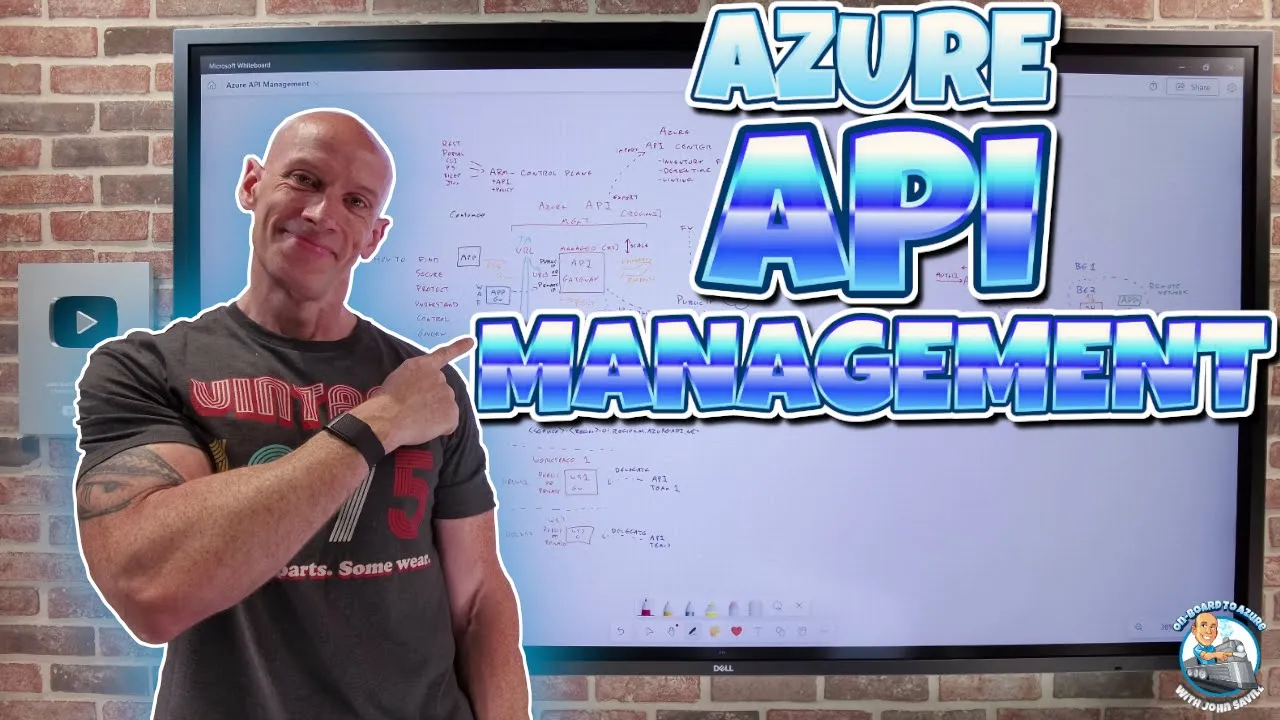
He everyone in this video I want to talk about Azure API management because apis really are everywhere today I could have a whole bunch of different apis and we have people that create the apis so we have API providers and obviously we have things that then go and use those apis so I've got some kind of consumer this is going to be our applications now sometimes um something Can be both a provider and a consumer I'll have an API that can be used by things and that API calls other apis that's totally okay to have
now those apis they can be hosted in many different places you may have absolutely apis hosted in the cloud but you may also have privately you may be hosting them on premises so maybe I've got an API over here on some on Prem Network and when I think about these I May want to consume them publicly I may want to consume them privately but when I build an API there's a whole set of challenges around those API I so okay great I've got those apis and I want to use them within my company but if
I really think about it well there's a whole bunch of how to how do I find the apis that are available to the developers in my organization how do I secure the Apis what authentication and and is the authentication the API supports compatible with maybe what I require for my organization what I can do as the client how can I protect them maybe I want to make it available in some way but how do I do that in a protected manner I might find the apis but how do I understand its capabilities how to utilize
it how can I add control maybe flow rates uh maybe I need To have different apis I want to use one API and then at a certain level go and use another API maybe I have certain governance requirements so it's fantastic having all these apis available but there's a whole bunch of how do I do these things now as an organization I will have requirements around maybe insight into how it's being used into the governance and it may not be my API and maybe the API provider Doesn't give the capabilities I require to be able
to use that so to solve those problems you could go and create your own solution that enables you to add governance or maybe different authentication you can do some bespoke solution or you can go and use Azure API management and so this is where this fits in the whole point is azure API management is going to provide an abstraction between the API being Offered and the client consuming it is going to sit in the middle provide a point of connection and through that it can offer a number of features so between the consumer and the
provider what we're going to put in is azure API management so we're going to have this fantastic solution it's going to solve all of those howto things I talked about and what we're actually going to Do is we're going to create an instance of azure API management and there's going to be a number of things that go with that as part of the all up experience which we're going to walk through now I do want to say up front there are a number of different tiers available for Azure API management and when you create this
it is going to take a little bit of time on your first creation Now what it's obviously moving To is these idea of the V2 SKS there isn't a V2 for premium yet but I think they've announced it's on the way and as is normal with a lot of the different Azure Solutions the features available will go up as you move from basic to standard to premium so you can see all the different types of capability but also you'll see differences for example in slas if we look at the API management Gateway for Example it
goes through details of what I can do with the different gateways that come with the different SKS um if I look at the V2 service tiers then I'll be able to go and see differences in the number of connections and things like that so there's different options available to you and you're going to want to go through and we'll talk more about that but you want to go through and say well what are the Features I actually require that will help drive me to pick a particular skew and there is some ability to change within
those so I drew this idea of azure API management but what actually is it then well the first thing we ever have to do is configure the thing so I can think about the idea of well I have to have the control plane now the control plane this is where yes we do create but we're going to Define the API Define the Policies all of that config it's just using om so the control plane is the regular Azure resource manager so that's where I would hey I want to go and add some new API I
want to add a new back end that is actually providing that API I want to go and Define or update a policy and the nice thing about it just using arm it means all the regular methods we have to interact with Azure just apply here so I can go and use the portal Which of course is calling the armrest API I could use CLI I could use Powershell I could use templates I could use bicep the list goes on so all of those regular methods we can just use for the control plane for managing our
Azure API management but where the fun really comes in is that abstraction point the bits that's sitting in the middle and we have the idea of a Gateway so as part of this Solution what it's going to deploy when I deploy my Azure API management is my API Gateway and I can think of this as a managed Gateway it's just provided for me there's nothing I'm doing with an operat rank system or components or anything like that it's living in the cloud and when I deployed my Azure API management instance it lives within a specific
Region say region one so your default Azure API Gateway is going to live in the same region so this is going to go and live in region one as well and this is that point of abstraction at a super high level I can think of well I've got some API that I want to consume by the application so the application well it's just going to go and make a request so that request will now go to The API Gateway and the way that's going to work is your API Gateway well it has a URL so
there's a URL that I'm going to be out to leverage and then the API Gateway is going to look at the request and what it will then do is it will apply any policies so if I've defined policies we're going to go into more detail on all of this but I can think about on the way in so I've got the request it can apply a whole bunch of different Policies once it's gone through those policies hey it can go and forward it to the relevant back end that provides the API it will then receive
the response from that API on the way back it can apply other policies and then hey it will go and send the response back to the requesting application so of a super high level it's just sitting between the requests and the apis and then it can do all of this magic but it's abstracting Them so not having to maybe expose my API directly to the application it's providing that Gateway functionality and we're going to dive into a whole bunch of detail around the idea of the policies and exactly what it can do but I want
to initially just focus on the idea of the availability of the Gateway cuz that's a big one if I consider that hey I'm putting this Gateway in between the applications and the actual Apis well this could potentially become a single point of failure or a funnel that could restrict the performance of what we have and so when I deployed that API management it was to that region and the managed Gateway lives in that same region as the primary now this Gateway has a URL that the consumers will talk to if we actually jump over for
a second let's move this way so I've gone ahead and created an instance of API management and it shows me over here on the right now I've picked the developer skew because I'm cheap but it's showing me my Gateway URL svte API management. aure api. net so that is the URL that the clients the applications will talk to not the actual URL of whatever the apis are and if we just look at this part so I could just take that name and quickly just go and look at that Straight away we can see something interesting
so there's the name that we gave what it actually resolves to is a traffic manager name so that gives a hint of saying interesting so it's got Geo balancing and then what it's actually talking to in this case is the name of my service the region I deployed it to 01 Regional aure api. net so straight away it's given me that idea that well It must have some greater understanding of regions and distributions because what I'm actually talking to is it's going to do a DNS look up against traffic manager to add in elements of
resiliency so that's just a hint of what we're about to see so when I have my Azure API Gateway depending on the tier I can actually scale it so I can scale the number of units I actually have so from A performance perspective I can think about well yes this managed Gateway but it actually will scale the number of units and additionally depending on the tier I have it can use availability Zone So within the region it could distribute the units over availability zone so I could that resiliency from data center level failure certain isolation
boundaries of power calling networking Control plane now the number of units is going to vary depending as I mentioned on that particular tier so if I'm going and looking at sort of the API management here I'm looking at the classic tiers and it tells me the number of scaleout units that I can scale up to and you'll notice here this idea of well up to 12 per region when I'm using the premium or isolated now for the V2 SKS it's not actually giving me that Number here but if I go and look at the V2
service tier detail it does actually talk about somewhere I saw it in here it gives an answer of 10 so if I just search for 10 there we we go scale up to 10 units to meet the needs and again depending on the exact tier it may even have automatic scaling type capabilities so it will keep up with the amount of work you're actually doing to optimize my spend I don't want To pay for units of scale I don't require but that's obviously within this region this region one what I can also do though if
I'm on a pre premium tier so I do require the premium tiers but if I have those premium tiers what I can then do do a slight different color so on the premium I can specify additional regions so now I could say well actually in region Two I also want instances so now I'd have another managed API Gateway and once again I can scale that independently I might also say hey I want in Region 3 I want an instance of API Gateway again these are all managed and once again it has its independent scale so
now I'm making my service via the API management at multiple different points now I've me mention the idea of this URL remember what actually was happening is even when I just had the single instance which is what I've got this is the Azure API management URL that's this globally available one but then what's happening is well this had its own Regional so this had a URL one these each get their own H URL 2 URL 3 and as we saw in that naming what's actually happening is all of those URLs are following this naming Convention
of service the name that I Specified Dash the region Dash was 01 do Regional do [Music] aure dapi Donnet so every Regional my ADD will get its own Regional URL and then what's actually happening is this URL well that URL is actually kind of sitting up here and It's being provided by traffic manager and then what traffic manager is doing is using the performance um distribution option and what performance does is it looks at the latency between the DNS client and the possible targets and so traffic manager will redirect and return the value depending on
the latency from the requesting so it's going to redirect you to the version that is closest to you if one is not available because it Has the health probes well then it won't return you to that one it will return you to the next closest one and once again and if just bring that up one more time we saw exactly that here I only have one Gateway so when I ask DNS hey I want svte API management. aure api. net what it returned to me was the only one I have available so that I'm deployed
in Canada Central is deploying that Regional one to Me and so that's how it's providing that capability and it's always there even in my example I only have one Gateway I still have traffic manager so if I added an additional region in the future we'll just get added as a possible Target so with that performance algorithm what using traffic manager means is I will get as the app requesting hey if I'm Clos to this Gateway I'll use that one if I was Closeing here it would use that etc etc so it can reduce latency realize
they still have their own UR URLs so I could absolutely as a client just talk directly to any one of these URLs but also as an organization you could use a different solution you don't have to rely on the traffic manager maybe on his Azure front door you could create your own Geo distribution solution and then add these URLs as the Backend component so you can really leverage whatever you want so this is how it's provided the resiliency of the Azure API management Gateway which is really the the main components and all of these gateways
they have the common sets of policy the control plane is replicating the changes to the apis I'm making available the backends available all of the policies I'm doing they'll all have a consistent configuration and it it's Very fast I think there may be a few seconds drift between them potentially but they're going to get up to sync very very quickly so this is how I can think about resiliency and again multiple regions we always want these two regions of any solution we do in AIA and again depending on the skew maybe it's even balancing these
across availability zones now I mentioned the idea about the apis that I actually want To use and so what apis can we support and the key Point here is they really can be anywhere so so I drew the idea here about in the cloud and absolutely they can be in the cloud and that cloud could be sitting in Asia that could be in other I'm not going to Sul my board by writing other Cloud names kidding but there could be apis all over the place and exactly as we said you Might have apis on premises
as well now Azure API management is a native Azure service so what that means is it does work phenomenally well with Azure things so if I was to go and look over here I'm in my Azure API management instance and I'm going down over here to my apis and my apis option we Define the apis we want to make available it comes with kind of a builtin echo API but I've added a sabte rest API of which I just connect to a couple of different Functions but we can see here the types of apis we
have available so HTTP websockets graphql grpc uh we have the idea of soap o data obviously restful open API I can create from Azure resources really easily so Azure open AI is a super interesting one putting API Management in front of for example a small or large language model in front of an embedding app service functions Container app logic apps but it really works with anything it's not restricted in any way to Azure Services obviously it just makes it a bit easier when I integrate with an Azure service I can just go and pick it
and it goes and hooks into it but remember what it's doing we talked about the idea that it gets a request and then it forwards the request and gets a response and then Sends the response back to the client and then in the middle it does its magic applies all the policies forwards and then gets to response which means it has to have a a IP path to talk to the apis and so if I think about well how are these offering those Services there's obviously two key ways it can do that I could think
about the that well it's on a public IP maybe it's on a private IP and the key point is API Gateway must have an IP path now if it's a public IP that's easy uh be it Azure be it another cloud be on Prem if you're offering it via an internet routable IP address and it's open now you could still maybe whitelist IPS you know what IP address I API Gateway is going to be sending it from as long as you allow it well that that's super super Easy what about if it's a private so
what we have here is I need a way to talk to that so how in the world of azure do we talk to private resources well we're going to have to integrate with a virtual Network a virtual Network in AIA gives us a private IP space where resources can be and these could maybe be private endpoints inside that virtual Network so what I'm going to do here is in the private World I have to have a virtual Network so I'm going to have a v-net and we're going to delegate a subnet to the Azure API
Management Service so I'm going to have a particular subnet the documentation goes through the minimum sizes it has to be but I'm going to delegate this and what this will let me do is API Gateway is going to inject itself into that subnet now to be super clear this delegated subnet purpose is For API Gateway to be able to talk to apis this is not for applications to talk to API Gateway it's purely to give a path the API Gateway to go and talk to and consume the apis so from here for example once it's
injected into here anything that this v-net has an IP pass to aure API management gateways can now go and talk to and consume and make those apis available via the back ends so it could be hey the API has a private Endpoint or lives in this vet it could be it's on some perod other v-net it could be I've established an Express rout private peering or a sight to site VPN so it has a path to an on premises Network all great but it has to have the IP so this is the component that is
facilitating that if I want to be able to use um private IP apis then I have to inject Azure API management into a Virtual Network by a delegated subnet and then anything that subnet has an IP path to then it's going to work so that's this I think the standard V2 tier and above is going to support that now remember that that point it's regular Azure networking so you'd have to make sure you had the required uh nsgs and routes to be able to go and get to that so that would just be the path
but that's how I'm going to facilitate it and at that point in terms of what API it supports as I kind of mentioned it's it's pretty much anything as we saw on the page if we go and look again just really quickly I mean you name it these are basically here rest o data soap grbc graphql etc etc so there really is no limit to what I can do with this it can be anywhere pretty much any type of API you can imagine again in my example I'm just linking to a couple of azure functions
there's multiple different Azure functions and I've just gone and leveraged that and so you have the front end what it's talking to Via the API management the backend resource in this case it's a function over here and then you have the idea of hey I can do cool kind of policy things in the middle and here if I look at this particular one you can see I've got three different policies base set the Backend service and I'm rewriting a URL as well which we'll go into a little bit more detail about now one of the
thing that's going to be important here is okay I have these backend API and I'm going to make them available via the Azure API management because I want to maybe facilitate something I might want to put controls in it I may want certain insight into it so what you have to make sure is you lock down those apis So they can't be used directly from the client because otherwise the clients may just go and talk to them directly so one of the actions I have to do is for all of these apis if that is
my goal to require the use of azure API management is I basically would need to have [Music] some protection so maybe it's a firewall and maybe that's based on the IP it's coming from maybe I only create an Account that can consume it that only Azure API management knows maybe there's certain process I do some or mechanism it doesn't does matter what you do but if I want to restrict it so that the apps have to use Azure API management then obviously you have to block these from accepting a direct request from the clients or
they'll just bypass the Azure API management and you can check it so if I go and look again at my Azure API management Instance one approach I'm not saying this the one you do but you can see oh go way but you can see it's virtual IP address so if I did want to base it on IP address for example then hey I know what the virtual IP address is for my API management and maybe I only allow talk from that another approach again would be authentication and I only create one account that only Azure
API management knows so I have all those different Options it's great we have this very resilient very distributed set of options here for the Azure API Gateway and its service but then I'm going to think about well okay that's that's phenomenal what about the actual back ends and I'm actually going to start another picture just for space because I have the API that I want to offer so I've got my API that I've defined in Azure API management and remember what I may absolutely have is the idea of multiple backends that can actually provide that
API I might have a backend One V URL I might have a backend two etc etc and what I want the ability is that I may want to balance between them if that one's not available then send it to backend to I require the ability to not just have one back end for the API and Azure API management Because it's great that API management is resilient but I want the apis to be resilient as well and we actually have a number of options available to us here to solve this problem so option one is there
is load balance B in support within Azure API management I can fundamentally go in and add load balancing now for this if I use the load balancer it supports round robin I just goes through them it has priority so hey Use this one if it's not available then go and use this one and it has weight options so send 80% to this one and 20% to this one and distribute those requests it does not have a performance option I.E I can't send to backend one which maybe is in South Central us if the app is
in South Central us I can do that for the API gateways but the low balance here doesn't distinguish between locations the request is coming from so I couldn't do a a lowest latency Approach okay so option two is I can use the policy now remember we talked about policy as this bit in the middle that as an inbound request comes in it applies policy as the response comes in it applies policy and it's really policy that drives the magic of what Azure API management can do so in this case I could use policy to do
a number of different things so I could absolutely Add a policy in here that could do something basic could retry so I could write a policy that just says hey um retry so I could say well try and talk to backend one try three times if that fails we then go and talk to backend 2 okay but I could also do a when condition so a when condition could say Well when there is some some set of attributes of the incoming connection I want you to use a certain backend Service instance now I can do
a whole lot of powerful Things based on this I can do circuit breaker patterns which is really useful when we think of apis because what can happen normally is if something's not working correctly the clients the apps using the API will just keep hammering it which actually blocks its ability to recover so circuit breaker can actually say hey no once you've tript I'm going to limit the request actually going to the backend API give it a chance to recover and and throttle or even stop those things down so I can I can do things using
these patterns but one of the cool things I could do with this when condition is I could look at which Gateway did the request come from and then send it to a particular back end so imagine that scenario again let's draw all of the components out so I have the idea that I have my application and my application is in a Certain region and imagine for a second I have a Gateway in Europe I have a Gateway in East us and I have a Gateway in West us and just coincidentally I also happen to have
three back ends that also happened to be in Europe oh East us and W us and so the application happens to be in Europe so he tries to talk to aure API management remember what they do first of all is the URL is actually traffic manager so they do a DNS lookup For the URL traffic manager is using performance so it says okay I'm going to give you the actual URL of the Europe Gateway so then the request is sent here so it talks to the Gateway and then we get the magic of because it's
magical the magic of policy so the request comes in it's a shared set of policies remember they replicate between all the different Gateway instances and now what it's going to do Is it's going to do well when condition and in this case I could say Well when the string Europe whatever the proper name is uh equals um I don't know I'm going to get the syntax wrong but the deployment region of the gateway then make the back end the URL of this one back end three so suddenly using policy and I can still have retries
and other failback Logic in that but now I can actually make it flow through in such a way that it will go and stay in that lowest latency path so I could do it using that mechanism if we go and look at the documentation which would do it infinitely better than I did so we can see here this idea of Route API calls to Regional services and here it's giving that exact bit of code but a lot better than what I did so here it's Showing hey look if West us equals the deployment region that
the Gateway came in then set the backend service to be in this case the us back end so I can go and actually flow that through to my all-up solution and one of the things you're going to see here is this policy is everything time and time again you'll see this idea of policy being used because it can do pretty much anything You can think of it has the ability that hey I can go and talk to something else as part of the request maybe go and get some super secret token bring it in maybe
cash it for a amount of time use that super secret thing to go and talk to the back end it could mirror traffic it could go and put things on an event Hub I could do all of that with policy and these policies I Define actually should just go and look at this for a second so the policies I Define Are all compiled so when I look at my example over here for a second and I'll look at my little API and we'll look at the policies I've got now I just have some very very
simple ones I'm setting a backend service I'm rewriting I added this one because the actual URL and that was is offering co-pilot we'll come back to that later on but what what I wanted to do is the actual Function expects the path to be delete widget but I'm trying to give myself a consistent rest API I wanted it to just be widget so I'm rewriting the URL on the way back but all of these policies they are compiled so they run with very very high performance they run in process but they're written just as text
there's little Snippets here of all of the different types of policies I could be using as Part of my code if I went and look at the documentation for a second there's just a crazy number rate limiting authentication and we come talk about that in a second content validation routing caching things transformation cross domain integration there's massive numbers of these different policies that are available to me and again because it's just text well because it's text co-pilot can Help me I can just ask co-pilot and look it's even giv me examples can you help me
write a policy because co-pilot's fantastic at text it has been trained train is a strong word via few short examples and prompt engineering and rag Etc it understands the structure of the Azure API management policies and will help you create them so I don't even have to write all of these from scratch because it's text Based I can leverage that now there are a huge number of Primitives available there's control flow so I can have a lot of logic just built into these to do various types of options there's a control flow So based on
the results of evaluation of Boolean Expressions I can do very various different things so I have phenomenal power here but the other thing I can actually build as part of these policies are policy expressions and a policy expression is Just C code now it has to be well formed C code it could be single line or multi-line if it's single line it's in regular brackets if it's multi-line it's in squiggly brackets in fact we can go and see the documentation for that but I can create policy Expressions to do more advanced stuff so you can
see there's examples here of single line and then there's examples of multi-line I can just put that into my policy and again because it's compiled That will then become part of it now most of the time you won't need to do that but imagine I had some more advanced transformation maybe some Advanced uh authorization components it's really used as a binding agent so you have all of the Native Primitives for the different types of policy but maybe I need to do something really really fancy imagine I wanted some Dynamic rate limiting so there's rate Limiting
policies but maybe I wanted to say hey I'm going to go and look something up and look at what you're doing and modify the rate limiting I can easily do that a policy expression just a well fored bit of c and I can put that in there so these policies really are the magic of what I want to do within here and to give you some ideas of what people do every AI is everywhere right now so think of AI so with artificial intelligence one Of the big things we might have is we might have
a provision throughput units ptus where I get a certain guaranteed latency well I could use policy to say well go and use the PTU up until a certain point or if I reach a limit CU I can measure the tokens I'm using then go and use go very easy to do with policy I might do chaining I might say hey uh let's go and talk to a small language model do some stuff based on the request and then go and send it to a large Language model again the consuming app doesn't need to know any
of this they don't care I'm doing all this magic stuff in the middle to make it more efficient let's use a small language model make it more efficient then go and send it to large language model I can do semantic caching so real realize as you start to roll out your AI based large language model solutions to your clients or customers you make get lots of them Asking the same question over and over again especially if it is like a help agent how many days off do I get for blah blah blah blah blah how
do I go and log whatever it is and every time someone asks a question to an AI rag may go and do an Azure AI search so it has to do an embedding based on the question then do a nearest neighbor then it puts that together in the prompt and it goes and sends it to the large language model and then it gets the Response back and it sends it so it takes time it's using tokens it's costing money well semantic caching what it will do is it will actually create a vector an embedding based
on the question and then store it and then the response that comes back it can store that as well and then when the next person comes in with a question it would do a nearest neighbor based on the semantic meaning of the question and if it's within a Certain threshold of probability of matching that I can configure within a certain duration that I can configure instead of going through the Azure AI search and the rag and then sending it to the large language model it would just send back the previous cach answer that it got
before so think about that it's going to be much much faster for the requesting client and I'm now saving all of the money on performing the rag and Performing the large language model And and getting that response and a much better user Improvement and there's there's a whole page on this and this is really an amazing capability that I can do with Azure API management now today is using an external reddis cache to store the embeddings and doing the vector similarity is using an Azure open AI embedding model to create the embeddings but I can
very simply using policy go and turn On that embedding capability so if I want to go and take advantage of that hey that's some of the things that you can do with policy and it really just is crazy um when you start to think about how much apis are used in the organization and suddenly this ability to put that abstraction in the middle and improve things improve efficiencies add governance all the things you might want to do now one of the things that obviously Comes up here is what about authentication so I need to lock
these things down and one of the really great things we can do here is I can do complete mapping in terms of the authentication so I could think about well the application and wed to talk to me so I've got my API so I could think about well there's a certain authentication can be used to talk to the API I'm offering via Azure API management and I can use a Completely different authentication to actually go and talk to the back end from Azure API management so what it's doing here is an authentication mapping so it's
doing a conversion between those so I could map one token to another token I credential mapping it could automatically renew tokens it could map a certificate a jot keys you name it I can do that authentication mapping using API management imagine you had a I don't Know a Twitter API and I wanted people to only go via Azure API management where I could put in certain restrictions my own role-based Access Control to control which apps can consume it well only API management might have the actual key or an authentication to talk to the Twitter API
and and then the consuming applications maybe use aolf 2 to talk to Azure API management and then I could Restrict based on the particular application coming in and manage all of that I can do that complete mapping through there in fact if you if you're curious about the capabilities if you look at logic apps if you look at Power apps if you look at Power automate they use apim for all of its credential management so it gives you an idea of think how powerful those Solutions are it's using Azure API Management I wanted to talk
about a another capability um because I talked about the gateways and that's fantastic but I can imagine a scenario as well where what if it's a private resource and maybe I can't get to it from Azure API management take these backend examples remember it's all about API management talking to it it needs that IP path we talked again and again about the Importance of Ip path to be able to talk to the API to be able to leverage it there may be scenarios of that path isn't there or there may be scenarios where I just
want to be more efficient let's take this scenario so if I think of this particular back end let's imagine this back end actually lives in a private Network it could be on Prem or it could just be a private whatever that is but We're going to say this back end actually lives in its own remote Network so there's a back end here for the API I want to use and also in the same network is an application that would like to consume and use that AP Pi now remember what would normally happen ordinarily this application
would be talking to the URL of the API management managed Gateway which is living in Azure and then the API management Gateway would Talk to the API get the response and then send it back so I'm hair pinning via Azure which doesn't make a lot of sense potentially if the app and the back end are in the same location so maybe I to handle latency so I might think about well actually what I'm trying to Sol for is reduce latency or it could actually be security I don't want the data path flowing via Azure or
maybe it's just privacy controls it's not allowed to flow so maybe API management does not have an IP path so one of the things we can deploy is something called a self hosted Gateway now the self-hosted Gateway still requires an outbound path to Azure API Management on 443 this path this is great it's got to be maybe a little bit confusing about what this is offering this path is used for configuration only I.E control plane It's using this path to talk to the Azure API management instance to find out about policies about apis that are
available about backend configurations and program itself with that it is not data PL it is not providing a way for Azure API management to send requests to the backend server sometimes we've seen sort of proxy elements we can deploy on Prem it establishes an outbound component to Aure and then through that aure can go and talk to things on that Network this is not that at all this is not providing a means for Azure API management to talk to apis that are in that Network it is strictly there because it will have its own URL
it is there so that applications within this network when they want to consume this back end but I still want API management functionality to be part of the conversation I want to Apply policies I want to apply logging I want governance now what would happen is the path where the app talks to the URL of the self-hosted Gateway it talks to the the back end gets the response and it sends it to the application so none of the data path has left this network so that now means I've kept the communication within that Network I've
not hit the latency of hair Pinning via Azure and again maybe I don't even have a data path where Azure API management managed gateways could go and talk to it so this is the solution where I have applications in the same network as an instance of one of the back ends and what I want to do is maybe optimize the communication so hey I don't want to hair pin to Azure let's just keep it in the network maybe I don't want it because of governance maybe I can't Because there just isn't a data path so
again the self-hosted Gateway is not providing a data path for Azure API management to be able to talk to backends in that Network it is only doing a control plane outbound connection to git config and then because it has its own URL I would tell the application hey use the URL of the self-hosted gateway to go and consume the apis and for all of the apis I have I can kind of tick boxes to say hey uh Which gateways do you want to make this available how I want to make it available on these manage
gateways or I want to make it available on the self-hosted gateways you have complete control of that so hopefully that makes sense what this is doing it's purely a means to provide the functionality of the Azure API management within a remote Network so I can optimize the communications between apps and API back ends that happen to be In that Network to stop it hair pinning by rure or maybe it couldn't hair pin VI Azure because there isn't a data path between the gateways that are managed and the back ends that are in that remote Network
so that's the whole point to it okay so moving on so far we've talked all about how resilient are managed gateways are we've talked about the back ends can be resilient through load balancing or Policy we talked about the idea that hey we can even keep things in a certain Network we can map the authentication hey I've got the hosted gateways when I want to optimize or maybe there isn't a data path that's all on the back end of API gateways and talking to the back ends what about actually talking to the API gateways actually
talking to Azure API management because we already Talked about okay there there's a traffic manager that has the URL which actually just translates to a regional URL for the manag Gateway and obviously then I could have the self-hosted gateways as well but how is this exposed the URL obviously maps to an IP address so what are my options to actually be able to talk to the API Gateway and it's public or private so this URL would obviously map to an IP Address and when I think about this myself a tiny bit more space move this
over so when I think about what that actually maps to it can be a public IP or a private IP but not both so when I deploy my Azure API management instance I pick how I want this to be available and this is a gateway deployment configuration not a per API so I can't Say hey API one that I'm making available make it available on a public IP API 2 make that on a it's a deployment of the Gateway so it's public or it's private not both now saying that if it's public obviously it's just
available easy to do if I make it private and private is only available on certain skews so again you need to go and check which skew you're using of API Management to see if it supports this private option but if I did do the private option remember a very common pattern you'd probably do with this so you may pick private even if you want it available publicly is well I could stick Azure app Gateway in front of the private IP remember app Gateway is a layer 7 Regional solution and then I could even put web
application firewall in front Of the app gateway to add that additional protections and then I could use policy u in API Gateway to only allow communication if it came from App Gateway so I could i' require that so that's how I talk to API Gateway it's a public or private private is only available for specific SKS and if you look at the V2 SKS the ability for them to consume via private endpoint at time of recording is not there yet but I Suspect that will come because it's there for the V1 SKS so go and
check the exact functionality of what you need um to see what your options are so public or private it's a a Gateway level configuration but there's another piece of functionality that we do have available to us so this is our all up Azure API Management Service remember I if I'm running the pre premium I can have Regional deployments as well but they're going to Follow that same config but the other thing we can do is I have the concept of workspaces so I could create a workspace one that workspace it has its actual own Gateway
so workspace one has its own managed Gateway and because it's a separate in of the Gateway it has its own network config which means it has its own public or Private configuration it has its own URL for workspace one and obviously I could have workspace 2 it would have its own one my writing will get worse and worse if that's possible public or private and then that has URL workspace 2 etc etc now the point of workspaces is not really geared towards I want a different public or private configuration but it it's it's potentially part
of it think about how you as an Organization want to manage your apis so I have all of these different apis on the back end and there's really three models you can think about there's a centralized you're going to have one API management instance and then there's going to be a central it team that will surround your API instance and they're the only ones that can do anything about the apis so everyone will have to come to them your team are The Gatekeepers to API availability so I need super high Governance but it's not very
high agility for the app teams they have to go and put in request to the central team another approach would be siloed every team has its own Azure API management instance they then get fantastic agility as the app team but it sucks for the organization who now have no real governance control or insight into these siloed Azure API management instanes that are just springing up everywhere so Very low governance very hard to ensure consistency but High agility for the teams also potentially very very expensive and then you have the third option which is almost like
this Federated idea where you delegate the management to particular teams so here I could think about well okay I've got sort of API team one well I'm going to delegate this Workspace to API team one and this workspace well they can API API team too and I'll delegate that instance so what this enables me now to have is they have a good agility because they have a lot of control over their own workspace of the apis they want to make available they have their own Gateway but it still falls under the governance and overall control
of that Central Azure API management instance so I get The best of both worlds in a lot of ways I still get the governance capabilities centralized but I'm delegating off the individual apis and config to the app teams so this is a very common option you're going to do to avoid those silos but still maintain some agility for your app team so I think using this and again because it's a separate Gateway today it's tied one to one a workspace will have its own Gateway today at time of recording that Gateway has to be in
the Same region as the API management instance could change in the future check the documentation to see if that is updated but it gives you that nice uh separation and then you can do different things down there now I guess talking of developers which I I'm I'm not a developer so I don't talk about them very often but there is a developer portal if if we go and look for a Second so the whole point of the developer portal is it's for developers to go and discover and try things out so if I go over
we can see there's a developer portal section and from that developer portal section there's sort of portal overview there's portal setting there's users there's all stuff I can do now it's not published by default so by default I would actually have to go And configure this it's going to be totally Bland and generic out the box I've not configured this but there's a huge amount of extensibility available to you I can even now use things like WordPress and all the capabilities of Wordpress so I could customize really to whatever way you want to do you're
going to go in and construct this and then once you've constructed it you would then publish the site and make available so the whole point of this is this is The place where your developers will go to understand so see mine is terrible it's totally Bland right now but I can go and edit all of these different components and again I could go and make this use WordPress plugins do like fancy style sheets or whatever I wanted but I can construct this experience to then go and make it available to all of my developers could
give them lots of information about it but you need to go go and construct this And create it for your developers now once again when you think about which skew because we've went through a lot of capabilities you're going to want to just go and look at the different features so we can go and look at the different types of Gateway for example the V2 and the classic what are the different features so availability zones for example it talks about where they can be used so it's got the yes for the Classic premium can use
it for the V2 uh two zones by default not configurable right now can see which apis are available based on the different SKS policies you get different slas but you can go through and look at all of the different features you have and map it to what do I need and that's really how I would think about which one you're going to want to go and use uh and you do have some flexibility and you can Import and Export out configurations so it's really not that bad if you decided hey uh I need to go
and change this thing one other point and when you talk about the developer portal actually I meant to mention this so we talked about Azure API management so as we saw Azure API management is very much a runtime component it's sitting in between the applications and the apis I have and providing Functionality now as a benefit of that we also have things like developer Center so I can go and see the apis I have available but it's only the apis that I'm managing with Azure API management as an organization I may be using other Solutions
maybe based on history on Acquisitions I may be using other API Solutions there's Google have Solutions mu soft there's other things out there and so you have a lot of apis that maybe Are not registered are not using API Gateway which means I can't see them and so there is another solution there is a solution called Azure API Center so aure API Center this is a design end time solution so think of this is runtime and I want to make the calls go through API management this is design time so this is primarily geared towards
Inventory and it works with anything so this is an inventory for all your apis whether you're hosting them via a managed Gateway be it API management or something else maybe it's just a direct I just want an inventory of all the apis I have so this is very much design time it has things like linting time recording this is a newer feature but it can help me as I designed My apis in my organization it can help apply organizational standards it can find discrepancies if I'm using vs code and I'm using the API Center addin
it will put the little yellow squiggly line under if I'm doing something that doesn't meet what I want to do and so when I think about these they're very much complimentary it's not which one should I use it's hey design time for all of the apis asure API Center is fantastic for that runtime I Need to add functionality or control things or change all for add logging or transform stuff or make crazy magic decisions I use Azure API management and I can absolutely export the apis that I have in here and import them into here
so there there are Integrations between these things I mentioned it a couple of times I guess I should have stressed it a bit more I mean there is amazing logging and Debugging I can send logs to app insights I can drop things on event Hub if I'm using AI functionalities as a side effect of this I could actually go and capture uh prompts and responses using these type Solutions it's super useful for governance scenarios so I do get fantastic Insight with this um and I guess that's really it so that's my walkth through of azure
API management hopefully you get the idea is the goal of this is organizations using A huge amount of apis could be in a could be in other clouds could be in private networks they've been used by lots of applications and maybe those apis don't have the functionalities we need don't have the insights we need maybe we need to add additional controls maybe we need to add additional resiliency between them or hey go and use this PTU based one and if I've used a certain number of tokens then go and use a pay as you go
I need to transform Things I want to make separate things available through one restful like look whatever that is API management provid Ides an abstraction so I can do conversions I can have multiple region deployments if I'm using the premium SKS and it will do a performance-based distribution I can distribute to multiple back ends based on low balancing based on policy rules I can do very rich logic as part of those distributions in a remote Network I can Deploy self-hosted gateways to keep the traffic from hairpinning via Cloud manage Gateway and that may that would
also potentially work if I don't even have a data path there but it does not provide a data path for API management to talk to it's purely there to enhance and provide the functionality of app API management within that remote Network we have the option of workspaces where I want to have a central Governance team but I want to make the developers agile so I can delegate a workspace which has its own gateway to particular app teams I can do fantastic things with the authentication I I can do different mapping around there it solves all
of those challenges I talked about and and again it really compliments API Center which is the design time solution that could be for any API not just those that are hosted via Azure API Management um I hope that was useful as always till next video take care