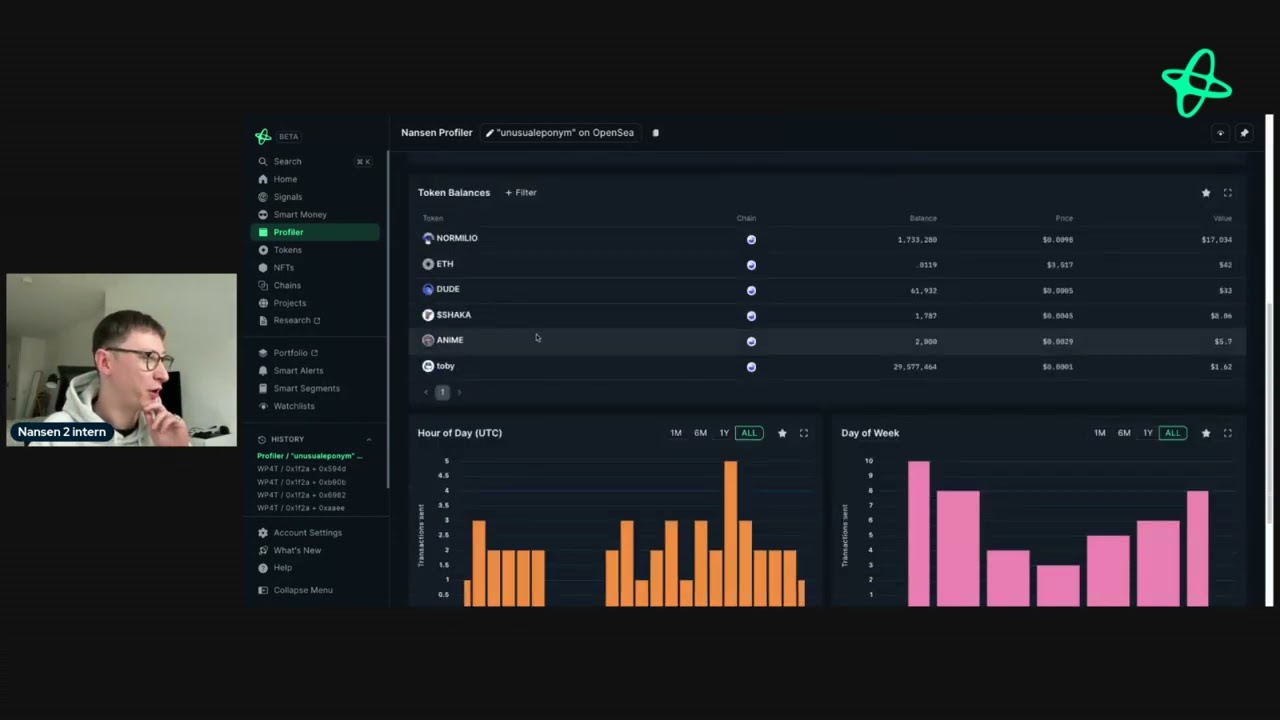
hey everyone today I'm going to show you how you can research token on nanson it's very very simple and I'm going to do this on a very high level basis for you so let's say you've got a token that you're interested in what you can do is press command K and then search for a token but in this case I'm going to pick the very first token up on here on Smart money token inflow so you first go to the Page's token go mode page if you're not sure what token go mode is or any
other dashboard you can see these eyes and they'll tell you exactly what is going on here token god mode gives you an overview of everything related to that token and there's some really interesting data points that you can look into first you can look at the price movement and there's also this really powerful widget called who bought and who sold this allows you to find the top buyers and sellers of the token that you're interested in over 24 hours and 7 days and you can also filter for smart money I personally use this to find
addresses that I might want to track later down the line for example this 30-day smartex Trader has bought over $200,000 worth of this token and I might be interested in it so I'll go to the tab here and what I did there was I right clicked and I went to wallet profile the token by pressing command click this allows me to open up a new tab without having to go on keep everything on the same page I like to do this personally so that I can have multiple tabs so I can track different addresses and
decide what I want to do on that so what we can see here is that all the labels from this address we can see that's myart money because the Emoji and we can see the balance over time so let's look at our activity what we can see is that two days ago and then one day ago they were aggressively buying this token Athena in different types of slots and that sport they totaled into the $250,000 whatever we saw earlier and we can see that at the moment on their cost basis they're up 16% and I
find this really interesting because in this example I might be an Athan holder so what I'm going to do is I'm going to manage labels I'm going to add an additional label here and put Ena here going to add the wallet my watch list and so this does two things so the first thing it does is that now whenever I see this address throughout nanson I'll be able to see the custom label I'll go ah I know this address is interesting because I looked at it and they had some interesting activity with Athena and if
I ever want to stay updated with the address so haven't decided how good it is yet I can go to my watch list which is in the sidebar and I can see the address I can then click on that address and see exactly what they're doing in this example we you can see that they are highly profitable they are a top de Trader in realized profits in the last 30 days and we can see the interesting tokens that they hold so you can see in this example how we went from one token and we used
the Hought widget and we filtered for smart money and found an interesting Trader we repeat this process over and over again when we see different price movements let's say the token's gone up significantly in this case we can look at these top buyers and sellers over the time periods and go through these addresses to find if there's anything interesting for us and from that point on what we will do is either set custom uh labels to the addresses so we can St data to them add them to our watch list or even set up smart
alerts smart alerts can be found here and that they allow you to track the addresses in real time whether they be on telegram Discord or slack what I personally like to do is using custom labels for tokens is set an alert for those custom labels so every address with that custom label can be tracked in real time so that I have a really interesting Insight I can see what they're doing in real time I find that really really useful for you can also see the Dex trades in real time here so you can see the
buying you can see the exceling you can see the information here what you can also do is go to balances this is a really useful tab when researching a token because you can see the top balances by addresses or by entities so this could be like an exchange we can see binance athenia Labs which is the tokens from different exchanges here different investors Etc and what you would like to do normally is when you go to look at the balances you're really interested in seeing who the top holders are and what are they doing in
real time so if we go here for example we can see different addresses with different inflows but we can see here that this is a contract this is also a contract so we're not surprised for example that there's been a significant inflow into this one here because it is for the staking with this token Athena and people depositing money into it then we're also interested in seeing what addresses are doing in real time so this address here G GSR we can see a negative balance of over a million atha they still hold quite a significant
amount what are they doing well let's take a look so again we'll WR click command click on what profile of the token this will open up a new tab and we can see what they're doing so we can see there's been some volume in some volume out some more volume in some volume out we can see they're up 24% so when we look at what they're doing we can see that they've been transferring funds from different exchanges into their address and we're also seeing them transfer funds into different addresses maybe they're buying maybe they're selling
maybe they're moving funds over the wallet because this is soft chain we don't know but we might want to stay updated with this wallet so let's go back to the balance Tab and what I usually recommend is that you tend to look into these addresses here to see if there's anything interesting you can also apply different filters here so you can filter by addresses by labels by custom labels so remember when we said the address for Athena SOA we can now see the address hopefully in there what we can also do is set filters for
smart money I find this really really useful as well so what I'll do is do Name by label and I'll put the smart money emoji save I can see all the smart money addresses right now who hold this token and activity but let's say I'm only interested in Dex Trading in this example you are interested in addresses that are making money for trading tokens you can also set a lab labels that say let's go all the Dex Traders so you're only focusing on those and then we're going to go to Dex here and smart Dex
Trader so this covers all our Dex Trader labels and we can see these addresses here so you're looking to make an entry or exit and this 180 day smart deex Trader has seen the balance change completely from 666,000 all the way down to zero let's take a look what they're doing so again we right click go to w profile for token and open up a new tab we can see that they were accumulating early and we can see the cost basis we can also see the price of the them is increased and so what we
can see here what originally looked quite bearish because we saw the 666,000 tokens go from from the address to zero we can actually see here is that they've actually St the address St the tokens so they're actually looking to un on the tokens and they are potentially longer term bullish so again what we can do is manage labels assessment lessons address so that's really really interesting so let's just go here I realized I wasn't sharing the tab so let me just quickly walk through that again you can see all the activity here and there you
go and so let's go back to the balances tab we also have activity for exchanges this gives you an overview of what's happening on exchanges specifically with this token and we also have the smart money tab it is really really cool so you can see all the smart money addresses and the changes and so forth so we go to sort by balances we can see the top holders we see some funds here we can see some Dex Traders we can see some popular people on social media and so on we can see their activity which
is also very interesting and we can also just see the overall view of what smart money is doing so in this case we have seen that the holders has been declining as well as was declining but as we saw with 180 day smart Dex Trader this might not represent this might not actually be as bearish as we may think because some of these addresses are actually stake in the token for tokens that are on multiple blockchains you can just go up here and you can click on the drop down here and you can see the
chains for example if you look at the token Prime we can see that we can look at it on ethereum or we can look on a basee so that's a quick high overiew on how you can into token on nanson if you have any questions reach out to us on Twitter or email us at support nanson