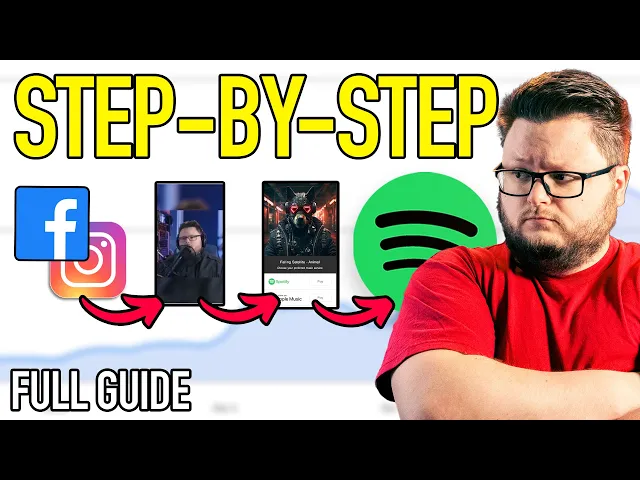
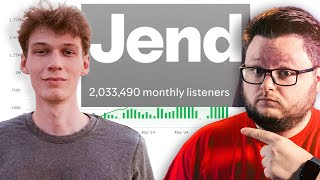
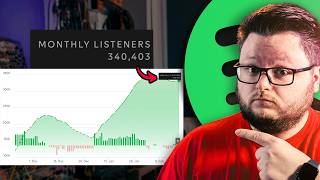
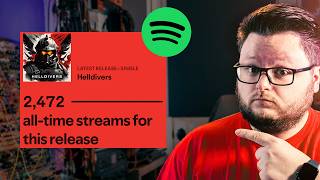
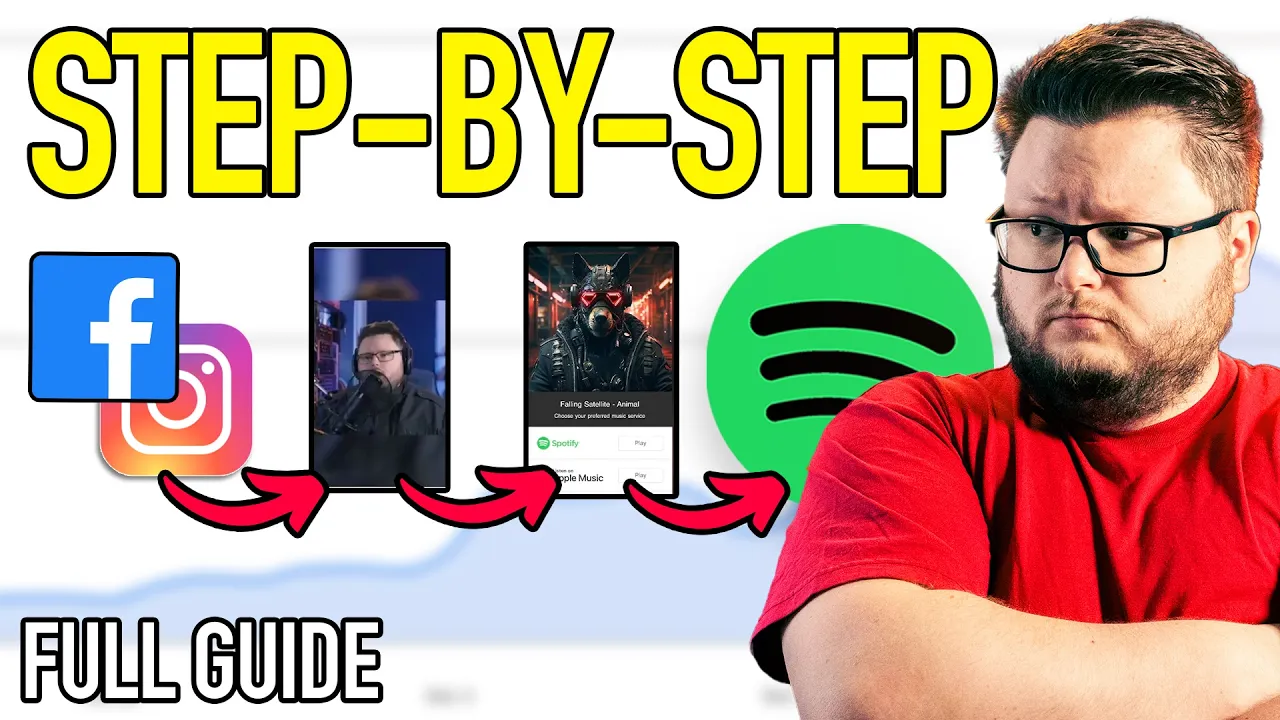
Welcome to the ultimate guide to learn how to use meta ads or Facebook ads to promote your music on Spotify and other music streaming platforms. If you want to learn how to pull numbers like this, which is my band's mouth producing song, got about 200,000 streams. Uh, this song that I worked on the campaign for got about 10 million. This project that grew to like 100,000 monthly listeners in two weeks or something crazy. Um, this project which grown from like 800 streams a day to over 4,000 streams a day. This is another side project of
mine that got threequarters of a million streams. this song we got a million and this project gets 44 million streams a month. If you want how to learn to run ads to promote your music and pull numbers like this, then this is the video for you. Just to give you a taste of what I'm going to show you, I'm going to show you how to build a landing page like this using a freely available tool. Although, I am going to cover some other alternatives that you may want to consider upgrading if if they're right for
you. We're going to go over how to install a meta pixel on these pages so that you can track what people are doing and your campaign can know what's doing or what's working, what's not working. I'm going to show you how to actually build the campaign inside of Ads Manager, including how to pick your audiences and what videos you might use, how to create those videos and add them in there. Uh, we're going to start off the campaign in a kind of an easy mode that's simpler if you've never done this before. But then I'm
going to cover how to kind of complicate it, make it more advanced, and then we're going to look at some campaigns that I've already run so you can see how I interpret the results and what you might expect from running a campaign like this. And by the way, in case you don't know me, my name is Andrew Sworth. I'm a guitarist/vocalist who was a former mechanical engineer turned music marketer. I've consulted with something like 4,000 plus artists and labels one-on-one. Uh I've taught many more in my online courses and in my in the videos that
you're watching right now. I have an agency called Southworth Media that's driven hundreds of millions of streams uh for indie artists and also some like pretty large artists too. Yeah, that's me. So, without further ado, let's get into this because we have a lot to cover. So, we're going to start off from Facebook, which is where you get into meta ads. Now, you do need a Facebook page to be able to run ads, but you don't actually have to run your ads through the Facebook page or ever use the Facebook page. I'm going to run
the campaign I'm going to build here and show you is going to be on Instagram only. But, you do have to have a Facebook page and a Facebook account to be able to run ads. So, if you don't have one, go make one. You're going to need it. Uh, and you need a page for your band. So, you're going to have a personal account for you, the person, and then a professional page for your your band. In this case, I'm on my bands every moment. Uh, when you come in here, and this is how we're
going to get into meta ads. So, in the very top, there's this little menu button, and you scroll most of the way down, there's this professional section, and then you're going to click on ads manager. And that's going to take us to meta ads manager, which is essentially where I was when I showed you this page earlier. And when you come in here, it might be blank. You might be in a personal ad account, you might be in a business ad account, or you might have campaigns you run before. I'm kind of assuming that you're
starting from a clean slate and I don't want to complicate things further. So, if you're in here, good. We can move forward. Um, but I'll just quickly mention if you're completely green and you've never run anything in Ads Manager before, it it's kind of a big topic, right? There are people who their whole jobs and livelihoods are living in this software. So, uh, anyone can learn this. If you've learned Ableton or Logic or ProTools or whatever, right? any of those DAW softwares or you're just like a reasonably tech-savvy person, I am confident you can do
this. A lot of artists get scared of this stuff, but a lot of the tools artists use anyways, they're also pretty advanced. So, I'm confident you can do this. Just keep in mind it's a big topic and I made kind of a basics of Facebook ads video. So, if you're new, I would check that out. Either open it upside and if you get stuck watching this video, jump over there, watch that, and then come back. That's a pretty in-depth long video to to show you there. So yeah, so the first thing we have to do
is make that landing page that I was showing you before. And the platform I'm going to show you how to use right now is called Submit Hub Links. It's it's just a place to make free landing pages like this. So if I go into this one I have here, it it looks just like the one I just showed you. The one that I'm using here is Feature FM, which is another paid option, but um Smmithub is free. There's also a platform called Hypedit, which is one of the more affordable options. I think it's 10 bucks
a month for for their cheapest plan that that works and gets the job done. And then we have smart noise here which is pretty similarly priced. And um so those three, hyped it, smart noise, feature FM are are three great paid options if you want some more features. But I like to start people off on SubmitHub links because it's free and it's a little bit easier to set up than the others. So what we're going to do, come to Submit Hub, make an account, go over to the left to links, which is where we're at
now, and then we're going to make a new link. And they make it pretty easy. We can just paste a Spotify URL and they're going to make the whole link for us. and then we're going to customize it from that point. So, I'm going to do paste a Spotify URL and we're promoting a track. You can also promote a playlist doing essentially the exact same thing that I'm going to show you in this video or an artist or an album, but typically I'm either doing track or playlist. If I wanted to promote an album, I
would actually typically promote a track on the album, not like the album link because a track on the album will autoplay, but the album link will not. So, we're going to choose track and then I'm going to pull up uh Spotify here, and we're going to grab a Spotify link. So, I'm going to grab uh obviously I'll just grab the top song here because this is just going to be an example. I'm going to do share and copy song link. And then we're going to come here and we're going to paste that in and then
do next. And it's going to load. But within a few seconds, we're going to have a landing page. Bam. There we go. Right. So pretty quick and this is what it looks like, right? It looks just like what you might have expected, just like this option that you saw before. It's just this is what submit hubs looks like. The other one was feature FM. So it automatically went and found our song on all these other platforms, which is cool. Now I would in the past they used to suggest trimming this down a lot to sometimes
even just doing Spotify. I've kind of changed my tune a bit where I like having more, but I I you don't want you don't want every platform on here, I found, just because like most people don't go to most places and in advertising, you're trying to concentrate the results in fewer platforms to trigger algorithms. For example, it's way better to get like 10,000 people going to Spotify than 6,000 to Spotify, 3,000 to Apple, and 2,000 to YouTube. I think that added up to more than 10, but either way, basically, you need a certain amount of
data to like go to a place and and if you have a bigger budget, then you can afford to have more platforms and fragment your your your clicks to different places, your conversions to different places. If you have a smaller budget, you kind of want less. And so, pretty much no one uses Pandora anyways. If you're in an old demographic, it might change. Dieser super niche, title super niche. Like those three combined are less than, I think, 2% of the music industry. Um Spotify is like 60 70%. Then Apple and YouTube are like 15 or
something and then Amazon's like another smaller thing. So these four places represent like 97% of the entire streaming world. So uh often I will just include those or maybe just Spotify, Apple, YouTube music, not YouTube, YouTube Music. I wouldn't recommend going just Spotify because it looks kind of stupid on the landing page in my opinion. So if I click save, this is going to limit our options on the page. If you need to add links, you can also add links in that page where we just were. But we have to install a pixel on this.
So the way the pixel works, you know what? I think it's actually better just to show you. So if I go back to ads manager, uh we need to go to this thing called events manager over here. I'm going to click that. I'm actually going to right click into open a new tab so I can keep both open. And here we are in events manager. Now what I need to do is I need to go and open up my pixel which I just clicked on here. And this ID number here is your actual pixel. If
you don't have a pixel there may be a green button here that you can use to create one. And specifically you need a web pixel. Um, most of the time people will come here and they have automatically have a pixel like Meta automatically makes you an ad account and a pixel at the same time. If you don't have one, try clicking this connect data button. And if you don't have one there, you may need to go to the worst place in meta which is called business settings and manually make a pixel or a data set
in the back end there. But the most vast majority of you will automatically have one here. I do have a video that goes into depth in super in-depth information about pixels here if you want even more info on on that, how they work and all that, but I want to give you a fundament fundamental understanding here. So, this ID is your pixel. And I'm just going to grab that number. I'm going to go to submit hub links. I'm going to click edit. And then most of the way down the page, there's this pixel section. We're
going to include a metapixel and we are going to paste it. Okay. And then we're going to click save. And you you might have no idea what I just did there, but I all I did is I just copied that number and I pasted it in the field on Submit. Now, this is where we're going to explain what this pixel is actually doing. So, if I go to events manager, there's this special area called test events. And in here, we can test our landing page. This area, this is not required, but I'm doing this just
to give you an understanding of of how this is working. And it's a great way to double check if you set things up correctly. Keep in mind this test events tool will not work in any like privacy browsers like Safari or Duck Duck. Go or any browser that like tries to prevent people from tracking you on the internet. Um so this tool won't work there. Ideally use Chrome. Make sure you completely disable any ad blockers and make sure you're not blocking thirdparty cookies. So, we're going to paste that link in there, do test events, and
if I come back here, we should see a page view, right? I can open it up, and you can see it knows what page we're at, and it knows what website we're at. I can open up this page again. I can refresh and go back, and we're going to get a second one. Okay. So, you can see when I load the page, we get a page view. And the reason why Facebook or Meta knows what's happening on this page is because we put that pixel on the page. So by us putting that number in that
box, Meta can now track what happens on the page. And that's why we do it. So we don't care about page views. What we actually care about is people clicking one of these buttons. So watch what happens if I click this button. Okay. It takes us to the song. I come back here. It fires view content. Okay. And if I open it up, you can tell that they went to Spotify. It has that link. It has smithhub.com. So you can see when when people click the button, it takes them to to the page. Sorry, it
fires view content. And when they load the page, it fires a page view. So we don't care about the page views, right? But we do care about the view contents. And when we build our campaign in in just like a couple minutes, Facebook's going to ask us, what event do you want to optimize this whole campaign for? And that that event is view content. So, we're going to choose that, right? So, you don't have to do go through this process with test events. I highly recommend it. It's a great learning exercise to literally see this
happen in real time. Um, but now we know or I know that this page is set up properly. And with that, we've completed the first thing. So, this is how you build a landing page. This is how you install a Facebook pixel landing page. And that is how you test the page to make sure it's working. So, I'm going to close that and that and that. And now we're going to go back to Ads Manager and we can start building our freaking campaign. So I hope I hope you're ready. All right. So inside of Ads
Manager, you're going to want to click this big green create button and we're going to get a campaign objective selection screen. And we want to run this campaign as an engagement objective. You may see other people online talking about how they run it as leads or they run it as sales. I run it as engagement and I think that makes the most sense, too. And I've also have some data uh from from someone I know uh Kyle the Ally. He goes by on YouTube and he did a test where he tested the engagement versus leads
versus sales. And actually I found with data that the engagement is the best option to use. So keep that in mind. But this is what I've been using the whole time is this engagement objective because this engagement objective allows us to track conversions. What is a conversion you might ask? Well, remember how when we were testing the page, it fired a page view when they visited and it fired view content when they clicked through? That's the conversion. So, basically the conversion, we can make any pixel event we choose. And I choose to make it view
content. And since that view content only fires when that button click happens, the campaign is optimizing for that. And the reason why I choose engagement is because leads is for like getting emails and contact information from from a potential customer. And sales is trying to sell something. We're not doing either of those things. We're trying to get someone to engage with music. Uh, and since we can run conversion campaigns as engagement campaigns, that's why I choose an engagement conversion campaign. Just to get in the weeds there for for why I do it the way that
I do it. So, we're going to click we're going to click continue. And now we have another option here. Meta is annoying and they will constantly ask you to do all this automatic easy mode stuff. Advantage plus blah blah blah. Most of which will completely ruin this campaign. Uh, Meta's site is optimized for e-commerce companies like Amazon, Walmart, Target, or people running Shopify stores. So, a lot of those recommendations are for that. They're not making recommendations because they know your music artists. In fact, if you were to add up all the money in the music
industry, it wouldn't even represent Amazon's advertising budget. So, Meta, like nothing they do is tailored for music. So, keep that in mind with all the recommendations we're going to turn off in this tutorial. Uh, so I'm going to click continue. I want manual because I don't want their their BS. I'm click continue. And now we have what I call a campaign skeleton. So, we have an empty campaign. This thing here is the campaign level. If I click here, this is the adset level and then the ad level. We can have multiple ads in an ad
set and we can have multiple ad sets in a campaign. Think of your adsets like your audiences and think of your ads like the specific videos we're showing to people to try to get them to click and go listen to our song. Now, at the campaign level, we can name it. Um, the song I'm doing here, I'm going to call it cold streaming because like the song is cold and this is a streaming campaign. And we want to use this thing called campaign budget optimization. And this allows us to set the budget at the campaign
level. The first time you're doing this, I implore you to don't start like start with $10 a day. $10 a day is enough budget to see that your ads are working, but is low enough where if something goes catastrophically long, you're not or catastrophically wrong, you're not devastated about it. There's so many things that can go wrong. There's so many buttons that can mess up your campaign. I want you to kind of take this slowly uh the first time you're doing it. And the first campaign you ever run, you're going to want to let it
run for like 3 to 4 days plus without touching it. So, you don't want to be dropping $50 a day and having a heart attack about it. I'd rather have you do 10 and see what happens. Now, if you're a bigger artist and you already have some momentum, $10 a day might not be enough to see anything, but I would still start with 10 and then like once you see things working, like maybe increase it then if you're a larger artist. Um, for example, if I work with an artist with like 300,000 monthly listeners, if
they're already getting, you know, on a song 10,000 streams a day or something, like if you're adding a few hundred a day, you can't really see it. You know what I mean? So, um, but if you're completely starting from scratch and pretty much no matter what you do here will make a noticeable impact to your streaming numbers. So, that being said, um, we have our $10 a day. If you want to put a cap on this campaign so you don't accidentally spend too much, like forgetting to turn it off or whatever, you can come up
here to the show more options and put a campaign spending limit of like a $100 on it. You can't um you can spend less than 100, but you can't put a limit of less than 100. So you could run like $30 and then turn off the campaign. You just can't Meta can't automatically do it for you in that way with the spending limits thing. So this is a $100 cap. One thing I recommend if you're going to put a spending cap on it is put it in the title of the campaign. So that way if
you do decide to extend it, you don't forget about the spending limit. I've had that happen a bunch as you can imagine. So now we can click next in the bottom right and that'll take us into the adset. I can also just click on the adset level and it'll take us there. Now we're getting asked what is our conversion? Where is our conversion location? We're not trying to get messages. We're not trying to get people to watch our video or like our post or follow us on Facebook. We're trying to get people to interact or
convert on a website. So, I'm choosing website for that reason. I want to maximize the number of conversions per dollar. I want to use this pixel and I want to use view content which is under the screen here. View content. So, um, if you choose the wrong pixel here, Meta is not going to know what's happening. And also, if you choose the wrong conversion rate here, Meta is not going to know what's happening. Essentially, this is the only thing the campaign cares about is what you choose here. So, Meta is looking like this is the
pixel I'm looking at for this campaign and this is the event that I'm looking at. It doesn't So, if this campaign gets a different event, it doesn't matter. If you're if it's a different pixel, it doesn't matter. So, make sure you choose the right thing. If you're using SubmitHub links or smart noise, I believe it's view content. If you're using hyped it, it's actually an event that's not here. It's it's called a hyped smart link click, not a hyped smart link visit. If you're using feature FM, it's a feature FM click. So, every landing page
platform has its own event. For SubmitHub, it's view content, which is what I showed you earlier when we tested the event. It's view content. So, mossing on down, there is some stuff to set start dates and end dates for your campaign. Feel free to use those. But then we get to the audience section. And this is going to seem counterintuitive, but there's this thing called advantage plus advantage plus audiences, but there's also advantage plus placements and advantage plus creative. And for this type of thing we're doing, all of it will ruin your campaign. So if
you see this further limit the reach of your ads or switch to original audience options, you want to do that. So we're going to click this further limit the reach of your ads and then further limit the reach of your ads. The reason is if you don't do that, Meta basically ignores anything you put in and does whatever it wants and it ends up just finding you the lowest quality bot traffic that it possibly can. And then you're gonna get all these super cheap conversions that don't translate to Spotify. So you'll see this on Reddit,
you'll see this in comments where someone's like, "I'm getting three cents a conversion," which is a phenomenal, like crazy, too good to be true result. I'm getting three cents a conversion, but I'm getting no streams on Spotify. Most of the time that happens because they're using either advantage plus audiences, advantage plus creative, or advantage plus placements. um which relates to essentially the ages, the countries, the the placements you're running the ad on. So, we just switched our advantage plus audiences off. Now, we also want to go to ages, and we don't want to target 65
plus. Think about what your demographic might like. For for most people doing this, I'd probably just start with 18 to 50. Even if you're doing if you're doing like hip-hop or or EDM, actually, even then, 18 to 50 is fine, but like you might nudge it a little bit. 18 to 40, 18 to 55 if you're doing like rock or metal. Um, if you're doing like an older demographic audience, you might do 64, but never do 65 plus. At least when you're new. Do that when you really understand this stuff. And even then, you want
to be careful. But don't arbitrarily restrict it. Like, you don't want to be doing 18 to 34 here. That'll just make your campaign worse. Now, another thing here you're seeing it's saying use as a suggestion. You don't want that selected. So, you might not get this option all the time, but if you do get it, make sure you deselect it. If you don't unselect this box when you get it, your campaign will be ruined. [laughter] And I hate that I have to add all these like don't do this, your campaign is gonna be ruined, but
that's that's what I mentioned what I meant when earlier I said Meta has been really annoying with a lot of their features lately. So, I'm going to turn that off. And now they're actually going to listen to our age selections. That being said, now we can include countries. And you can also ruin your campaign by putting the wrong countries in here. You don't want to do worldwide. You don't want to target India and Indonesia and Philippines. Even though they are very cheap countries to target, they end up not converting to streams a lot of the
time. So, I'm going to click browse and I have a saved list. I'm going to go to tier one, tier two. Just start with tier one, tier two. Don't try to do anything fancy. Be like, I'm going to go super cheap countries. Don't try to do anything fancy. I'm going to go US only. It'll be very expensive. Stick to the tier one, tier two, in my opinion, for your for your first start and then get fancy once you know what you're doing. Um, these are the countries here. I'll scroll through them so you can see
them. If you ever book a one-on-one call with me or grab my course, which are linked down below, um, you you'll get my country spreadsheet that's always up to date that you can copy and paste from, but this is the country list for you right here. So, that's where we're targeting. Essentially, it's like tier one I call the kind of expensive countries and tier two is just the cheaper countries. So tier two is like Brazil and Mexico and I think Italy is actually cheaper on average a lot and tier one is is US, UK, Canada,
Australia, New Zealand and stuff like that that are more expensive. Uh it's no knock on like anytime you hear me say like this country is tier one, this country is tier two, this country is like a don't use or there's a problem with it. It has nothing to do with the the people. Um and I hope that's I hope that's understood. It's nothing against the people. It's just the reality of trying to advertise to those markets. some countries are more problematic than others. Uh not through any fault of their own. It just is what it
is, right? So keep that in mind. I've had some people um you know get offended. So don't take it personally, please. It's not about that. But that's the country situation. And now we get to gender and then targeting. So for gender, just do all genders. It's very rare that there's ever a good reason to specify men or women. Just do all. And then later down the line you can consider if it makes sense to do one or the other. But then detail targeting and this has been a big point of change recently where in the
past you could target a ton of bands and now they've removed a ton of bands. So f first thing we want to do here is we actually just want to throw in Spotify. And you could throw in multiple things here like you could throw in Spotify, Apple. I'll throw in Apple Music here just good for measure. Good for good measure. And now we have Spotify and Apple. But now I can click this define further button. And now we have these two and whatever we put here. So when you have two things grouped together in the
same box, it's an or. So we're saying they have to like Spotify or Apple, but they also have to like one of the things we put in this box. So for the easy mode version of this campaign, we're going to put some bands in this box. So, for for my band, uh it's an alternative metal band. There's not much in the realm of targeting for alternative metal anymore. It used to be able to target uh Lincoln Park, Dees, Limb Biscuit, Korn, which is actually still in here. Um Breaking Benjamin, and a Perfect Circle, and Tulle,
like all these bands that were perfect fits, most of them are gone. In terms of the metal world, there's Corn, Avenge Sevenfold, and I think Metallica. It's pretty it's pretty grim. Now, if you're doing pop or EDM or hip-hop, most of your things are still there. Um, like for example, if you're trying to target like Ed Sheeran, he's still in there. If you're trying to target Justin Bieber, he's still in there. If you're trying to target Drake, he's still in there. Like the super massive pop stars are are still in there. But anything else, it's
a little grim. And what you got to do is basically just think broader. So, I'm an alternative metal band. Well, metal core pretty close. Close enough. Alt rock, close enough. Hard rock, close enough. So, I'm going to do hard rock. Um, heavy metal music, close enough. You got to just think like not what is perfect. What is like reasonably close? Because what men is going to do is they're they're using your audiences now as like a starting point and then they're branching off and finding the subsets of your audience inside of that. So, it used
to be it can be very specific and I wish it was still like that, but the reality is this way actually works very good and it actually takes some of the pressure off the targeting. The audiences used to be this thing you really have to fuss about to get right and and and but the ads, the videos were always the most important. Now, you don't have to worry as much about the audiences and the videos are still just as important. So, you can kind of focus even more on the visuals which is actually a good
change. So, throw in some stuff that makes sense. It doesn't have to be perfect. Don't be precious about it. be very generous about it. And then um now we get to the placement section. If you if you get the option that you have to put in a beneficiary, just put your band name. By the way, I already have one in here. I didn't have to put it. But the placements, this is another campaign breaking thing. So, advantage plus placements. Heck no. We want to turn that off and switch to manual placements. And down here, we're
actually just going to do Instagram only. So, I'm going to turn off everything but Instagram. Audience network is like a plague. It will ruin the heck out of your campaigns. But, um, we we're just doing Instagram and specifically we're just doing Instagram page keeps jumping around on me. We're just doing Instagram feed, explore, stories, and reels. Just those four placements. Okay, I know we're running on Facebook ads, but we're really just running on Instagram here. So, in the Now, I'm going to name this adset, by the way. So, we just finished a whole adset. I'm
going to call this tier 1/2, which is the countries IG because it's Instagram only. And I'm just going to write broad because we're just targeting a bunch of broad targets. And then we're going to click next. And then that takes us to the ad. And this is a thing, right? The ads are the most important part of the equation here. Aside from the song itself, you are going to want to first um choose the pages your ad's going to run through. So, choose your Facebook page, Instagram page. We're going to be creating an ad, manual
upload, single image or video. It's asking us to what website we want to send people to. This is simply going to be our landing page that we made. And then we get to the ad creative. So, we're going to do setup ad creative video ad. And uh you may or may not be taken to this creative setup page. Uh if you are and you see this thing called site links, you want to turn it off. It's not relevant for this type of campaign. But then you go to the media section and this is where you're
either going to see all of your existing ads or you're going to be able to upload your ads. If you have a video on your Instagram that you know you want to use or videos then you can go to your Instagram or your Facebook page here and grab them. Uh most of the time though I'm uploading videos and then choosing them. So I already have them uploaded. If you need to upload them, upload them. But just to take like, you know, 30 seconds or a minute to talk about videos here, I highly recommend you do
at least four videos, even better if you can do more, like six or eight or something to start off with. And if your campaign's not going well after like three or four days, then maybe go make four or eight more. Uh, we're in like a very visualheavy world right now for ads. Visuals were always the most important thing, but now they're like really the most important thing. So, don't do one video. If you do one video, that's about the worst like kind of cardinal sin of running these ads. In fact, I would say like one
of the biggest things I see when someone comes to me on a call and they're like, I I can't get the cost lower. Like, I launch a campaign and it's super high. They they only tried one thing. So, um ideally try more things. And in terms of what you try, well, I'll show you some examples. I'm going to go into my account videos thing here. And some of these are for like playlists I'm running and some of these are different types of videos. Um, but you can see that very much like the ad I showed
you at the beginning. You can kind of use the Tik Tok style videos like this. It's just a video of me lip-syncing the song. So, I'm just going to click next and and skip through all these things. We don't need to do anything here. Um, but on this enhancements page, this is the advantage post creative thing here. And this isn't necessarily like a campaign breaking thing, but I don't trust Facebook to edit my videos without my permission. So, I turn off all the creative enhancements for this type of campaign. But now we have our video
here. So, this is our actual video. It's like a lip-sync video. Um, this one is a chorus 2. I don't even know if it's for the right song. This is I'm not actually running this this campaign, but typically I'd have a nice folder with all my videos in it and I'd upload them and they'd be nicely named and stuff like chorus one, chorus two. Um, but this one is chorus 2 and it's a lip sync performance video and I put a Spotify logo. I put a logo on it. You don't have to do that. You
could put lyrics to play on it. Um, there's a million options here, but this is just one. So, I'm going to come up and I'm going to call this add chorus to uh lip sync. We scroll back down to the primary text. There's a lot of options you can do here. You could put a lyric quote. You could put like for fans of this band, this band, this band. I'm going to do in this case for fans of alternative metal. And then the headline I'm going to do listen to cold. It kicked me out. Listen
to cold. Now, I don't like the all their AI text things. Like I found that they're very bad. Alternative metal lovers unite. Get ready for the ultimate riff fest. Like, no. [laughter] Like, what? What? Um, headbangers, an like, it's just so cringe for music. I've had some sales ads where it's nice, but for this type of thing, it's not. It just doesn't know what it's doing. Um, call to action. This is the button. So, here it says learn more. I can switch this to listen now. And that's what we want to use, listen now. So,
now the button says listen now. And this ad is essentially done, right? So this is corors to lip sync. Now we need more videos in here. So how do we add the videos? I'm going to come up here to the top left and I'm going to click these three dots next to course to lip sync and I'm going to quickly duplicate it. Okay, now we have a copy and I can come down and now it's just a big game of copy and paste. So I'm going to delete the video, add media, add video. We're gonna
go back to media and you're just going to go down the line of videos that you have. In this case, the line I was going down was this these ones down here, these lip-s sync videos. But just in the interest of showing you a different set of creatives, um here's like a stock footage type video. I'm going to skip through all these options again here. So, this is like a stock footage thing. New alternative metal anthem sounds like all these bands. This is a more like direct almost salesy type of video. Sometimes this works great
because it's super direct. Like if you like this, go listen to it. And if you like these bands, this is for you. Sometimes this doesn't work. The name of the game with these ads is trying a variety of things. So it's actually good to try completely different things. Uh in this case, it's also it's a different part of the song. It's the breakdown. So, this is um we call this a topic video, but you could, you know, call it whatever you want. This is a breakdown and then I just go down the line, right? So,
I'm going to do a couple more just to kind of get you get you more ideas for videos. So, add media, add video, media, see all again, you'd be uploading these. Um, another type of video that we have in here is a lyric video. Click next. So it's just a lyric video that we made and we made a full length music or lyric video um and then we made it into a vertical version. Okay. So this is lyric video and this is um course one. So this is the lyric video course one. And let's do
one more of a different style. Now, I have different parts of the song for these videos. So, there there can be different ways you can do this. Like, I I might launch a campaign where I pick two different visual styles. I'm going to pick the lip sync category. I'm going to pick the lyric video category. And I'm going to do four of the lip sync and four of the lyric video. And then as it goes, if that crushes it, great. I don't even use the other ones or maybe add them later just to test. But
if they do bad, then now I have other videos to pivot to. But I don't have to add them all from from day one. Depending on what your budget is, it might be a good or bad idea. But going back to media, let me see what we could grab next. Um, there is actually I think this is a good example to show. This is a stock video thing um I made with a platform called Kashi. Kashi, I think it's Kashi. Um, and you upload your song, it captions the lyrics and you it just makes all
these stock footage things and it takes it's it's pretty cheap in the grand scheme of things and it's it's really quick to make videos. So, this actually was like it saved the day for this song. I ran this song a couple months ago. In fact, this was this was the first the song I'm building this for is the first song that I showed you here, in case you're wondering. Um, and one of these Koshi videos actually save the day. Sometimes they do bad, right? Sometimes the lyric videos do best, sometimes the lip-s sync. I say
the lip-s sync videos are one of the more common winners, assuming they're good. Um, more Tik Toky style content, but it's different for every artist. And this one is core. So, I would call this Kashi course. And if you want to check out Kashi, I have a a link in the description. You can check it out. Um, but yeah, so you might do eight of these and kind of the more the marrier. Don't do like 53 or something, but uh do more than four. And if you're doing 10 bucks a day, do like less than
10. Uh and this is a campaign you can publish. So you could you could go ahead and publish this campaign. And this is a campaign that will run. And this is the easy mode I was talking about. Now, that might not be easy. Um and if you're seeing all this stuff and you're like, there's no way in hell I'm ever going to do this. I do have consulting links below. I do have an agency. Like we could do all of this for you. So, if if that's more up your alley, feel free to do that.
Um, but there is a way to make this this more advanced. And essentially, in this broad ad set, what we did is we just threw all of our targets into one thing, right? What we could do is split them apart. So, I could say this one's just going to be heavy metal. And then I could go rename it. Say this is heavy metal. And then I could clone this. So, just like we were cloning the ads before, I can come up here and clone the ad set, which clones all the ads inside of it. And
then I could come back down to the targeting. Just delete heavy metal and switch it to metal core. I made a typo. Metal core. Um, and there we go. Now, if you're targeting something way smaller than the other thing, like heavy metal in this case is 94 million and metal core is only 15, it's probably fine. Um, in this case, I'm actually going to go in and throw in hard rock and maybe like extreme metal because they're all kind of small. And now I have two adsets with one having kind of like the broadest metal
thing and the other one having three subg genres, right? So, I'm going to come up here and call this uh metal core hard rock extreme metal. Um, and then I might make a third one that's like targeting maybe some bands depending on what it is. And so, this this is where it kind of gets into it depends on what targets are available to you, what kind of artist you are, what genre you are. That'll kind of dictate what adsets I set up. Sometimes I'm doing just like groups of bands. Sometimes I'm doing just big genres.
Sometimes I have movies and TV shows and video games in there. It really just depends on what kind of artist you are and what targets are available to you based on what kind of artist you are. All right, so now let me show you a little bit about how to interpret these results. So when you start running a campaign, you're going to start getting numbers that are filling in all of these comments. So you're going to have results, which is like how many conversions you're getting. You're going to have a cost per result, which is
what it costs per conversion, and then an amount spent. This campaign is actually like a a pretty bad campaign that I ran, but I think it's a good example because it shows sometimes like how things go, right? The reality is not every song's going to go well. That's just how it is, right? But there's a lot of things you can try to make it go well or improve it along the way. For example, if you look at some of these audiences here, you're going to see some that are like $4.99, $1.28, uh, 90, 84, 86.
Like, there's all these really high cost, but there's also ones that are a lot cheaper. 59, um, going up here, there's a 54, there's a 44, there's a 51. So, you have this big spread of results. And like, none of these are what you would consider good results. 44 is it's I like it's not it's not horrible but it's not really good. It's just kind of like meh. So, um that's that's like one result. And then like on the contrast um this is actually an ad for the same song. I eventually did get it down
to 30 cents. And essentially throughout this whole process I'm trying different things. So, if I go back to that one I was just showing you with all the different options here, I set this campaign up a little differently in a more complicated way, but I was trying not just different targets, but different visuals and specific videos. Like I think I tried like over 25 videos for this. But you can see the targeting. I tried this broad thing. I tried heavy metal. I tried alt metal, new metal, metal core, heavy metal, um, lookalike and retargeting audiences.
But then I had all these different visual types. I had the the ad one, two, three, four. I had V1 through V3. I had something I called the um I had lyric videos. I had something I called the barcode ads for alt metal fans for years. So all these different types of videos I was trying. And then what ended up working in this case was the Kashi videos. And that's not always the the case, but that's what saved the day here was was that. So, that's one campaign. Um, I want to show you another one
just for a point of comparison. Here's another campaign that we are running. Um, you can see that when it launched, we had adsets that were $137, $2. Uh, and that was the first two things we tried. And that obviously wasn't good. So, we actually expanded from here to cheaper countries. We started off with like a tier one only subset and then we added tier one, tier two, and that took it from over a dollar to 80. So that alone was like a big improvement. It still wasn't that good though. And so what we did here
is we pivoted to these different visuals. We made and actually a lot of these have different visuals. Our naming conventions a little wild here. But you can see here in the title um it says V4 or this case it says Kashi and then in this case it says V4V5 and this one it says V6V7. So V V4 V5 are different visuals. So in each one of those represents four videos. So we tried like 24 plus videos for this across this. We were actually mostly testing videos. Like we have two audiences here and then we found
a better performing audience and then it's just been all about different videos at that point. So that's what it took to get this from over like $2 in the worst case to under 30 cents was largely just testing ad videos, but it also did come from testing some audiences. And you can see the spread here. And that's you won't always have a widespread, but sometimes you will. Running campaigns like this can be kind of stressful. And earlier you heard me mention that I want you to run whatever you launch for at least like 3 or
4 days. And the reason for that is this graph. Uh, and I'm I'm I'm showing you this because I want to alleviate some of the panic you might be feeling trying to get all this stuff together and publishing a campaign. It's very normal for the first few days to be really really bad. In fact, this is why there's some people online who say you should spend like 50% of your budget in the first three days, which I think is is a for most people a bad idea. There are situations when it makes sense, but for
most people that's a horrible idea, especially if you're new to this stuff. Um, and this graph is one reason why. You can see in the first day the cost like this campaign is at 35 cents a conversion, which is a good result. Overall, I'd say like 20 to 30 is great. 30 to 40 is good, 40 to 50 is like meh and over 50 is different levels of of bad depending on what countries you're targeting. In this case, it's a tier one only campaign. So 35 cents is actually like like great because it's tier one
only. Um but it was a $1441 at the start and the second day was 44 and the third day is 41 and then 29 and then today it's down to 23. This is what's what the learning phase does. Your campaign needs data to get better, but it also needs time. There are we've done a thousands of campaigns over the years and and there is something to be said for spending more to learn faster, but sometimes a campaign just needs time. Like we've had campaigns that we pull down to a low budget and just let them
sit for a week and then through that process they just they marinade, right? They they they collect some data. They're learning how people respond to different days and they kind of go through this learning period. Even after the official learning period, campaigns are always learning and improving. So, sometimes it makes sense to increase budget to learn faster. Sometimes it makes sense to not just start with 10 a day for your first one. Let it run for several days. Try not to panic during the first 3 days. That being said, [music] if you want to learn
more about how to run other types of campaigns to promote your music, uh, check out this playlist right here. I have a whole bunch of videos on music marketing. And if you want to see whatever YouTube thinks you should watch, check this out right here. I have links to my agency, courses, consulting links down below. Thanks so much for bearing with me this long video and I wish you good luck. Anyways, thanks for watching and I'll see you in the next video.