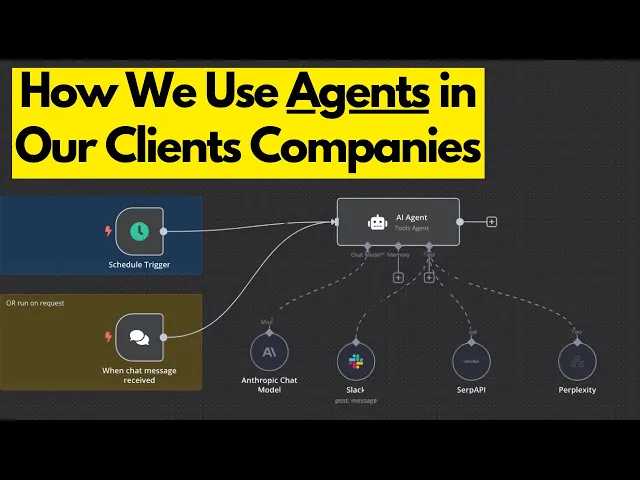
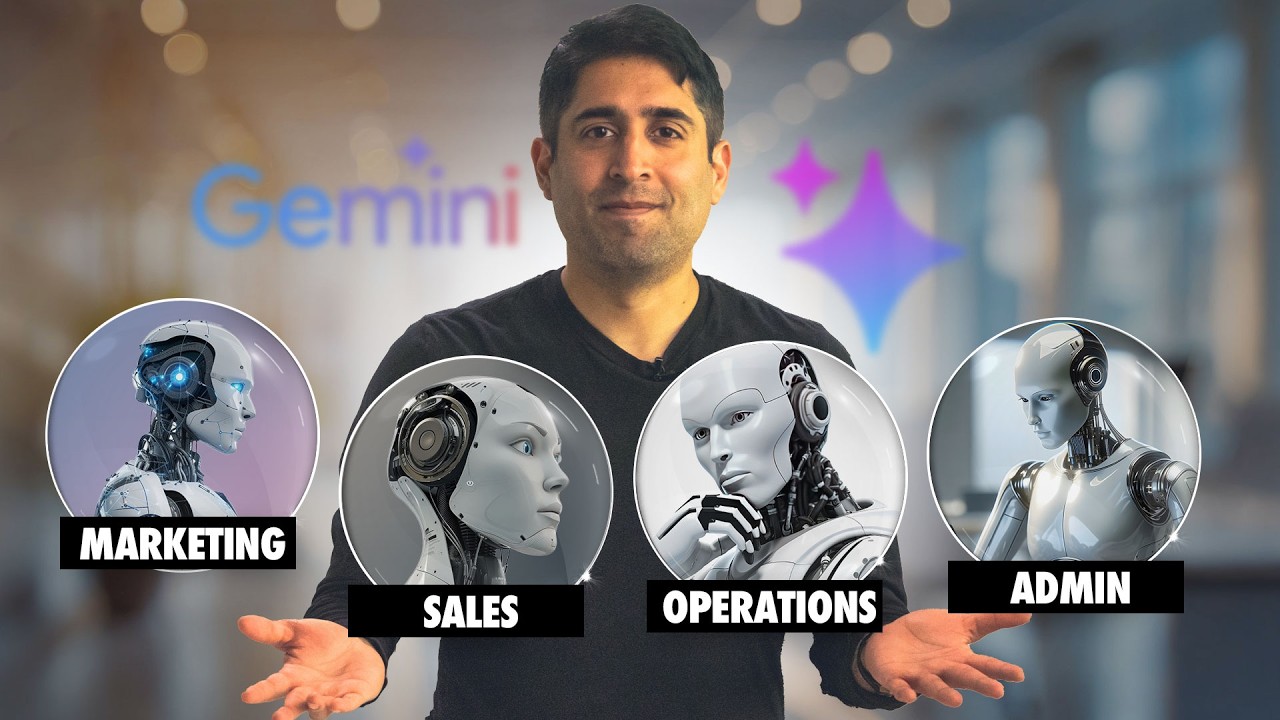
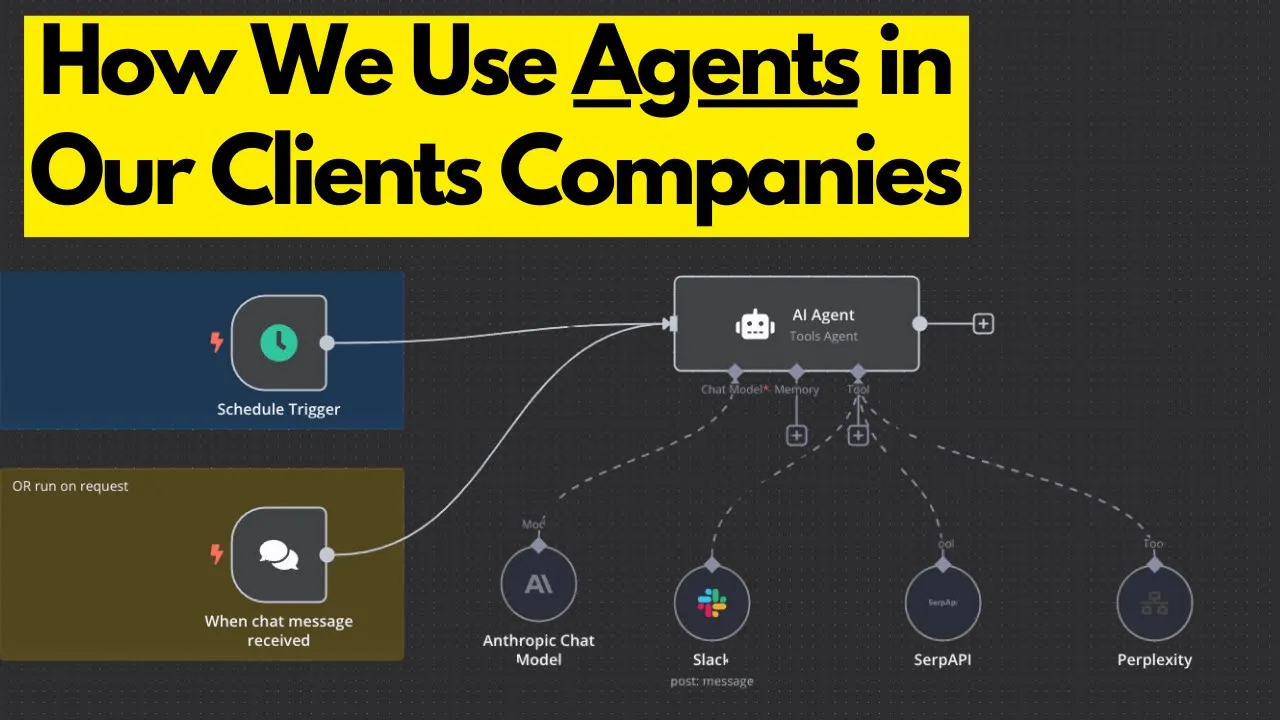
so I'm going to show you the key departments where we've built AI agents for our clients and how these Solutions fit seamlessly into their businesses so from sales and marketing to customer service and operations now these agents they're really not just add-ons within the company they're actually changing the complete direction of the companies and help them scale and streamline workflows and really just ultimately eliminate the battl necks now I wanted to clarify that this isn't just about taking a one siiz fits-all type of approach so we're not implementing every single function or AI agent that
you're about to see into just one business instead what we really do is take a bottom-up approach we map out the entire organization so who does what where are the inefficiencies at what processes need the most attention and what's going to just drive the highest return on investment so I mean every AI agent that we build it's carefully tailored to address specific challenges and deliver the Maximum Impact but this is just a taste of what's actually possible if you're a business owner looking to implement AI agents and custom AI Solutions into your company to drive
revenue and create operational leverage check out the link below to apply to work with us and if you're looking to learn AI agents yourself we have one more spots to work directly oneon-one with me now this is for whether you want to start your own AI automation agency and land clients automate your business or learn to build AI Agents from scratch I'll help you achieve any of your goals whatever they may be you'll also get full access to my resources temp templates and in-depth tutorials so you could apply to join now using the link in
the description and as I mentioned I'm only taking out one more person this month so to kind of get into things what I've done is I've just created a mirror board and mapped out really all the different departments and all the functions and roles of each agent now the first step that we always take when we are partnering with a company what we do is we go through as I mention and identify all their processes who's in their company what are they doing what's their salary how much time they're spending on this task that task
what where the battl neck at so kind of how we go about this I created a Google sheet which you know feel free to copy this but here's some of the processes where you'll actually have to list out some of the processes like the SDR role okay well what does the SDR role pertain to the process is lead qualification describe that a little bit more so what about lead qualification are you doing while we're researching inbound leads from the company website okay well what's the estimated time per task how many hours are you spending on
this so let's say you're spending 1 hour on lead qualification 4 hours on content creation how many times you doing this a week and so on so we're just kind of reverse engineering a little bit and then from there we can ask ourselves okay well is it even feasible to streamline this process and make it more efficient you know at that point it's kind of easy and it's that's uh kind of where we come in and what our job is is to see if it's feasible to automate it and Implement agents within that specific role
but yeah we're really just identifying the highest priority things determining whether or not it's going to be worth it to implement agents into so I mean so many different use cases where you could just Implement redundant and completely impractical agents um you know I've even delivered some myself and it's all a learning curve but yeah um so this will help you kind of align with that and this is a practice that we follow when we are working with our clients is to really just determine and map out the entire business so we're getting the org
chart we're listing out all these roles so the team member info the job title type monthly salary explaining the roles and requirements and then going over you know just some actions of what this team member is doing then the second team member whatever okay so besides that besides taking the bottom up approach now I want to kind of show you all the different departments where we have implemented AI agents and where we've seen the most success so to start off let's go ahead and go to the operations department now what I call this is a
strategic operations agent well this is really just designed to streamline operational processes and ensure that data consistency and team collaboration across all the Departments so this is a really high level type of agent so by automating these repetitive tasks and providing real-time insights and just centralizing critical information this agent is going to enable teams to just stay aligned and efficiently allocate resources and focus on strategic goals so I mean its ultimate aim is just to drive productivity and reduce Bon X so what I've done here is I've laid out all the different functions that are
possible um you know there is going to be some more of course I can't include everything each business is going to have its own function so this is uh just some of the things that I have implemented myself but anyways let's go with the seamlessly sync and manage data across platforms now what this is doing is it is ensuring accurate and timely data syncing between tools like air table HubSpot so it can detect missing or conflicting information and actually resolve it on the spot to just maintain consistency so this just consolidates operational data for easier
team access and ensuring that all updates are actually going to be reflected across connected systems so this can track changes and sync updates in real time and just create a transparent data flow so like I mentioned you can use air table hopspot we really integrate with just about any platform any software or application that your company uses next we have automate updates to keep teams aligned so right here we're just making sure that stakeholders stay informed with automated updates so imagine using slack or webx or email whatever teams whatever it may be whatever internal Channel
your team uses so we're doing this whenever Milestones are achieved and we're going to configure notifications based on roles and actually integrate with any of your internal channels to just notify teams about the changes so we could send alerts for issues just like misaligned priorities or delays with even suggestions and notes to address them even further number three we have monitor progress in resource usage in real time so this is just relatively simple track the kpis and operational metrics with Dynamic dashboards and realtime alerts so we're just going to track all the resource allocation and
highlight under or over utilized resources so I'm not going to go into that too much further because this is so particular to each company and it's going to look very different for each one of you number four is generating comprehensive reports for better decision making this one I found is one of the more important ones one of the more important functions that we have implemented when it comes to this operation agent so this just delivers detailed weekly or monthly reports and summarizes performance areas for improvement and operational insights so ultimately we're just consolidating data and
putting that into reports so that it's easy to review for whoever relevant party so let's say we need to do research on Google ads whatever it may be research on how our company is I don't know our customer support is is doing there's a lot of different ways that you can track this next up we have document and standardize processes automatically so right here this just captures and documents recurring tests or workflows into step-by-step guides so what this can do is it can update documentation when the workf flows or any of the processes are changing
so ultimately we're just centralizing the Sops in the tools so notion which is very common for just easy access by all the team members and lastly we have enhancing customer experience through insights so right here we're just going to analyze the data to identify specific patterns so this kind of goes hand inand with um number four we could use Tableau we can use Google data Studio we can use powerbi so ultimately we're providing reports on resolution Times Common customer pain points and satisfaction levels there's so many different inputs that we can check so this just
suggests that actionable improvements for team training FAQ updates or process enhancements next this is just going to track the impact of implemented changes to measure customer satisfaction and make sure that it's improving over time and that's really the gist of the Strategic operations agent and you know this is very particular to each company so I figured it would be best to just try to give you guys a high level understanding of what that can look like next up we have sales So within sales what this is doing what this particular agent is doing well this
is designed to just enhance the efficiency and the effectiveness of sales teams by automating lead engagement in follow-ups and CRM updates so this just can ensure that no opportunities are missed by delivering personalized coms or streamlining meeting coordination and providing real-time performance insights so by reducing the administrative burdens and maintaining consistent engagement and enabling just datadriven decision-making this agent is just going to empower the sales team to focus on building relationships and closing deals and driving Revenue growth now the functions that coincide with all of this um we have nine different ones number one is
instant lead engagement so these are all I'll just preference these are all relatively straightforward so instant lead engagement whenever a new lead is added to your CRM let's say Zoho HubSpot whatever it may be the agent is going to send a customized engagement email Within seconds what this really does it's just dynamically so what this does it is just dynamically checking calendar availability in whatever you're using so Microsoft Office or caly Google Calendar to just suggest the meeting times so it's actually checking your availability then it's going to coordinate with the lead via email and
exchange um information to just finalize the meeting details so that's just going to minimize the back and forth number two we have lead nurturing workflow so the agent just goes to scan the CRM the CRM records every single day to find the leads that have been contacted within the last 5 days so again this is all hypothetical if we were to work with you or if you're going to building this out for yourself it should be um relevant to what you're doing next up we have automatically generates follow-up emails leveraging personalized content like case studies
webinar links and blog posts newsletters so this also just ensures that messages can align with the lead's position in the sales funnel and past interactions so ultimately just keeping them actively engaged number three we have Smart follow smart follow-ups just uses email threads so checking the past conversations sales notes let's say you're using fireflies this automatically captures your meetings it provides you with notes so any of that information or just call summaries as a whole and then the agent just drafts targeted follow-up messages from there here the messages are going to be tailored to the
specific pipeline stage whether it's going to be post demo negotiation or decision- making or Clos deal so there's so many different stages again this is all going to be very particular and I'm going to be very redundant saying all the same jargon and all that but um yeah I'm just trying to get the point across next we have automatically scheduling and sending follow-ups just ensuring that no opportunity is going to be overlooked number four we have customer support response handling so I mean for ongoing conversations the agent is going to analyze email context to just
recommend appropriate next steps so what this does it is pulls answers to common questions like pricing features Integrations from a centralized knowledge base or internal wiks whatever from here this is kind of a matches relevant collateral like products data sheets or pricing summaries or maybe even marketing brochures to just support any of the discussions number five we have efficient calendar management arguably one of the more important ones for all of these this is where the agent handles event creation updates and cancellations seamlessly through tools uh like Outlook Google Calendar whatever from here this will add
detailed meeting descriptions and links for video calls so I'm just including some relatively common um softwares like X or ring central and then from here it can assign followup tasks now for rescheduled or cancel meetings the agent can automatically notify all the participants all right next up we have number six which is comprehensive CRM updates so I'm going to kind of try to go through these a little bit more quickly but number six comprehensive crmr Updates this just keeps your CRM current so using Zoho air table whatever so this is just logging email activity and
assigning followup tasks and deadlines to the appropriate team members and making sure that everyone is is being notified properly and number seven automated proposal and contract creation so this just leverages predefined templates to generate contracts proposals or quotes dynamically and filling in the client details like the name pricing and terms so from there this can route completed documents to actual stakeholders and clients and log them into the CRM for a future reference so whoever needs to look at that information or you could take that information and set up an automation to take another action number
eight we have performance reporting under this this is generates weekly reports which summarize key metrics so number of leads engaged in follow-up sent meetings booked from there this can update on the pipeline and update the progress and the deal movements so from there the reports are shared with sales managers just via email or collaboration tools like slack Microsoft teams Discord last but not least we have post meeting summaries so after meetings the agent can create concise summaries just highlighting client concerns actionable items you know what needs to happen after this meeting and and can this
agent automatically do the task for me so there's a lot of the times the agent can do that task but sometimes um it really depends on what you're trying to automate but you know for like sending an email to somebody or creating in a task in your project management board to assign somebody on your team in one of the stakeholders so that's kind of what the post meeting summaries kind of entails and that's really all there is for sales agent um let's move on to the CEO SLC Suite now this is one of uh my
favorite ones and you might remember or maybe even know me one of my previous videos that did very well which was my uh personal AI agent that does everything for you but this has even a little bit more so start executive assistant agent so this is designed to integrate with platforms like Google workspace and really any text stack that you are using yourself so we try to offer comprehensive support to just simplify your daily workload and maximize your productivity so there's a lot of different shapes and forms that that can take so whether that's asking
your phone and just texting your assistant or something to get your emails for the day automatically respond to the non-important ones whatever let me go through the functions with you so I only have seven of them first one is to streamline your meeting scheduling so like I mentioned you can automatically coordinate coordinate meeting times by just cross referencing availability whether that's in Google Calendar or Microsoft Outlook whatever to most common honestly I haven't encountered anyone who uses anything different than those in terms of um clientele from here we can send invitations and just ensure that
the attendees are promply informed of any scheduled changes updates number two we have organized and simplified communication so what this does is it sorts the slack messages to highlight important updates from team members or stakeholders it will also integrate slack with things like Gmail and create a unified communication system to just declutter your inbox and keep priorities visible for yourself number three is building a personalized daily agenda so this compiles a tailored daily schedule by just Gathering tasks deadlines and appointments from your calendar and then it can deliver a clear overview to help you stay
focused and organized throughout the day so again this is very particular to what you would need number four is providing detailed productivity insights so this can actually pull data from Google Sheets your email activity and calendar to just analyze how your time is being spent so you'll get a report on something like okay well last week you spent 5 hours in meetings you spent 3 hours writing emails you spent 2 hours replying to customer support tickets whatever so this is another way and another useful tool that allow you to get a high level and a
really holistic View on what you're spending your time on and allow you to kind of take action from there so it's hard to take action without the data number five is keeping tasks on track after meetings so this just can extract actionable items from meeting notes stored in Google Docs or slack conversations whatever and then add tasks and deadlines to Google Sheets or project management uh tools like clickup or motion to make sure that just nothing gets overlooked number six is just retrieving information and Performing tests instantly so you can quickly search Google Drive for
just relevant documents or retrieve info from any shared folders so you can execute routine actions like updating meeting agendas and creating folders or just setting reminders across tools like Google workspace last we have effortlessly manage your inbox so this just sorts and categorizes emails in Gmail or Outlook whatever based on urgency sender and the context so from here you can actually create email drafts for review or if you just want to automatically send it off if you're confident in the prompt of your agent you could automate respond responses just to um save time whether that's
sending to sending emails for your um clients or response handling for customer service um and we'll go over customer service uh down here but next up I wanted to get into the marketing agent so well this is designed to optimize marketing workflows and enhance audience engagement and drive campaign Success Through Automation and actionable insights so by creating and scheduling tailored content and monitoring campaign performance and managing data across the platforms this agent just really ensures that your marketing teams are staying efficient and informed so I mean its ultimate aim is just going to be to
simplify processes amplify brand reach and provide the tools that are necessary to create impactful strategies that actually align with business goals and at the same time you could literally passively increase your brand awareness without doing anything at all now we have eight different functions first function is Real Time engagement and direct messaging so this one's kind of long but I'll go over it quickly so this efficiently managed DMS um Instagram LinkedIn and Twitter it'll instantly reply to Common inquiries using just pre-approved or personalized templates it'll capture leads from conversations and updates the CRM systems like
your HubSpot sohoo and it can root complex inquiries to the team for manual handling and ensuring that a sema's customer experience is being had so from there it could provide daily summaries of the key interactions for just a high level Insight of everything number two we have content creation and scheduling so this is where you're going to be passively growing your channels and your awareness so you can just generate engaging platform specific content so you can use canva you can use Jasper you can use right Sonic you know that isn't to say that we are
strictly using these platforms there's a whole pleat through of different things depending on the use case number one creating blog posts social media captions and Custom Graphics tailored for SEO and engagement number two is preparing content for different formats like Instagram RS LinkedIn post or Pinterest pins and number three is just using scheduling platforms like hoot sweet later planable to just uh maintain a consistent posting schedule I think another one is buffer I know that's like a cheaper alternative to uh hoood sweep number three is audience insights and Industry monitoring so we're going to track
the competitive strategies audience Trends and Industry developments so with this we're going to summarize the weekly Trends and Market insights for actionable decision-making we're also going to identify the emerging keywords gaps and content strategy and performance benchmarks we're also going to provide competitive analysis to highlight your brand strength and opportunities number four is audience re-engagement campaigns so this is where we're going to develop strategies to reconnect with dormant audiences and just bring them back into these sales funnels so what we can do is we can create personalized campaigns like exclusive offers or discounts or reminders
about things we could also track re-engagement rates and update the CRM accordingly to just monitor data and the campaign success rate lastly we have the analyzing Behavior patterns to refine future re-engagement efforts number five we have campaign performance tracking and alerts so this is just as I mentioned earlier where you can monitor ad performance on things like Google Google ads and you can provide reports on it and make sure that you're actually along your kpis and you could alert yourself when things go below the kpi threshold whatever you can create Visual workflows and visual dashboards
number six we have creative campaign ideation and strategy development so this is where you can craft Innovative campaign idea tailored to your Brands messaging in audiences personas so I'm not going to dive too much into these so detailed campaign reporting so this is just where you can generate in-depth reports on campaign performance and number eight is social listening and sentiment analysis so sentiment analysis you can monitor brand mentions and track audience sentiment across platforms so you can say hey okay well my company reprise I want to search the keyword reprise on Twitter see if we're
being talked about and just track the um what people are saying about it so getting the post and see what's going on there so if you do want to see everything that I'm kind of doing here you can get this um mirror board within my community and last but not least we have the customer service so for customer service what this is doing well it's designed to enhance the customer satisfaction and streamline support operations by just automating responses categorizing inquiries and maintaining accurate records so this just ensures timely issue resolution and seamless communication across whatever
channels uh that your company is employing and also personalized support tailored to each custom customers history and their particular preferences so by empowering the teams with these realtime insights and efficient workflows this agent is going to enable businesses to just deliver exceptional Services of course optimizing resources and improving your customer loyalty so for these functions I will also go through these relatively quickly number one we have managing customer inquiries across multiple channels so this will handle communication seamlessly on email phone SMS we can literally provide accurate and empathe responses to customer questions using AI driven
tools so we can escalate more complex inquiries to human agents and include a summary of the issue for just quick resolution we could also have this supported by voice email chat and SMS interactions just ensuring that there is consistency and yeah every channel is just being accounted for voice I got to say it's one of the newer things to the scene and it's really interesting seeing how these play out but you know we're currently testing them out for clients right now and they're really impressing us the way that these voice assistants are responding and the
way that they can be used so what we're doing is literally automating the entire inbound channel for one of our clients where they won't have to hire somebody to pick up the phone and they're receiving probably about 20 calls a day regarding a pretty lengthy process so not having to hire somebody to do that and also being able to handle all 20 of those calls if they were to call all at the same time which is highly unlikely but anyways it's really interesting to see where EI phone systems have come and they are ready for
production I will say that number two is categorizing customer conversations and identifying patterns here you can analyze the historical data from customer support platforms like zendesk then you can group The inquiries by urgency sentiment and type to just prioritize the resolutions effectively I have another video coming out right after this you can check it out where I'm going to be showing you how you can use agents within your customer support or customer service operation and you can also get that blueprint or the agent to copy for your company deploy it right into your business whatever
within my um Community number three we have delivering personaliz support for individual customers here we can utilize CRM data for tools like Soho pipe drive whatever for the next one we have smooth escalation for complex issues and here we can identify situations that require a human touch and facilitates seamless handoffs so we're going to transfer the live calls to a agents while providing a summary of the conversation and customer concerns we could also have this follow escalation protocols based on the issue and the priority if something or somebody is regarding a financial ordeal this can
automatically route the call to a customer support staff and the agent won't have to handle that if that was hypothetically something that it couldn't handle now number five we have updated in the CR on records in real time of course this is just where we're going to be automatically logging the customer interactions and resolutions into your CRM I won't discuss that much further here you can update the contact information ticket status and preferences to maintain accurate customer records track key metrics like the resolution times and whatever else number six we have proactively monitoring and addressing
issues where you can scan the customer feedback from the channels like your social media email surveys or support tickets from there you can automatically send follow-up sequences and messages to any of those people until they're satisfied with the um help last but not least and this covers everything is the enhancing customer experience through the insights this is where we're going to analyze the data to identify patterns and support interactions and we can use Google data Studio Tableau powerbi um and a few others this is where we're going to provide reports on resolution times uh common
customer pain points and satisfaction levels and this is just going to suggest actionable improvements for the team training FAQ updates and also track the impact of implemented changes to just measure the customer satisfaction improvements over time now this really covers everything and gives a high level overview of kind of the different functions that can be implemented within all your different departments and of course these aren't going to cover everything so we only covered operations sales and um whatever else but there's going to be different departments like Financial or recruiting and this is just what I've
included for now things like recruiting is something that we can do we just haven't really done it ourselves for a client but you know in the future maybe I can create something that goes over every single Department that you can automate and Implement AI agents within but really that's about it I just wanted to kind of give you guys a holistic understanding of kind of what we have done for our clients in the past and kind of how we go about delivering these Solutions you know we take a bottomup approach and we determine okay well
here you have inefficiencies here you have inefficiencies which one is a bigger prioritization right now how do we determine that well which one are you spending more time on which one will generate a higher Roi and kind of just work ourselves backwards and literally automate the entire company and it's really cool to see how we're doing this and yeah anyways if you guys are interested in working with us and if you're looking to implement AI agents and custom AI Solutions into your own company to drive revenue and create operational leverage then you can apply to
work with us with the link Down Below in the description and also if you're looking to start your own AI agency and sell these solutions to customers or just learn how to build these agents yourself and get access to my systems then I'm taking on just a couple more people to work oneon-one with me where you'll get access to my resources templates and in-depth tutorials so if you're interested in that you could also join that down below but anyways I thank you guys for watching and I will see you in the next video