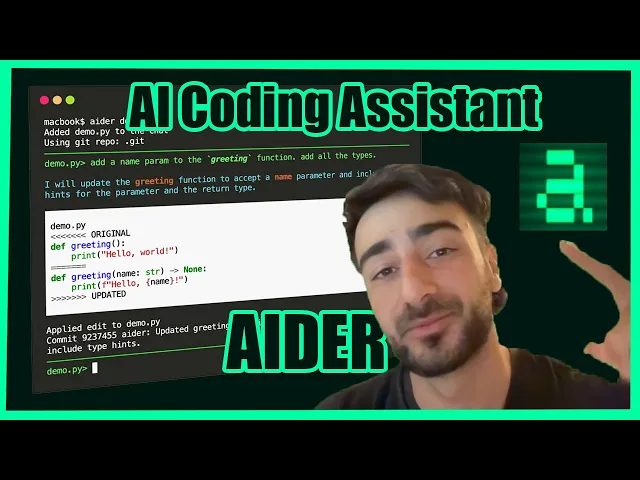
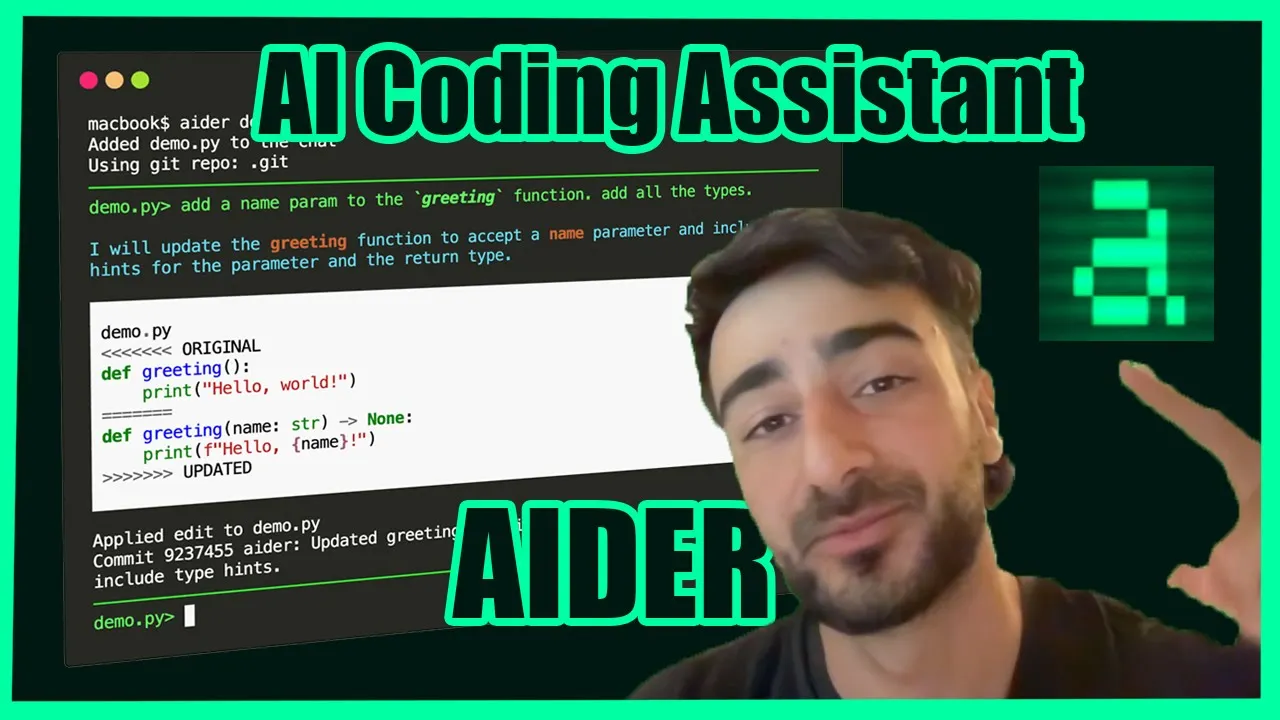
what's up we're doing a quick tutorial on AER you want to go to a. chat and here they've just updated this a really nicely show all the documentation to set it up go to the installation and it's just one pip install to set up AER chat then you can export your open AI API by default AER runs with GPT 40 but you can also run it with pretty much any other model you want check out the connecting to llms Tab and see the instructions for any other model you want to run GPT 40 is normally
the best so that's what I recommend you using there are some situations where Opus can do some of the tasks that GPT 40 can't do so it could be worth trying Opus if GPT 40 fails one of the biggest issues with Opus and GPT 40 is they're quite costly so you can actually use the Gemini API for free they have a rate limited pre- tier so your flow could be if you're short on money to try a Gemini um and if that's not working for you then try a GPT 40 that could also be a
viable solution you can also use um local language models but they aren't very effective at this at the moment AER has their own llm leader boards for which llms work great with AER check it out to use it it's as easy as running AER in the directory where you want to edit code you specify which files to load in the context but it also reads in stuff like your commit history and your whole repo map so it knows references to other files but the ones you specify in the command is what it focuses on let's
either see their content and edit them for you some tips is not to add everything to the chat just what you think will need to be edited this will help the llm focus um it also as I said still sends an a map of your entire repository so it still will know about the other relevant Parts you can get AER to help you debug by using the SL run command or just pasting errors in the chat and let AER figure out and fix the bug you can also use SL test to run tests and help
AER debug tests you can also send long multi-line messages which is pretty useful to send really specific prompts they have a voice command so you don't have to type your prompts you can do slvo and just talk to it you can also run it in your browser if that's what you prefer if you go down into the options reference you can see all the things you can change two of the ones that I like is is having dark mode enabled I also turn off auto commits by default ather will commit every change it makes to
get um but I like to have conversations going back and forth around the same subject and then commit myself which you can get AER to commit with a message itself with the slash Comm command um I'd also recommend setting up a config file which you can put in your home directory with.com doyo or just at the root of the git repository which you're working out of and here you can specify all the configuration Flags one time so you don't have to keep sending it another useful setting is this dry Ron setting or command where you
can get either to tell you what files it would change without actually modifying any of the files Um this can be used useful to kind of brainstorm how you want to prompt it and make sure that it will edit the files the way you want it so yeah we are going to be trying to get AER to change these files for me cool we have these files we are editing a Chrome extension this Chrome extension it's called clicklist cage um you type anything you want into it and it'll surf the web click buttons and perform
actions for you to Do complete your goal that you've set it uh we're just trying to implement this export log functionality here use the Chrome file API to gather logs that can be exported as a Jason file every time an llm call is made FL she said get it to ask some clarifying questions maybe we should do that ask three clarifying questions to help you like consider decision before editing code let's see click click okay to ensure I make the best decision so we get it to ask some clarifying questions where would you like the
logs to be stored temporarily before storing those a Json should we store in memory in memory is fine what do you want to uh include in the content that's a great question to the messages payload then three how would you like to trigger the export of the log should it be done manually with auction yeah so this is a big important one manually trigger export through extensions UI o automatically the certain intervals would be cool but I think since it opens a download like popup it's a bit annoying so we'll just leave it at that
um there we go now it's making its changes it's added the global variable to store logs in llm U tools just like I would have expected um in the pup JS they have an export logs function and uh yeah that actually looks really great let's edit allow the edits applied the edit um wow J can that work we will find out that was really great that was like pretty perfect um shout out to AER let's see if that worked though um failed to pass Source because you're invalid jsx this actually looks wrong let's a look
so it only changed two files so it shouldn't be too hard looks like it added these Imports at the end I don't know if we can do that so I'm just going to put them up the top okay um I I don't know if that'll fix it I have a feeling it won't let's have a look okay yep it wasn't that one the issue is in llm util JS let's see if we can figure it out just by looking here yes it's probably this line 75 uh so need to get it to refactor it let's
see if it works so okay so it actually didn't do it perfectly as I thought there was actually a lot more that needed to be done so going I say feedback you only changed one of the SDK calls there are actually several more similar functions that use the SDK make a generic wrapper and apply it to all of them so it can log messages every time open AIS SDK is called all right let's see can I do this I think we're making progress I probably still need to do some manual changing but it's definitely like
saved me a bunch of time I think let's have a look that's looking good it looks like it's running let's see go to YouTube yes excellent um now let's see if the export logs work export logs yes no almost almost works I think that's one thing like the most annoying thing about software development and it's also something that um these agents aren't very good at is like debugging stuff that it's not just a simple error message it's like more complex debugging that's like that's the most cool thing we should work on the logs are always
downloading as an T array I think there is an issue with storing them in a JavaScript files and calling it from the react popup what do you think about this and what steps can we take to make sure logs are saved in the best way okay turn LS in JavaScript file and accessing from react can indeed lead to issues especially with State Management quickly to do this let's use Chrome do storage so it persists and then it went ahead and changed everything didn't even ask me if I wanted to apply the changes but um yeah
I don't know let's let's see if it works I guess we didn't really have a choice uh let's say go to Reddit sweet went to Reddit did it save logs maybe we need to wait as well now the button isn't even working uh logs is not defined in llm utils export logs okay let's just give it the error error it understand um fix this uh all right let's keep trying this go to Reddit just go to Reddit export logs Yes actually exported logs let's see let's see let's see let's see yeah yes guys we got
logs I'm going to just keep talking uh AER we're going to make some more changes add another button to clear the logs in Chrome storage I's see now we should have clear logs and and um and Export logs yes