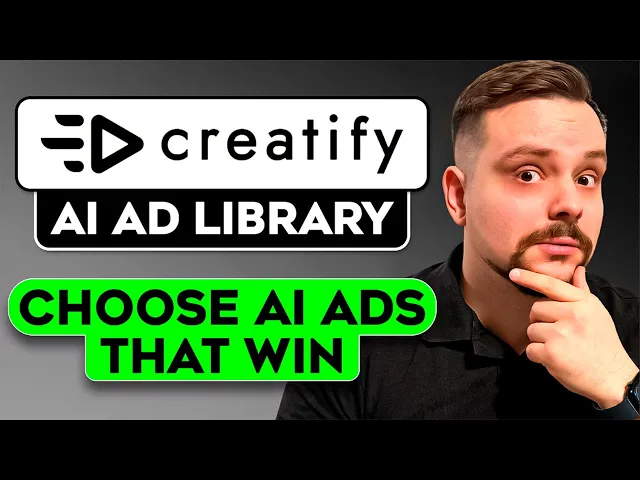
Friends, we all know how tricky it can be to make an ad that actually performs. You study what's trending, test a dozen versions, and still feel like you're guessing. That's why I wanted to show you something new called Creatify.
It brings together creativity and strategy in a way that saves hours of trial and error. I am Daniel and today we'll explore how this platform helps you find proven ad ideas and turn them into content that fits your brand. You'll see how it connects the dots between inspiration and execution so you can produce ready to publish videos faster than ever.
Guys, make sure you check out all the useful links in the description after watching this video. There might be some nice discounts there. Let's dive in.
So mates, Creatify is the first platform built around the simple idea, helping creators and brands make ads that already work. Instead of starting from scratch, you begin with tested concepts pulled straight from high performing campaigns. This service studies what's trending, then turns those patterns into templates that are ready to customize.
Don't think this is just another inspiration board. It's a full production environment powered by modern generative tools like Sora, Vio, and Aurora. Each model specializes in a different creative style, which makes the process far more adaptable.
For someone building a personal brand, it keeps every piece of content consistent and recognizable. A marketing team can use it to test new ideas quickly and adjust tone or visuals without rebuilding everything from scratch. And for independent content makers, it brings professional quality within Reach, even without big budgets or long production cycles.
Folks, this flexibility is what makes Creatify so practical. It helps anyone move from concept to finish dead faster while keeping the message sharp and the visuals on point. Another thing worth noting is how seamlessly it bridges research and creation.
You pick a winning format, add your product shots, and within moments, the system generates clean onbrand results. It automatically fine-tunes everything, your voice overs, hooks, and calls to action so that all elements stay consistent with your style. What you get is not just a library of examples, but a living workspace that learns from trends and adapts to your goals.
It shortens the distance between finding a great idea and turning it into a video ready for your audience. All right, my friends. Let's move to the Creatify website and explore how everything works step by step.
We head into the new inspiration section. And right away, you'll notice several categories here. It starts with top ads of the week where you see trending templates that get updated constantly to stay relevant and match current trends.
It's a quick way to stay in tune with what audiences actually respond to without wasting time scrolling through social feeds. Every template you see here is already tested. These are creative structures that prove their performance, ready for you to adapt.
You can use them for any kind of product from cosmetics to tech gadgets and the system automatically keeps everything relevant. Folks, let's take one example called Garden Bloom. I'll click recreate and the system asks me to upload the product image.
You can import from your existing catalog, select something from smart assets or upload a file from your computer. I'll upload a simple perfume shot I have prepared. It's not fancy, just a plain image, but I want to see how Creatify turns it into something that looks ready for a campaign.
Once the image is loaded, the platform runs a quick compatibility check. If the item doesn't suit the chosen template, it instantly suggest better options that would fit more naturally. Pal, in this case, our perfume works perfectly.
So, we click generate and the video starts rendering right away. The process takes only a few minutes. As soon as it's done, we're redirected to the project page where the clip preview appears.
The result looks clean and professional, and most importantly, the platform kept my product exactly as I uploaded it. Nothing distorted, no strange filters, and it fits into the template smoothly. Guys, before we move on, I try to make my content fun instead of boring.
And in return, please like this video and subscribe to my channel if you enjoy the content I make. Now, this clip can also be edited further. Let's explore the options available here.
There's a clear timeline divided into sections, and you can modify any of them. You can attach a short script to a scene, add an avatar to deliver a line, or tweak the emotional tone. If the scene includes captions, you can select the caption style and adjust how the text appears on the screen.
The platform also gives access to your asset tools. In the assets tab, you can create new visuals powered by the built-in AI generator. It provides several modern models like VO or Sora, so your visuals always look sharp and consistent with your brand style.
Friends, text customization feels equally smooth. You can edit the typography, change the tone, and experiment with different layouts. There is also a full library of background music of various genres.
And if nothing fits your project, you can generate a new track right here without leaving the editor. The final section is the call to action. If your ad doesn't have one yet, you can add it instantly from a set of ready templates.
Choose the one you like and it appears on the timeline automatically. You can rewrite the text, replace visuals, or try a new format with a single click. Switching between call to action styles feels effortless, and every version adapts to your video layout perfectly.
Another thing I really like, folks, is how easy it is to adjust the aspect ratio. You can reformat your video for any platform with one click and instantly preview how it would look on Instagram, YouTube, or LinkedIn. Guys, the preview even includes interface overlays like buttons and captions, so you can see exactly how your ad will appear once it's live.
You can also change the background to match the mood of your campaign. Once your edits are ready, you can save the project as a personal template. That way, you can reuse it later for similar products or campaigns.
You can also share it with your team, copy the link, or send it directly to social platforms. And yes, Creatify makes publishing extremely easy. When you connect your social accounts, you can upload the finished video straight from your workspace.
Guys, you can even link your advertising accounts and launch a campaign directly. Simply click launch ad and select your preferred platform, say Tik Tok. Then fill in a few details and you're ready to go.
Everything happens inside one dashboard without jumping between tabs or tools. Let's try one more example. This time we'll use the Tik Tok live promotion template.
We upload the image headphones. This time the system verifies whether this item matches the selected template and fits properly. Again, rendering takes only a couple of minutes, friends.
>> Stop. You won't believe this. 50% off plus a free case.
And it's a brand new drop. Yes, THESE ARE REAL. LOWEST PRICE EVER.
TODAY ONLY. Hit that button now. >> Folks, I think the finished clip looks dynamic, fresh, and perfectly timed for social media.
It's the kind of video you can post immediately to promote your product or event. No edits, no extra steps. The beauty of this workflow is that you're not guessing what might work.
You're starting with formats that already prove successful, then adapting them to your brand. That combination of proven performance and quick customization is what makes this platform stand out. Okay folks, time to round things off.
We've seen how easily Creatify turns a single product image into a ready to publish ad. It turns what used to be hours of content making into minutes and leaves you free to focus on testing and optimizing campaigns. You don't need to hire an editor, search for freelancers, or waste time scrolling through references that may or may not perform.
Everything here starts from what already works. Friends, if you've been looking for a faster way to generate ads that actually convert, this might be it. Try Creatify AI ad library and see how quickly your output can scale.
Do you follow trends or just create based on intuition? Share your approach in the comments. I'd love to hear it.
Feel free to check out the links in the description below. You might find some discounts there. As usual, don't forget to like this video and subscribe to my channel.
Thanks for watching. Until next time.