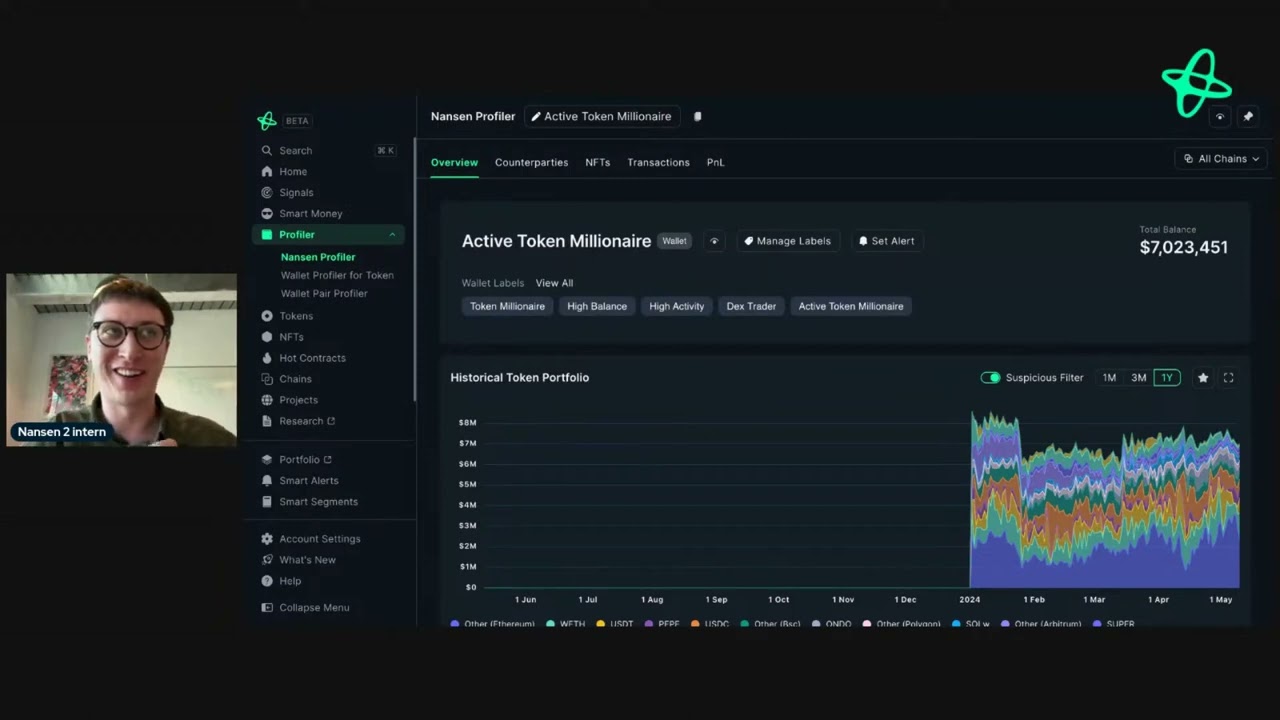
hey everyone today I'm going to show you how you can research any salana address on nanson to get interesting insights that you may use to get an edge in the market in this example I'm using Pepe with hats. when you search this address all you have to do is just plug it in Search and you'll be able to come to this page when you use a different address you'll see different information here you can see all the wallet labels of the address so we can see things such as any unique identifi or any salana specific
labels such as with whale popat whale Etc these labels give you more information about an address so you can make informed decisions there's also the total balance then also the historic token portfolio for the address on other networks such as ethereum evm networks you'll be able to drop down here and then select the other networks but as we're only looking at Salon day you'll only be able to go through salana you can get a trading summary of The Last 90 days or all time as you can see with this address they've only taken profit from
Whi so they have 100% win rate with a significant gain in realized pnl we can also see other tokens that they hold such as the popular mcoin popcat Bonk and we also see them holding a small amount of salana we also have the counterparties tab so if you're ever unsure about what a dashboard is just go up to the eye here and we'll have them all throughout the dashboards that we have and it tells you exactly what you need to know know so in this case counterparty shows you a detailed list of addresses that the
wallet or entity has interacted with sorted by net flow in other words this tells you what the address is doing in real time so you can see for example they are sending funds back and forth through coinbase this can be a really useful tab to look through to see what our team's doing well address is doing sorry where they depositing money are there interesting any interesting air drop Farms are they buying are they selling and so on we can then go to the transaction tab so by default we have a minimum value for this and
then we can see any realtime transactions by this address so we can see for example that people are sending this address some meme coins maybe that's a good thing maybe it's not but we can also see when they are buying or selling so this tells you everything you need to know about an address and in this case um all the mcoins they're interacting with then we also have pnl which is probably one of my favorite features across nanson which tells you everything you need to know about an address is profit and loss and this covers
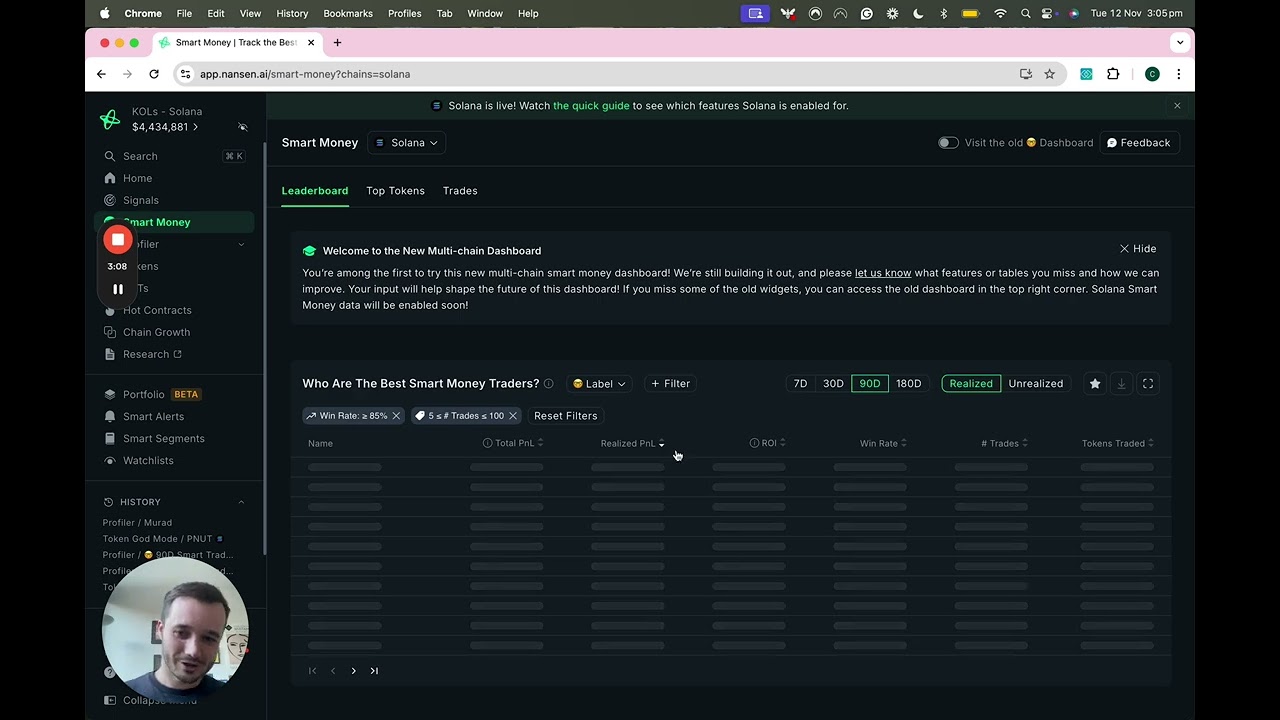
uh realized as well as unrealized gains which is really really useful in determining the sh of a wallet and also the insights that you may want to see so we can see the average return investment they've made and the amount of tokens they've traded we can sort this by 90 days seven days one year all time and that applies to the other dashboards here this highlight feature tells you what you need to know in terms of like just the good overall summary of an address before you dive in deeper and as I said earlier you
can sort by realized or unrealized gains on the tokens here so combining all these features here you can get a really good overview of any address within nanson there may be entities that you want to look into maybe an exchange like binance in those cases we'll bundle all those addresses together in one spot so you don't have to go through individual addresses and you get an overall view if you have any questions let us know and would love to help you out