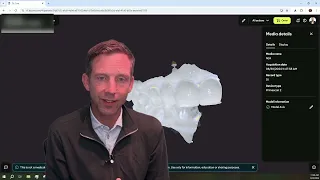
hello today we're going to discuss a rare situation that could happen and how to remedy it Prime print is sensitive enough that if it detects any object interfering with the build plate the way it contacts inside the foil in the material unit it will notice that the object is there and display an error code if that happens you must remove that object which will be either on the build plate itself or within the material unit so in the rare case that an object has fallen into the material unit here's how you can remove that more
easily of course you could just look around inside the material that but if it's the object's very small could be like finding a crumb however the prime print does have a process that will help you find such a small object it's called a cleaning layer a cleaning layer is a very thin layer of resin printed at the bottom covers the entire glass plate the idea being that if there is a small object there it will be printed into the plate itself so to demonstrate I'm going to take a support from a previous print job very
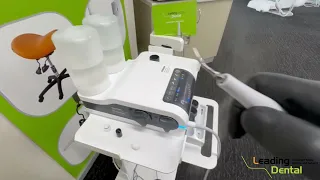
small and actually put it into my material vat so here's how we print that cleaning layer and take my material unit put it inside the prime print latch it closed and close the door once it reads the RFID from the cartridge and the material unit it's going to bring me back to the main screen I push the routine actions button which looks like a printer and right at the top there is the cleaning layer option I select that it asks me do you want to print a cleaning layer please make sure there's enough resin in
the material unit and I confirm okay the cleaning layer has been printed successfully I can now remove it foreign take out my material unit it's difficult to see but it is printed there so how do I get the cleaning layer off I want to take the tray out the top of the tray by pulling out on these two tabs under here and I detach the top so at the very bottom is that cleaning layer attached to the foil to remove it safely I'm going to take one of our Prime print playing cards let's see we've
got Queen of Diamonds and while wearing gloves I'm going to slide this card underneath the cleaning layer as you can see it slides in there gently and I can slowly pull up that layer that support that I just printed is captured within that layer and there it is so I have to reattach my Prime print tray push down reinsert it back into the prime print [Music] the object has been removed and the prime print is ready to print