welcome to December that time of the year where tech companies go all out and trying to sell you the latest gadget that will hopefully make your unhappy spouse stick around a bit longer but what happens when you don't need the newest but still want something newer than what you already have well you buy used yes used the dirty word that companies don't want entering your ear holes as it goes against their mission for ever increasing profits at the expense of humanity and the planet now just like your wife's boyfriend the word used is intimidating for
a reason especially when it comes to making a big purchase like a car since there are a million parts that could have a million problems but buying used Tech isn't as complicated especially when it's a used or refurbished laptop because there are less than a dozen components that make up a laptop and these previously owned slabs of silicon can save you hundreds or even thousands of dollars at the same time you're saving something from the landfill but it can seem overwhelming if you don't know what you're looking for luckily I do because I've been refurbishing
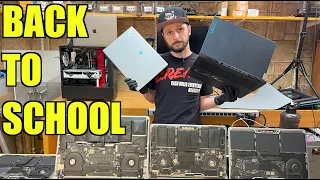
and selling business class laptops at my computer repair business for 10 years now and I've already made videos on how to refurbish a laptop as a seller but I've never made one on how to buy a refurbished laptop so this video is a comprehensive guide on the process of buying a used laptop from deciding on what to buy and where to buy it testing it once you receive it dealing with any issues should they come up and what laptops I personally recommend for the average user so while I refurbish these two laptops that people bought
off of Salem texperts decom I'm going to explain to you what you need to do if you want to buy a refurbished laptop now the first thing that you need to keep in mind is that you need to research research research research that is the most important part of buying a laptop because you only buy it once and then you're stuck with it one of the most important things is how easy is it to repair after coming home from a long date with your wife's boyfriend and you spill some tequila on it how easy is
it going to be to replace the keyboard is the keyboard fused to the top case is it going to be expensive and you can always find out how by looking at you YouTube because somebody's probably uploaded a video on how to do that repair and that's how you can gauge how difficult it is to repair a broken display is just as common if not more common than a broken keyboard so the cost of a replacement display is also something to be aware of before you purchase a laptop because any touchscreen display that has glass fuse
to it is going to cost significantly more than a non-fused display so this price shock alone is enough to scare even the hardiest of wallets the next thing that you want to think about is how easy is it to upgrade most laptops now they come with upgradeable Ram but some business class laptops like even this ThinkPad t16 there's only one slot for a ram upgrade which of course we we upgrade it because we take care of our customers here at Sal experts this is especially relevant if you plan on doing any gaming because on some
laptops like this t16 the soldered Ram operates in single Channel mode which means you'll only have Intel UHD Graphics but if you install another stick of ram you'll enable dual Channel which unlocks the Intel XE Graphics allowing you to play games that are more more graphically demanding or just aren't optimized as well as something like raid Shadow Legends which is a crossplatform game that manages to crank out AAA Graphics no matter the hardware being used and I know this all too well because I've been cranking through the campaign on my PC and phone to level
up before I hit the dungeons because it's hard to get bored when you have an endless amount of content and new updates all the time like the Christmas miname event starting from December 5th to January 15th where players will need to save Santa by shooting the boss with snowballs and even better once completed you have the chance to win real life life prizes like $5,000 and everything else you see here but the only way to enter is to download raid using my QR code or the link in the description and the pin comment then head
to this link enter your raid ID and start whipping snowballs to save Christmas this won't last forever though you'll only have 24 hours to play the event after downloading raid but you must go through my link to be eligible and don't worry it's completely free which is my favorite part of the game besides the Auto Battle feature because it lets me play and level up even while I'm working and the battles require actual strategy so it serves as a fun way to keep my brain sharp when I'm starting to get bored of editing a video
and if you've never played the game before yourself well you're in for a treat because on sign up you'll immediately get a huge starter pack that includes an epic Grizzle Jarl from dwarf's faction and after reaching level 15 you'll get another starter pack that includes an epic Zara from the Orcs but if you want to play as my favorite legendary Sun wuk Kong after downloading with my link use promo code Monkey King but be fast because that promo code is only available until January 7th so give this game a shot and make sure to join
my clan after you reach level 13 so we can upgrade our skills together like I'm upgrading this laptop with 32 GB of RAM now if the customer wants to go higher they can and they can replace the storage so right now it comes with a 1 tbyte I believe uh nvme SSD because if you want your computer to last and you're somebody that runs out of storage space often you you're going to want something with upgradable storage because the longer your computer will last the less money you have to spend on buying something new and
that's the idea so how long do you actually want it to last do you need something that's just going to last you a few years if so upgradeability might not be as big of a concern but for me I like to buy things to use them for a very long time because I'm cheap and upgradability is one of the biggest things here the batter is also very important how easy is it to replace the battery is the battery readily available is it expensive it's always better to ask these things before you purchase it instead of
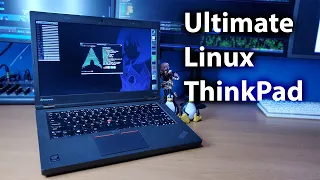
being stuck with something that's unrepairable because of one small accident that you had with it another research item you need to do what are the most common problems on that machine you're buying just like a car every single computer suff ERS from certain issues you will have a much easier time dealing with those issues if you know what they are before you purchase your machine for example on thinkpads a common problem is on the screen there's a little Mark in the middle from the red nub that gets pushed into the screen that's a common issue
that happens on a lot of thinkpads these don't have that of course because we only sell the best here at salm texar.com for example HP Pavilion laptops which are consumer grade laptops HP stands for hinge problems so the hinge is probably going to break on a lot lot of those laptops if you Google the model number and you go on YouTube you can see videos of the most common issue it'll say uh GPU repair or hinge replacement something like that business class laptops do suffer from issues there are good models there are bad models I
try to only sell the good models as do most reputable sellers but being able to identify that before you even purchase it is something that's crucial in the process and it's not just common problems it's also weak points common weak points with most laptops nowadays the USBC is how they charge and a lot of those are weak points for the laptop sometimes the USBC Port just gets damaged or it's if you use a bad charger it scrapes the pins there's nothing you can do about it that USBC Port is soldered to the motherboard so if
it does break that means you're going to have to find somebody that can either replace just the USBC Port which requires micro soldering a lot of places don't offer that because it's labor ensive and fairly expensive and some places do offer that but just be prepared and know what the weak points are and what the strong points are of the laptop that you're trying to buy now what should you expect when you buy a used laptop generally you're going to get cosmetic scuffing maybe there's marks on the keyboard like some wear on the keyboard some
wear on the touchpad it's not going to look perfect it might if you're lucky but it might not look perfect because it's used just like a used car might have some some dings or scratches and all that stuff but what it should do do is it should function perfectly it should function as good as it did straight out of the factory that's the idea of buying a refurbished laptop if you're buying it from a good seller now how do you decide where to buy the laptop who isn't going to try to screw you do I
recommend buying a laptop off that sketchy guy in the van with an I love crime hat probably not unless he's selling think pads now it might not be surprising that I recommend you buying a used laptop from your local computer repair shop if you have one because multiple reasons your local computer repair shop has a physical retail location so if there's any problems with that laptop you have a face to go to you have somebody to go to that provides one-on-one service and you're also supporting a small business in your community where the money will
inevitably go back to your community if you buy it from Bill's Computer Service you're going to have Bill to talk to so if you have a problem you go to bill you get oneon-one support and also since bill is the only guy there maybe has one or two employees they're going to be doing quality control that's on a different level a higher level than say uh an assembly line full of 6,000 think pads just running through some employees hands that you know they're they're overworked and they really don't care there's more room for error if
you get it through one of those bigger companies that's always a huge benefit is going through a specialist or a local business that is able to sit down just like I am with these ones my tiny raccoon-like fingers are personally refurbishing these laptops and I went over every single thing on these laptops to make sure that this thing won't come back now say your local computer repair shop doesn't have what you're looking for and you need to go somewhere else or maybe you don't have a local repair shop because they went out of business because
the industry is dying then I recommend eBay eBay can be a gold mine but it also has traps that can kill your wallet so you have to think of it as such eBay has a bunch of different sellers with a bunch of different feedback scores and warranty policies return policies with a ton of different refurbishing methods generally speaking you want to go to the eBay seller that has as close to 100% feedback with a lot of sales and their return policy is within something that you like maybe 30 to 60 days or something like that
and their warranty that's a big one warranty is huge because as a small computer repair shop I warranty my stuff for a year which is kind of crazy but I only sell things I I'm confident won't come back to me a lot of eBay sellers they won't warranty it that long or they'll make it really difficult they'll try to jerk you around if you do try to have a warranty case fulfilled but I've bought hundreds of laptops usually thinkpads or latitudes off of eBay and I've personally refurbished them and resold them so I will vouch
for eBay you just have to be careful with it just like everything else think of it as any other Marketplace you just have to be careful with it you can find amazing deals now everything I say about eBay goes for Amazon as well another huge detail that you need to make sure pay attention to is whether or not the picture you're looking at on the website is the actual item because a lot of lot of times the picture isn't the picture is the best item that they have in that lot but they need to say
that they need to disclose that in the listing for example if I look for a Lenovo ThinkPad t16 this keyboard is amazing God I wish I kept this computer I shouldn't have sold this I want this for myself so you'll see the initial listing now this guy has 100% positive feedback with 7,000 that's huge this is a good seller let's see what their insurance is like so I can get a warranty through all state for 45 bucks I don't know how it is dealing with all state and hopefully you never find out but they have
one 30-day returns seller pays for return shipping which is great the seller pays that means they're confident enough that they're willing to pay for for you to return their stuff if you don't like it now let's see does the Picture Match let's see seller notes we do not have a charger for this machine shows normal well can sit with normal use okay so seller notes that's important too they'll usually disclose any issues with the computer up here and let's see it's still under factory warranty until September 2025 this is a gen 1 t16 this is
an amazing fraking computer that's less than $400 still under the factory warranty that's insane and this is just I just that's the first thing I googled this is the first thing I looked up on eBay and immediately I'm greeted with the greatest seller that's ever lived uh now I'm still looking for that that says if the picture is of the item and I can't find it let's see all right so it does look like this machine has a broken keypad with one of the keys missing and the keypad is loose so I don't know if
they mean keypad or keyboard but it says C picture so this is the picture of the machine okay I see so the F4 button somebody tried closing a have real quick maybe they were looking at something they shouldn't have but generally this computer looks really nice and again the t16 this keyboard can be replaced in 5 minutes easy peasy the keyboard itself might cost like 50 bucks or something like that regardless this is a great deal and this is a perfect example of a laptop on eBay that would be a fantastic deal all right now
that the t16 is all set we're going to move on to the p15 and this also needs thermal Pace it was overheating a little so I'm going to ship it out with new thermal paste now what if you don't have eBay uh you don't have a computer repair shop what if you live somewhere where that doesn't exist well the next thing I would recommend is trying to go through a computer or electronics recycling company because not a lot of people know this and I feel like it's a hidden secret Among Us uh computer repir shops
but Electronics recyclers have really good laptops sometimes they'll get them say if a bank is going out of business or a bank is uh getting rid of some laptops that are off lease they'll bid on the lot to get that technology and they'll either refurbish it or they'll just sell it as is you can get some insane deals from these Electronics recyclers just give them a call or go there and ask them they always like making money you know who doesn't like make money who doesn't like make money shout out to Trident electronics recycling that's
who we got these laptops from they've been taking care of me since 2015 so they are my go-to when it comes to getting used laptops if I can't get it from them then I will go to eBay but they're always my first step well that was exciting that is not an easy job for thermal Pace now probably the most common concern and the most valid concern about buying a used laptop is the battery life always assume that you'll need a new battery if you buy a used laptop that's just the nature of how batteries work
and that's also the biggest obstacle when it comes to the performance impact of buying a used laptop a lot of places won't give you a new battery when they sell you a refurbished laptop because genuine batteries can cost like aund and something dollars for example this t16 battery uh you can actually upgrade the battery super rare only exists really with business class laptops again one of the positives of that but you can upgrade from like a 50 wat battery to an 80 watt battery the battery itself cost $116 for a genuine one which is pretty
pricey especially when you can buy the laptop for about $400 so you know about a quarter of the cost of the laptop is that battery now if you're buying a laptop that's not a business grade laptop you probably won't be able to find a genuine battery and that's very important that's a huge issue because the one thing guaranteed to go bad on your laptop is the battery it's a wear item just like tires on your car and brakes you're going to need to replace it eventually now the availability of the battery is a huge thing
you can go on Amazon you can get a battery for pretty much anything but what kind of quality battery are you getting you're not going to get the same quality as a genuine battery so that's something you have to remember um generally speaking on most computers it's easy replacing the battery it's pretty simple replacing it on business class laptop and a consumer grade laptop it's just obtaining a good battery is the biggest issue even if we have right to repair they're probably going to price that battery up to make it kind of so that it
doesn't make Financial sense replacing the battery that's huge so you receive your laptop but what now what are the first things that you should do when you receive the laptop well let me show you first thing obviously is to inspect the laptop so get under good lighting make sure your eyeballs are correct and just look for physical damage if it does it not match the pictures is it something else than it should have been an Xbox controller what the freak I didn't order that ordered an Xbox card this is a bomb inspect everything visually everything
looks good on here it looks like it matches the pictures that don't exist because I actually bought this in person this thing is minty minty minty fresh everything looks good it looks like it was barely used now I'm going to open it up I'm going to look at the screen the screen looks perfect that's exactly how I thought it would look it looks like there's some dust on there but that's obviously not a part of the screen keyboard looks great everything looks perfect when the screen turns on there's no weird marks I'm going to put
a white screen on usually I open up notepad everything looks good there's no weird shadows there's no marks on the screen looks great and of course you want to test the most important thing is the charger port again these thing pads have weird charger ports so we want to make sure it works and this one does does it feel loose no looser than normal it doesn't disconnect if I move it it charges it's good you also want to test the HDMI test the test everything every single port you see there you want to test as
soon as you get the laptop because the sooner that you can identify an issue the sooner you can uh send it back to the seller and get your money back or work something out now the next thing hinges hinges now this one has sturdy sturdy sturdy sturdy hinges it has 180° hinges which is awesome because it's a think pad of course these hinges are great there's no noises the question you need to ask when you're opening and closing it does it make a sound that's similar to your bedroom when your wife's boyfriend visits because if
it does you should probably send it back squeaky squeaky creaky creaky and make sure every single key works every key on the keyboard needs to work no key is sticky sticky yiggy oh wait of course everything works I know it does because I already use this I should have kept this laptop I love this laptop and of course test out the speakers to make sure they're not crackling or popping [Music] [Music] [Music] [Music] hey you okay wow that was a crazy night so the next thing I want to talk about is heat now when you
buy a laptop and it's used there's something called thermal paste that is on the CPU and a GPU if you have one thermal paste degrades over time and it's what keeps the CPU cool uh basically the CPU and the heat sink which is kind of like a radiator they make contact they make sweet love and during this contact there's air between the CPU and the heat sink and thermal paste seals that air gap so the heat can conduct off the CPU onto the heat sink and then those fans can blow and cool down the heat
sink which cools down the CPU over time that paast tends to degrade and the temperatures will rise so you'll start hearing that fan a lot more and the computer will might start running a lot slower or little bit slower and then eventually it'll run really slow and you'll hear that fan constantly go if you're new to my channel I recommend checking out the videos that I've done where I've where I've cleaned laptops because those kind of show you the the general usage and the range of how bad a computer can get and how good a
computer can get if it's taken care of if the previous owner used a computer on a bed it's probably going to be super Dusty and hair and dust clogs the vents so the fan can't breathe the fan can't actually push the air the hot air uh out of the computer so so that in turn Heats it up not good for anything so if you notice the fan is kicked on all the time like this p15 this is a very high performance computer this fan is normal to kick on when it's under load that's what it's
designed to do there's two fans because it's a it's a beast of a of a laptop I don't hear the fan at all and I'm running a video in 4k which means it's stressing the CPU and the GPU and I don't hear the fan whatsoever but you can't go off just audible noise you can actually use programs which is what I recommend doing and the programs I have here to test that are HW info now this program tells you the average temperatures the temperature that it's at currently and the minimum temperature right now we're idling
at 57 with this video playing in the background and we've reached a maximum temp of 92 which is completely normal because when that 4K is kicking in the CPU is kind of straining itself and again I don't hear the fans I don't hear the fans at all what laptop you have determines how loud the fans are going to be and how hot that CPU generally runs so some CPUs run hotter than other CPUs it's completely normal just like some cars need a bigger radiator than other cars now what happens if the laptop is running hot
and you notice those temperatures are really high and the Fan's running crazy all the time well you have a few options you can risk it and you can try to replace the thermal paste on a lot of business class laptops it's super straightforward and super easy to do that there are a bunch of tutorials on how to do that I have quite a few on my channel but this also means getting your hands dirty and if you're not comfortable with working on your own laptop then you you have a few other options you can either
take it to a computer repair shop and have them do it generally the cost is about $1 $150 could be cheaper 60 bucks maybe it depends all on where you live and what the general cost of Labor is where you live which is directly tied to the cost of living so that's another option or you could just pack up that laptop and return it because remember you got a good return policy right right right on workstation laptops like what this is the p15 it's a little more intense to replace the ther paste and when I
say a little more it's a big pain in the keester so it might not be something you're willing to do and when it comes to Hardware you also want to see what the life expectancy of the hard drive is and how much it's been written and read to now there's something called tbw terabytes written every nvme or SSD has a certain amount of writes and reads that they can handle before they start to the bed now this computer has a 970 Evo plus and I know this because I installed it of course cuz only the
best here at sal.com to find the health of the drive I just download Crystal dis info and it'll tell you right there total host reads total host writes you don't need to be a tech guy you see that number it says gbgb already I know this thing is basically brand new it tells you the power on count how many hours it's been powered on and well how do I know how much the 970 Evo plus can handle well I just go on to Samsung's website I look for the 970 Evo plus and I look right
down here tbw 600 tbw for 1 Tab model or 5 years whichever comes first that means this thing is basically brand new so I'd feel safe if I bought this computer knowing that the hard drive has barely been used and if you do find one where the hard drive has been used and is very close to its lifespan then you may want to consider replacing it yourself or just sending it back to the seller because you got a good return policy right right now enough about Hardware talk let's talk software and let's talk security a
big concern is you buy a used laptop how do you know that there's not something malicious on there a Bitcoin minor or something that's going to steal your wife's phone number and give it to somebody that perhaps wears a blonde wig and visits other wives at night well there's a few ways to do that the easiest way is to open up Defender and you can scan the computer right here run a quick scan you can also do a full in-depth scan and a lot of people overlook this go to manage settings and make sure nothing
is excluded because I could put something malicious on here and just exclude that file or folder from being scaned and the only way you would find it if you download another AV another antivirus and surprise I've had access to your information and your wife's nudes for many many months you don't want that to happen and if you want to be super safe you can just reset the computer to the windows default fresh out of the box however that's also not 100% guaranteed to wipe anything that could be malicious because somebody could in theory put a
file onto that install image so that when Windows reinstalls itself it also reinstalls the malicious program now this is super super super uncommon I have never even seen this in my life except for one time when it was from a random Amazon company but they were selling a brand new computer there was a big thing about it um it didn't even come from a refurbished laptop this is also why reputation matters if you're buying something from somebody from a company that has a good reputation then the odds of this happening are minuscule because what the
heck this company is going to risk their entire reputation on some small little piece of profit not likely if you really want to give it the nuke just download the windows ISO the windows um ISO from microsoft.com put it onto a USB and do a fresh install on the computer and now for the moment you've all been waiting for well what laptop should you buy what do I recommend you buying as a computer repair shop owner for 10 years there are a few things now first one framework laptop whether you can get it new or
used you should support framework because those are the most repairable and upgradeable laptops in exist distance and I also like supporting that company because their vision and their goal is to help save the planet but they can get a little pricey especially compared to other Alternatives which are the ThinkPad T and P series what exact model depends on your use case just like I mentioned earlier what screen size you need how powerful you want it to be and what your budget is next would be the Dell Latitude and precision series within the past 4 years
I do feel that Dell has kind of lost their way when when it comes to Quality Control with the Dell Latitude and the precisions so that's why those are third in line but you can still find some good deals and they generally are easily repairable and Fairly reliable compared to their consumer laptops and lastly the HP Elite Book Pro book and zbook those laptops a lot of those models now have fused keyboards and that's not good A lot of them also have fused displays where there's a glass touchscreen display that's also not good when it
comes to repair and that's why they rank last in in my opinion on what used laptop you should buy and if you're an apple person and you want something that runs Mac OS you can't go wrong with getting a used M1 MacBook Air or Pro and above anything from the M1 and later is a excellent buy again that's if you're a Mac person just know you cannot upgrade the storage you cannot upgrade the RAM what you buy is what you get but if you're just using it for something simple and for school or something like
that then that's it you also can't repair things easily and the parts cost a lot of money and if you break that display God help you because it's going to be expensive but you like Mac OS so that's what you're going to buy the the CPU is good it's efficient the battery is pretty easy to replace fairly easy to replace and of course you have the advantage of having the Apple ecosystem which is arguably much better than Microsoft's or Android as for buying a refurbished gaming laptop I absolutely do not recommend doing this unless you're
buying open box from the manufacturer or you're able to service The Thermals yourself and want to gamble hundreds of dollars on something that will probably still burn out in a year I say this because my entire career has been built off of repairing gaming laptops some of which looked perfectly fine on the outside but were a ticking Time Bomb inside they're unreliable and unpredictable but if you still insist and want to gamble with a refurbished gaming laptop then check out this video from the greatest gaming laptop recommender that's ever lived Jared's Tech so if you're
thinking about getting a computer for somebody or for yourself for the Christmas the holiday season then consider getting a refurbished one not only will you be helping out a small business hopefully you'll also be saving something from the landfill and you'll be saving yourself money in the long run and you'll be buying something that's reliable so it's a good gift to give to somebody and for yourself and with that said thank you so much for watching please consider becoming a member if you want to help support the channel and watch me swear profusely as I
live stream video games a special shout out to the greatest supporters that ever lived it's with your contributions that I can take the time to actually make these videos I appreciate you all so much and I'll catch you in the next one what if I don't [Music] yeah what yeah that's what I thought and don't forget to use my rage Shadow Legends Link in the description or scan my QR code to get insane bonuses for new players with two epic champions