hi welcome to finite power videos this is a decir in this video I'm going to show you how to use the access rights in secured memory card 8088 is c1 Phi 3 and this is the part 2 in the part 1 we were discussing about the access rights there are 8 bits and access rights and each bit controls a specific feature of the card in the last video I showed you how to use the right password enable mate this vid controls whether the possible application required or not we also saw how to restrict read access
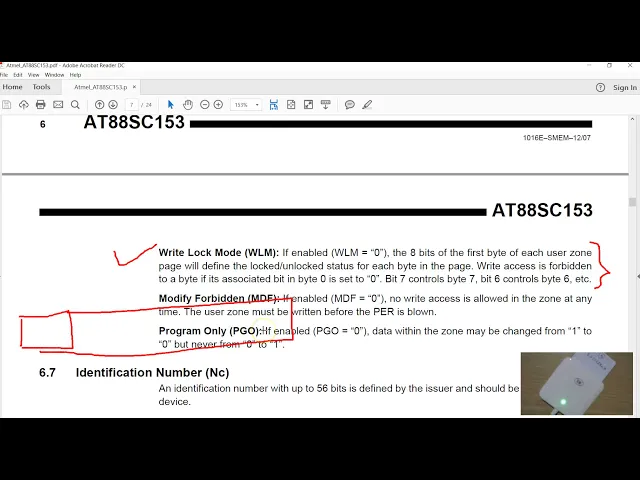
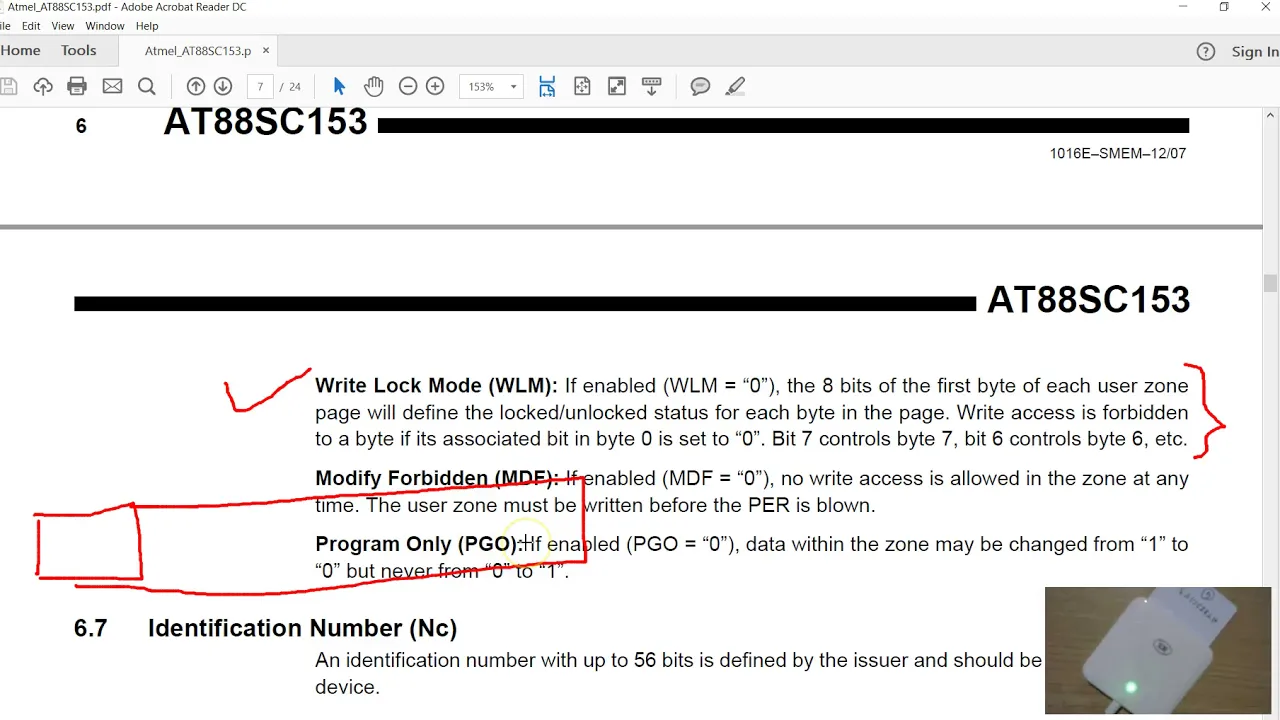
and we saw how to select the password it is the password select bit in this video I'm going to show you how to use the right lock mode the modify forbidden bit and the program only so the simplest of this is the modified forbidden mode if this bit is set to 0 the user zone becomes read-only you cannot modify and again this feature you'll be useful only after we personalize but I'm going to show you that how exactly this bit works this feature when this bit is set to 0 this prevents user from changing the
bit from 0 to 1 now we can use this feature to create one-time programmable memory which is used in the ticketing system and if you have seen my earlier video on sc1 0 to that card had a feature it's called as the arrays or write mode we were also going to see this write lock mode so this you can lock the first eight bytes of the memory now again this will be like a one-way locking if the lock bit is set to zero you cannot set that to one we are not going to cover the
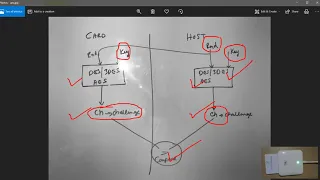
authentication because there are a few things in a few shoes or some requirements to use this authentication probably I would like to mention this in in the later part of the videos so I have connected my a say 38 to you with the with the card inserted and the motion of the software is 1.93 we have been using this card in my previous videos also but I have made some changes here I removed all this the access read bits now I'm going to use the wlm this is the sorry this is the the right the
modification prohibited so this is MDF in order to change the value of access rights we have to first verify ourself with the secure password which in my case is forty five four five four five what if I as soon as you verify you can read the values of other password as well now I'm going to try this with the users own zero set this bit MD a bit enable and right to make sure the right days are successful hit a read button you can see this bits are or what what we want now the effect
of changing this bit will be available immediately you don't have to reset or restart the tag now what we have done is we have made the modification prohibited for zone 0 if you try to modify say modify that last bit set to 1 1 1 1 1 1 and say right now the rate is successful here this because this what we get we have discussed this in my previous videos if you try to read we got back the old value so this shows that a zone can be married only with this bit but you have
to make sure you first write all the required data to zone 1 2 3 and then you set that bit so I'm going to try the same thing for the zone air 1 so that you know you are comfortable in this feature enabled this and right and if you try to go on modify right and try to read you got back this whole value so now you know how to make the zone that I read only I'm going to reset this back you are still attenti kated with the with you know the secure code would
write right so we are back to everything cleared so there's no kind of verification or the protection are set in this second off so next I'm going to show you how to use the program only bit the documentation says you can change the bit from 1 to 0 but never from 0 to 1 I'm going to modify we already have some bite set to 0 so I'm going to change this to FF and make sure you know the right is successful if you try to read so you can see that we are able to change
from zeros to 1 ok I'm going to change set this bit PG 1 able and if you to change you know the bite number two here has got the value set to zeros I'm going to change this to just just a 1 I'm going to change just one bit of this bite and give a right and if you try to read you can see that it has gone back to zeros so what about how about you know taking this taking this the third byte which is one zero I want to make zero zero so here
it was the bits where one it was like this I know my new value will be making all the eight bits and zeros no right so it's not here yeah I can try it okay so if you write and say read you can see that we are able to set for one to zero I think that's all it is you can I'm going to try one second here so we'll see what's the settings for the zone one I'm going to enable that right then go back to zone 1 so first I'm going to set I'll
probably can play with this one so we have B 0 so which is a B is 1 1 0 0 and all zeros I'm going to try to make this as B 1 1 1 0 0 and sorry is the 1 1 is not not it's not the right one so you know I'm going to make this bit from B 0 to B 1 so I'm trying to change the bit from 0 to 1 and see whether if it's possible or not change this to 1 and say right and if you try to read you
got back this 0 so we are not able to change from 0 to 1 next I'm going to show you how to use this right lock mode so the description says with this mode the very first bite of each zone will control the access rights of the first eight bytes and one more thing to remember here if you go to page number nine now what it says is when the card is in the right log mod any write operation can write only a single byte you cannot write more than one byte service mention here when
the one bite of a page can be written at a time so even if you try to write say ten bytes say starting from address zero well the first byte is returned so in order to do this white single byte writing I've introduced this section called write X number of bytes so now you can write just a few bites of his own so for example if I want to probably I can show you how this third section works I'm going to revert back right and right so now we have a condition where no password verification
is required so the read and write are accessible or able you can do it so I want to copy say I change this these four words to 1 0 1 1 1 2 and 1 3 and these the user interface is not not very very enough then it's not the best interface you have to choose the byte orders now the byte address of the zone data starts from 0 this is the byte at the 0 of zone 0 this also address 0 and this also turns 0 now I want to copy the 4 bytes from
here so you have to count the address it's 0 1 2 3 & 4 so I want to transfer address for and I want to transfer the four white so then to the four whites so if you give a right you can see the the command here so here it is the starting address is four and you're passing the four bytes now we are able to write just a part of the user zone before this section the only way to write is to write everything all the 64 bytes starting from address 0 but with this
section you can write a section of the zone so we have written if you want to read now you can just you know delete this probably and try to read this entire section you can see that our write four bytes was successful so now you're going to say how to use the write lock mode enabled now you have to understand the importance of the very first byte of all the three zones the first byte here the first point here as well as here now this byte is going to act as a a locking bits if
you are if we know about the me fare ultralight tax or any other tax note that allows you to lock a block of page so it's something very similar to that the first byte will behave as a locking bits so there are only eight bits here so you can lock only the first eight bytes of the zone so the first eight bytes over here the first eight bytes of the zone here as well as the eight bytes in the other zone so I have provided a section so this decodes the first byte in binary and
sometimes you might get confused with the the value you see here and and the bits here so this isn't my race a what you see a reason a--from doctor zero is the first bit the first bit is the is a lower bit the LSP of the bite so here you see in hex the first bit here is their miss me so you have to get used to this now the settings I have here doesn't need any password verification so I can go and modify this section I can use to modify the very first part so
play with that if you give a read command you can see the command is generated to read just the one byte from address zero if you want the the lowest bit of this byte if you want to set that to zero you can control that with these check boxes and say write and when you refresh you can see that the two bits here these are lower bits so that's fine it has gone here now you have to keep in mind the value you see here is in in there miss way in the reverse order of
this bits say what I mean here is so here I'm going to put the binary equivalent of these bits you know if the bit is 1 the corresponding checkbox is ticked here so untick means in its bit 0 if you convert this the first part FC into binary this what we do most of the time we convert the first nibble and the second one here so this F and C so you have to reverse this so this is the lowest bit and this is the the highest bit so in the memory of this card the
lowest bit is stored first it's in the in the lowest bit order now when you reverse this hex bit you will get back 0 0 1 0 1 1 1 0 so likewise you can you can change the value of the bytes 0 in all the three user zones using these corresponding sections so I'm going to set this back ok so first I'm going to enable the write lock mode for the users on 0 and right now I cannot write here because to make changes for this section I must first authenticate or verify sorry no
authentication it's a verification of the password so verify then I'm going to change enable this right locking for zone 0 if you read it is set now I'm going to just reset this tag by clicking on the select item so with this enable the first byte will now act as a lock bits now when the bit is 0 the corresponding but is locked now in this case all the bits are still 1 so I can go and modify any of these 8 bytes so I'm going to modify the second the second byte say 0 1
and I'm going to write just the byte using this section if you try to read you can see that you are able to modify the second byte so I'm going to modify a few more bites here say 0 2 0 3 0 4 0 5 so I'm going to modify or the save the changes made to byte address 2 & 4 bytes from there right yeah sorry I was wrong here now I think I mentioned this before while when when this write mode is enabled you cannot write more than one byte at a time even
if you want to modify a bite at this address you have to modify only that specific address now that's one thing or to keep in mind because that's what the documentation says as well now I'm going to try this again so I'm going to modify this bit say 0-3 so starting from address the 3 I'm going to modify the just one byte rate you can see that's modified now I am able to modify because none of this between set to 0 now I want to prevent anybody changing the these 3 bytes so I'm going to
remove the the bit or chain the bit from 1 to 0 for address 0 1 2 and right if you read you can see that the bit pattern has changed so now you go and I'm going to modify this to say F 1 clear this so address 1 and length 1 right and if you try to read so we have got F 1 here if you try to read you got back the old value 0 1 so you cannot modify the the byte at address 2 because they have locked it however if I if you
keep this as it is now anybody can go and modify and remove this modify the byte 0 and remove the lock bits so in order to prevent somebody from changing the lock bits I'm going to make even the address 0 byte I'm also going to lock it so remove this tick box this bit corresponds to the the first byte itself sir go and right ok now I have I have locked the first 4 White's here if we try to modify say go and modify this white for sorry bite at a for is in a sense
an address three right and try to read you can't want to modify this fifth bite said that to Phi Phi right if you try to read you can see that you are still able to write the address Phi so the same thing applies you know in all the zones so if you want to enable the lock mode you have to go here except the corresponding bit corresponding bit to enabled this bit and enable this bit so from this point on all the three zones have the the first part you know controls the locking of the
first eight bytes so once you have played with this you can go and remove remove this this flag right so from this point on you know you can go and modify so I am going to fill with the ffs and say right oh sorry something missing here could be because yeah could verify not sugar right is don't know is right is not it was not verified okay so read so I want to write it's fine want to try to fill it and write and say read yeah so now we're back to you know all the
flags in the mode you can send none of these user zones are protected you can go and modify so I think that's all we got in this video so thanks for watching I'll see you in my next video on authentication